
How to Use Letters, Colors, and Roman Numerals in Your Sudoku
Sudoku Pick and Place isn’t limited to numbers — it’s built for creativity. This tutorial shows you how to use letters, colors, and Roman numerals as puzzle symbols, along with powerful symbol randomization options.
Perfect for educators, language learners, creative publishers, or anyone building themed or nontraditional puzzle books.
🧩 Required Modules
Requires Puzzle Maker Pro version 2025.5 or later.
🛠 Preparation
- Open Puzzle Maker Pro
- Select Sudoku Pick and Place
- Navigate to the Puzzle Settings tab
- Set your output folder in the Output Settings tab

✅ Step-by-Step Instructions
1. Choose Your Grid Size
Larger grids (6×6 or 9×9) work well for symbol variation:
- Use 6 symbols in a 6×6 puzzle
- Use 9 symbols in a 9×9 puzzle
2. Set Symbol Type
Go to the Settings tab in Puzzle Settings:
- Numbers: Default 1–9, or any custom numeric range
- Letters: Enter any sequence — Latin, Cyrillic, or accented
- Click presets like Uppercase, Lowercase, Digits
- Roman Numerals: Auto-generates I–IX or as defined
- Colors: Select from up to 25 preset or custom colors
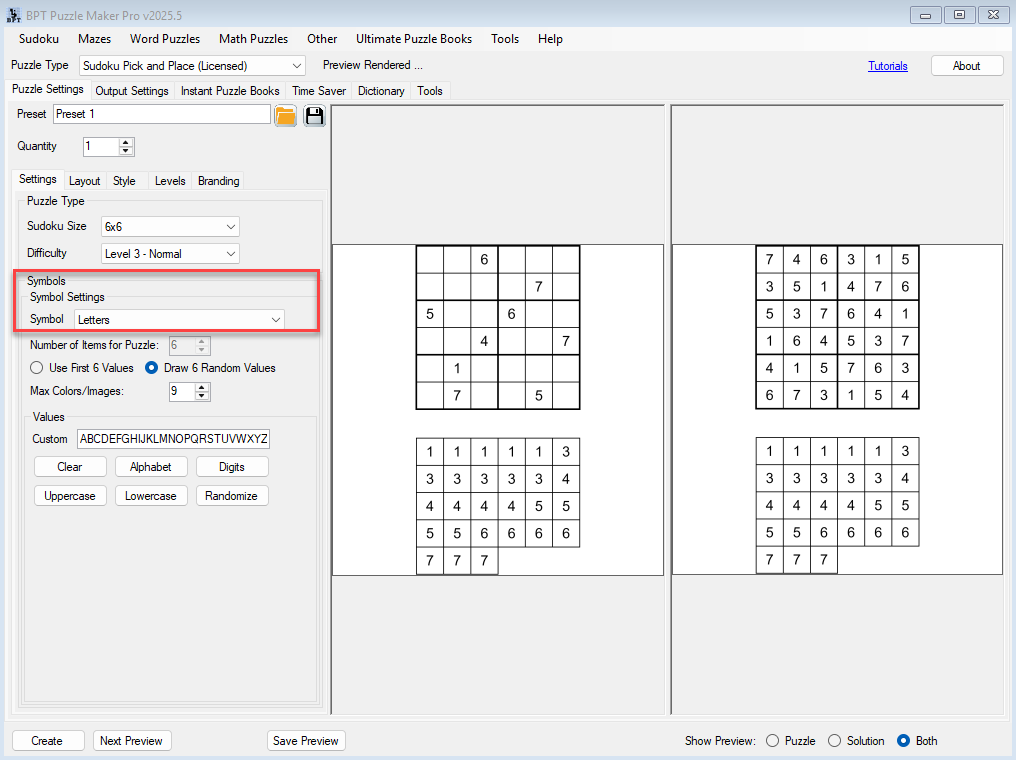
3. Define Symbol Source and Range
For each type, you can:
- Use the default set (e.g. A–F, 1–9)
- Set a range (e.g. numbers 50–80, or letters G–L)
- Use a value list (e.g. 3, 5, 7, 11, 13)
- For colors: manually select or let the module choose randomly
4. Use Random Selection for Variety
You can randomize the subset of symbols used in each puzzle:
- From a larger range (e.g. numbers 1–100 or 25 colors), the module picks N symbols randomly (where N = grid size)
- Each puzzle will use a different combination
- The solution will always match the selected symbols
This is ideal for:
- Thematic puzzles (e.g. rainbow colors, vowel-only puzzles)
- Keeping puzzle books fresh without manual edits
- Hidden code or clue integration in gamified books

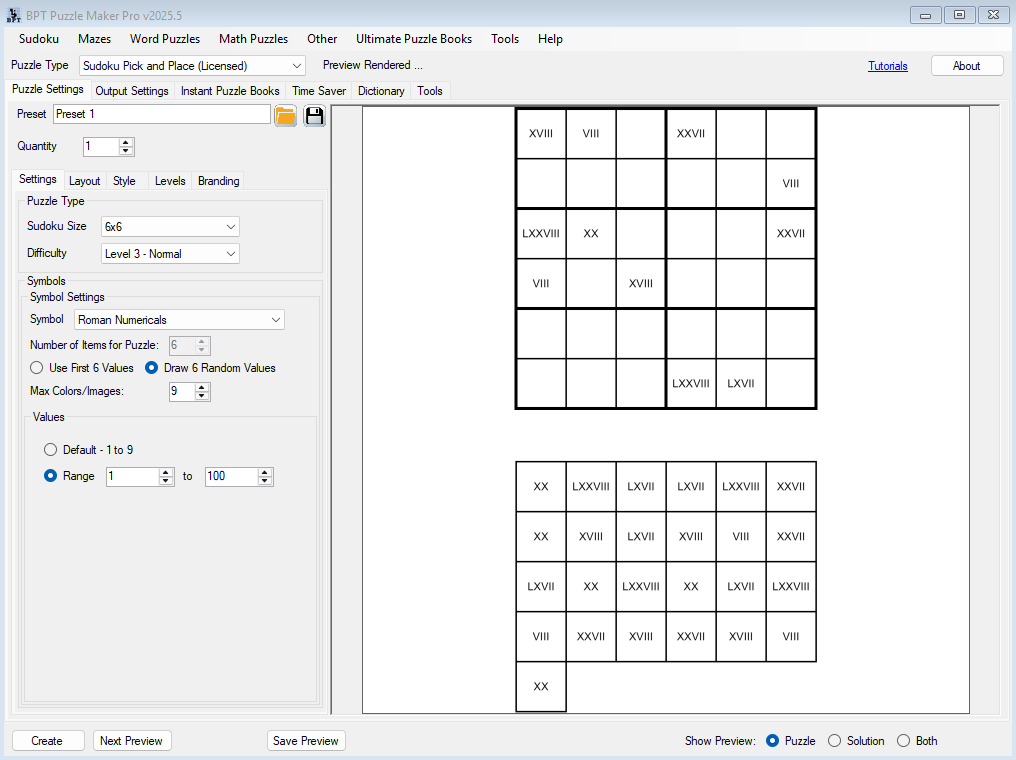

5. Preview and Create
Click Next Preview to view the puzzle with your selected or randomized symbols.
Click Create to save the puzzle with the tile set included.
🎉 Outcome
You’ve created a fully customized sudoku puzzle with your own choice of letters, colors, or Roman numerals — and explored how to randomize symbol sets to add variety and value to your puzzle content.
🔗 Further Reading
- Getting Started with Sudoku Pick and Place
- Creating Educational Sudoku Puzzles with Tile Sets
- Batch Creating Sudoku Puzzles with the Time Saver Add-on