



Mosaic Puzzle Generator: the Answer Is a Picture You Choose
You know how picture logic puzzle books look wonderful on the shelf and slow to produce? A hundred fair boards, a hundred different pictures, an answer key for each. Mosaic Puzzles makes that an afternoon on your Windows PC: pick the pictures, set the size, and every board comes out solvable by logic alone with its picture as the key.
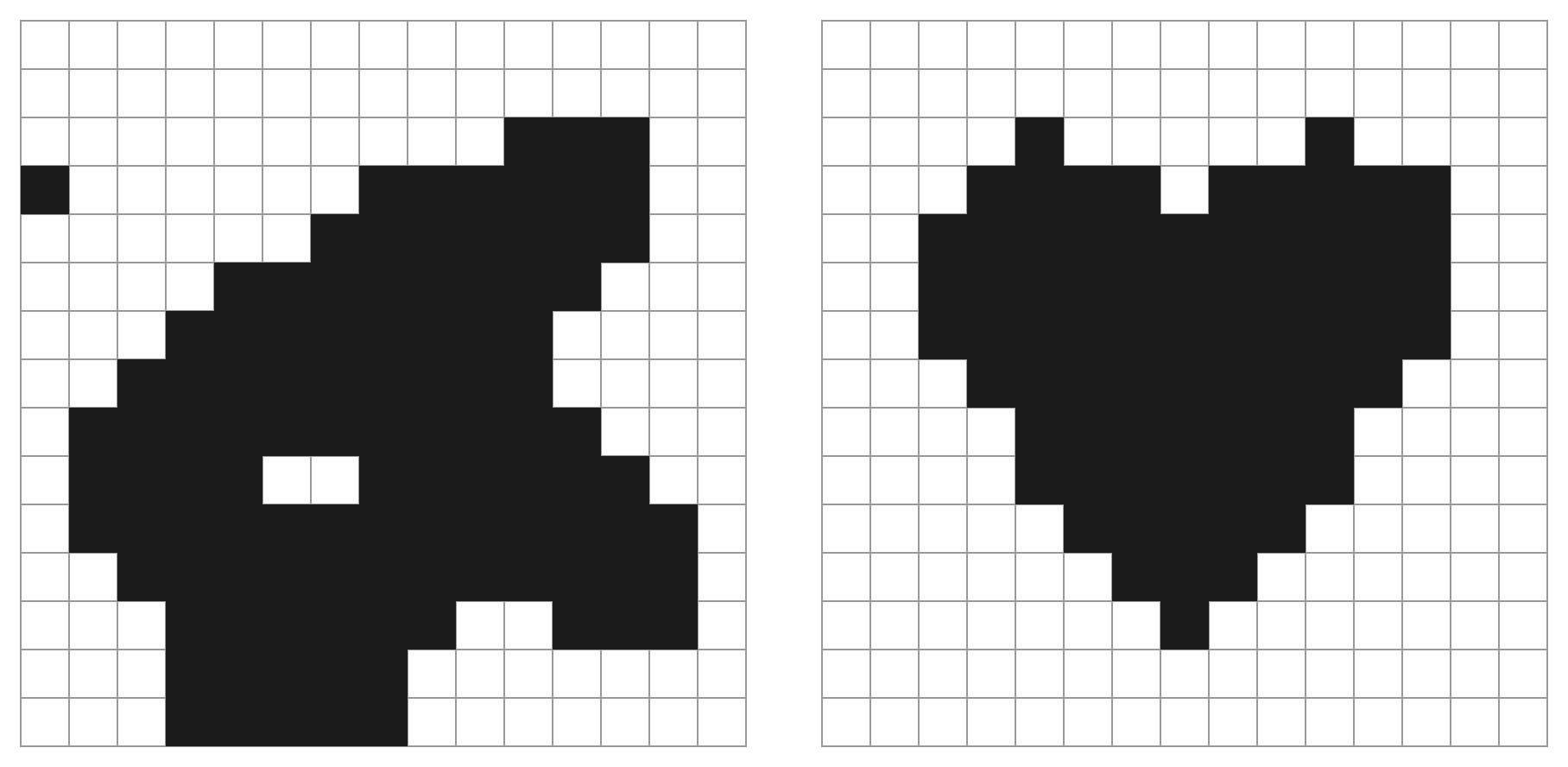
Here is what your reader gets. They work down the grid, number by number, and the shading spreads. Then the last block fills in and there it is: a heart, a cat, a star, the thing the whole page was quietly building toward. That reveal is why picture logic books get finished instead of abandoned, and with Mosaic Puzzles the picture that appears is one you chose.
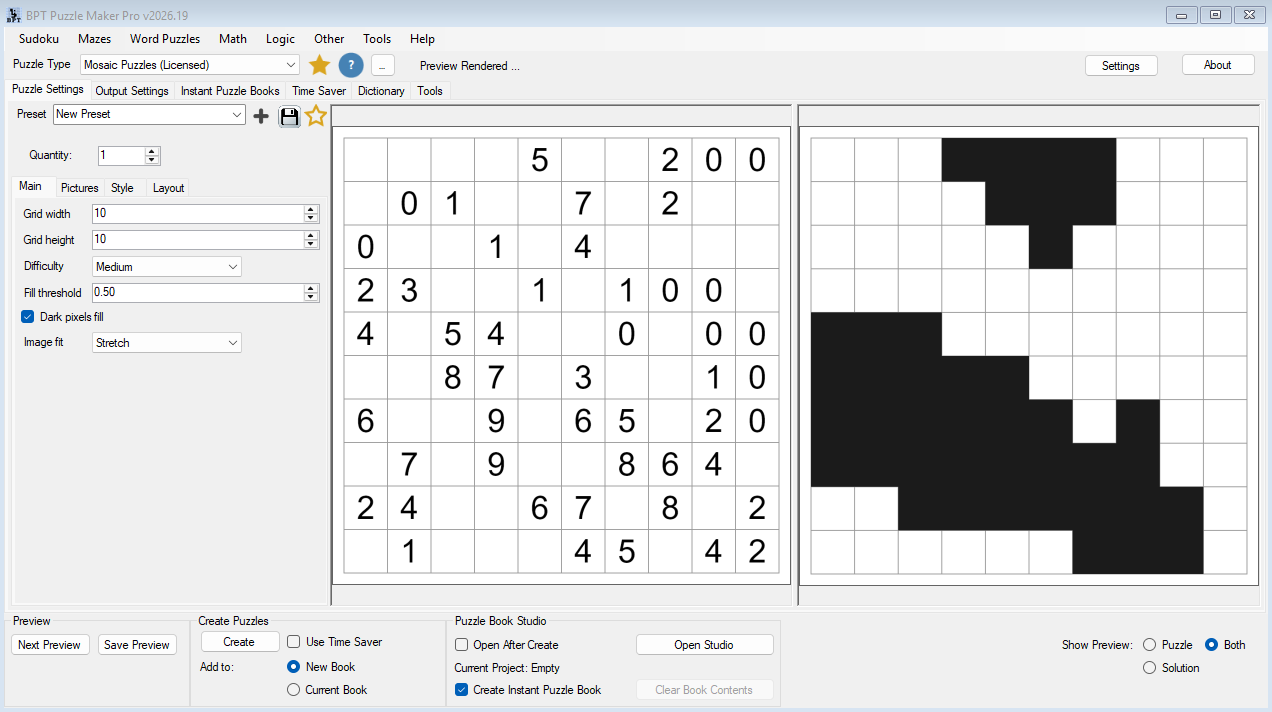
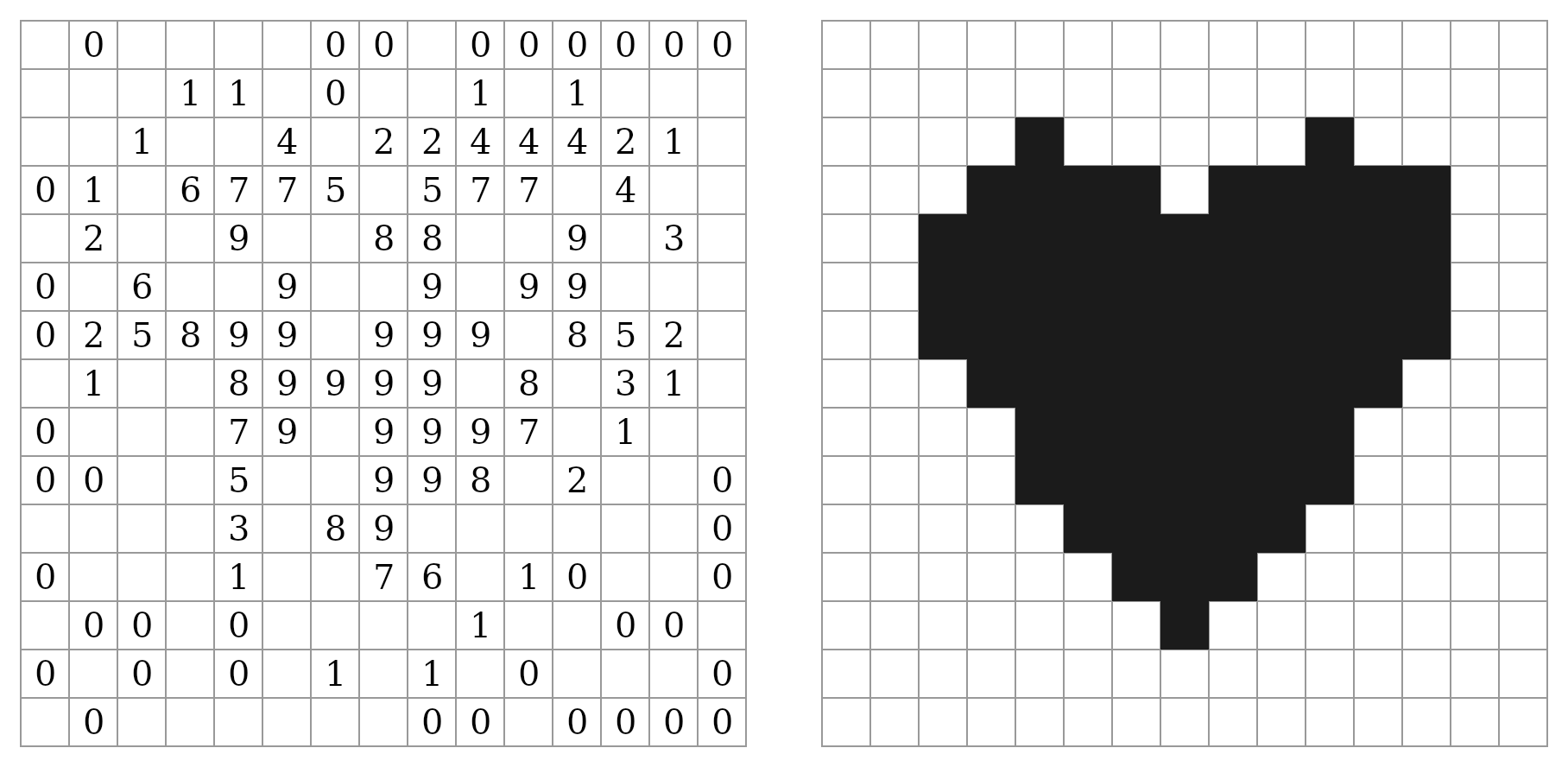
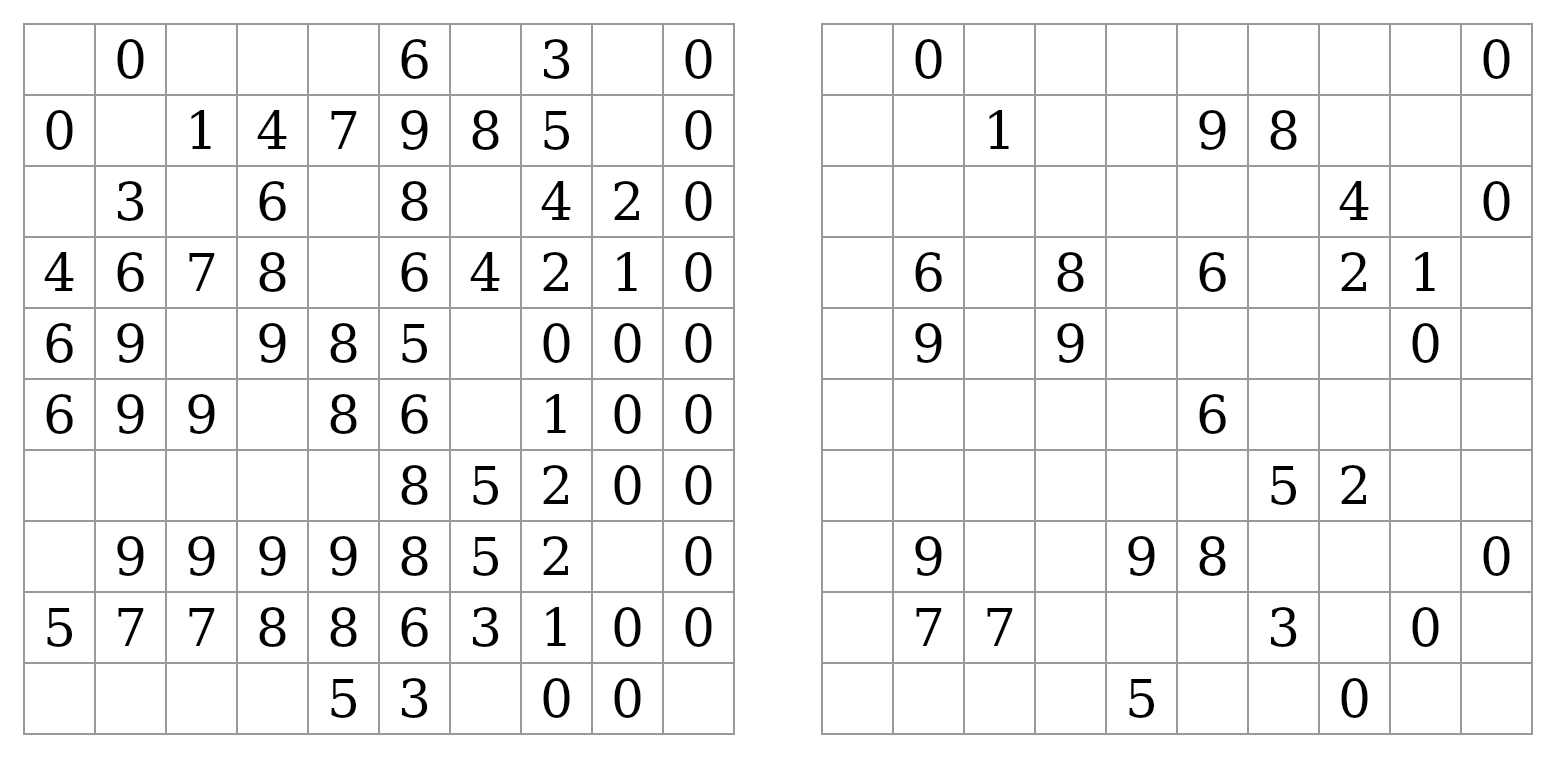
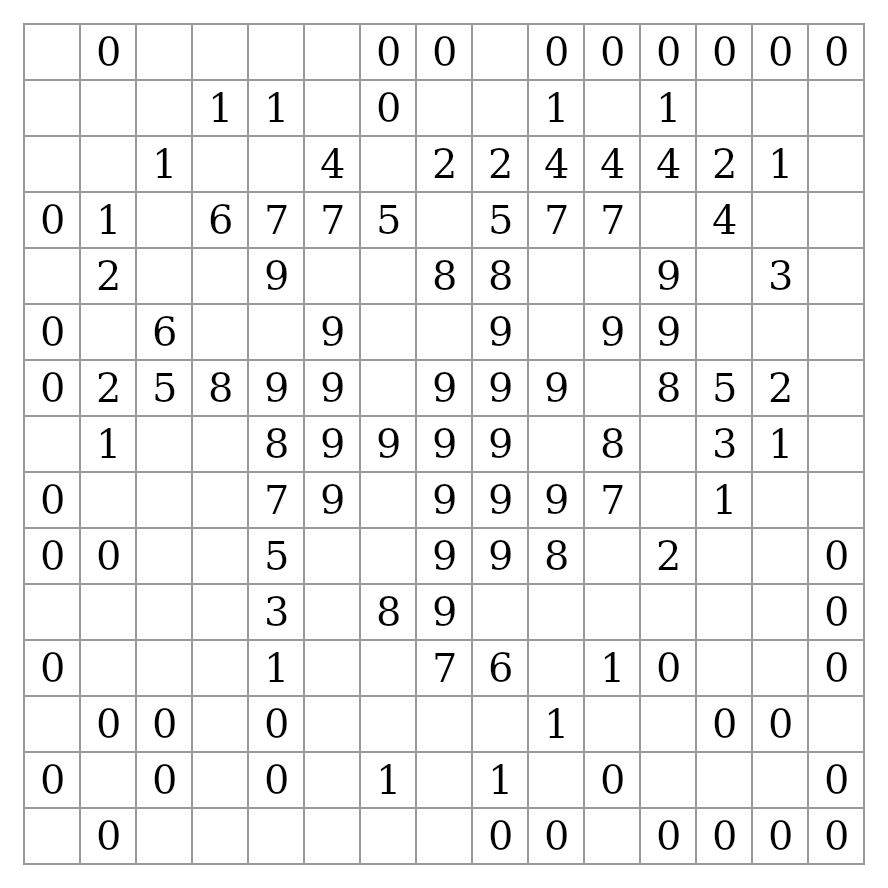
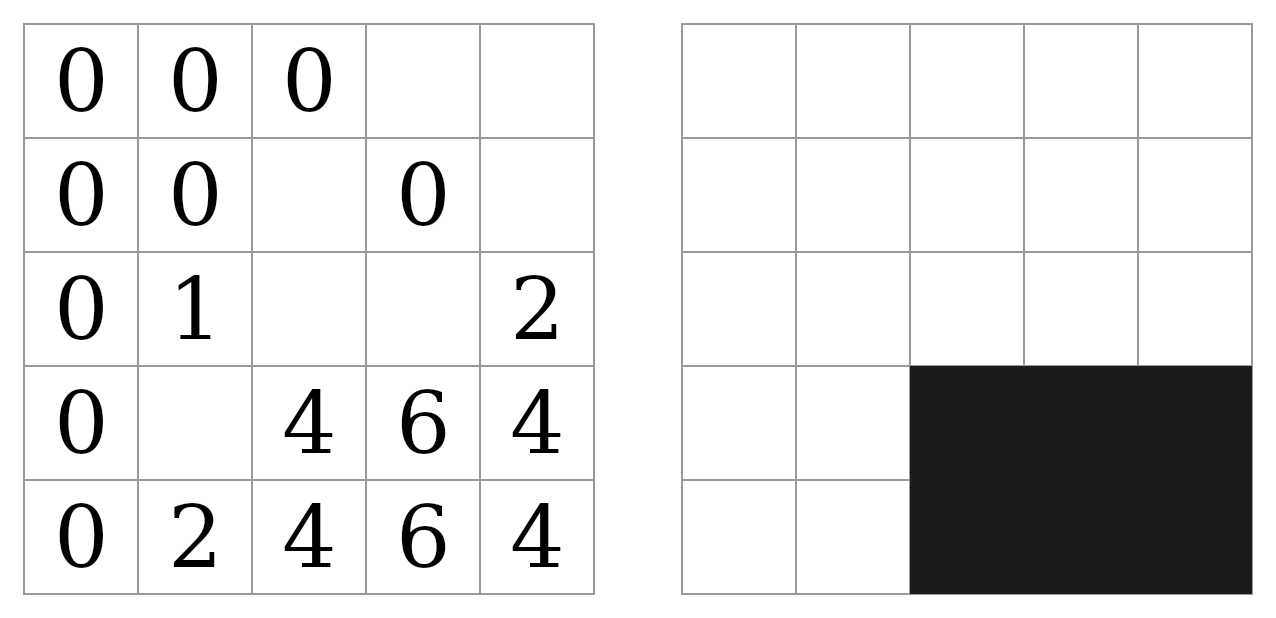
A Mosaic puzzle is a grid of numbers with a picture hidden inside: each number counts the shaded cells in its own 3×3 block, itself included, and shading the cells the numbers demand reveals the picture. I build Puzzle Maker Pro, and I had shelved picture logic twice because I could not guarantee every board was fair by hand. This module fixed that, and I wanted it for the artwork: a puzzle whose answer key is a gallery of shapes can be themed for any season, any niche, any brand, without touching the logic.

Who This Is For
Puzzle book publishers and print-on-demand sellers. You know picture puzzles sell and you know the shelf is full of grids that look alike. Mosaic Puzzles gives you the reveal readers finish books for, on pictures that carry a seasonal, animal, kids’ or niche theme, with every board verified fair before it reaches your page.
Publishers already using Puzzle Maker Pro. Nothing to relearn. Your Instant Puzzle Books trim, margins and layout apply unchanged. The Style tab is the one you already use, and a Mosaic look saves as a preset like every other module’s. With Productivity, Mosaic rows sit in the same Time Saver grid as your other modules.
Teachers, tutors and Teachers Pay Teachers sellers. Counting and deduction that students do voluntarily, because the reward is a picture. Print small boards on Easy for younger classes, bigger boards for the students who finished first, and use the built-in shapes or your own classroom artwork as the answers. From Creative up, solve one on the projector with Puzzle Slides.
Creators building an audience online. Put a free set on your site, let visitors uncover the pictures in the browser, and point the completion screen at the book.
Pick the line that fits the book you are making today; the edition switcher is at the top of this page, and you can move up later.
Fifteen Shapes Included, or Any Picture You Bring
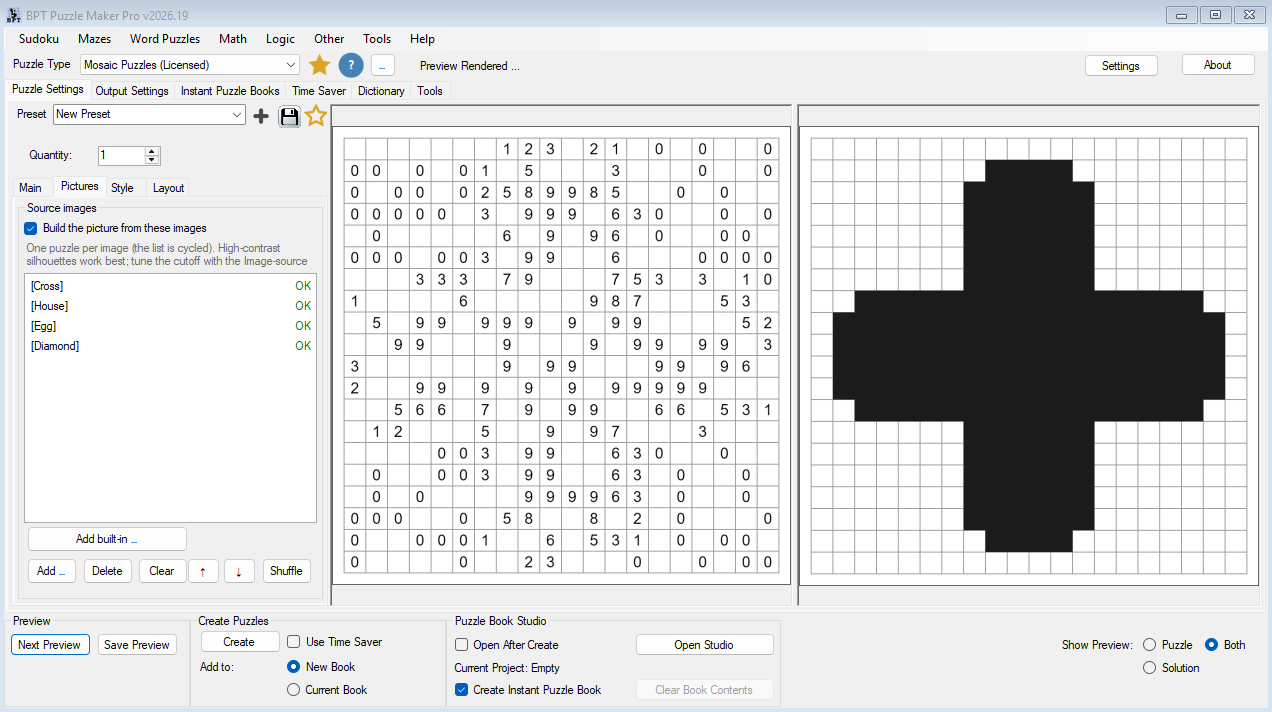
You decide what the picture is. Fifteen built-in silhouettes ship with the module and work on every edition: circle, heart, star, diamond, cross, arrow, crescent, egg, house, flower, fish, leaf, cat, apple and spade, each drawn to survive a 10×10 board. Pick as many as you like from the thumbnail picker and the run works through them in order, one picture per puzzle.
With Creative and above the pictures are yours. Drop in a folder of Christmas ornaments, a set of dinosaurs, your school’s mascot, the product shapes from your catalogue, and each file becomes the answer to its own puzzle. A fill threshold decides how much of the artwork shades, an invert switch handles white-on-dark art, and an image-fit setting stretches, letterboxes or crops a picture whose proportions differ from the grid. Bold silhouettes on a plain background work best, and the built-in shapes show you exactly what “works best” looks like.
Leave the list empty and the module still generates an abstract pattern of its own, pleasant to solve and quick to make.

Every Board Solves by Logic Alone, at Every Level
One unsolvable page in a hundred-page book is a one-star review and a refund. Picture logic is where that risk bites hardest, because a board that needs a guess also needs a lucky guess to reveal the right picture.
You never ship one. Puzzle Maker Pro builds the picture first, works out every cell’s count, then removes numbers one at a time and keeps each removal only if the board can still be solved by pure deduction. What reaches the page has exactly one answer and never needs a guess, at every size and every level, and the answer key is generated in the same pass.
Difficulty changes one thing: how many numbers are printed. Easy leaves a number on roughly seven cells in ten. Expert leaves roughly one in four. The picture, the grid and the rule stay the same, so an Expert page is barer, never riskier. Run Easy for a children’s title, Expert for the reader who wants to sweat, a 30×30 for the solver who wants an evening’s work, or all four levels in one graded book.

Why Picture Logic Puzzles Earn a Place in Your Catalogue
Sudoku and word search sell on familiarity. Picture logic sells on the reveal, and the reveal is what brings a reader back for the next page and the next book.
Mosaic Puzzles keeps the reveal and puts the clues where they are easiest to read: inside the grid. Each numbered cell is a tiny local count, so a solver never lines up long edge counts or loses their place across a row. A newcomer learns the rule from one 5×5 board. An experienced solver settles into a 30×30 for an evening. Numbered cells are part of the picture too, so the board never feels like clues with a puzzle attached.
Read How Mosaic Puzzles Work for the solver’s side, or play a Mosaic puzzle online right now.
Printable Mosaic Puzzle Books, Worksheets and Web Games From One Setup
A catalogue that looks like everyone else’s gets scrolled past. Set the size, the level and the pictures once, and this is what comes out:
- Standalone printable Mosaic puzzle books for KDP and other print-on-demand platforms
- Themed collections built from the fifteen built-in shapes, or, with Creative, from your own roses, snowflakes and animals
- Graded books that run from a 5×5 warm-up to a 40×40 finale on one difficulty ladder
- Kids’ picture puzzle books built on the simple shapes that survive a 10×10 board
- Worksheet packs and printables for Etsy, Teachers Pay Teachers or your own store
- Branded activity pages where the reveal is a logo, a mascot or a product silhouette, with Creative
- Mixed logic books that put Mosaic Puzzles beside your other Puzzle Maker Pro puzzle types, with Productivity
- Decks for solving live in Puzzle Slides, with Creative, and playable sets on your own website, with Interactive
Mosaic Puzzles From a 5×5 Warm-Up to a 40×40 Centrefold
You want a five-minute page for the six-year-old and a spread the adult solver cannot put down, and you do not want two products to get them. Same heart, same rule, different board. Set width and height separately, anywhere from 5 to 40 cells each, and the same heart fills either. A square is simply the case where they match, so a wide 30×15 banner and a tall 15×30 poster are both a click away.
Small boards make quick warm-up pages and kids’ titles. The built-in silhouettes hold up from ten cells across; give your own artwork more room, fifteen or more, so its detail survives. The largest boards carry fine detail and fill a spread: on a 6×9 page a 30×30 board prints at roughly 4.7 mm per cell and a 40×40 at roughly 3.5 mm, so plan the biggest boards for a larger trim such as 8.5 × 11, where 40×40 gets about 4.8 mm. A 40×40 board generates in under half a second, so pick the board for the page, not for the clock.
Make It Look Like Your Book, Not a Default
Picture logic pages are mostly white space and small numbers, which is exactly where a default look gives a book away.
Set the numbers font, the canvas colour, the cell fill and the cell border once, then pick the colour of the picture ink itself. Near-black is the default and prints cleanly in a black-and-white paperback interior, the cheapest kind to produce. When a colour interior earns its margin, switch the ink to red for a Valentine’s title or green for a Christmas one, and every answer key reveals in that colour. Save the look as a preset and it comes back with one click on the next book.
Smart Titles labels the pages for you: choose “Mosaic Puzzles 10 × 10 Medium”, “Mosaic Medium”, just the size, or your own title text, and a hundred pages title themselves without you typing a hundred titles.
From One Puzzle to a Whole Picture Book
A themed picture book is only a product if every page is a different picture and every picture is a fair puzzle. Doing that by hand means drawing fifty pictures and checking fifty boards, which is where the book usually stops.
Set the quantity to whatever the book needs, up to 999 in one run, and every puzzle takes the next picture in your list. Boards from the module’s own generator never repeat within a collection. With Productivity, Time Saver drives many rows at once, each with its own size, difficulty, style and quantity, and one click on Add Progression builds a ready-made ramp from small and easy to big and expert. Rows from your other Puzzle Maker Pro modules ride along in the same run, which is how a mixed logic book gets made.
Then the pages become a book. Every edition builds ready-to-print puzzle books, complete with a title page, a table of contents, and a footer on every puzzle that tells your reader exactly which page its solution is on. Instant Puzzle Books assembles one straight from your current settings. With Creative you edit the whole book in Puzzle Book Studio, one collection at a time (a collection is one set of puzzles made with one setup); with Productivity you combine several collections into one title.
Play It on the Web: Let Readers Uncover the Picture on Your Site
A printed puzzle gets solved once, by someone who already bought the book. A playable one gets solved by strangers who have not, and picture logic is a puzzle people want to try before they buy, because they want to see what appears. Web play comes with Creative + Interactive or Productivity + Interactive.
You export the set and upload the ZIP to the free BookPublisherTools WordPress plugin, or host the HTML output anywhere, and visitors solve your Mosaic puzzles right on your site. They click a cell to shade it, click again to rule it out, and the numbers stay visible on top of the shading the whole way, so the picture emerges under their own hands. A live check flags any block whose count is already wrong, and Verify confirms the finished board.
Two presentations, your choice. A puzzle list lets visitors pick any board from a dropdown, the zero-effort playable sample. A leveled game turns the same set into a path of levels that unlock in order, with progress and stars saved in the visitor’s browser and a completion screen that shows your own message and your own button when the last picture is revealed. Put ten free Mosaic puzzles on your site and the screen that congratulates a solver is the screen that sells them the book. Rename the level caption to “Lesson” and the same path becomes self-paced practice a teacher can assign.
Play a Mosaic puzzle in your browser and see exactly what your visitors would get.
Solve It Together With Puzzle Slides
From Creative up, put a Mosaic board on a projector and the whole room is guessing the picture while the logic decides which cell comes next.
Puzzle Slides turns the set into an interactive PowerPoint with a bank of shade tiles beside the board. The room reasons out a cell, someone drags a tile onto it, and the picture grows on the screen until the last tile drops and the shape is obvious to everyone at once. It runs in PowerPoint with nothing else to install, on the classroom projector you already have, in a tutoring call, in an activity hour, or on a stream.
One run: the pages you print and the deck you present.
Which Edition Should You Choose?
The question is not whether you will get fair puzzles with answer keys; every edition does that, at every size and level, styled the way you want, exported as JPG, PNG, SVG and print PDF. The question is where the pictures come from, how much you produce at once, and whether the puzzles also play and present.
Mosaic Puzzles (the Standard line on the edition switcher) is right if you want picture logic books built on the fifteen included shapes and the module’s own patterns. You get the whole generator, all four export formats, the full Style tab, Smart Titles, presets and Instant Puzzle Books. Each shape is a new puzzle at every size and level, so fifteen shapes across a size ramp fill a book; for a themed title where every picture is different, you want your own artwork, which is the Creative line.
Creative is right if the pictures should be yours. Everything above, plus your own image files as the answer to every puzzle, Puzzle Slides for solving live, and Puzzle Book Studio Creative for full editing of one collection at a time.
Productivity is right if you are building full books from one setup. Everything in Creative, plus Time Saver batch runs, Puzzle Book Studio Productivity for multi-collection titles, and JSON export of the puzzle data for your own apps and workflows.
Add Interactive to Creative or Productivity and the same puzzles also play on your website.
| What you want to do | Mosaic Puzzles (Standard) | Creative | Productivity | Creative + Interactive | Productivity + Interactive |
|---|---|---|---|---|---|
| Create Mosaic puzzles with matching answer keys, 5×5 to 40×40, four levels | Yes | Yes | Yes | Yes | Yes |
| Fifteen built-in picture silhouettes | Yes | Yes | Yes | Yes | Yes |
| Style the numbers, canvas, cells, borders and the picture ink colour | Yes | Yes | Yes | Yes | Yes |
| Export JPG, PNG, SVG and print PDF | Yes | Yes | Yes | Yes | Yes |
| Instant Puzzle Books, with title page, contents and solution cross-references | Yes | Yes | Yes | Yes | Yes |
| Your own artwork as the picture | Yes | Yes | Yes | Yes | |
| Puzzle Book Studio Creative, full book editing of one collection | Yes | Yes | Yes | Yes | |
| Puzzle Slides interactive PowerPoint | Yes | Yes | Yes | Yes | |
| Time Saver batch runs and Puzzle Book Studio Productivity | Yes | Yes | |||
| JSON export of the puzzle data | Yes | Yes | |||
| Play on the web, as a puzzle list or a leveled game | Yes | Yes |
Choose your edition at the top of this page.
You can move up to any higher edition after you buy, further up the ladder or with Interactive added on top, so pick the one that fits the book you are making today.
Try It Before You Buy
You do not have to take any of this on faith. The free demo covers every current Puzzle Maker Pro module, so you can generate Mosaic puzzles yourself, pick a built-in shape, check the answer key, and judge the output before you choose an edition. The demo watermarks its output and makes one puzzle at a time, which is enough to judge the boards and the key.
Licensing and Commercial Use
Mosaic Puzzles and Mosaic Puzzles Creative both let you sell the finished books, worksheets, and packs you make to your own readers and customers, on KDP, Etsy, Teachers Pay Teachers, or your own store. One-time commercial-use licence. Watermark-free. Mosaic Puzzles Productivity includes that, plus you may sell or supply the generated puzzles to other publishers and sellers.
The + Interactive editions carry the licence of the edition they extend. The fifteen built-in shapes are yours to use as puzzle answers in anything you publish. Artwork you supply yourself is yours to clear. Your download and licence appear in your member area the moment your order completes.
Product Details
| Product | Puzzle Maker Pro – Mosaic Puzzles |
| Editions | Mosaic Puzzles; Creative; Creative + Interactive; Productivity; Productivity + Interactive |
| Platform | Windows desktop |
| Internet required | No, you create on your own PC |
| Puzzle rule | Each number counts the shaded cells in its own 3×3 block, itself included; shade every cell the numbers demand and the picture appears |
| Grid sizes | 5×5 to 40×40, width and height set separately, square or not |
| Difficulty | Easy, Medium, Hard, Expert; the level sets how many numbers are printed, never the fairness |
| Uniqueness | Every board is solvable by pure logic with exactly one solution |
| Solution pages | Yes, the finished picture, generated with every puzzle in the same run |
| Pictures | Fifteen built-in silhouettes on every edition; your own image files with Creative and up; the module’s own abstract patterns as a fallback |
| Styling | Numbers font; canvas, cell fill and cell border; the picture ink colour |
| Titles | Smart Titles fills the title and description from the puzzle’s own size and difficulty |
| Output formats | JPG, PNG, SVG, print PDF |
| Puzzle books | Instant Puzzle Books on every edition; Puzzle Book Studio Creative from Creative; Puzzle Book Studio Productivity for multi-collection books on Productivity; title page, table of contents and solution cross-references on every edition |
| Time Saver | Productivity and Productivity + Interactive |
| JSON export | Productivity and Productivity + Interactive |
| Web play | Creative + Interactive and Productivity + Interactive, as a puzzle list or a leveled game |
| Puzzle Slides | Creative and up |
| Presets | Yes, save and reload a complete look |
| Commercial licence | Sell the finished books, worksheets and packs you make to your own readers and customers; Productivity adds selling or supplying the generated puzzles to other publishers and sellers |
| Free demo | Yes |
| Delivery | Immediate, in your member area |
Questions Before You Buy
Is there a free demo?
Yes. One free download covers every current Puzzle Maker Pro module, so you can generate Mosaic puzzles, pick a built-in shape, and judge the output before you buy. Demo output is watermarked; the files you export from a paid edition are not.
Can I upgrade later?
Yes. You can move up to any higher edition after you buy, further up the ladder or with Interactive added on top of the edition you already own. Start with the one that fits the book you are making today.
What is a Mosaic puzzle?
A grid of numbers with a picture hidden inside. Each number says how many cells in its own 3×3 block are shaded, itself included. Shade every cell the numbers demand and the picture appears. The numbers print on the puzzle page only, so the answer key is the clean picture.
Are the puzzles really solvable without guessing?
Yes. The generator never accepts a board its own solver cannot finish by deduction alone: a number is only removed if the board still solves without it, so a guess is never required and a second answer is never possible.
Do I need my own artwork?
No. Fifteen silhouettes ship with the module and work on every edition, and the module can also generate an abstract pattern of its own. Your own image files are the Creative unlock.
What kind of artwork works as a picture?
Bold, high-contrast silhouettes on a plain background, in roughly the same proportions as the grid. Puzzle Maker Pro reduces the image to at most 40×40 cells, so fine detail, thin lines and text disappear. If a picture comes out too heavy or too light, adjust the fill threshold before changing the artwork.
How many pictures does a themed book need?
Roughly one per puzzle. Each puzzle takes the next picture in your list and the list cycles, so a 50-page book from ten pictures repeats each one five times. Every built-in shape is a new puzzle at each size and level, so the fifteen go a long way; for a book where every reveal is different, bring your own artwork.
Can I build a whole book quickly?
Yes, with Productivity. Add Progression builds a ready ramp of rows, from 7×7 up to 13×13 by default, each row with its own level and quantity, and the whole graded book comes out of one run with its answer keys.
I already own the Time Saver bundle. Which edition do I need?
Your Time Saver bundle keeps Time Saver and Puzzle Book Studio Productivity on this module too. JSON export and the right to sell or supply the generated puzzles to other publishers come with the Mosaic Puzzles Productivity licence itself. So if you do not need those two, Mosaic Puzzles or Creative is enough; Productivity is only for those two.
Which edition do I need for web play?
Creative + Interactive or Productivity + Interactive. Both let you host the HTML output yourself or upload the ZIP to the free BookPublisherTools WordPress plugin so visitors solve your puzzles on your site, as a puzzle list or a leveled game. Puzzle Slides comes with Creative and up, Interactive or not.
Can I use the puzzles in books I sell?
Yes. Mosaic Puzzles and Creative both let you sell the finished books, worksheets and printable packs you make to your own readers and customers, on KDP, Etsy, Teachers Pay Teachers or your own store. Productivity adds the right to sell or supply the generated puzzles to other publishers and sellers.
Is this a mosaic puzzle maker for Windows or for Mac?
Windows. You generate and export on your own Windows PC, and no internet connection is needed to create puzzles.
Where are the tutorials?
How Mosaic Puzzles Work covers the solver’s side, and How to Create Mosaic Puzzles in Puzzle Maker Pro walks through the module from an empty grid to a folder of print-ready pages.
Give Your Readers a Picture Worth Solving For
Another grid-of-digits title lands in a category that already has thousands of them, and it competes on cover art alone. A Mosaic title competes on what appears when the last cell is shaded.
Six months from now your catalogue holds a Christmas book where every answer is an ornament, a kids’ book of animals on friendly 10×10 boards, and a 40×40 challenge collection, all from one afternoon of setup, all carrying answer keys you never checked by hand. Readers who finish one come back at Christmas, at Easter, for the kids.
Start with the demo. Generate a few boards, pick a heart or a cat from the built-in shapes, solve one, and watch the picture come through.


