


Fold the Net, Then Turn the Cube: Both Cube Puzzle Generators in One Bundle
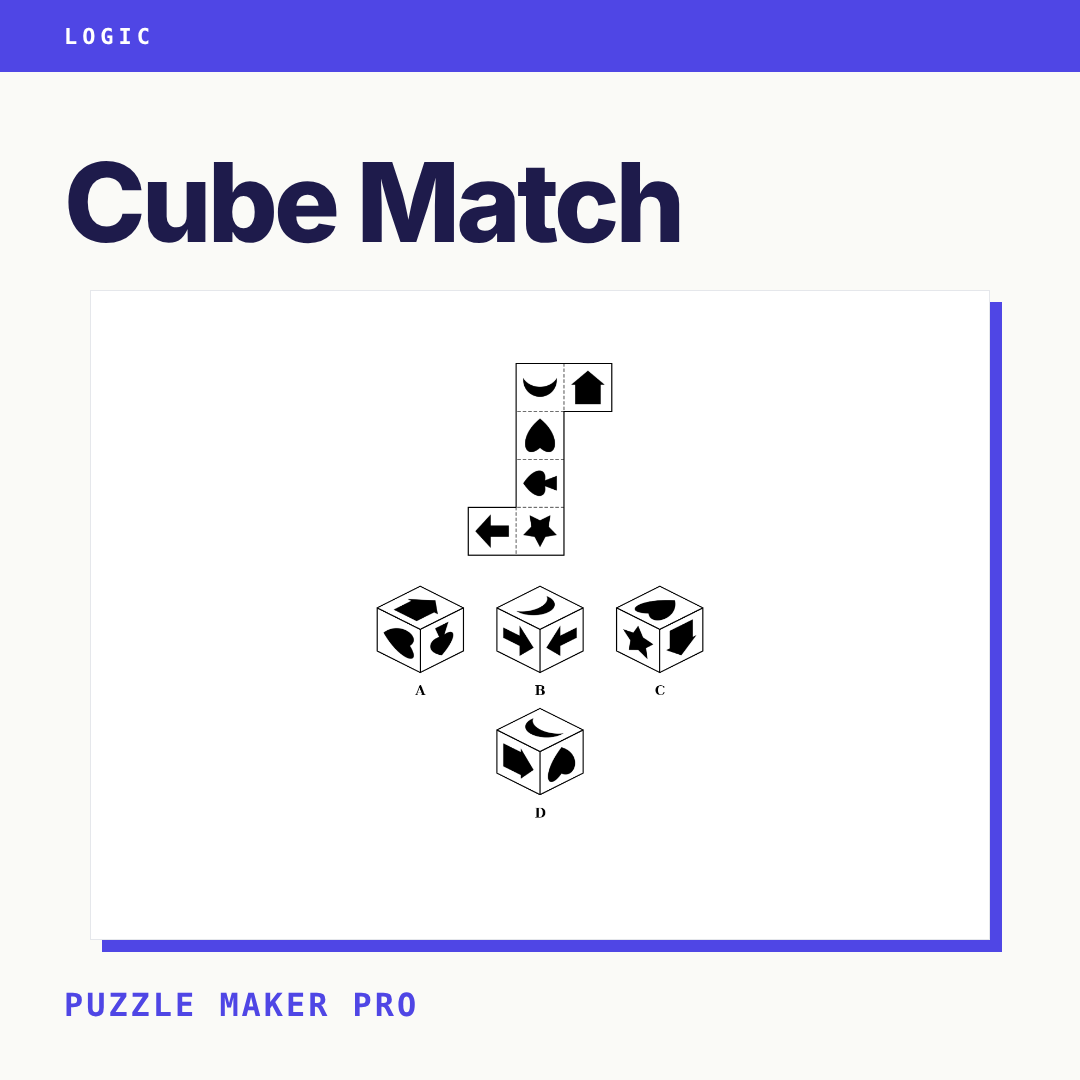
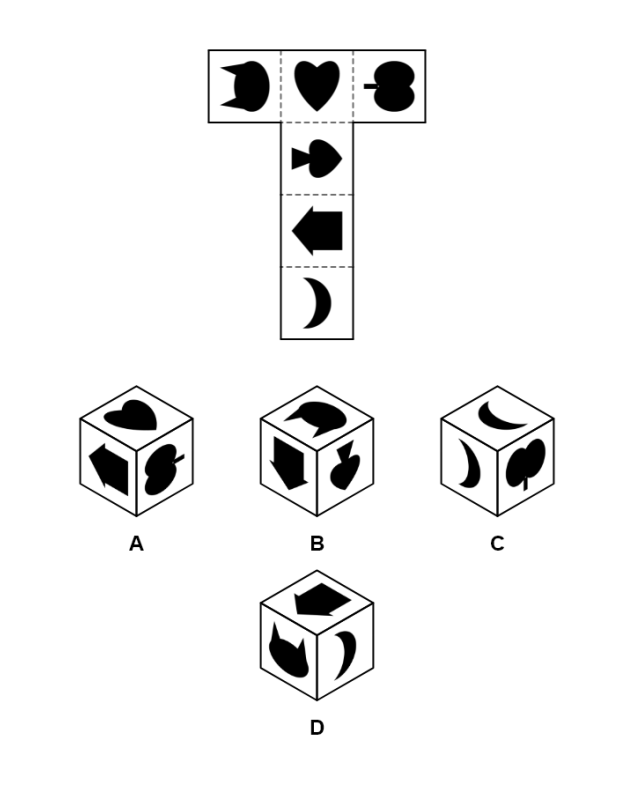
A solver puts one finger on a T-shaped strip of six squares, folds it shut in their head, and circles the only cube it can make. Two pages later, the same solver studies three corners of one cube and has to name the face none of them shows. Same solver. A completely different muscle.
Folding and turning are two different skills. A spatial reasoning unit that trains both reaches further than one that drills either.
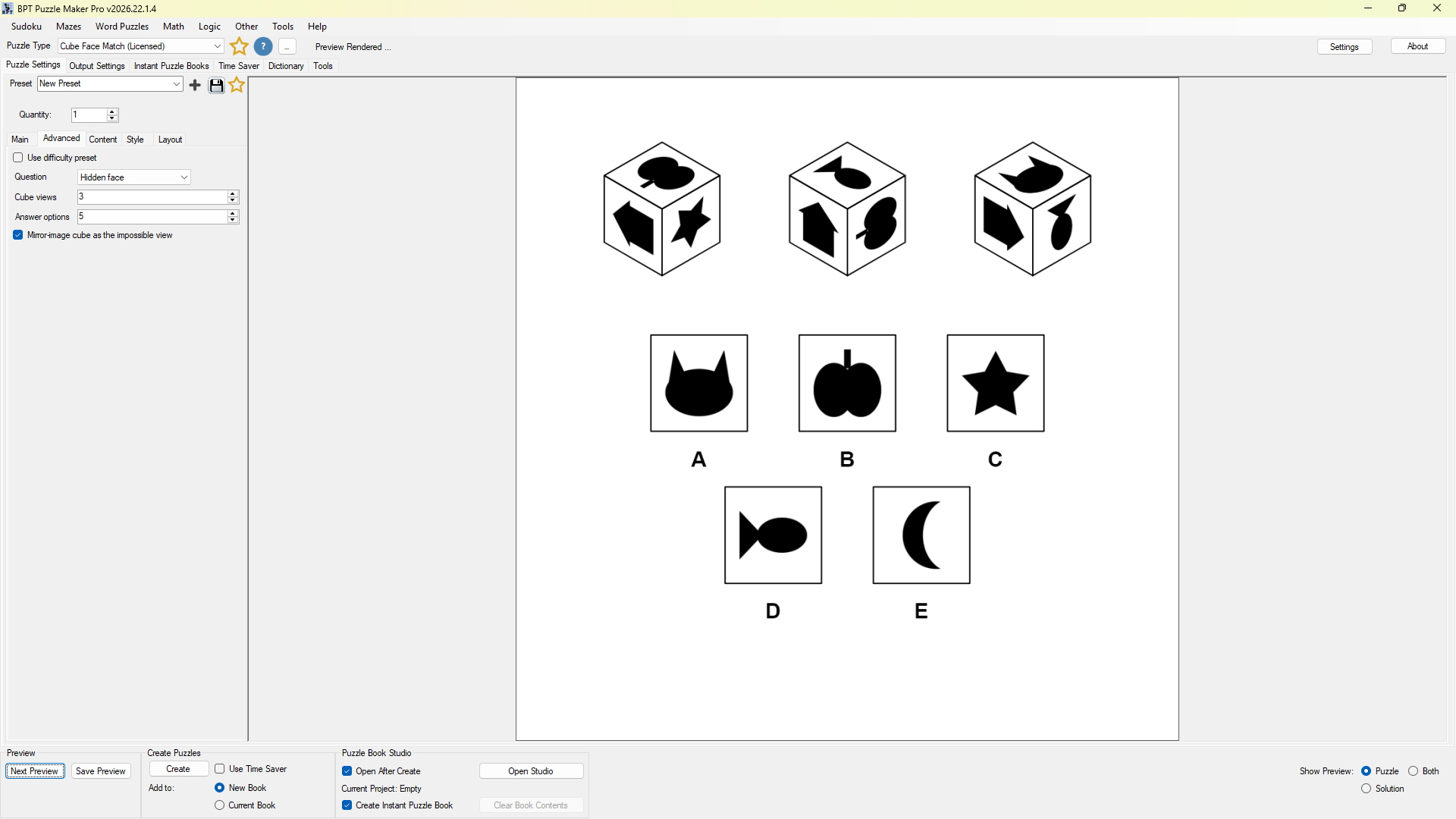
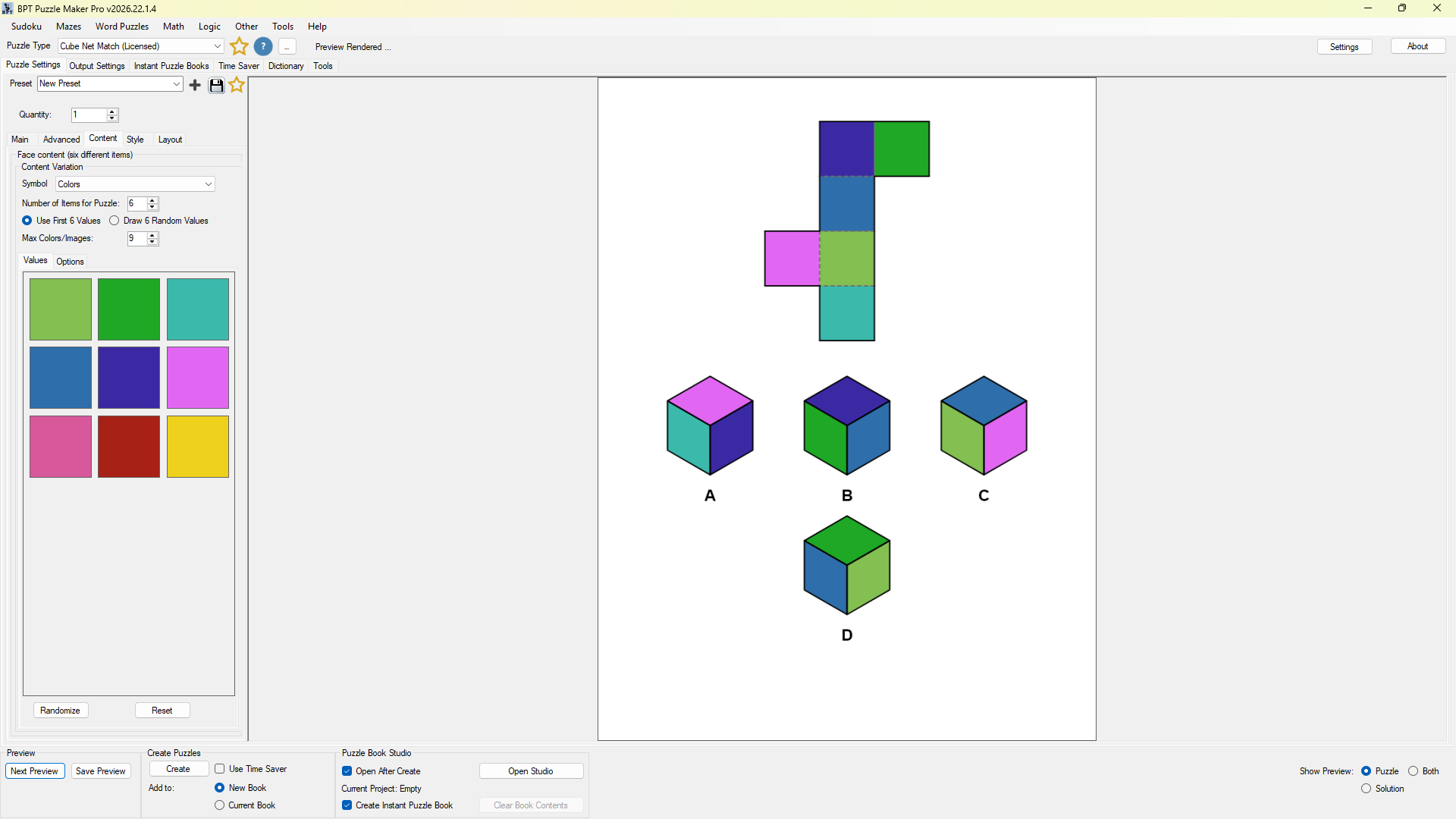
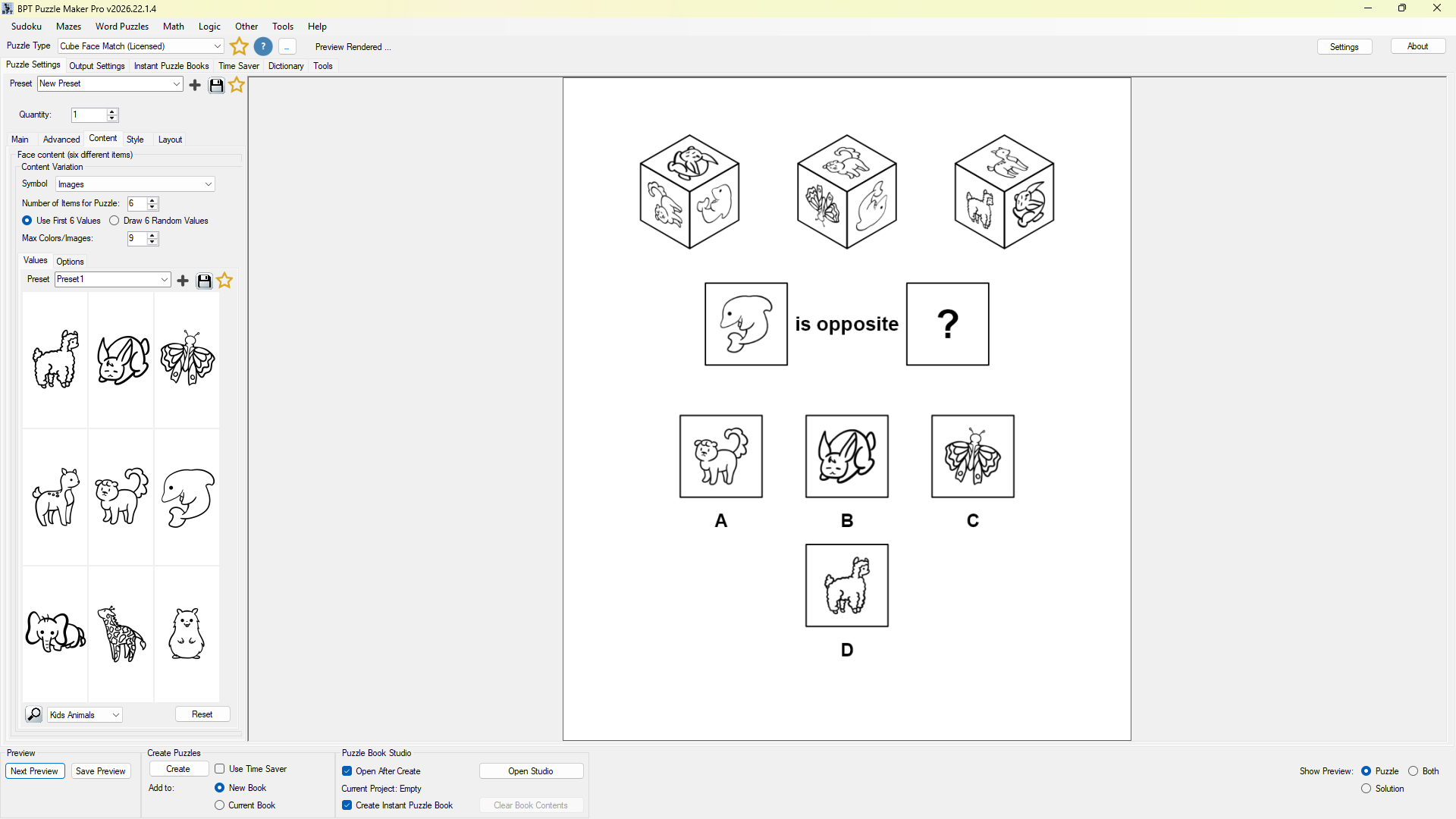
With the Cube Match bundle you get both generators at the edition you choose. In Cube Net Match you make the folding puzzles: net to cube, and cube back to net. In Cube Face Match you make the turning puzzles: the hidden face, the opposite face, which way the top face points, and the one view this cube could never show. Every puzzle in both carries one right answer, proved before it prints, plus its answer key.
Try both modules in the free demo and fold your first net before you choose an edition.

Bundle or one module? Folding puzzles only? Cube Net Match on its own. Turning puzzles only? Cube Face Match on its own. A spatial reasoning unit or workbook with both? Cube Match gives you both modules at the edition you pick, for less than buying them separately.
Six Questions About One Cube, Two Puzzle Families
Two of the six questions fold. Four of them turn. Alternate them through a spatial reasoning unit and your solvers switch skills from one page to the next.
Folding, in Cube Net Match:
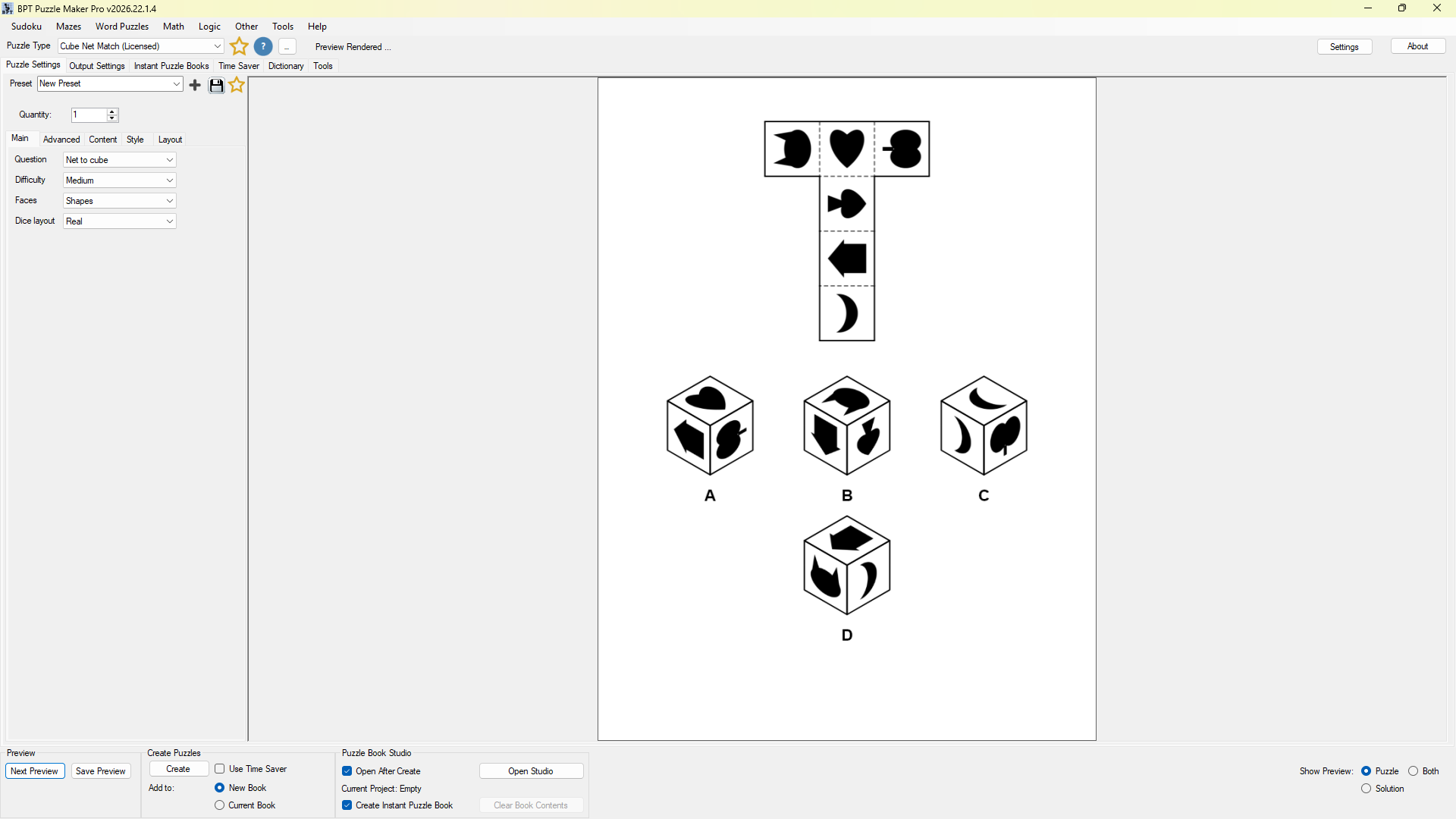
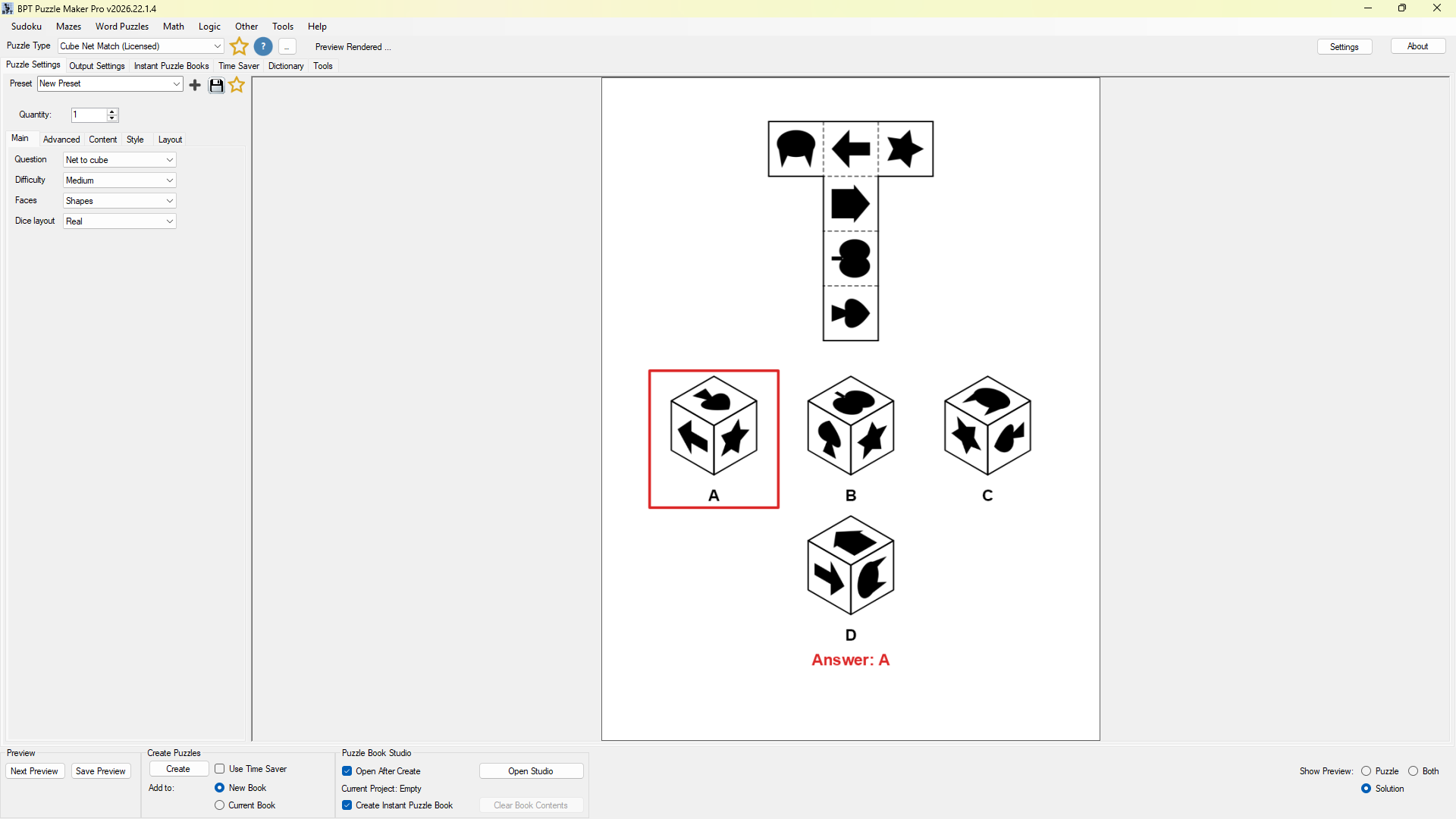
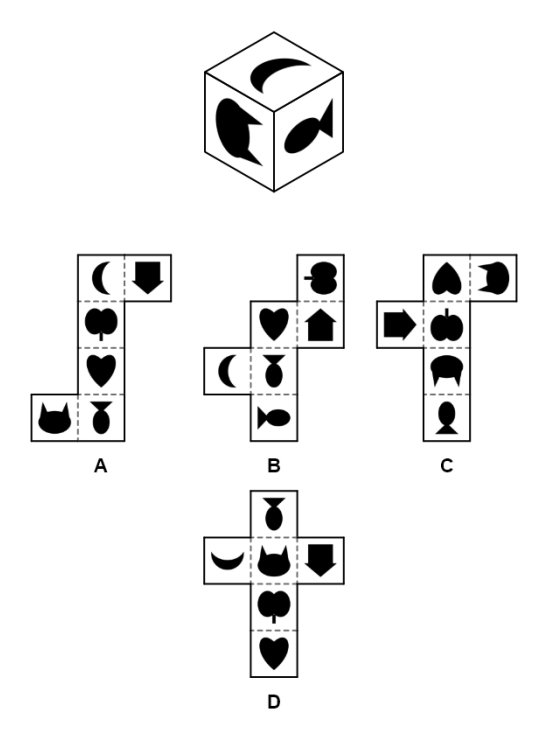
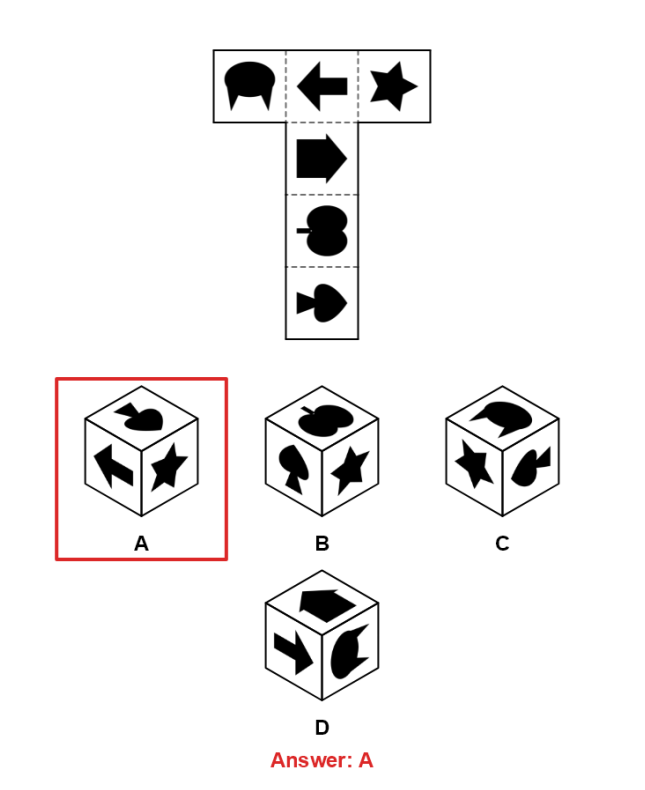
- Net to cube. A flat net above a row of lettered cubes. Which one does it fold into?
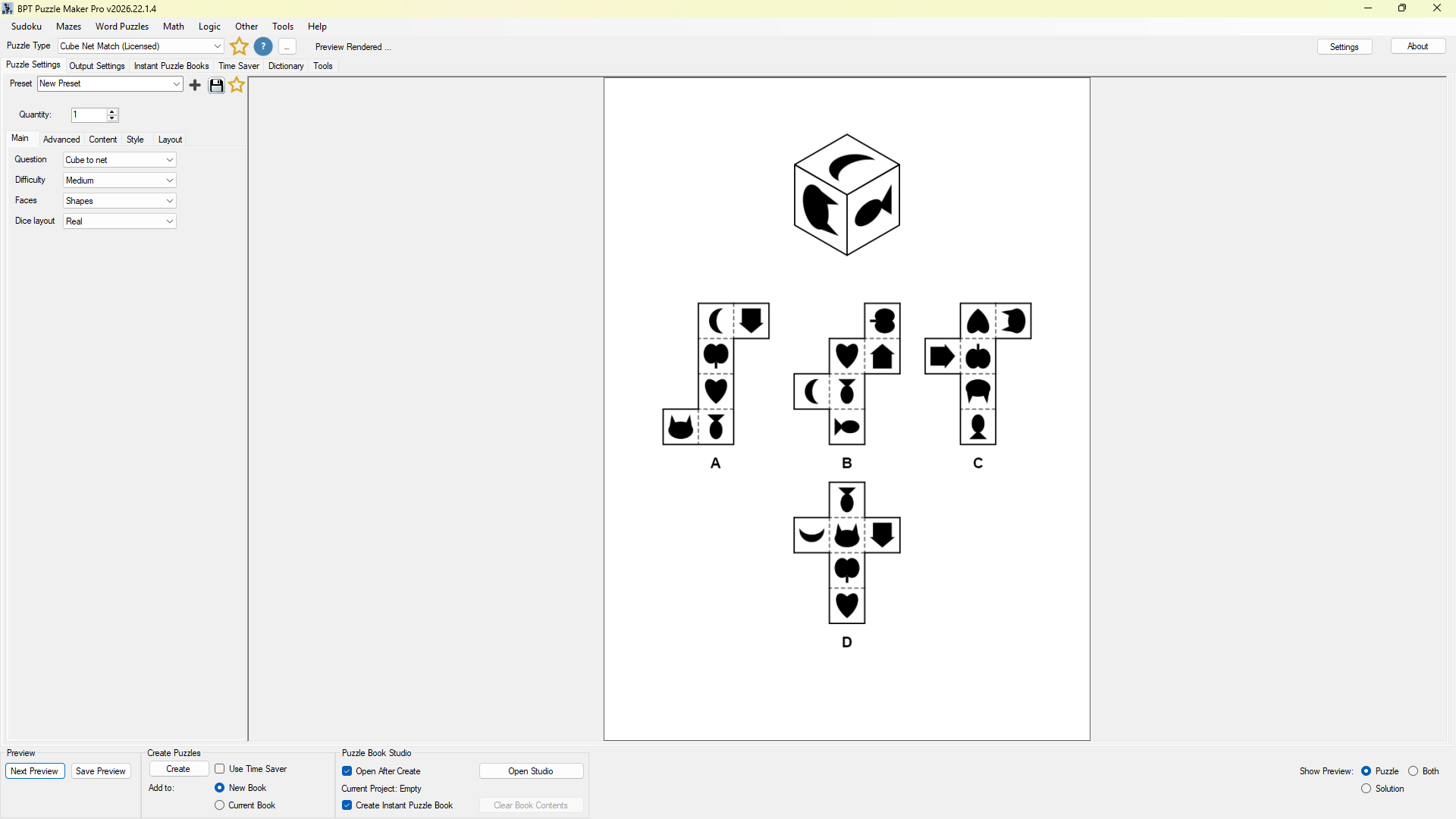
- Cube to net. One cube above a row of nets. This direction runs the film backwards: solvers unfold a finished cube in their head and look for the net it came from.
Turning, in Cube Face Match (this is mental rotation, the skill nonverbal reasoning tests love to probe):
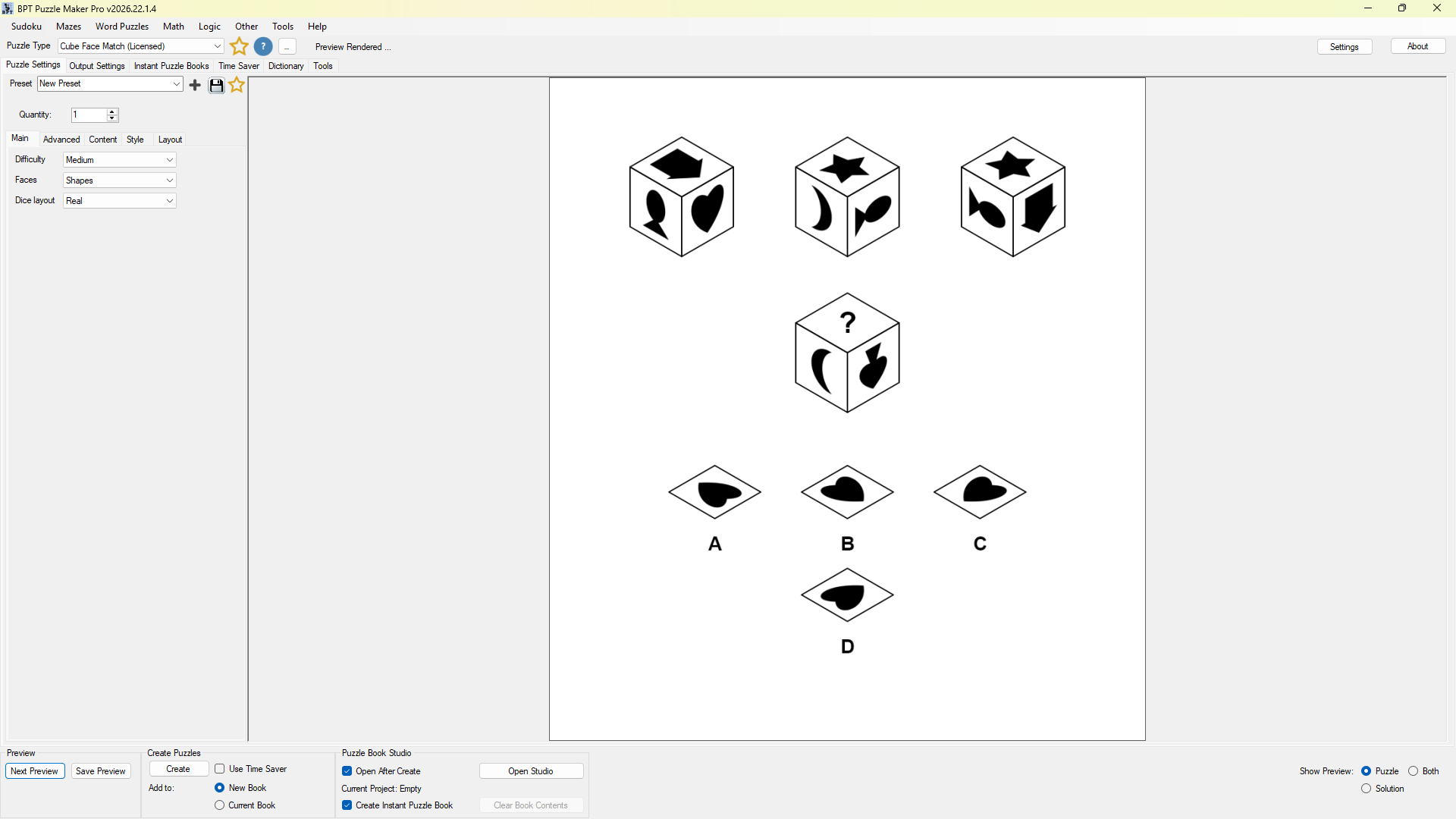
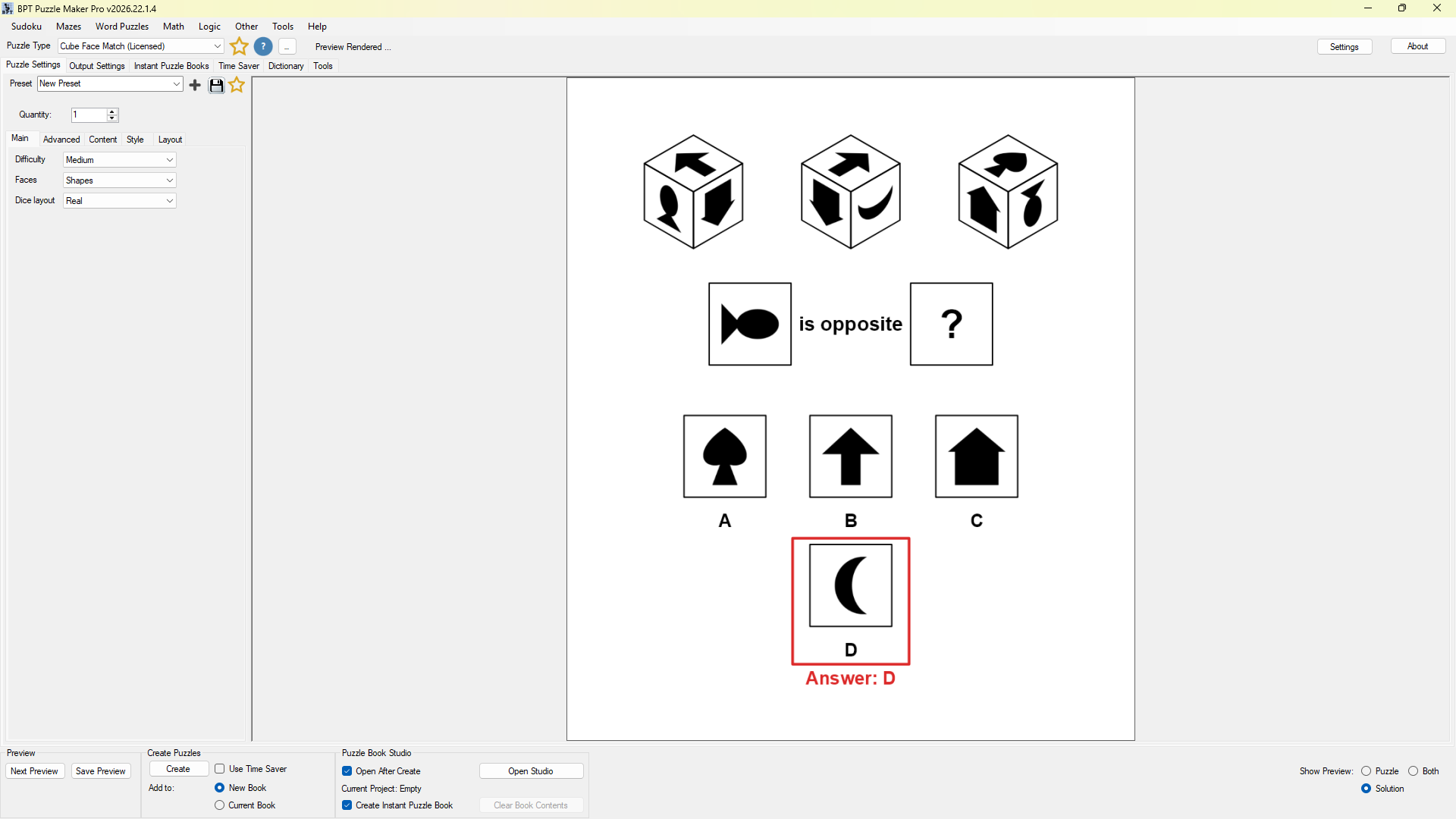
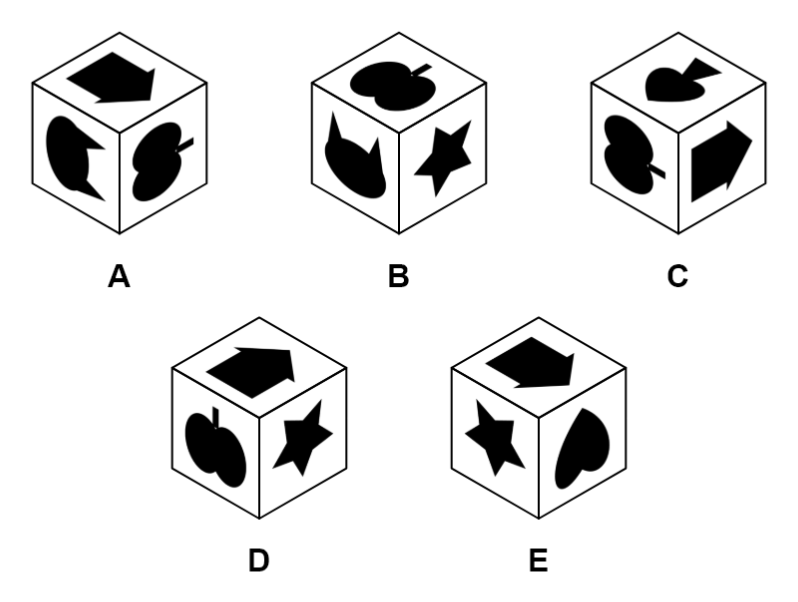
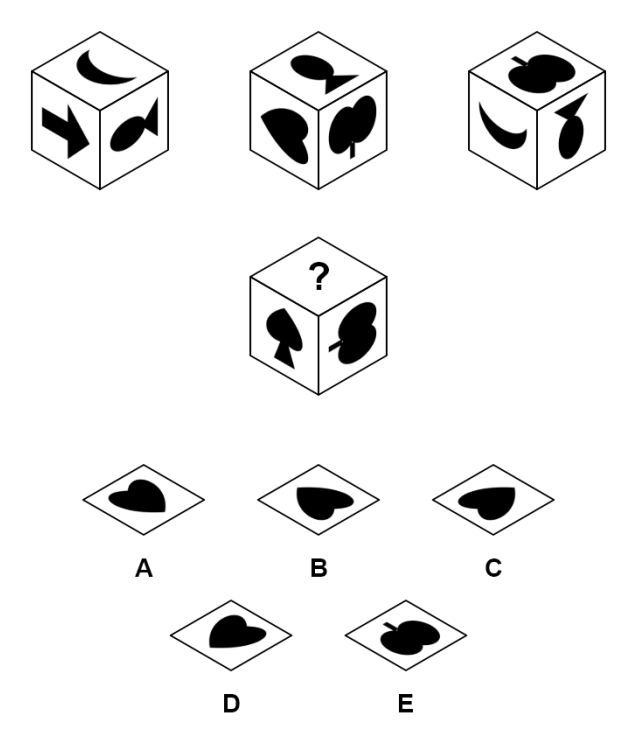
- Hidden face. A few corners of one cube give away five faces. Name the sixth.
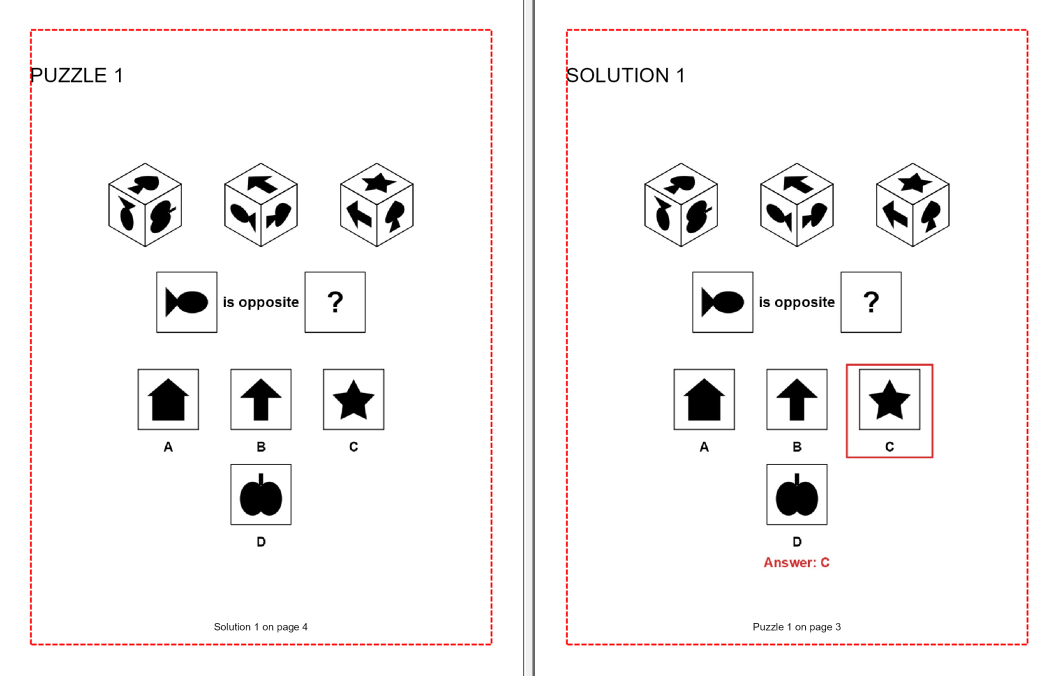
- Opposite face. Pick the picture that sits across the cube from a given face.
- Which way it points. A new corner of the cube, with a question mark on top. Which face belongs up there, and how is it turned?
- Impossible view. Every cube in the row is this cube except one. Find the fake.
Untick the difficulty preset in Cube Face Match and you can choose any one question for a focused lesson, or Mixed, which draws one of the four face questions at random for each puzzle.

Who This Bundle Is For
Teachers and Teachers Pay Teachers sellers, grades 3 to 8, building spatial reasoning units, early-finisher folders and brain-break packets. You get a folding strand and a turning strand from one purchase, three concrete difficulty steps for differentiated groups, and an answer key behind every page. Easy is a fair start for younger classes; Hard is a real workout for adults.
Publishers of brain-training books for adults who need a puzzle that stays hard past page ten. Six question types, all 11 cube nets at the top end, and trap answers that punish guessing. A batch avoids repeating a puzzle, the built-in shapes, dice and numbers are solid black so a grayscale interior loses nothing, and Creative lets you theme the faces so your cube book looks like nobody else’s.
Existing Puzzle Maker Pro customers get two fresh visual puzzles in the app and book tools they already know, and with Cube Match Productivity, in their Time Saver grid.
If you have been drawing cube nets by hand, or skipping spatial puzzles because checking every option took longer than drawing the page, you can stop now: pick a level, click Create, and the answer key is already done.
Trap Cubes That Catch Real Folding Mistakes
A lazy cube puzzle gives itself away. One option is plainly right, the rest are plainly junk, and the solver circles the answer without folding anything.
Every wrong cube in a net puzzle, and every fake in an impossible-view puzzle, is built from a slip people really make when they fold in their heads:
- Two opposite faces side by side, which no folded cube can ever show.
- A face turned the wrong way (net puzzles): the right picture at the wrong angle, on faces whose turn you can see.
- Two faces swapped.
- The same face shown twice.
- The mirror image: every face present, every neighbor plausible, and still no way to fold it.
In Cube Net Match the traps grow with the difficulty: Easy uses the two most visible slips, the face-turn and swap traps arrive at Medium, and the mirror image arrives at Hard, or earlier if you switch it on. In Cube Face Match the impossible-view puzzles come in at Hard, mirror trap included, while the which-way question tests the turn directly: its options include the right face at the wrong angle. With color faces the turn trap steps aside, because a plain color looks the same at any angle.

Before anything reaches the page, each wrong option is tested against the true cube and dropped if it could possibly be right. The answer key rings the one correct option in red and writes the letter underneath, so grading takes a glance.

Faces Built for Your Class or Your Cover
A third-grade center wants farm animals. A brain-training book wants something that looks grown-up. The logic underneath is the same cube either way, so the faces are yours to choose.
Every edition ships three ready-made face sets in both modules:
- Shapes: six bold silhouettes per puzzle from a set of nine (heart, star, arrow, crescent, house, fish, cat, apple and spade), each one readable at any turn.
- Dice: classic dot faces, in a Real layout where opposite faces add up to seven, or a Random layout.
- Numbers: 1 to 6, with the 6 underlined so a turned 6 never passes for a 9.
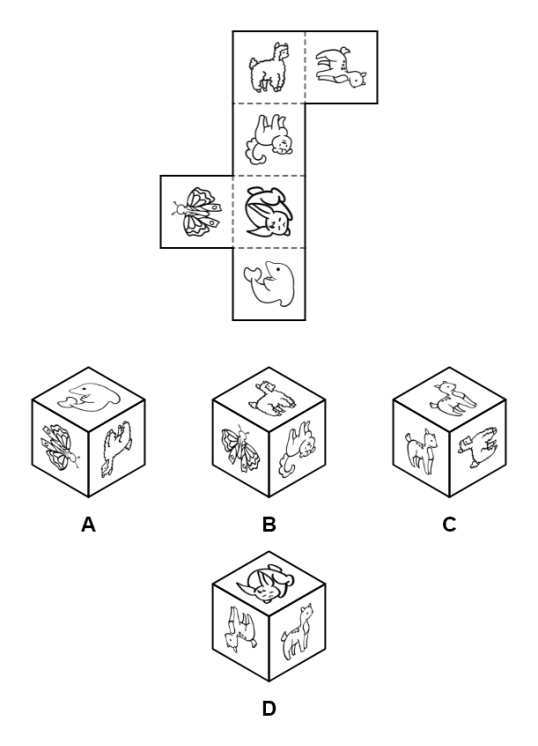
Cube Match Creative and up opens the Content tab in both modules: letters, numbers, colors, your own pictures or a whole image list on the six faces. Six letters from this week’s spelling list for a literacy center, a season’s worth of animal cubes, or six symbols from your brand for a book cover that matches the inside. Six letters, six animals or six of your own marks, and the same proved answer underneath.

Two Ramps, One Dropdown: How Each Module Gets Harder
A parent asks why this week’s page is harder than last week’s. You can answer in one sentence, because each step changes something you can point to. Both modules ship with Easy, Medium and Hard presets, and their ramps work in two different ways.
Cube Net Match adds nets and options. Easy draws from the six nets built on a straight row of four, the cross among them, with three options. Medium adds three more nets and a fourth option. Hard opens all 11 cube nets and five options.
Cube Face Match takes clues away. Easy shows four corners of the cube and asks for the hidden face, with three options. Medium shows three corners and asks for the opposite face or which way the top points, with four options. Hard either cuts the clues to two corners for a which-way question, or switches to spotting the impossible cube in a row of five, mirror trap included.
Print one lesson at three levels for three tables in the same room. Or build your own curve: untick Use difficulty preset to choose the question type, the number of answer options, which traps appear and how many corners of the cube the solver sees. The net pool, from the six row-of-four nets to all 11 or one fixed net for a lesson on that net, works with or without the preset.

From Single Pages to a Spatial Reasoning Workbook
A stack of loose cube pages becomes a workbook the moment it has a contents page and an answer section.
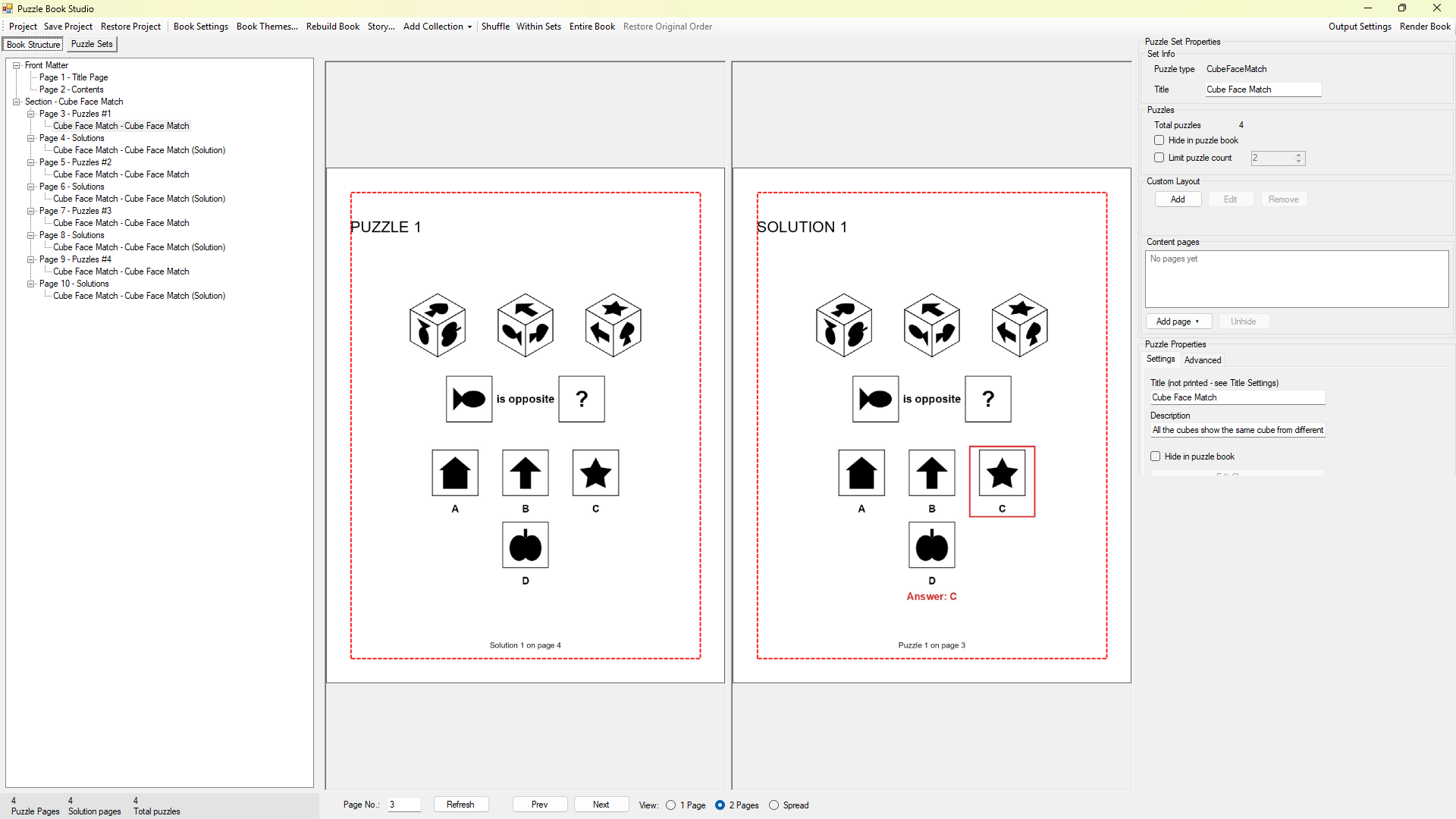
- Instant Puzzle Books and Puzzle Book Studio come with every edition. Either one turns each module’s run into a print-ready interior with a title page, a table of contents, and a footer that sends the reader straight to the answer page.
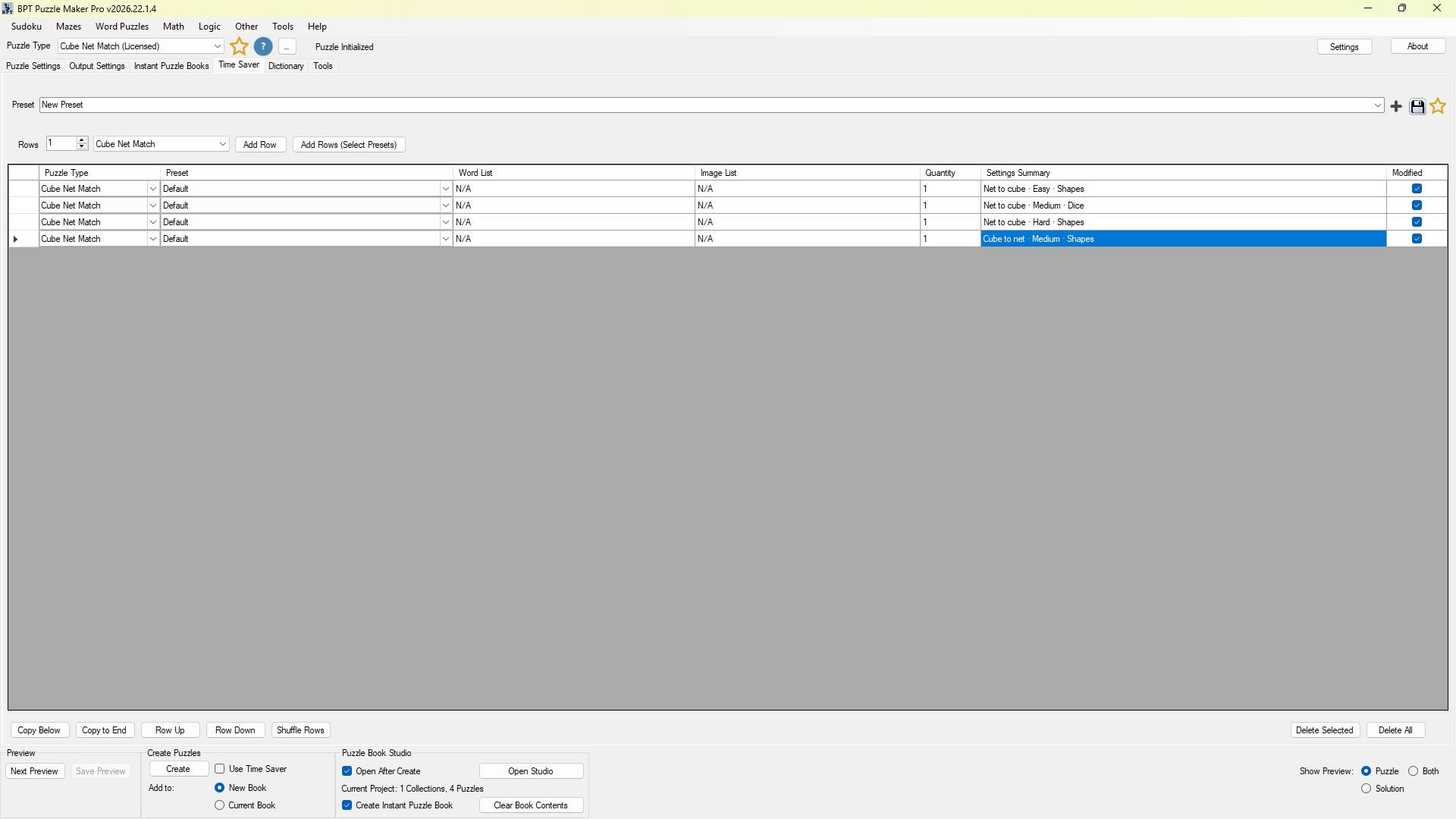
- Cube Match Productivity adds Time Saver: set up Easy, Medium and Hard rows for both modules in one grid and produce the whole set, answer keys included, in a single run.
- Puzzle Book Studio Productivity puts several collections in one book, so on Productivity your folding chapter and your turning chapter share one interior and one table of contents.
Each puzzle saves as JPG, PNG, SVG or print PDF together with its answer sheet, so one run feeds a print book, a digital download pack and Monday’s lesson.

Play It on the Web (Interactive Editions)
Some of your solvers will never hold a printed page. Teachers want an early-finisher activity for the classroom tablet; brain-training readers want a cube a day on their phone.
With Cube Match Creative + Interactive or Cube Match Productivity + Interactive, you publish your cube puzzles on your own website with the free BookPublisherTools WordPress plugin, and solvers tap the cube or net they believe is right and see the answer on the spot. Show a set as a simple puzzle list, or as a leveled game whose levels can unlock in order, with progress saved in that visitor’s browser and a final screen carrying a message and a button you choose, such as “Get the full workbook”. A teacher can hand the whole path to a class as self-paced practice for the week.
Try a Cube Net Match puzzle or a Cube Face Match puzzle in your browser right now.
Which Edition Should You Choose?
Every Cube Match edition is that same edition in both modules: buy Cube Match Creative and you own Cube Net Match Creative and Cube Face Match Creative. Two different puzzle families, one purchase, one license decision, and a lower price than buying the two modules one at a time at the same edition.
- Choose Cube Match to start with both puzzle families, all six question types, the shapes, dice and number faces, and complete books.
- Choose Cube Match Creative when your puzzles need to match a theme, a lesson or a brand: letters, colors and your own pictures on the faces in both modules.
- Choose Cube Match Productivity when you produce in volume: Time Saver, single books that hold both net and face chapters, JSON export, and the right to supply the generated puzzles to other publishers and sellers.
- Add + Interactive to Creative or Productivity when you want readers or students to play the puzzles on your own website.
| What you get in both modules | Standard | Creative | Productivity |
|---|---|---|---|
| All six question types, Easy/Medium/Hard presets and custom settings, one proved answer and an answer key per puzzle | ✓ | ✓ | ✓ |
| Shapes, dice or number faces; real or random dice layout | ✓ | ✓ | ✓ |
| Export as JPG, PNG, SVG and PDF; style colors, lines and fonts | ✓ | ✓ | ✓ |
| Instant Puzzle Books and Puzzle Book Studio, with title page, table of contents and solution cross-references | ✓ | ✓ | ✓ |
| Letters, colors, your own pictures or an image list on the cube faces | ✓ | ✓ | |
| Time Saver, batch production of complete sets | ✓ | ||
| Puzzle Book Studio Productivity, net and face chapters in one book | ✓ | ||
| JSON export of the puzzle data for your own apps and workflows | ✓ | ||
| License to sell finished books, worksheets and packs to your own readers and customers | ✓ | ✓ | ✓ |
| License to sell or supply the generated puzzles to other publishers and sellers | ✓ | ||
| Play on your own site, as a puzzle list or a leveled game | + Interactive | + Interactive |
Only want one of the two? Each module is also sold on its own: Cube Net Match for the folding puzzles, Cube Face Match for the turning puzzles.
Your first choice is never final: move up to any higher Cube Match edition after you buy, and both modules move up together. Pick the edition that fits the set you are making now, in the switcher at the top of this page.
Try Both Modules Before You Buy
The free Puzzle Maker Pro demo includes Cube Net Match and Cube Face Match. Make a net puzzle and a face puzzle, switch the preview to the solution, and see whether the trap options would catch your students or your readers. Demo puzzles are watermarked and made one at a time; any paid edition lifts both limits.
Download the free demo: fold one, turn one, and decide with the puzzles in front of you.
Licensing and Commercial Use
Cube Match and Cube Match Creative both let you sell the finished books, worksheets and packs you make with either module to your own readers and customers, on KDP, Etsy, Teachers Pay Teachers or your own store. It is a one-time commercial-use license, and your puzzles carry no watermark.
Cube Match Productivity adds the right to sell or supply the generated puzzles themselves to other publishers and sellers. The + Interactive editions carry the same rights as the edition they are added to.
Delivery is immediate: your download and the licenses for both modules appear in your member area the moment your order completes.
Product Details
| Product | Puzzle Maker Pro – Cube Match |
| Editions | Cube Match; Cube Match Creative; Cube Match Creative + Interactive; Cube Match Productivity; Cube Match Productivity + Interactive |
| Included modules | Cube Net Match and Cube Face Match, both at the edition you choose |
| Platform | Windows desktop |
| Question types | Net to cube, cube to net (Cube Net Match); hidden face, opposite face, which way it points, impossible view, or Mixed with the preset off (Cube Face Match) |
| Cube nets | All 11; Easy uses the 6 nets built on a row of four; one fixed net per run is also possible |
| Answer options | 3 to 6 per puzzle (opposite-face puzzles up to 5); presets use 3, 4 and 5 |
| Cube views | 2 to 4 corners for hidden face, opposite face and which way it points; harder presets show fewer. Impossible view shows one cube per option |
| Wrong-answer types, Cube Net Match | Opposite faces side by side, a face turned the wrong way (faces whose turn is visible), two faces swapped, a face shown twice, the mirror image (Hard, or when ticked) |
| Wrong-answer types, Cube Face Match | Impossible view: opposite faces side by side, two faces swapped, a face shown twice, the mirror image (Hard, or when switched on). Which way it points: the right face turned the wrong way |
| Solution | Exactly one correct option, proved before the page is drawn; answer key with a ring around the right option and the answer letter |
| Faces | Shapes, dice (real or random layout), numbers 1 to 6; Creative and up: letters, numbers, colors, your own pictures, image lists |
| Grade fit | Grades 3 to 8 in the classroom; Hard settings challenge adults |
| Output formats | JPG, PNG, SVG, PDF |
| Puzzle books | Instant Puzzle Books and Puzzle Book Studio (every edition); Puzzle Book Studio Productivity (Productivity editions); title page, table of contents and solution cross-references |
| Batch creation | Time Saver (Productivity editions) |
| JSON export | Productivity editions |
| Web play | + Interactive editions, via the free WordPress plugin, as a puzzle list or a leveled game |
| Upgrades | Move up to any higher Cube Match edition after you buy |
| Commercial license | Sell finished books, worksheets and packs to your own readers and customers (every edition); Productivity adds selling or supplying the generated puzzles to other publishers and sellers |
| Free demo | Yes, both modules |
| Delivery | Immediate, in your member area |
Questions Before You Buy
Is there a free demo?
Yes. The free Puzzle Maker Pro demo includes Cube Net Match and Cube Face Match, so you can make one puzzle of each kind before you decide.
What exactly is in the bundle?
Two Puzzle Maker Pro modules, Cube Net Match and Cube Face Match, at the edition you pick. Cube Match Creative, for example, is Cube Net Match Creative plus Cube Face Match Creative.
Is the bundle cheaper than buying both modules?
Yes. Cube Match costs less than buying Cube Net Match and Cube Face Match separately at the same edition. The edition switcher at the top of this page shows the current price.
What is the difference between the two modules?
Cube Net Match is about folding: a flat net and a cube, and the solver works out which belongs to which, in either direction. Cube Face Match is about turning: corners of one cube, and a question about a face the solver cannot see directly.
Which grades is it for?
In the classroom, grades 3 to 8. Easy starts with the most familiar nets and plenty of clues, and Hard is tough enough for adult brain-training books.
What do I need to run it?
A Windows PC. Both modules run inside the Puzzle Maker Pro desktop app, and the free demo runs on the same PC.
Can a puzzle ever have two right answers?
No. Before a page is drawn, each wrong option is tried against the real cube, and any option that could also be true is replaced, so the key marks one letter every time.
Do I need to learn two different programs?
No. Both modules live in the same Puzzle Maker Pro app with the same layout and the same Easy, Medium and Hard choice. Make one net puzzle, and your first face puzzle feels familiar straight away.
Can I put my own pictures or letters on the cubes?
Yes, from Cube Match Creative up, in both modules: letters, numbers, colors, your own pictures or an image list, six different items per cube. Every edition includes the built-in shapes, dice faces and numbers.
Can I put net puzzles and face puzzles in the same book?
Yes, with Cube Match Productivity: Puzzle Book Studio Productivity combines several collections, so net chapters and face chapters share one interior and one table of contents. On every edition, each module’s run becomes its own finished book.
Can my readers or students play the puzzles online?
Yes, with Cube Match Creative + Interactive or Cube Match Productivity + Interactive. You publish the puzzles on your website with the free WordPress plugin, as a puzzle list or a leveled game, and they solve them in the browser.
Can I sell what I make?
Yes, on every edition: the finished books, worksheets and packs you make are yours to sell to your own readers and customers. Choose a Productivity edition if you also want to sell or supply the generated puzzles to other publishers and sellers.
I already own Cube Net Match or Cube Face Match. What should I do?
Add the one you are missing on its own page: Cube Net Match or Cube Face Match. The bundle is made for buyers who want both modules from the start.
Can I upgrade later?
Yes. Move up any time, to a bigger Cube Match edition or to + Interactive, and both modules move up together.
Give Your Solvers Both Halves of the Cube
With both modules, every chapter asks something new about the same kind of cube: fold the net, turn the cube, spot the fake. Without the second family, a spatial reasoning unit trains one skill and leaves the other to chance.
Picture the finished workbook on your desk: a folding chapter, a turning chapter, a final review, and an answer key nobody can argue with. With Cube Match Productivity, that is one book from one project. Choose your edition in the switcher at the top of this page, or grab the free demo and make your first cube in both modules today.


