

Sell one worksheet type as three TPT listings, one level each: easy, mid and challenge. A teacher picks her level from the thumbnail and title, prints it, and never sorts easy pages out of a hard file. Same module, same style preset, three generation runs, three product pages.
Each listing’s title, thumbnail and preview stay on one level, so the buyer knows exactly what she is printing.
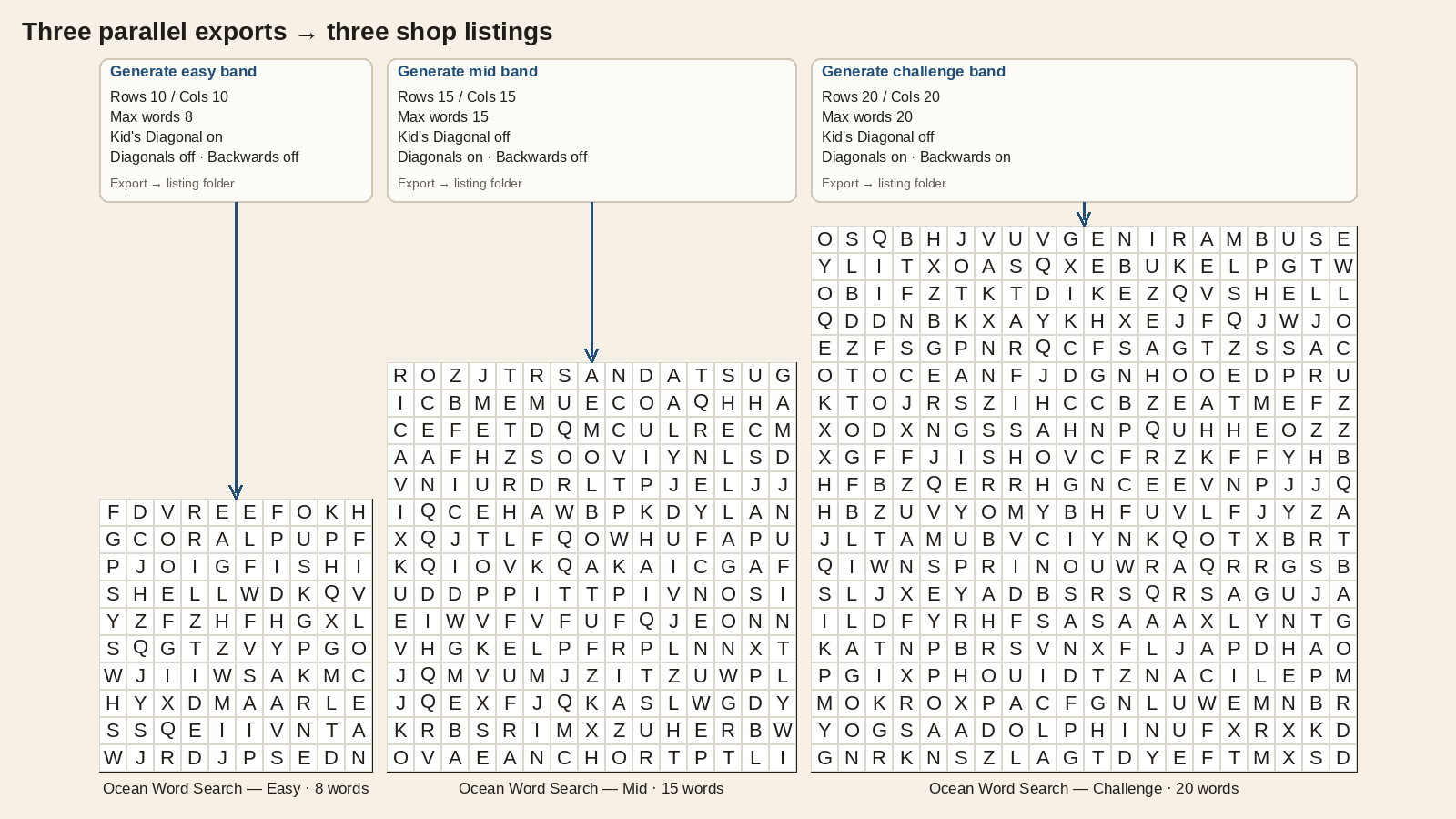
What three listings of one type are for
The buyer is choosing a level, not a packet shape. She already knows she wants a word search, a 3×3 math board or a 9×9 grid. What she still needs to know is how hard this page is before she prints it for the class.
One listing, one level. The easy listing carries only the settings you used for the easy run. The challenge listing carries only the challenge run. Nobody flips past pages meant for a different group.
As general guidance, the easy band suits students meeting the skill for the first time or reading below grade level, mid fits most of the class, and challenge serves early finishers and confident readers. Name the grade range you tested with on each listing.
You can also sell a three-level bundle alongside the single listings. TPT bundles let a teacher who differentiates in one room buy all three at once, while the single listings stay available to everyone else.
Pick your puzzle type first: word search, math, logic, mazes, sudoku, cryptograms or visual. Then split it into three listings.
What changes from the easy pack to the challenge pack
Each module bands with its own controls. Your three listings stay accurate when the settings in the file match the words on the cover, using that module’s real controls rather than one label pasted on every type.
Standard Word Search is the clearest worked example:
- Grid size. Rows and Columns each run 5 to 200 and both default to 10. An easy classroom page often sits on a 10×10 or 12×12 grid; mid steps up toward 15×15; challenge moves to 18×18 or 20×20 with tighter cells on US Letter.
- Word count. With Unlimited Words off, Max Words runs 1 to 50 (default 20). Easy packs cap the list low; challenge packs allow a longer list.
- Directions. Diagonals, Backwards and Kid’s Diagonal (Top Left – Bottom Right) are separate toggles in the Complexity group on the Options tab. An easy band often means a smaller grid, a lower Max Words cap, Kid’s Diagonal on, and both Diagonals and Backwards off. For mid and challenge, turn Kid’s Diagonal off before you enable Diagonals, because it can override the full diagonal set. Then add Diagonals (mid) and Backwards (challenge) when the title promises those directions.
Run easy, export, save. Change only those controls, run mid, export. Change again for challenge. Three folders, three uploads.
Other modules follow the same pattern with their own control names:
| Module | Easy to challenge usually means |
|---|---|
| Ikura | Given digits (0 to 5, default 4). More givens for an easier 3×3 board; fewer for a harder deduction. The board stays 3×3. |
| Sudoku 9×9 Creative | Named Difficulty levels: Very Easy, Easy, Normal, Hard, Very Hard, Tough, Extreme. Pick three names from that ladder and use those exact words on the listing, so a Normal run is sold as Normal, not “Medium”. |
| Geometric Mazes 2D | Width × height (hex or triangle, 5 to 100, default 15) or rings (circle, 2 to 40, default 6), plus Complexity 0 to 100 (default 75). Smaller grid and lower complexity for easy; larger grid and higher complexity for challenge. |
| Easy Cryptograms | Shorter quotes, larger type, Add Clues on and a higher Number of Clues (0 to 10, default 3) for easy; longer quotes with Add Clues off or fewer clues for challenge. Print All Hints in Puzzle (Kids’ Puzzles) puts hint letters right in the puzzle, a much easier page shape that suits a younger class rather than a mid band. |
Time Saver comes with Productivity on that module (Easy Cryptograms gets it through a bundle or the Time Saver add-on) and lets you queue all three levels in one batch. Without it, run the three levels one after another: same result, a few more clicks. Each row holds one level’s settings, but one batch writes every file to the same project output folder — sort by level before you zip three listings, or run easy, mid, and challenge as three separate batches, each aimed at its own folder.
Titles, thumbnails and previews for each level
The TPT basics stay the same: name the skill, show US Letter, show a key. Leveled listings add one rule: the level is in the title and visible on page one of the preview.
Good patterns:
- “Ocean Animals Word Search: Easy (10×10, 8 words)”
- “Ocean Animals Word Search: Challenge (20×20, diagonals + backwards)”
Patterns that cause bad reviews:
- “Ocean Animals Word Search Differentiated” with one preview that jumps from a tiny grid to a dense one
- “Grades 3 to 8 word search bundle” when the file is three difficulty ideas jammed into one description
Thumbnails should match the level. If the challenge listing’s cover still shows a 10×10 grid, buyers will call it misleading. Sudoku listings should show the named level you generated (for example Hard givens), not a stock 9×9 that could be any level.
Keep audience words off classroom levels. “Kids” on the cover suggests a different product; an easy band is for the same teacher and grade you target on the challenge listing.
Keys, US Letter pages and what goes in each ZIP
Each level is its own product, so each ZIP stays small and easy to check.
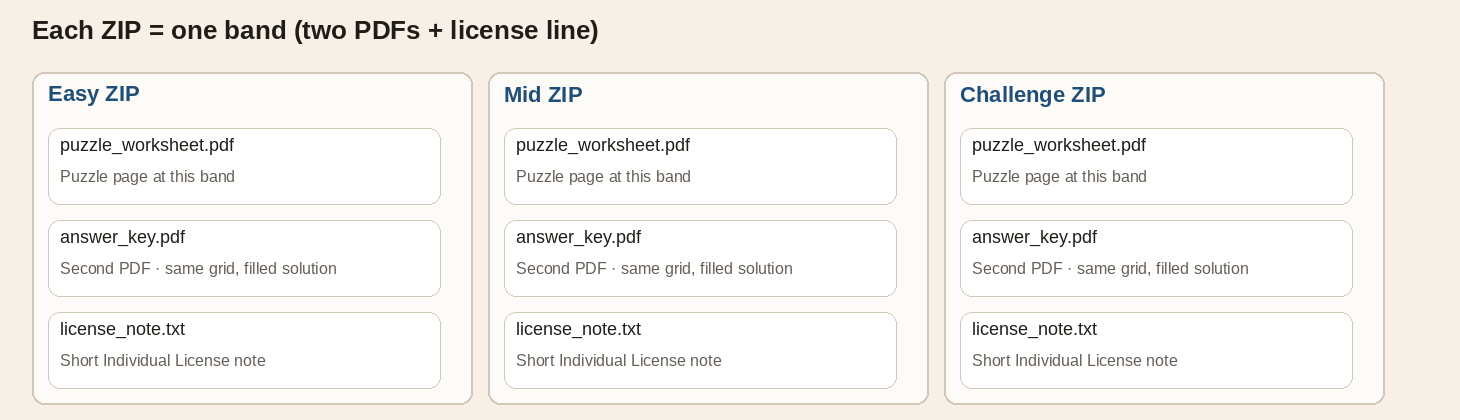
What goes in one listing’s download:
- Puzzle pages at that level only. A warm-up is often one puzzle plus one key; a pack might be several pages, but every page sits at the level the title names.
- A separate answer-key PDF that matches the puzzle file: same words, same digits, same paths. Teachers grade from the key file, so keep answers out of the puzzle PDF when the listing promises two files.
- US Letter PDF as the default export for TPT, unless the listing states another size.
- A short license reminder you write (Individual License framing, link to your terms).
Keep each ZIP to its own level: no bonus pages from the other two levels, no Easy to Challenge table of contents inside one file, and no readme that changes what the preview promised. The three-level bundle is where all three belong together.
TPT’s resource license is an Individual License (one teacher, their classroom). Three listings are three licenses sold separately.
Commercial rights for finished worksheets you sell on Teachers Pay Teachers are covered by the Puzzle Maker Pro license on the homepage.
Standard Word Search is the simplest place to try the workflow: one topical list, three controlled runs, three TPT pages.
Get the free Puzzle Maker Pro demo now
Related guides
- Classroom warm-up vs homework packet: one page plus a key, or a ramped multi-page packet sold as one listing.
- Kids and adult versions of the same puzzle type: bigger type and shorter lists for a younger audience.
- Difficulty ladder inside one puzzle volume: labeled Easy, Medium and Hard sections inside one book.
- Puzzle book difficulty progression: designing the slope inside one volume.
- TPT vocabulary word search worksheets: word search listings built from a unit word list.
- TPT vs Etsy vs KDP puzzle products: when the same puzzle type moves to another channel.