


They Stare at the Coded Line. Then One Letter Clicks.
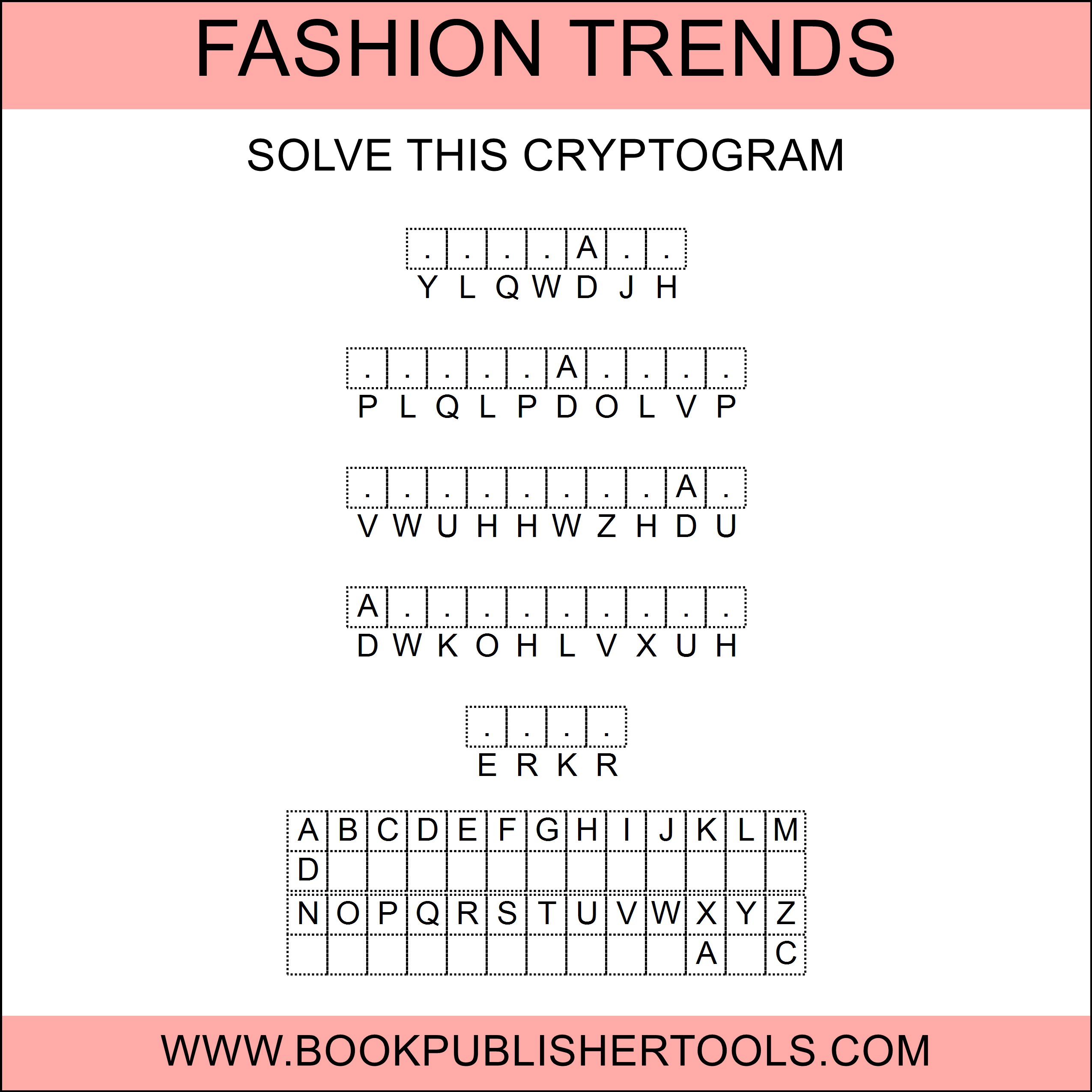
A reader opens your book to a row of letters that look like nonsense, and a blank row waiting underneath. No rules box. No grid to explain. They try one letter. Two more drop into place. The whole quote breaks open at once.
That flash is why the newspaper cryptoquote still gets a pencil. You get to put it in a book, in your own words, at the difficulty you chose, without sitting down to invent a cipher.
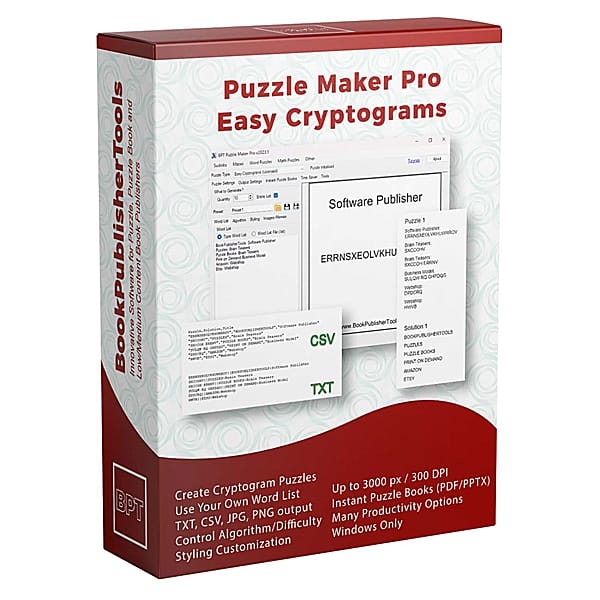
I know what a catalog looks like when every title is another word search. Easy Cryptograms is a cryptogram puzzle maker: you paste the quotes, you get the substitution and the answer key, and the page looks like it belongs in the book.
Why Cryptograms Still Earn a Place in a Printable Puzzle Book
A cryptogram is the puzzle readers already half-remember from the paper. Familiar enough that nobody hunts for a rules page. Different enough that the interior is not the same three types in a new cover.
You pick the words, the quotes, the cipher, and how hard the decode should feel. The substitution, the page, and the matching answer key come back with the run.
Who This Is For
Puzzle book publishers. Your quotes, your difficulty, a page readers already know how to start: a book, or a pack, from the same list.
Worksheet packs and class sets. One quote per page, or up to 15 short words on one sheet. Same list, three sheets: Kids’ Puzzles for the support group, a few given letters for on-level, a cold cipher for early finishers.
If you have been skipping cryptograms because enciphering twenty quotes by hand is more work than the listing is worth, that work is the product: list in, student page and answer key out.
Your Solver Gets the Coded Line. You Already Have the Key.
The teacher page and the solutions section come with the student page. Nobody sits down later to typeset the key.
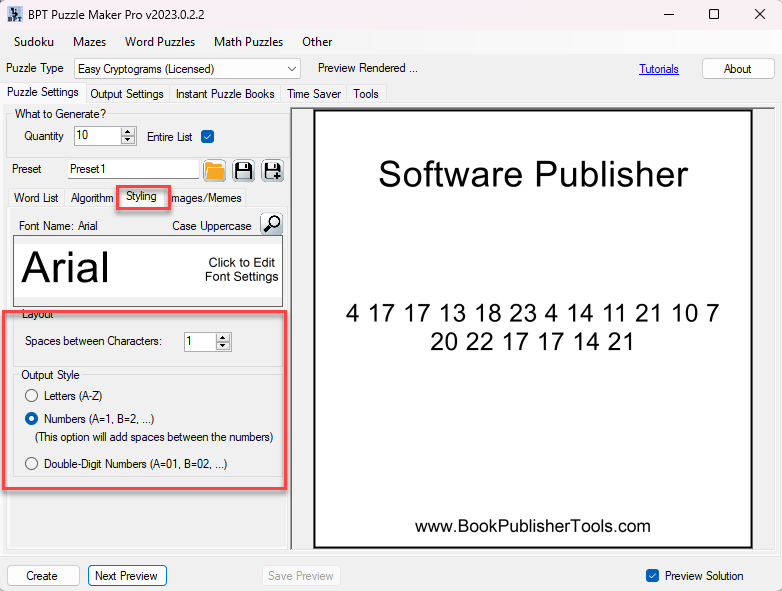
Set the code to letters for the classic newspaper look. Switch the same list to numbers (A=1) or double-digit numbers (A=01) when you want a different feel. Fifteen short words can live on one worksheet. A long quote gets the whole page and wraps so it still reads like a quote, not a caption.

Tonight’s List Is Tomorrow’s Quote Book
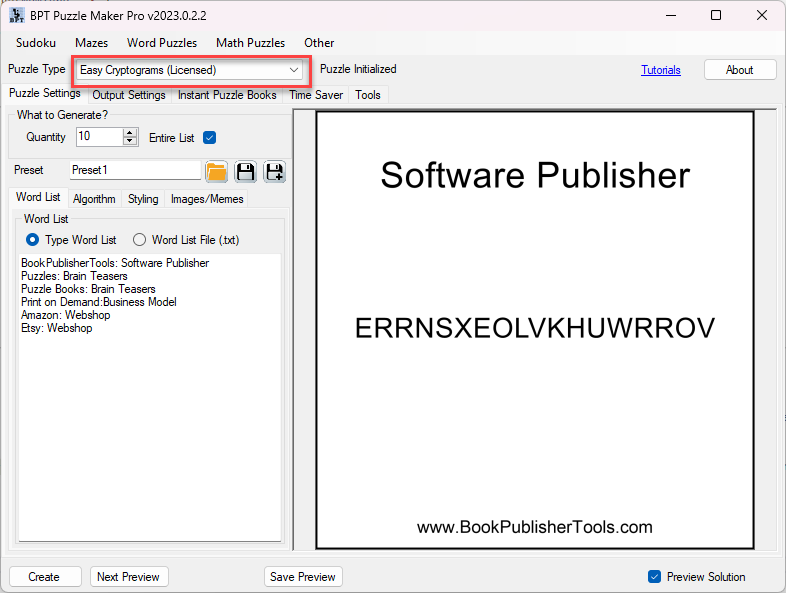
Paste the quote, the proverb, the week’s spelling list. Turn Entire List on and the stack becomes the page count.
Use the AI Word Assistant when you still need a themed stack of single words. Quotes you paste yourself.

Give Beginners a Shift. Give Regulars a Mapping.
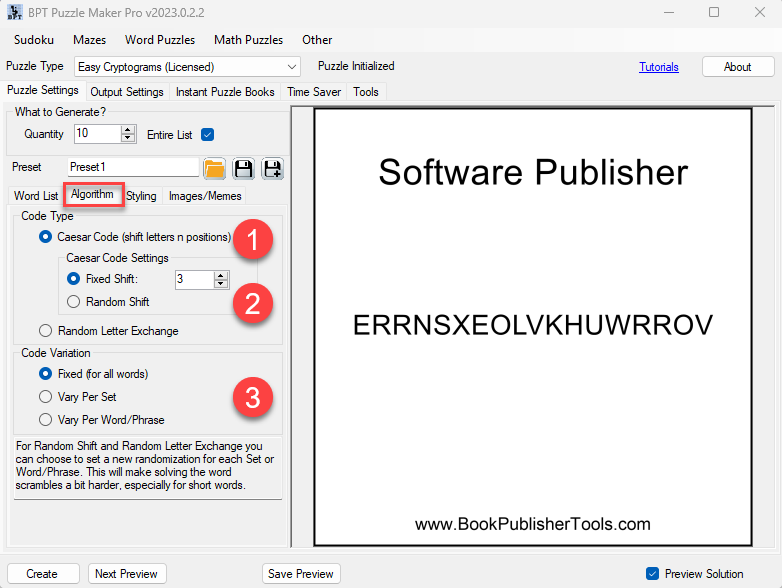
Print the same quotes two ways: a hop the kid can learn, then a mapping with nothing to memorize, letters or numbers, without building the book twice.
Caesar is the one they can learn in a minute: every letter hops the same number of places, and you can lock that hop or let it change. Random letter exchange is the tougher decode: each letter maps to another with no repeating pattern to learn.
On a random cipher, one mapping for the whole run is the easy week. Change it per word and a reader cannot crack line one and coast through the page. One phrase per page, so the sheet is a stack of fresh decodes, not one cracked mapping.

Give a Few Letters, or Print Every Hint
A cold page of code is a gift to a regular solver and a wall for a first-timer. You choose the help.
Hand them a few letters (up to ten, from a pool you set or from this week’s spelling list) and make them earn the rest of the quote.
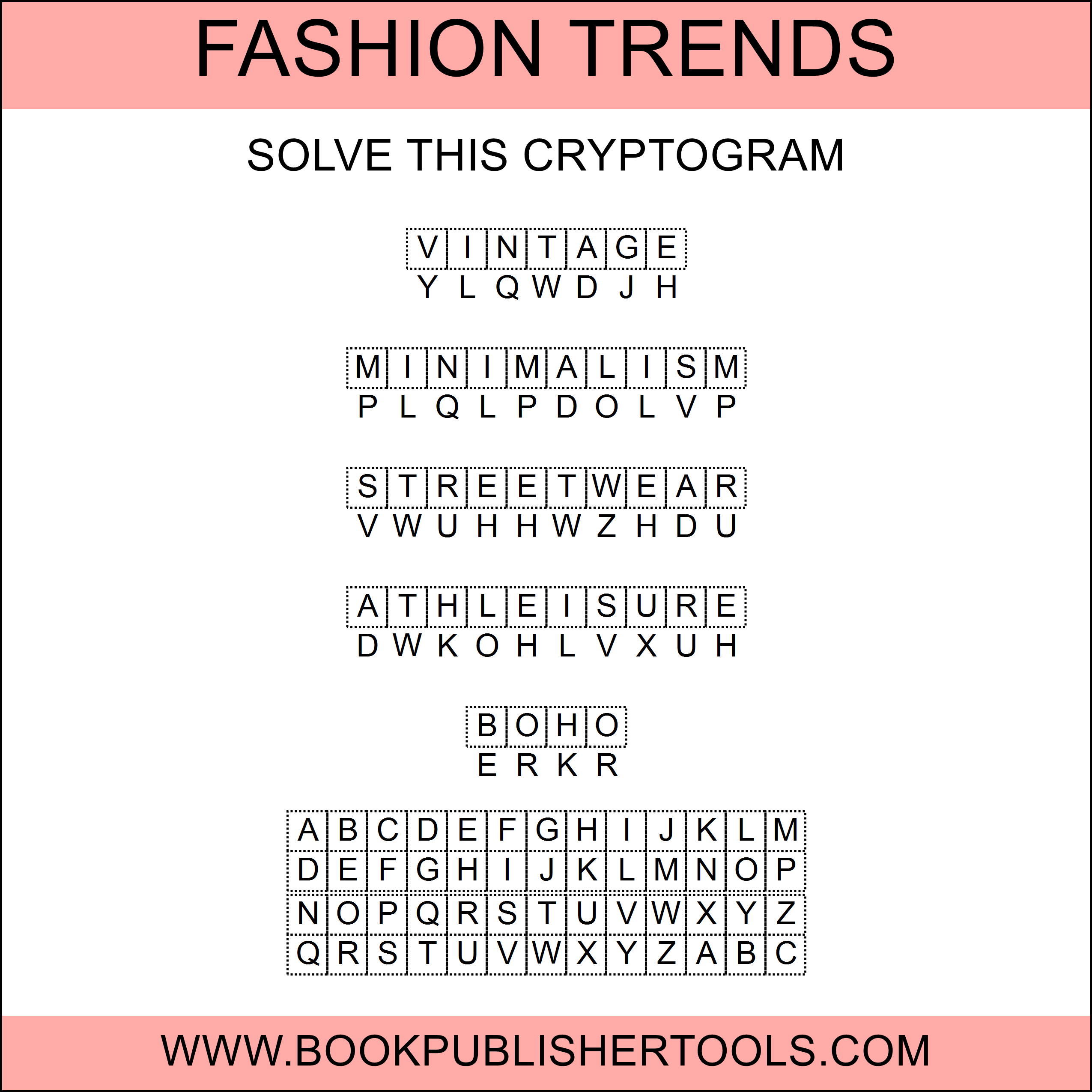
Turn on Kids’ Puzzles and every hint is already on the page, so a first-timer can match letters and finish. Same quotes as the harder sheet. Same answer key.
Put the decoder under the puzzle, or leave it off when the clues already do the work. Print the word description as the heading when the sheet is a vocab page (enter the quote there too if you want the heading to be the quote), and leave “Solve this Cryptogram” as the line under it.

From One Cryptogram to a Full Book
One list is a page. Entire List fills pages from a single quote file. Need a counted run instead of however many are in the file? Set the number. It goes to a thousand.
When the class set is three difficulties, not one page, put cipher, clues, and Kids’ Puzzles on each Time Saver row and run support, on-level, and extension in one pass: three rows, not three evenings.
The trim, titles, page numbers, and the answer key you already generated walk into an Instant Puzzle Books interior PDF you can take to KDP tonight. Need the fonts and titles to match the rest of the catalog? Rebuild that one cryptogram collection in Puzzle Book Studio.
The interior you ship: coded page on the left, generated key with the set.
Try It Before You Buy
You do not have to trust a description of a coded line. Type one quote and print the page.
The demo produces watermarked image output, one puzzle at a time, which is enough to see the cipher, the writing row, and the answer key.
Which Edition Should You Choose?
Start with Creative if you are making a cryptogram book or a worksheet pack this month. Add Time Saver when the list is a book (or a class set) rather than a page. You can add Time Saver after you buy, and you can move up to any higher edition later, so pick what fits what you are making today.
| Easy Cryptograms | Easy Cryptograms + Time Saver |
|
|---|---|---|
| Make, print exports, clues, Kids’ Puzzles | Yes | Yes |
| Entire List from one quote file | Yes | Yes |
| Instant Puzzle Books and Puzzle Book Studio (one collection) | Yes | Yes |
| Batch grid (several lists and difficulties in one run) | Yes | |
| Licence to sell finished books, worksheets, and packs to your own readers | Yes | Yes |
Licensing and Commercial Use
Easy Cryptograms carries the licence to sell the finished puzzle products you make, books, worksheets and printable packs, to your own readers and customers, on Amazon KDP, Etsy, Teachers Pay Teachers or your own store.
There is no separate royalty, no per-book fee, and no reporting requirement. What you make is yours to sell.
Product Details
| Product | Puzzle Maker Pro – Easy Cryptograms |
| Editions | Creative; Time Saver available as an add-on |
| Platform | Windows desktop |
| Internet required | No for generating; yes for the optional AI Word Assistant |
| Cipher types | Caesar shift (fixed or random) and random letter exchange |
| Code variation | Fixed, per set, or per word/phrase (when the cipher is random) |
| Output styles | Letters, Numbers (A=1), Double-Digit Numbers (A=01) |
| Words or phrases per image | 1 to 15 |
| Quantity | Up to 1,000, or Entire List |
| Clues | Optional, up to 10 letters, random or fixed; Kids’ Puzzles prints every hint |
| Output formats | JPG, PNG, transparent PNG, SVG |
| Solution pages | Yes, a decoded image and key generated with every puzzle |
| Puzzle books | Instant Puzzle Books and Puzzle Book Studio (Creative, one collection) |
| Time Saver | Add-on: batch grid of preset, word list, quantity, and Entire List |
| Upgrades | You can add Time Saver after purchase, and you can move up to any higher edition later |
| Commercial license | Sell finished puzzle products to your own readers and customers (Creative) |
| Free demo | Yes |
| Delivery | Immediate, in your member area |
Questions Before You Buy
Is there a free demo?
Yes. Puzzle Maker Pro has a free demo covering the modules in the app, and Easy Cryptograms is in it. Demo output is watermarked, one puzzle at a time.
Can I upgrade later?
Yes. You can move up to any higher edition after you buy, and you can add Time Saver when you want the batch grid. Start with Creative if that fits the book you are making today. You are never locked in.
Do I have to build the cipher myself?
No. Pick Caesar or random letter exchange, set the shift or the variation, and you get the substitution and the matching answer key.
Can I use full quotes, not just single words?
Yes. The word list accepts quotes and phrases. Long text wraps across lines when you put one phrase on the page. The AI Word Assistant drafts themed single-word lists; quotes you type or load yourself.
Does every puzzle come with a solution?
Yes. Every puzzle writes a solution image with the decoded text and the key.
Can I make an easier version for kids or beginners?
Yes. Turn on optional clues to reveal a few letters, or turn on Kids’ Puzzles to print every hint on the puzzle from the full alphabet. Same quote list, different sheets. Include a description line above each phrase when the sheet needs a vocab hint.
Can I batch a whole book’s worth at once?
Yes. Entire List turns one word list into as many pages as it needs. Time Saver runs several lists and presets in one pass.
Can I sell the finished books and worksheets I create?
Yes. Creative lets you sell the finished books, worksheets and printables you make to your own readers and customers.
Do I need the internet to generate?
No. Generation runs offline on Windows. The optional AI Word Assistant needs a connection.
Is this the picture-key cryptogram?
Picture, Alphabet, and Symbol Cryptograms are the image-key siblings on the same engine. Easy Cryptograms is the letters-and-numbers version.
Give Them the Newspaper Puzzle, in Your Quotes
Without a type that breaks the pattern, your next book competes on cover art alone.
Six months from now that catalog can hold a cryptogram title in your quotes, or a TPT pack of morning-work pages, each with its answer key. Try the free demo and put one quote through it tonight.
Ready? Choose your edition at the top of this page.