

Last checked: 19 November 2026.
A picture maze is a grid of small pictures. One kind of picture marks the route: the solver follows the fish, or the cats, from start to finish. The other squares hold different pictures or stay blank. With fake paths on, some fish also lead to dead ends. A picture maze book is a run of those pages around one theme, with no rules for a young solver to read.
The examples below use Picture Mazes, a picture maze generator inside Puzzle Maker Pro, our Windows puzzle software. It builds each maze from two image folders you choose. If you mean a maze cut into a picture’s outline, such as a pumpkin, that is a different product; the seasonal section of KDP maze books covers it.
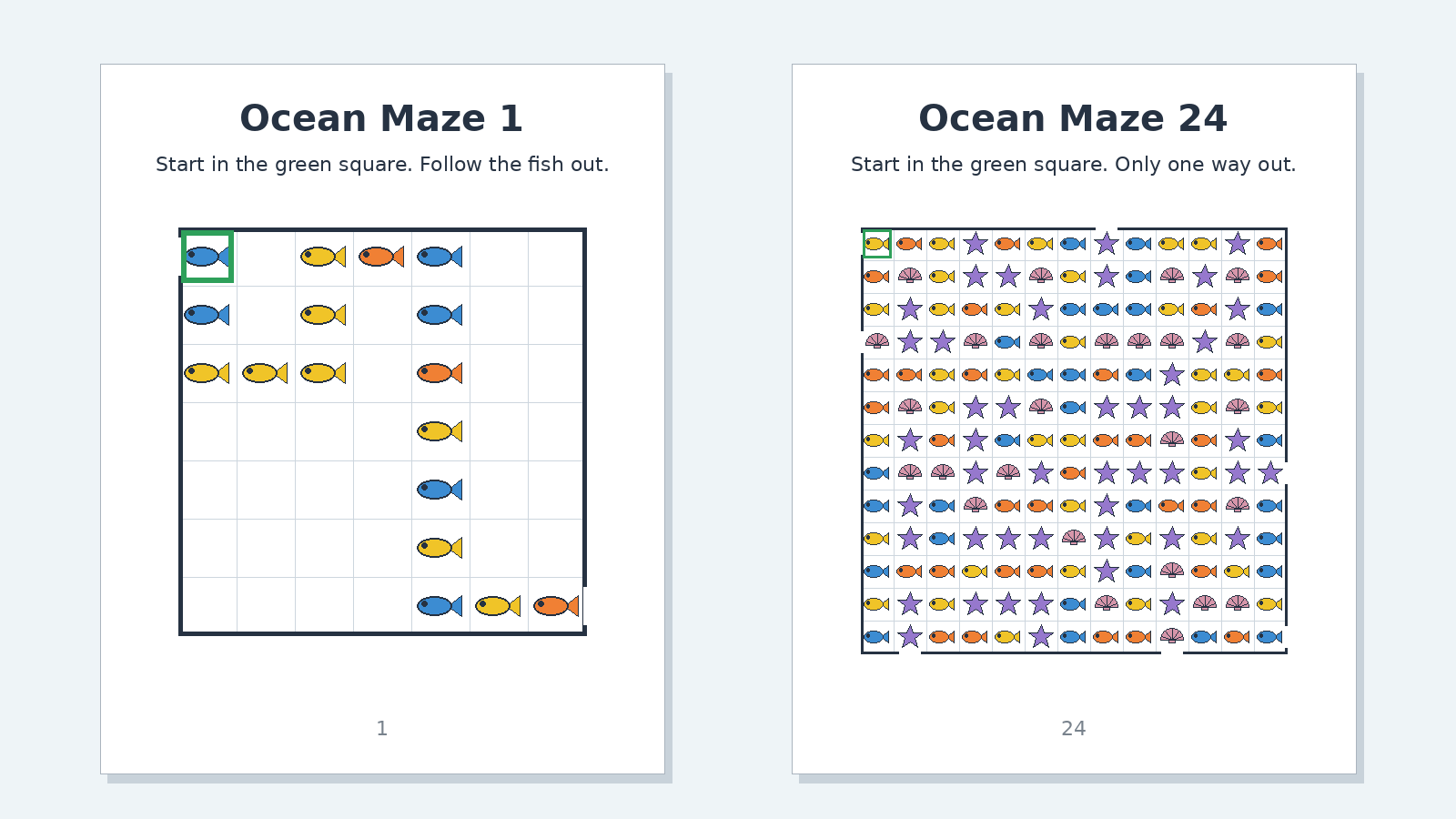
What keeps a child past page three
A 2024 roundup of kids’ activity books in New York magazine’s The Strategist described a book of 150 mazes on newsprint-like paper, the kind you hopefully pack for a road trip, and said that “after one or two pages they get frustrated and bored.” The books it rated higher won on “illustration style and the variety and quality of the activities,” not “the same activity page after page.”
That is one roundup’s view, not a study, but it names the risk in any maze book: page 30 looks like page 3. A picture maze gives you two levers a plain line maze lacks. The pictures carry a theme the child already cares about, so the book is about sharks or puppies, not corridors. And with noise pictures on, every page has a second job: spotting the right picture among the wrong ones.
Neither lever replaces variety: a kids’ book still reads better when mazes alternate with other activities, the rhythm covered in kids activity book interiors.
One theme per book
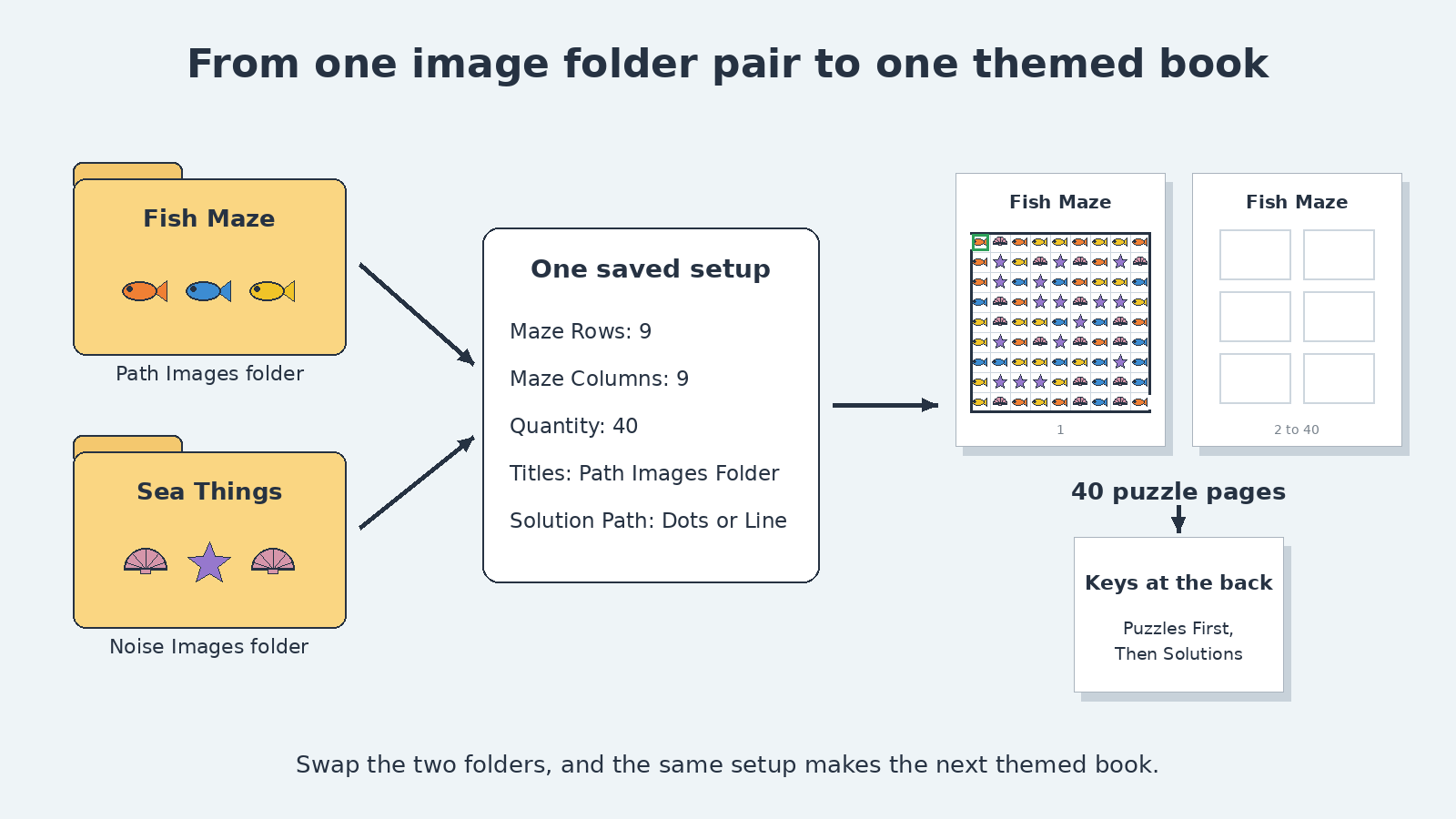
In Picture Mazes, the theme is two folders. Path Images fill the route and, with fake paths on, its dead ends; Noise Images fill every other square. Fish on the path and shells and starfish as noise is one ocean book. Cats on the path and dogs as noise is one pets book. If the same file is picked for both lists, it is left out of the noise, and the label Noise files available after path exclusion tells you how many noise pictures are left. A copy saved in the noise folder is not caught, so keep path pictures out of the noise folder.
One theme per book keeps the cover honest. A parent who buys “Ocean Picture Mazes” should find fish on every page, not a dinosaur section halfway through. The broader case for one look per title is in mazes for publishers.
The Titles tab can name each page after the theme. Choose Path Images Folder and the folder name becomes the title, so a folder called “Ocean Animals” titles the pages for you. Noise Images Folder, Path + Noise Folders and Custom are the other options. Name the folders the way you want the title to read.
Leave the folders empty and the module uses built-in animal pictures for the path and dominoes for the noise, which is enough for a first test.
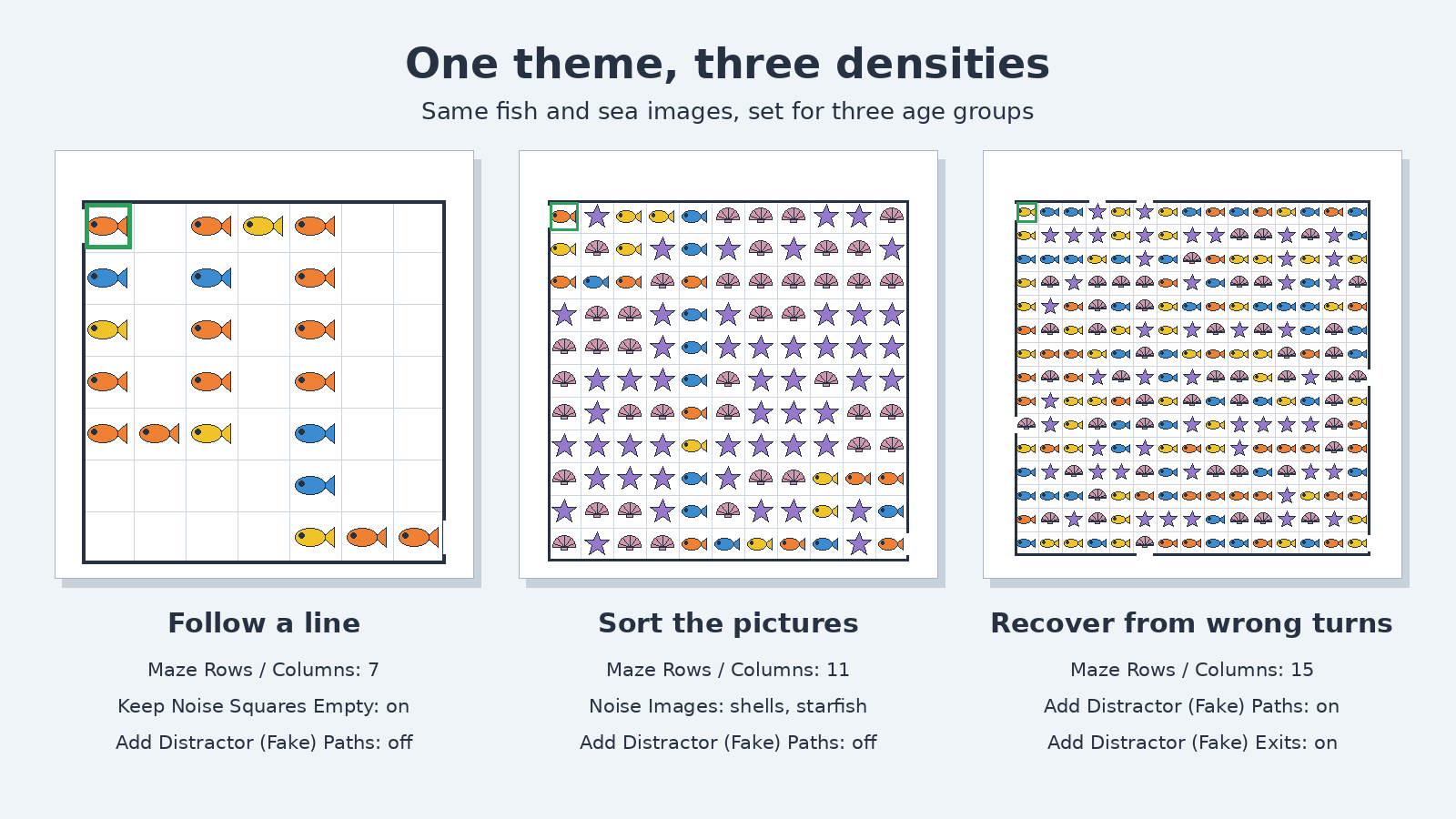
Picture mazes for kids: density by age
Density comes from three settings and one choice of pictures.
- Grid size. Maze Rows and Maze Columns run from 7 to 19, odd numbers only; 9 by 9 is the starting point. A 7 by 7 grid is a short walk; 19 by 19 is a long hunt.
- Noise. Tick Keep Noise Squares Empty and only the path squares carry pictures. The calmer page suits younger solvers. Fill the noise and the solver has to sort fish from shells before the route is even visible.
- The route. The Maze Complexity group has Random Start Position, Random Finish Position, Meandering Paths, Add Distractor (Fake) Paths and Add Distractor (Fake) Exits. Add Distractor (Fake) Paths grows dead-end branches of path pictures off the route; with it off, the route is one line with no wrong turns. Add Distractor (Fake) Exits adds extra openings on the edge that lead nowhere (with Open Cell Borders, the default). Keep both off for the youngest book.
- Look-alike pictures. This is the one lever that lives in your image folders. Fish against shells is an easy split. Dog silhouettes on the path with mixed animals as noise, an example from the product page, makes the solver look twice at every square.
Those settings add up to three jobs for the child. The youngest follow a line: fake paths off, noise squares empty. The next band sorts pictures: still one line, but hidden among noise pictures. Older solvers recover from wrong turns: fake paths and fake exits on, so some fish lead nowhere and the child has to back up and try again.
Grid size also sets the printed size of each picture. On a 6 x 9 trim with half-inch margins the grid is at most about 127 mm wide, so a square is about 18 mm at 7 by 7, 14 mm at 9 by 9 and under 7 mm at 19 by 19, and the picture sits a little inside it. Print one page at your trim size before you settle on a band, and use Image Padding (0 to 0.40) when the pictures crowd their squares. Cell Borders offers Open Cell Borders for a more maze-like page, Closed Cell Borders for a worksheet-style grid, and No Cell Borders for a lighter look.
Pick one band per book and keep every page in it. A book that starts at 7 by 7 with blank noise and jumps to 19 by 19 with fake exits has two audiences, and a parent is shopping for one child. Keep the front matter short, so a real maze lands inside the Look Inside preview.
Kids and adult picture maze books from the same images
The image folders are the expensive part, so make them work twice. Save one setup per audience: a small grid with blank noise for the youngest, a mid-size grid with noise for older kids, and a full-size grid with fake paths, fake exits and look-alike noise for adults. Same folders, different settings, separate books.
Be honest about the adult version. The grid tops out at 19 by 19, so an adult picture maze is a calm visual-search page, not a marathon. It fits a relaxing themed book, such as cats or birds, where the pictures are the pleasure. Adults who want long, hard routes have other maze looks to choose from; geometric, hand-drawn and shard mazes compares three, with a worked plan for an adult relaxation book.
How you combine the versions decides which edition you need. Each separate book, made from one puzzle set, works on every edition. One book with an easy section and a hard section is two puzzle sets, and a book with more than one puzzle set needs Productivity, or an older Time Saver purchase, on Picture Mazes. A kids’ book that mixes picture mazes with other puzzle types is also more than one puzzle set: it needs Productivity, or an older Time Saver purchase, on every module whose puzzles go into it. Producing several themes in one pass also needs Productivity, because it uses Time Saver: Add Rows (Select Presets) adds one row per saved setup, each with its own Quantity, and every row writes into the same output folder, with nothing sorted into subfolders.
Keys and page order
Every maze comes with its solution. In the Style tab, the Solution Path setting shows the route as Dots or as a Line, and the start and finish markers have their own color and line settings. Dots mark each square on the route; a line draws one stroke through it.
To turn the pages into a book, use Instant Puzzle Books, the built-in book builder that lays your puzzles out as a PDF or PowerPoint interior at your trim size. Its default, Print Solutions With Puzzles, puts each key right after its maze. In a kids’ book that puts the answer one page-turn away. Choose Puzzles First, Then Solutions to put the keys at the back, then say so in the contents and the description, because Look Inside rarely reaches them.
For more than a straight run of mazes, open the book in Puzzle Book Studio, the workspace for arranging a finished book. There you can add a how-to-play page, edit puzzle titles and hide puzzles you do not want. In Puzzle Book Studio, a book made from one puzzle set works on every edition.
The same mazes as an Etsy pack
A printable pack is a smaller promise than a book. Keep one theme and one density band per listing, about a dozen pages plus their keys. Build the pack as one PDF with Instant Puzzle Books at letter or A4 size and choose Puzzles First, Then Solutions, so the keys sit at the back of the same file. On a letter page with half-inch margins the grid can be about 190 mm wide, so a 9 by 9 square is about 21 mm, roomy for small hands. Lead the thumbnail with the busiest page, because the pictures are what sells the pack at phone size. Creative covers selling these packs to your own buyers. A run of seasonal themes in one pass uses Time Saver, which needs Productivity or an older Time Saver purchase. Maze printable pages for Etsy covers how a pack differs from a book.
Editions and rights
Picture Mazes comes in two editions. Creative lets you sell the finished books, printable packs and worksheets you make to your own buyers, on KDP, Etsy, TPT or your own site. Productivity includes that, plus Time Saver, books that combine several puzzle sets, and the right to sell or supply the puzzles you generate to other publishers, businesses and sellers. You can move up to any higher edition at any time after you buy.
Before you buy, run your own image folders through the demo; its pages carry a watermark until you buy the module. Get the free Puzzle Maker Pro demo now.
Other puzzles you might like
- Color nonogram maker: picture puzzles built from your own images, solved by logic.
- Connect the dots maker: dot-to-dot pages from your own art for books, packs and worksheets.
- KDP maze books: which maze look to publish and what Look Inside has to prove.
- Mazes for publishers: age bands and what page one has to show in a maze product.