






They Flip to the Answer Section. If That Grid Is Not the Puzzle They Just Filled, They Close the Book.
A shopper who already owns three 9×9 titles opens Look Inside expecting another scatter of digits 1 through 9. That page sells. It also looks like the last fifty listings in the aisle.
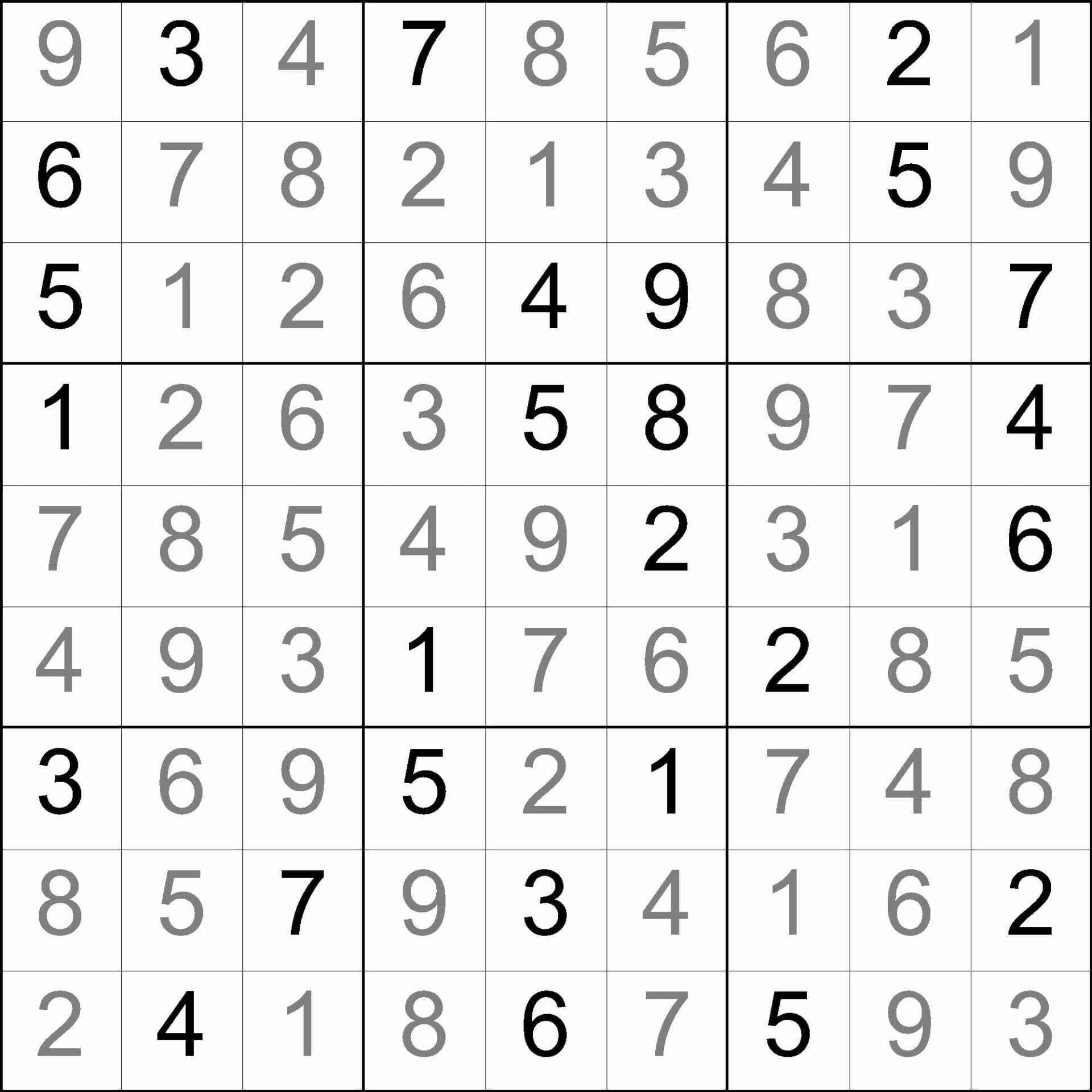
Then they flip further, looking for the key. The key has to be the same 9×9 they just sat with, filled. If the back of the book is a different grid, or a typeset dump that does not match the page, they do not buy book two.
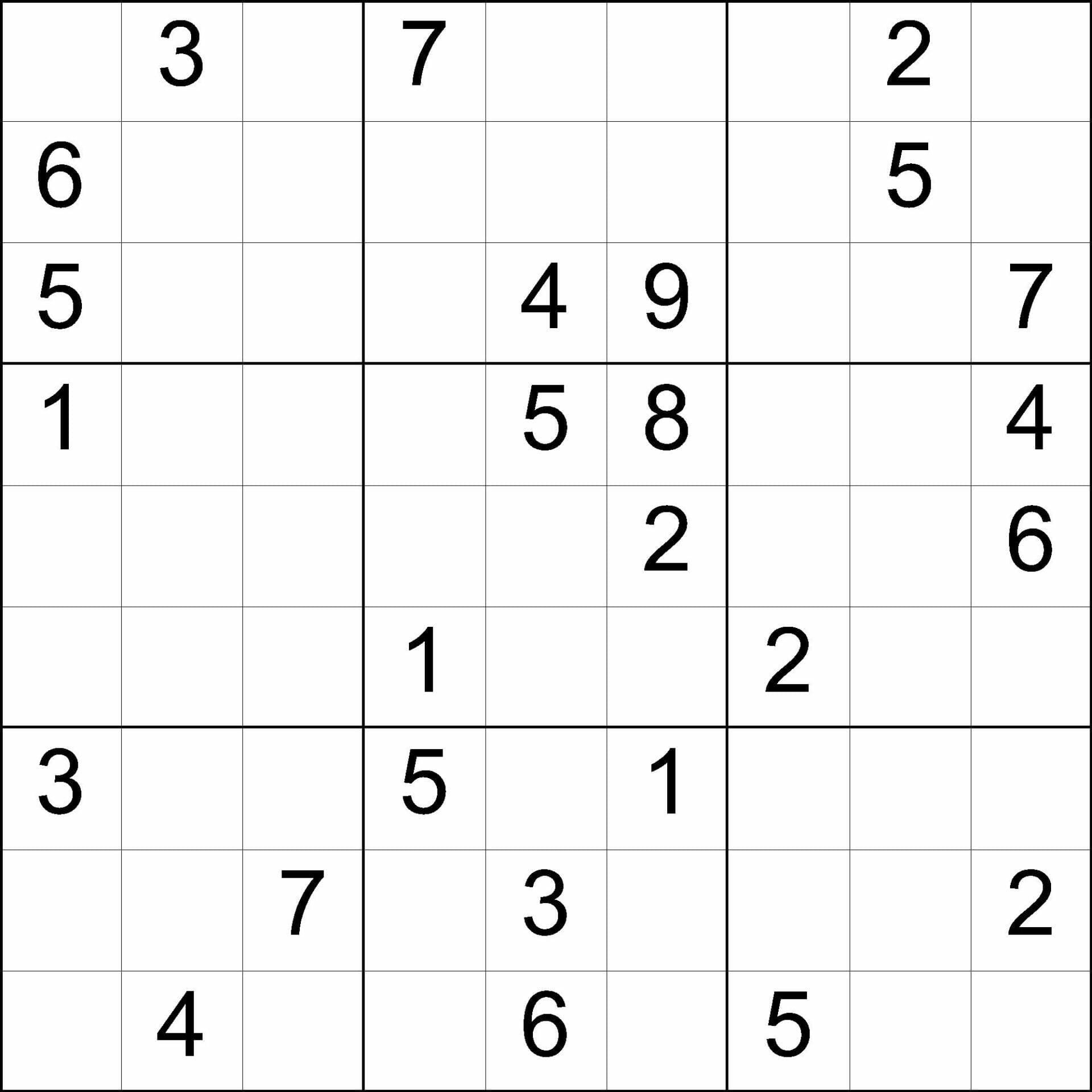
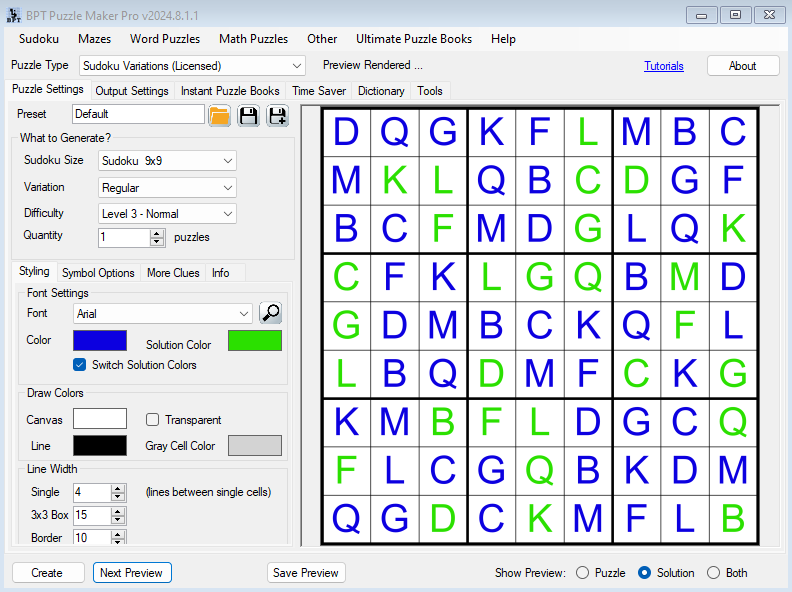
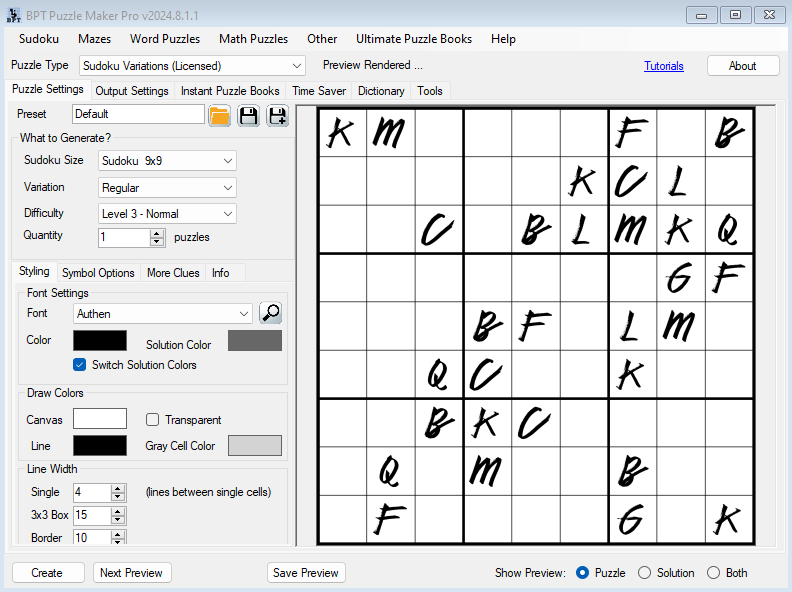
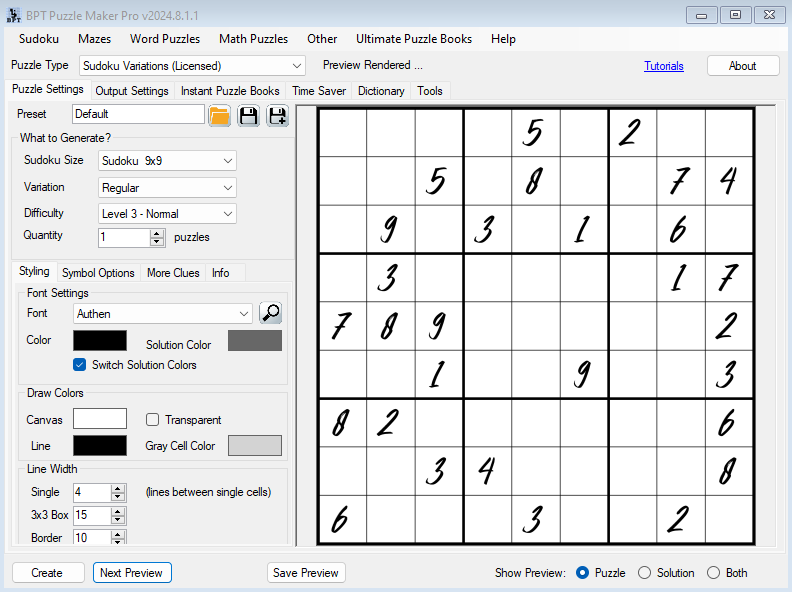
This Creator writes the unsolved 9×9 and the matching solution image in the same pass. Standard prints the digit book that aisle already understands. Creative keeps that same 9×9 rule and changes what the symbol looks like: Roman numerals, nine letters you pick, or nine pictures you pick. One listing uses one look, so Look Inside stays honest.
Try the free demo and make a 9×9 before you decide anything.

Why a Themed 9×9 Earns a Place Next to the Digit Book
Sudoku catalogs stall when every thumbnail is the same digit scatter. A letter 9×9, a Roman-numeral title, or nine pictures on the grid is still the puzzle they already know how to fill. Each row, each column, and each 3×3 box still holds each symbol once. What changed is the listing they can tell from the next digit mill without reading the title.
Each row, each column, and each 3×3 box still holds each of the nine symbols once. The mapping under the skin is still 1 through 9. What the shopper sees is the skin.
Typesetting eighty-one themed cells, then typesetting the key again so it still matches after you change the font, is the job that used to kill the afternoon. This Creator keeps that mapping and prints both images together.
I have shipped 9×9 books. The review that hurts is not “too easy.” It is “the answers do not match page 14.” So the key is not a second job. It is the same Create.
What You Can Create
From this Creator you can list:
- A standalone digit 9×9 book, unsolved pages in the front, matching keys in the back (Standard)
- A letter Sudoku title whose Look Inside already shows the nine letters on the grid (Creative)
- A Roman-numeral 9×9 that a history or classics listing can carry without changing the rule (Creative)
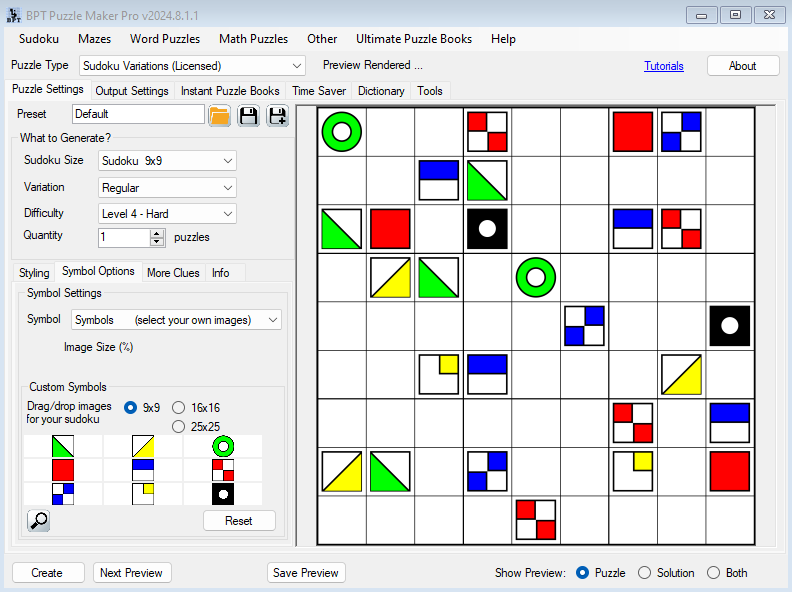
- An image Sudoku whose nine pictures you pick for that one listing (Creative)
- A graded chapter run: Very Easy as the opener, Extreme as the last chapter, each level from its own Create
- Class packs and Teachers Pay Teachers worksheets: the student page and the matching teacher key from the same run
The unsolved 9×9 and the filled key come out of the same Create.
See the Output
The unsolved page is the listing. The key is the back of the book.


Why Create It with Puzzle Maker Pro?
The digit book is easy to want and slow to key by hand. A themed 9×9 is worse: every cell has to wear the same skin on the puzzle and on the key.
This Creator uses the same curated 9×9 bank for Standard and Creative. You set Quantity from 1 to 5000 and you get that many puzzle-and-solution pairs from one setup and one difficulty. One Create is one look and one level, so a Very Easy letter chapter and an Extreme letter chapter stay separate runs.
Numbers stay the default. Creative opens Roman numerals, nine letters (default ABCDEFGHI, or the nine you type), and nine images. Import sits on the same Creator for an 81-digit puzzle and solution you already have as puzzle|solution text. Font, line color, and canvas are yours, so the next title can match the series already on your spine.
Key Creation Workflows
Ship the digit book on Standard first Standard is the 9×9 the aisle already buys: digits 1 through 9, seven difficulties, Instant Puzzle Books for the interior. If this month is one classic title, pick Standard at the top of this page. The key still ships with every page.
Put letters or pictures on Look Inside Creative is the second listing from this same Creator. Flip the symbol to letters, Roman numerals, or nine pictures. Keep one look per title so the thumbnail stays clean. After the letter book, pick nine pictures and list an image Sudoku. The rule does not change. The shopper can tell the two covers apart.
Use difficulty as a chapter, not a stamp Very Easy, Easy, Normal, Hard, Very Hard, Tough, Extreme. Very Easy is the opener, or the page after a test. Extreme is the last chapter, or the early-finisher sheet. One level per Create. Two Creates give you two chapter moods from the same letter set.
Fit the 9×9 to the fonts already in the book The puzzle font, the solution font, the border, the inner line, and the canvas are yours. Arial on white is the default look. Change it for the series you already print, then save the preset and open the next 9×9 on that look.
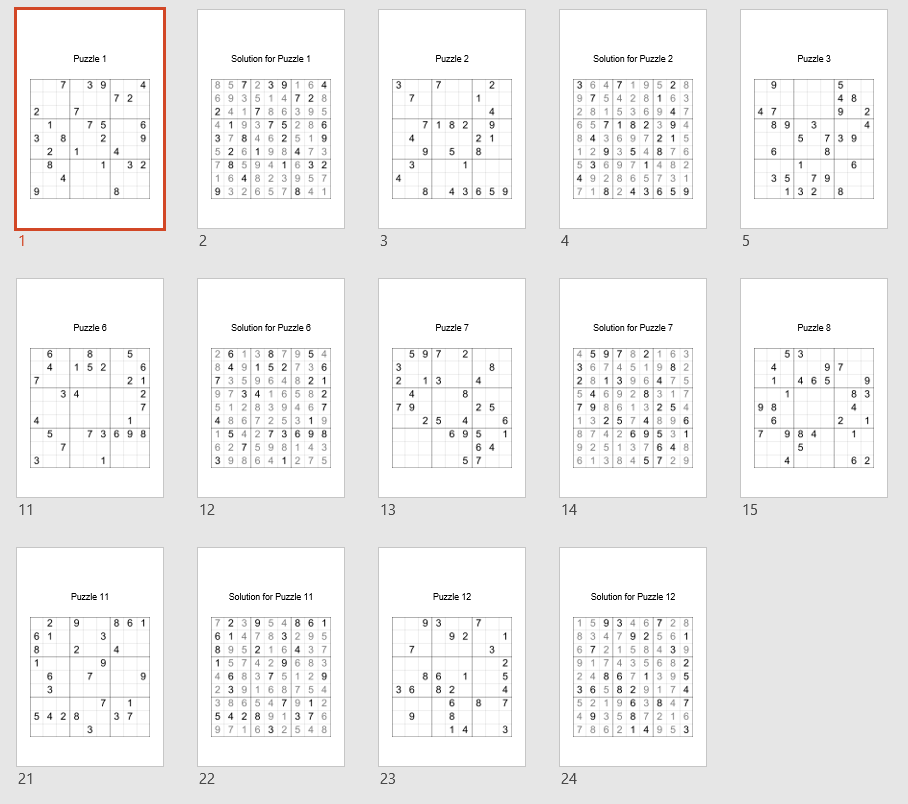
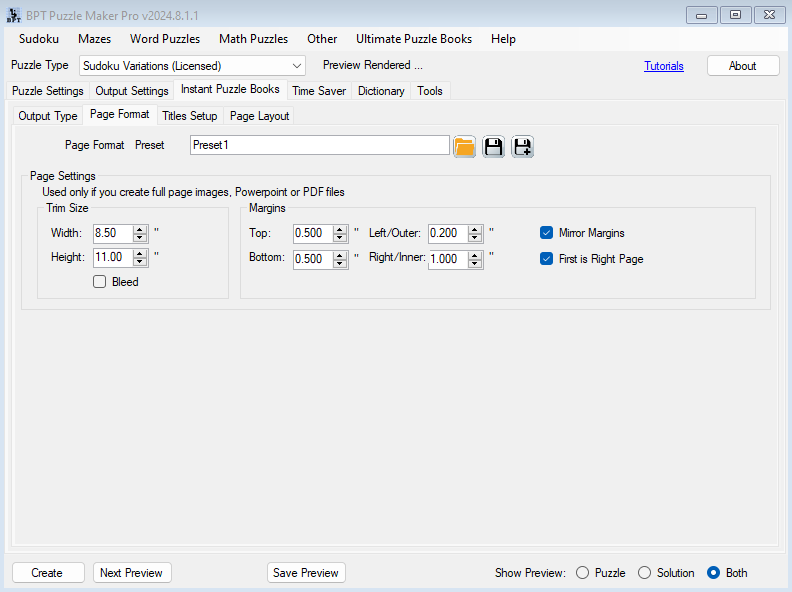
Compile the interior from the pairs you already have Instant Puzzle Books builds the book from the current setup: title page, table of contents, unsolved pages, the answer section, and a footer that names the solution page. Creative also opens Puzzle Book Studio on this one 9×9 collection.

From One Puzzle to a Full Book
One 9×9 is a listing image. A Sudoku book needs a chapter of them, keys in the back, and a footer that names the solution page.
Instant Puzzle Books is on Standard and on Creative. It builds a ready-to-print book from your current settings: title page, table of contents, puzzle pages, the answer key section, and a cross-reference footer on every puzzle and every solution (“Solution 12 on page 87” on the puzzle, “Puzzle 12 on page 5” on the key). Export that book as an interactive PDF book from Instant Puzzle Books and the contents and those footers become clickable links. The unsolved 9×9 opens its filled key.
Puzzle Book Studio sits on Creative. It edits this one 9×9 collection with the same title page, contents, and cross-reference footers, and writes the same interactive PDF book. Full book design, fonts, titles, page numbers, trim, on this collection.
You can move up from Standard to Creative after you buy. Pick the Look Inside you are shipping this month.
Output Formats and Publishing Options
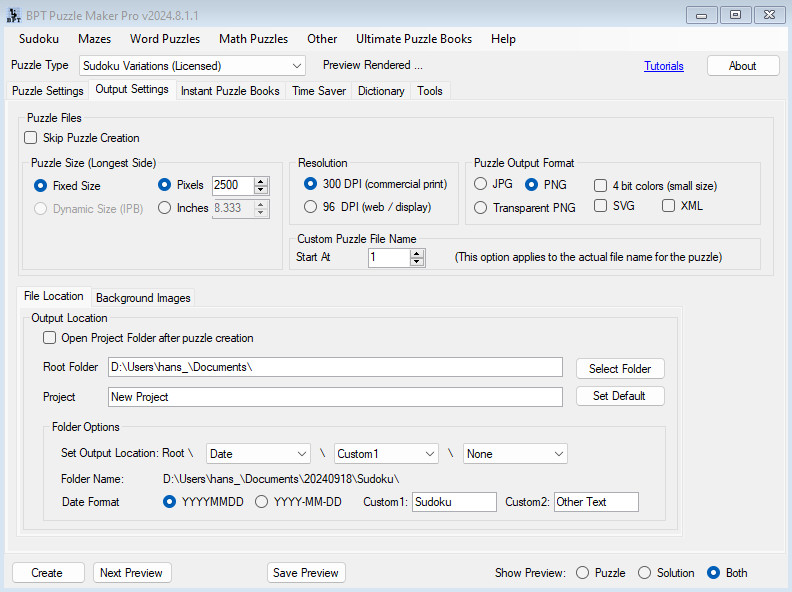
The unsolved 9×9 and the matching key leave as JPG, PNG, or transparent PNG. Instant Puzzle Books builds the interior on Standard and on Creative. Creative also opens Puzzle Book Studio on this one 9×9 collection.
Which Edition Should You Choose?
Pick the Look Inside you are shipping this month.
Standard if this month is a digit 9×9 book. Full classic generator, seven difficulties, style, JPG / PNG / transparent PNG, and Instant Puzzle Books for the interior, including the interactive PDF book.
Creative if Look Inside has to show letters, Roman numerals, or nine pictures on that same 9×9, and you want Puzzle Book Studio on this collection.
| Standard | Creative | |
|---|---|---|
| Classic 9×9, digits 1 through 9, seven difficulties | Yes | Yes |
| Roman numerals, nine letters, or nine pictures | Yes | |
| JPG, PNG, transparent PNG, puzzle and key | Yes | Yes |
| Instant Puzzle Books, with title page, contents, and solution cross-references | Yes | Yes |
| Interactive PDF books from Instant Puzzle Books | Yes | Yes |
| Puzzle Book Studio, with the same interactive PDF book | One collection | |
| License to sell finished books, worksheets, and packs to your own readers | Yes | Yes |
Pick Standard or Creative in the switcher at the top of this page. You can move up from Standard to Creative after you buy.
Who This Is For
Publishers who already sell 9×9 titles. You have readers who buy Sudoku and a catalog that looks like everyone else’s digit scatter. Standard is the next digit book with a key that matches. Creative is the listing they can tell from the mill: letters, Roman, or pictures on the same rule.
Publishers already using Puzzle Maker Pro. Run this 9×9 in the fonts and lines of the series you already print. Instant Puzzle Books builds the interior from that setup. Creative adds the themed look and Puzzle Book Studio for this one 9×9 collection.
Teachers and Teachers Pay Teachers sellers. After a test, run the same letter set twice: Very Easy for students still working, Hard for the ones already done. Same nine symbols. Two difficulties. Each run gives you the student page and the matching key.
If you have been building letter Sudoku in a spreadsheet, then drawing the key by hand so the letters still sit in the right cells, this is what changes: you set the nine letters once, and both images come out of the same Create.
Try It Before You Buy
Make a 9×9 yourself before you spend anything. The free demo covers every current Puzzle Maker Pro module, generates real puzzles, and shows you the unsolved page and the matching key coming out of the software. Demo output is watermarked. Paid files are watermark-free.
Licensing and Commercial Use
Standard and Creative both let you sell the finished books, worksheets, and packs you make to your own readers and customers, on KDP, Etsy, Teachers Pay Teachers, or your own store. One-time commercial-use license. Watermark-free. The two editions carry the same rights. The difference between them is what you can make, not what you may sell.
Product Details
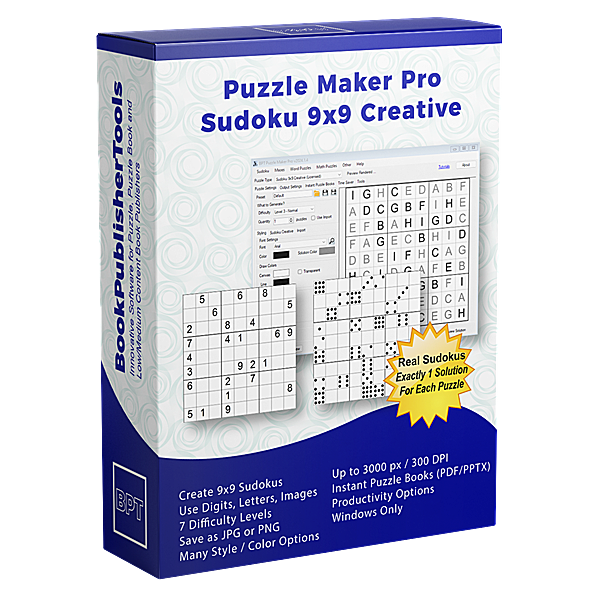
| Product | Puzzle Maker Pro – Sudoku 9×9 Creative |
| Editions | Standard; Creative |
| Platform | Windows desktop |
| Internet required | No |
| Puzzle rule | Classic 9×9: each row, column, and 3×3 box holds each symbol once |
| Grid size | 9×9 |
| Symbol looks | Standard: numbers (digits 1-9). Creative adds Roman numerals, nine letters (default ABCDEFGHI), nine images |
| Difficulty | Very Easy, Easy, Normal, Hard, Very Hard, Tough, Extreme |
| Quantity | 1 to 5000 puzzle-and-solution image pairs from one setup and one difficulty |
| Output formats | JPG, PNG, transparent PNG |
| Solution pages | Yes, a solution image generated with every puzzle |
| Puzzle books | Instant Puzzle Books (Standard and Creative); Puzzle Book Studio (one collection) on Creative; title page, table of contents, and solution cross-references on every edition; interactive PDF books from Instant Puzzle Books on every edition, and from Puzzle Book Studio on Creative |
| Upgrades | You can move up from Standard to Creative after you buy |
| Commercial license | Sell finished books, worksheets, and packs to your own readers and customers |
| Free demo | Yes |
| Delivery | Immediate, in your member area |
Questions Before You Buy
Is there a free demo?
Yes. One download covers every current Puzzle Maker Pro module and generates real 9×9 Sudoku, so you can make a page before deciding. Demo output is watermarked. Paid files are watermark-free.
Can I upgrade later?
Yes. You can move up from Standard to Creative after you buy. Start with Standard if the digit book and Instant Puzzle Books fit what you are making today. Creative adds Roman numerals, letters, pictures, and Puzzle Book Studio for this collection. Starting at Standard is never a dead end.
What does Creative add that Standard does not?
The same 9×9 rule. Creative opens Roman numerals, nine letters, and nine pictures on that grid, plus Puzzle Book Studio for this one collection. Instant Puzzle Books stays on both.
Is this a kids 4×4, or a different Sudoku product?
This page is classic 9×9. Sudoku Kids Edition is the 4×4 and 6×6 shop page.
How hard are the puzzles?
Seven levels on the same 9×9. Very Easy is the opener chapter, or the post-test page. Extreme is the last chapter, or the early-finisher page. One level per Create.
Does every puzzle come with a solution?
Yes. Every puzzle ships a matching solution image. Instant Puzzle Books puts those keys in the back of the book, with a footer that names the solution page.
What files do I get?
A puzzle image and a matching solution image per puzzle, as JPG, PNG, or transparent PNG. Quantity 1 to 5000 is that many pairs from one setup and one difficulty. Instant Puzzle Books compiles those pairs into a print-ready book, including an interactive PDF book with clickable contents and puzzle-to-solution links.
Can I sell the finished books and worksheets I create?
Yes. Standard and Creative both let you sell the finished books, worksheets, and printables you make to your own readers and customers.
Do I need the internet to create?
No. You generate and export on your own Windows PC.
Where are the tutorials?
Getting Started with Puzzle Maker Pro – Sudoku shows the family Creator. The shared Sudoku tutorials sit next to it.
Six Months On, the Letter Title Is the One They Can Tell From the Thumbnail
Another digit 9×9 competes on cover art. A letter 9×9 or a picture 9×9 competes on Look Inside: the symbols are already on the grid, and the key in the back is the same page they just filled.
Try the free demo. Then pick Standard or Creative at the top of this page.
They flip to the back. The key has to be the page they just filled. Standard prints the digit book. Creative prints letters, Roman numerals, or pictures on that same 9×9. Watermark-free files you can sell. Try the free demo, then pick Standard or Creative at the top of this page.


