
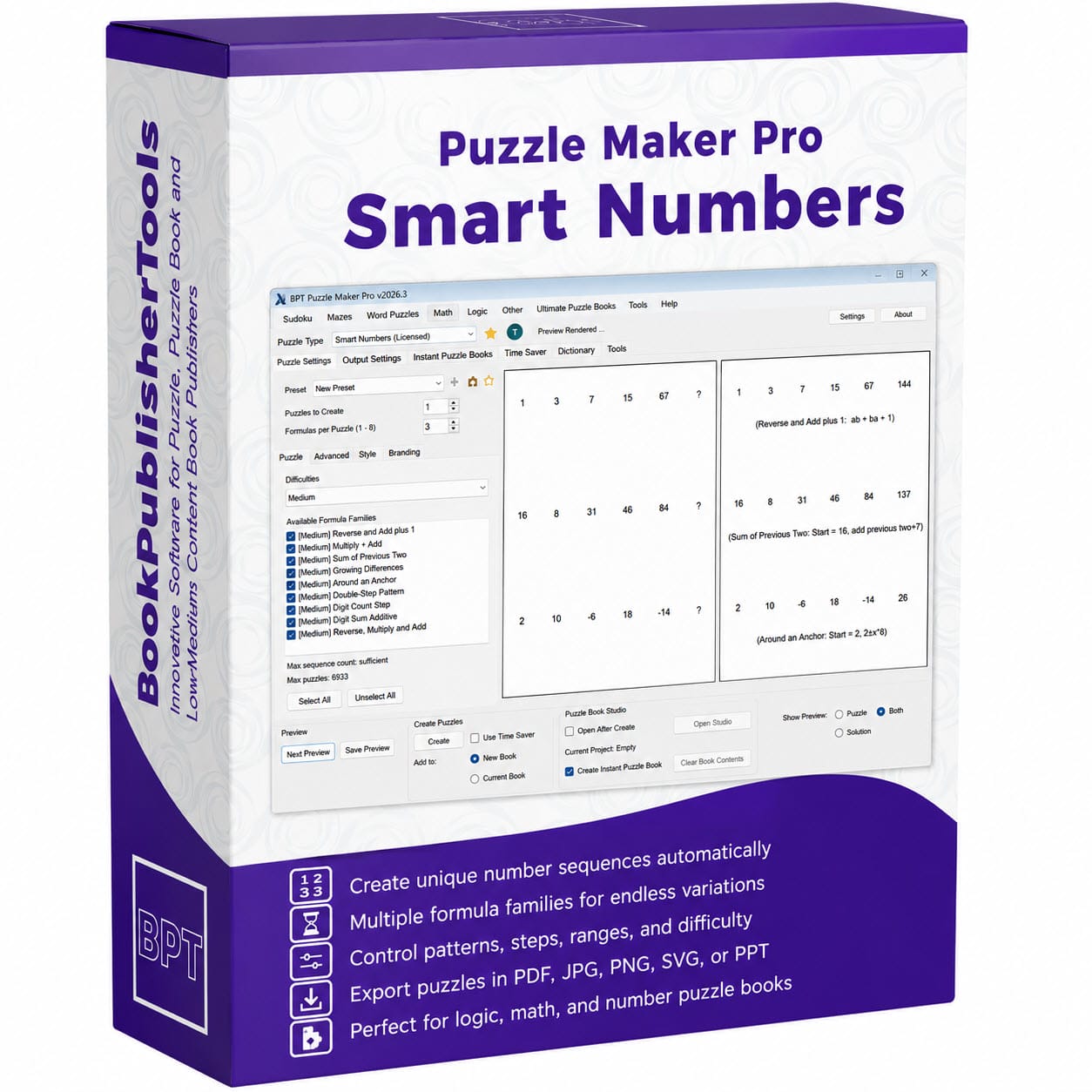


Puzzle Maker Pro – Smart Numbers
Create number-sequence puzzle books with real variation, scalable difficulty, and structured production workflows—without manually designing every sequence yourself.
Smart Numbers helps you turn hidden number patterns into complete puzzle pages for books, worksheets, brain-training products, and logic puzzle collections.
Smart Number Puzzles — What Are They?
Smart Number puzzles are number sequence puzzles where the solver looks for a hidden pattern and fills in the missing number.
A puzzle can contain one or more sequences. Each sequence follows a rule, such as:
- adding or subtracting a value
- multiplying by a factor
- alternating between different steps
- repeating a pattern
- using previous numbers in the sequence
- using digit-based logic
- applying more advanced transformations
Example:
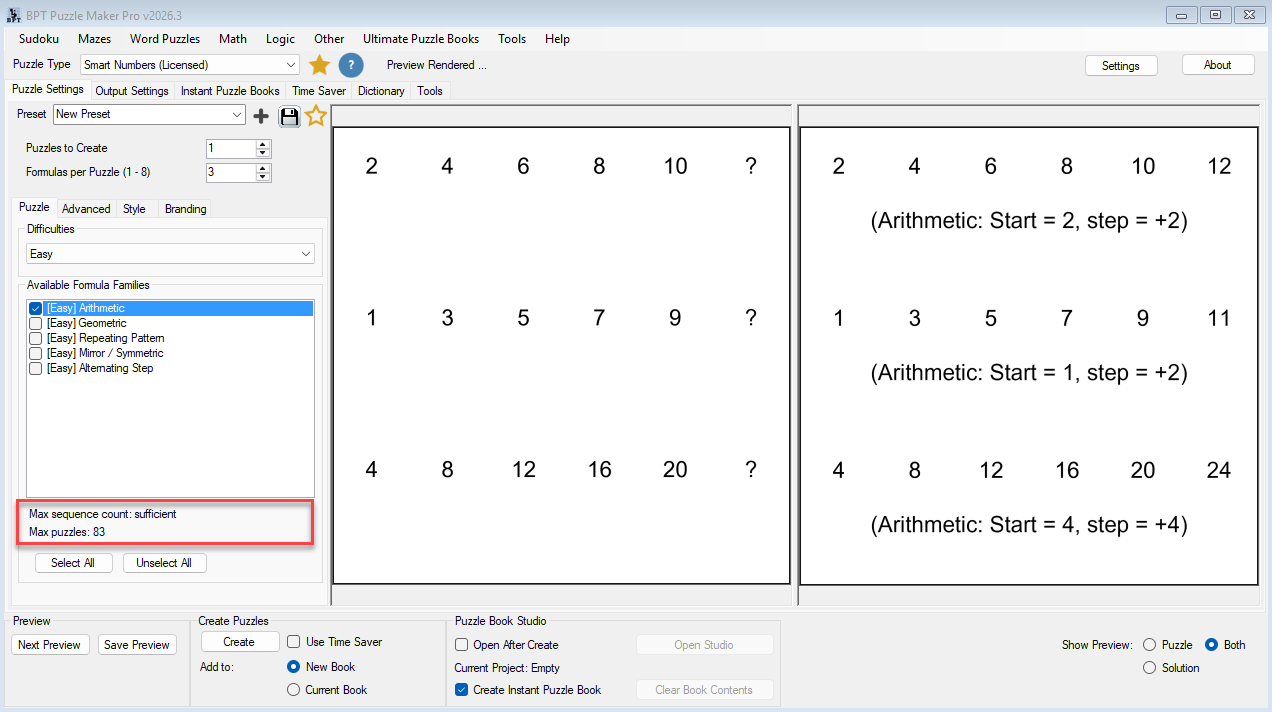
2, 4, 6, 8, ?
The hidden rule is +2, so the missing number is 10.
A single Smart Numbers puzzle page might combine:
- a simple arithmetic progression
- a recursive sequence
- an alternating-step pattern
- a digit-rule challenge
creating a much more varied solving experience than traditional number-sequence puzzles.

Smart Numbers takes this simple idea and expands it into a flexible puzzle system with multiple formula families, difficulty levels, number ranges, pattern settings, and professional output options.
That means you can create anything from simple beginner puzzles to advanced logic challenges.
Create Number Sequence Puzzles That Don’t Feel Repetitive
Many number-sequence puzzle books start feeling predictable after only a few pages.
The patterns repeat. The solving experience flattens out. And creating enough variation manually quickly becomes exhausting.
If you try to build more advanced puzzle collections by hand, the workload grows fast:
- balancing difficulty
- designing enough variation
- avoiding repetitive sequences
- organizing puzzle sets
- formatting puzzle books
Smart Numbers was designed to solve exactly that problem.
Instead of relying on one type of sequence logic, Smart Numbers uses configurable formula families, number ranges, structural settings, and workflow tools to create much more varied puzzle generation.
The result is a stronger production workflow:
- more variation between puzzles
- better difficulty progression
- less manual sequence design
- clearer puzzle-set organization
- faster creation of publish-ready content
A Flexible Number Puzzle System — Not Just a Basic Sequence Generator
Smart Numbers is built as part of the Puzzle Maker Pro production workflow.
It is not just a simple “next number” generator. It gives you a controlled way to create structured puzzle content that can be previewed, adjusted, generated, organized, and used in puzzle books.
With Smart Numbers, you can configure:
- puzzle quantity
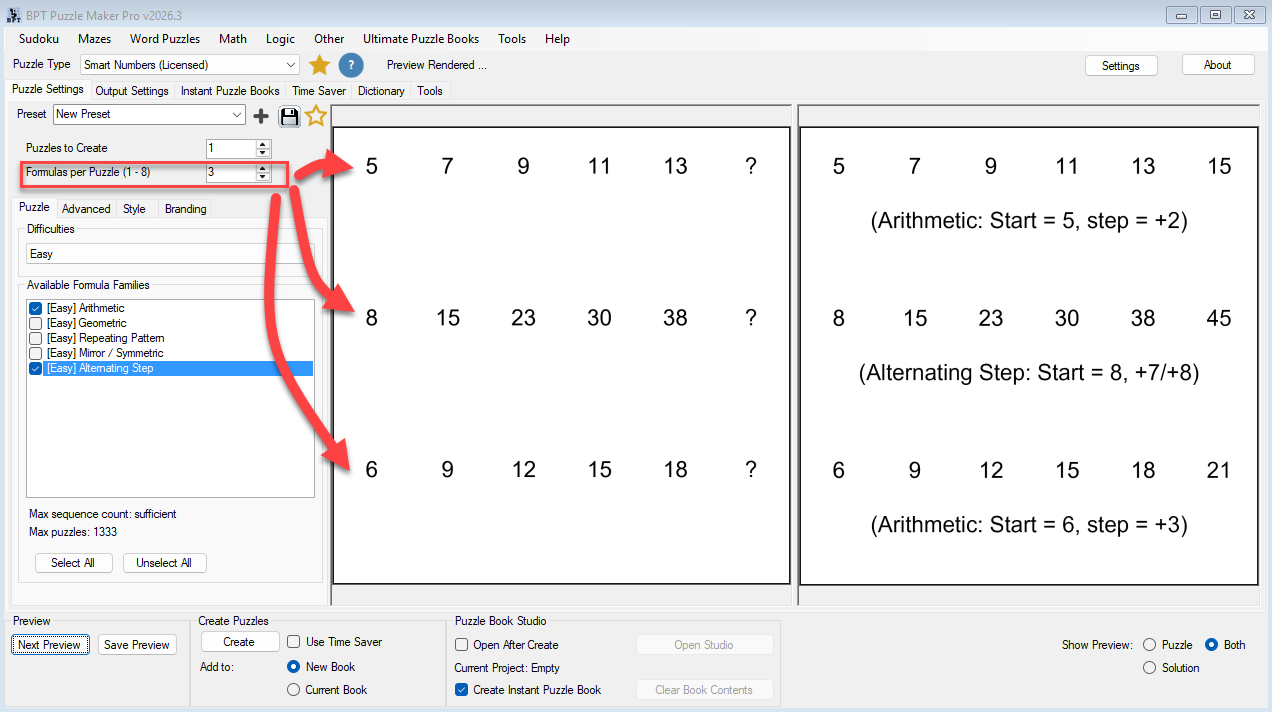
- formulas per puzzle
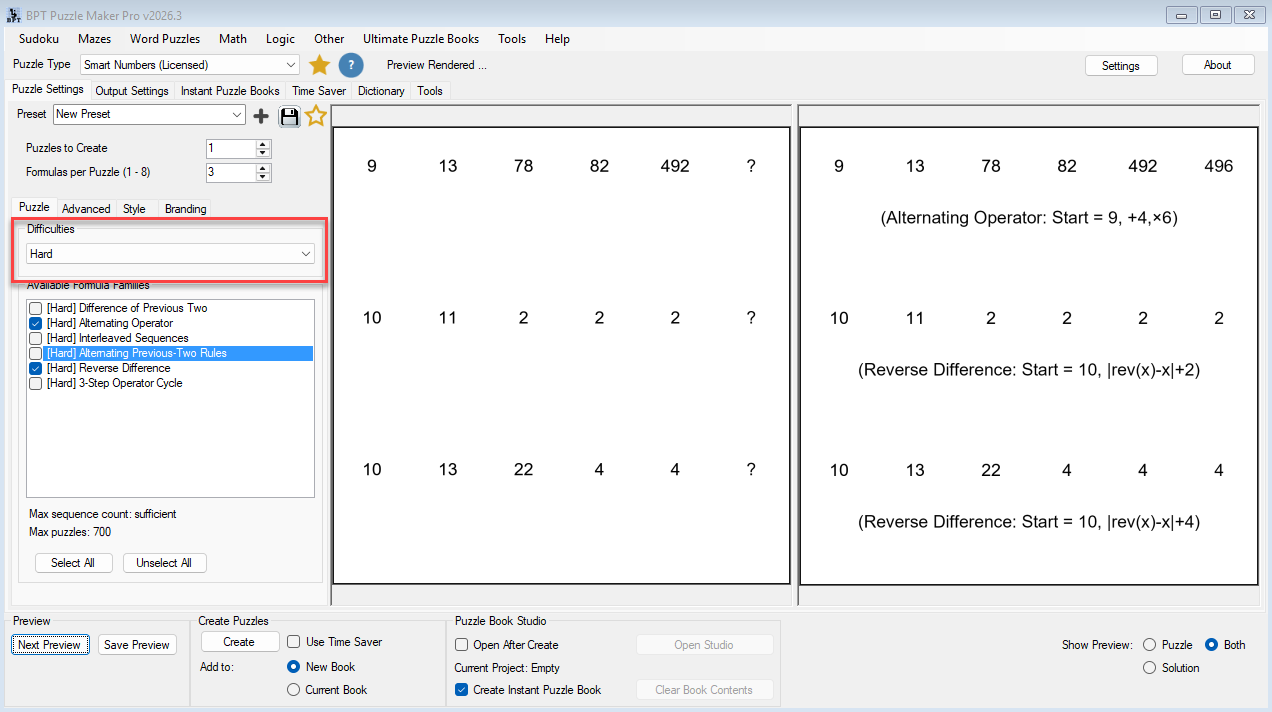
- difficulty level
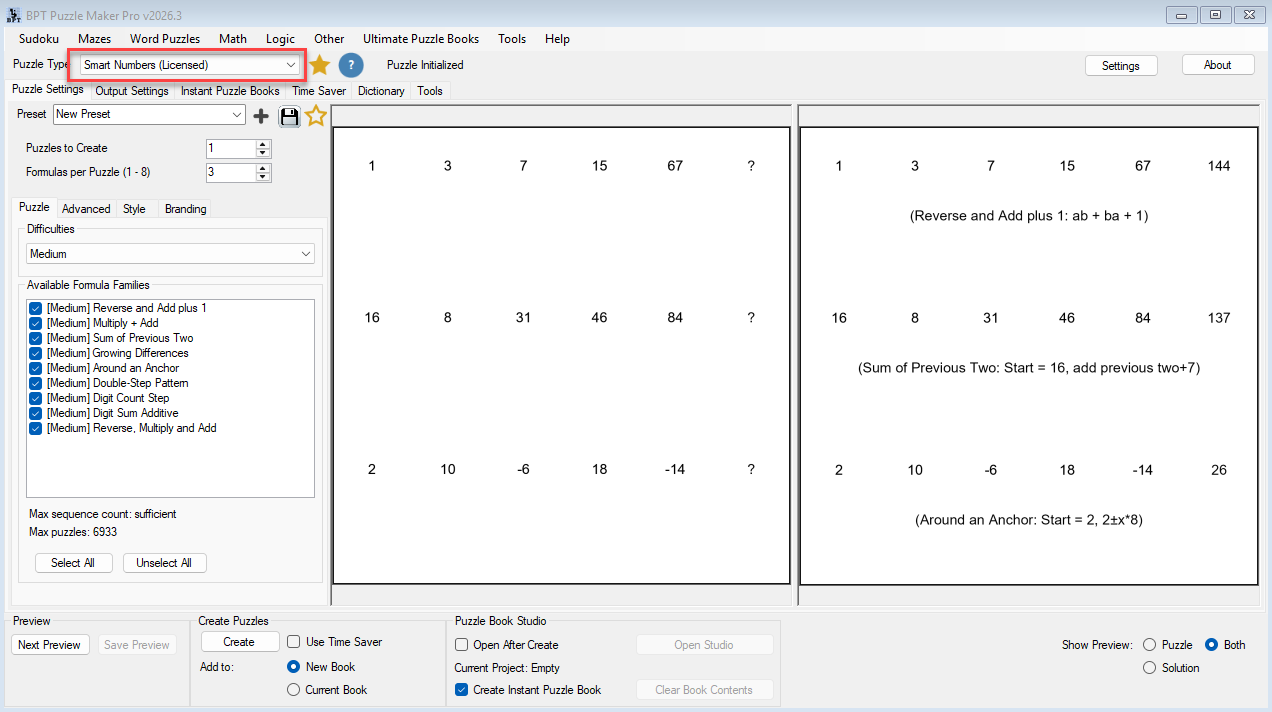
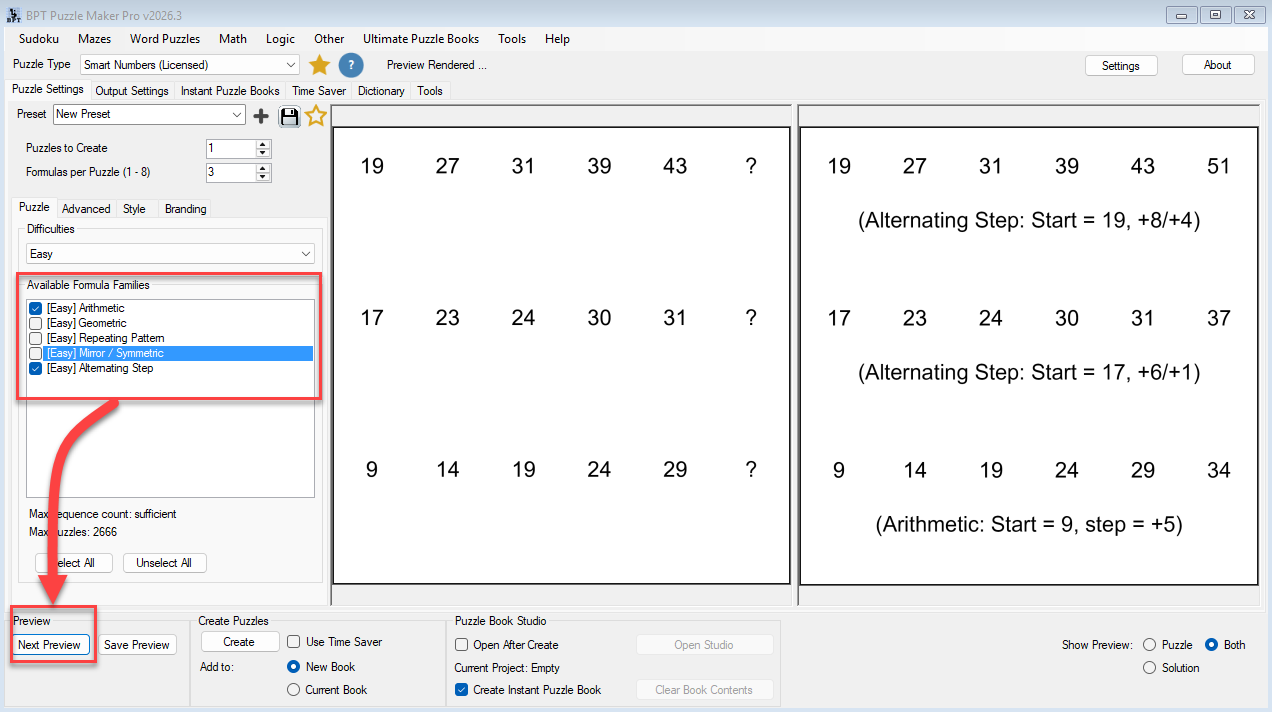
- available formula families
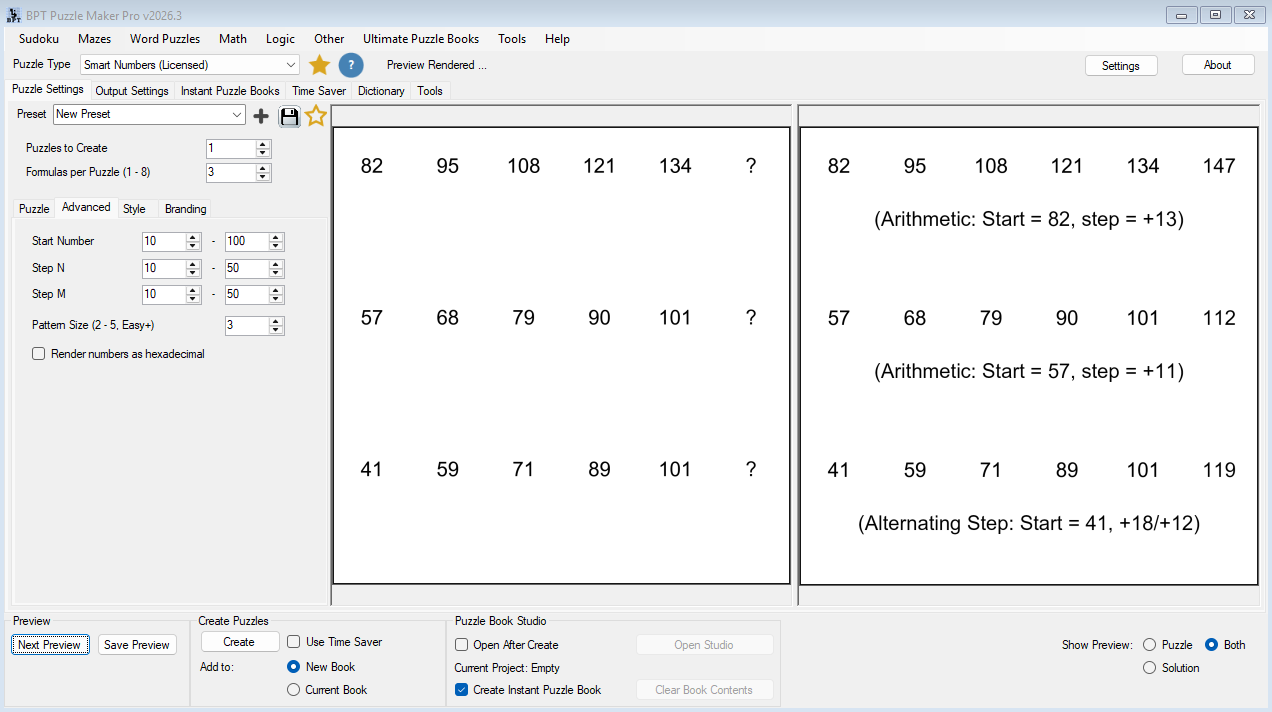
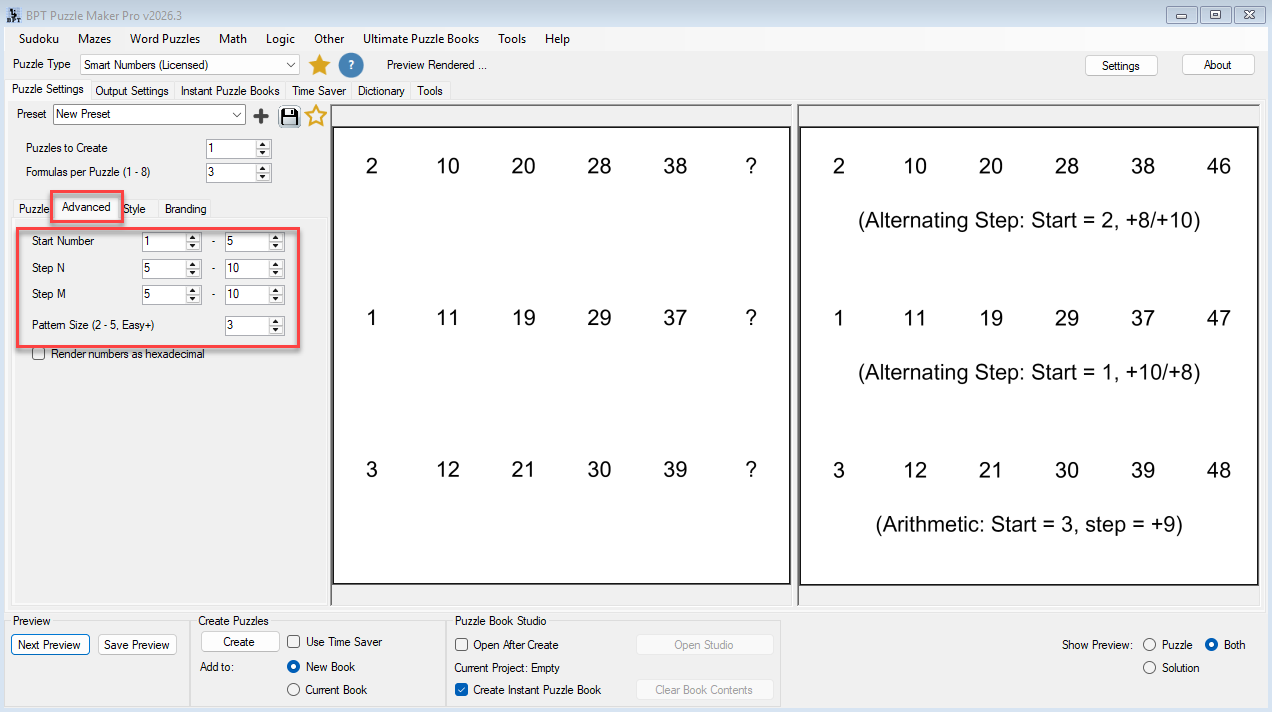
- start number ranges
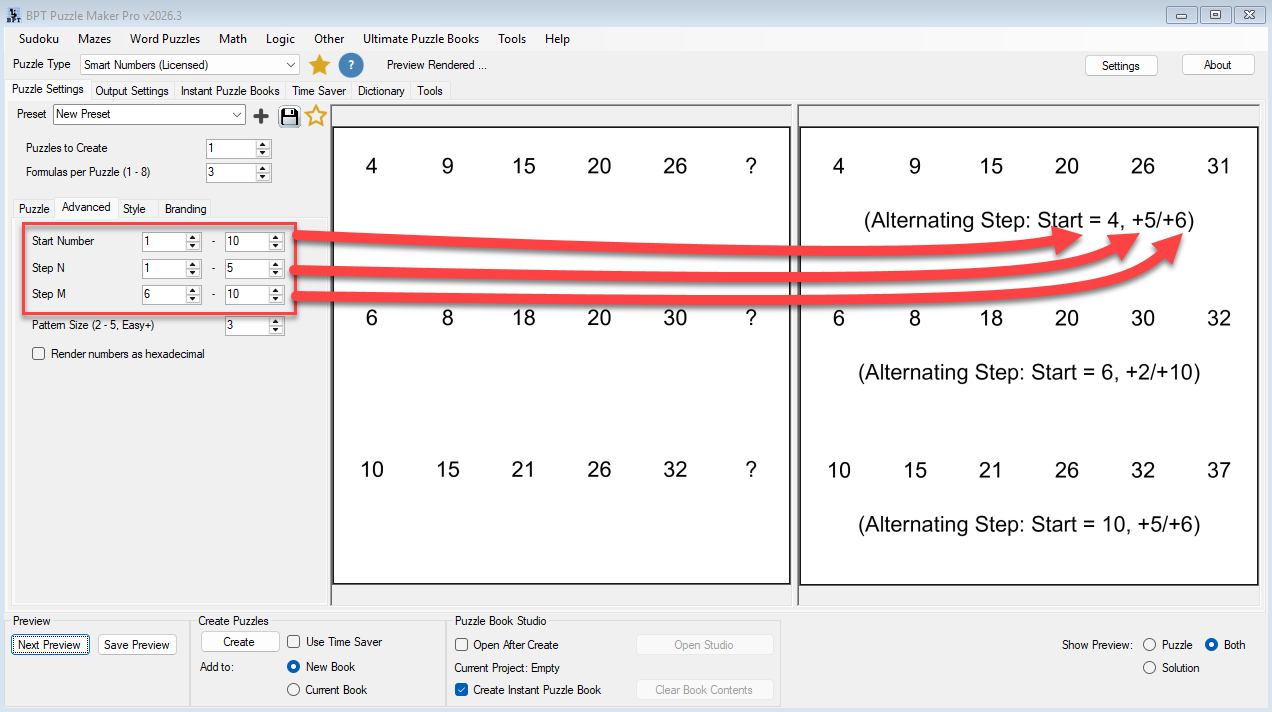
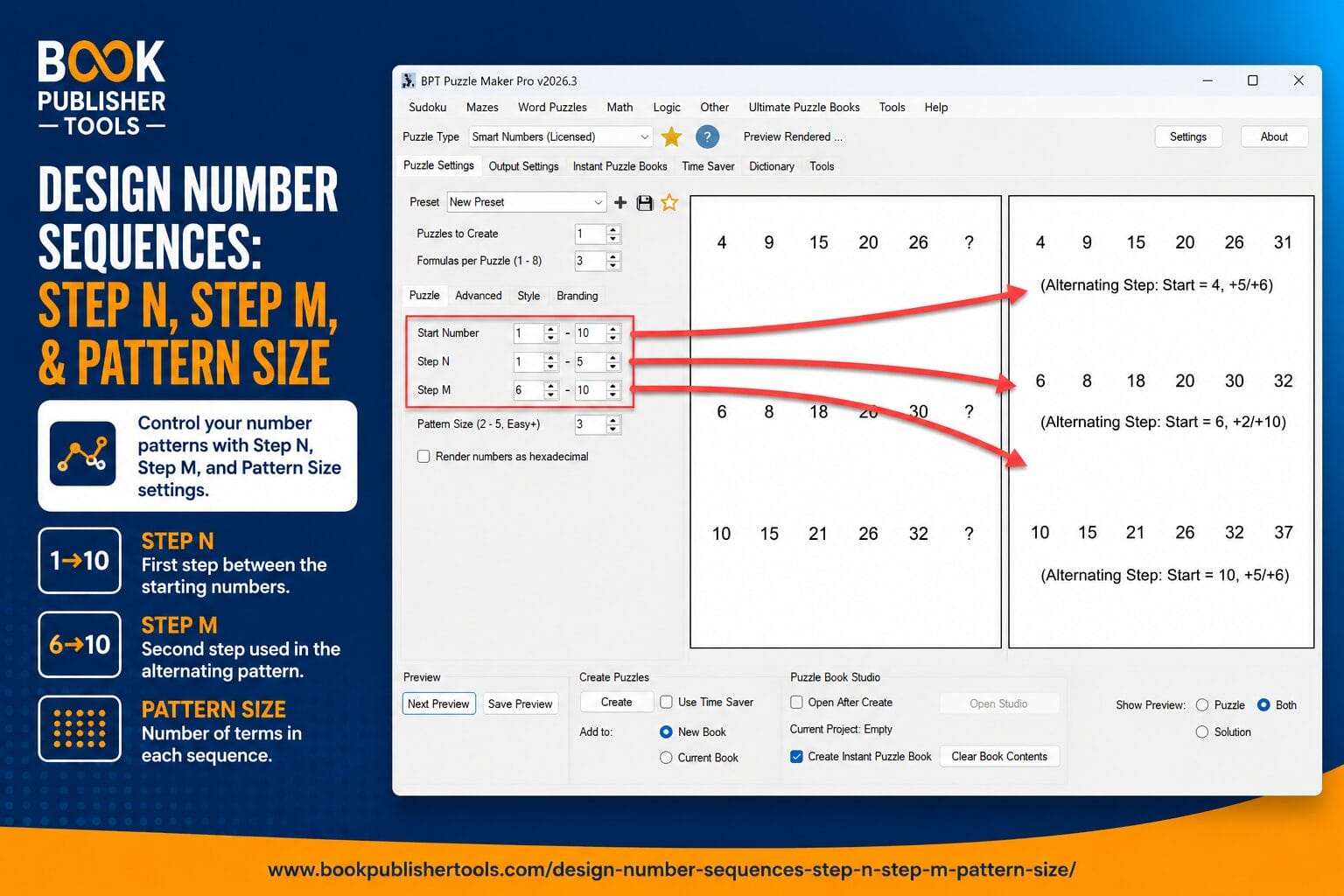
- Step N and Step M ranges
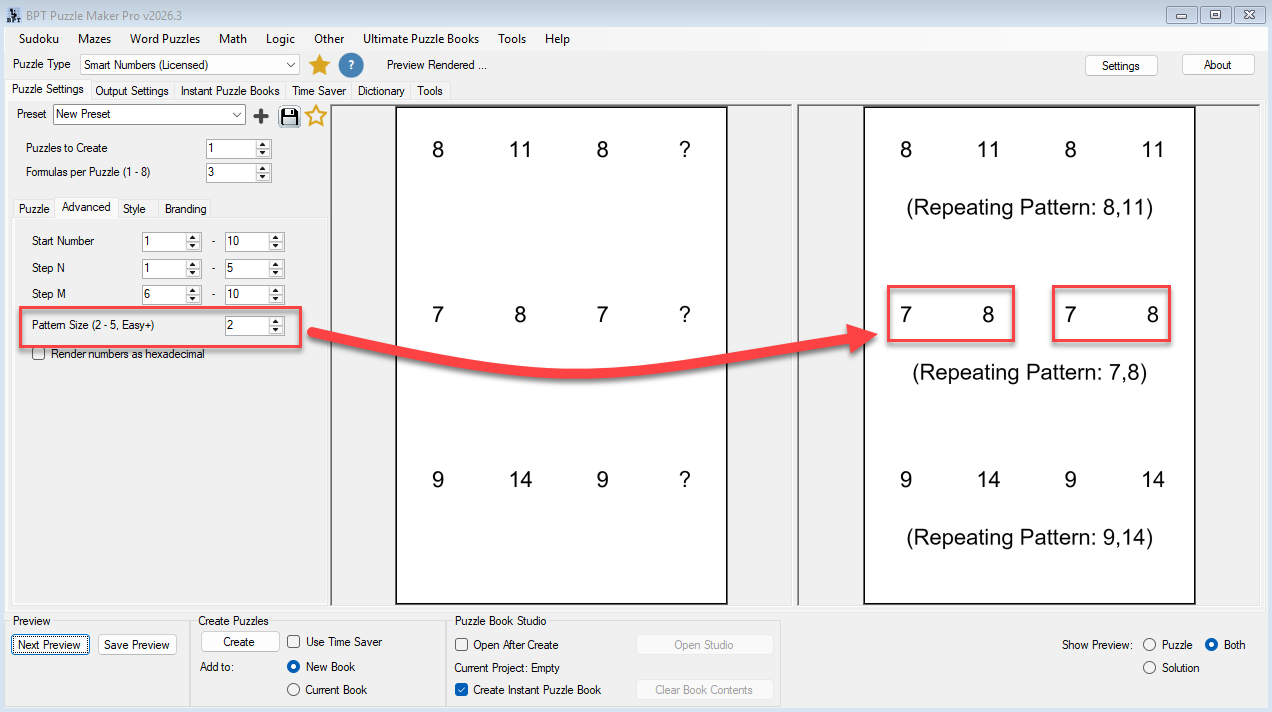
- Pattern Size
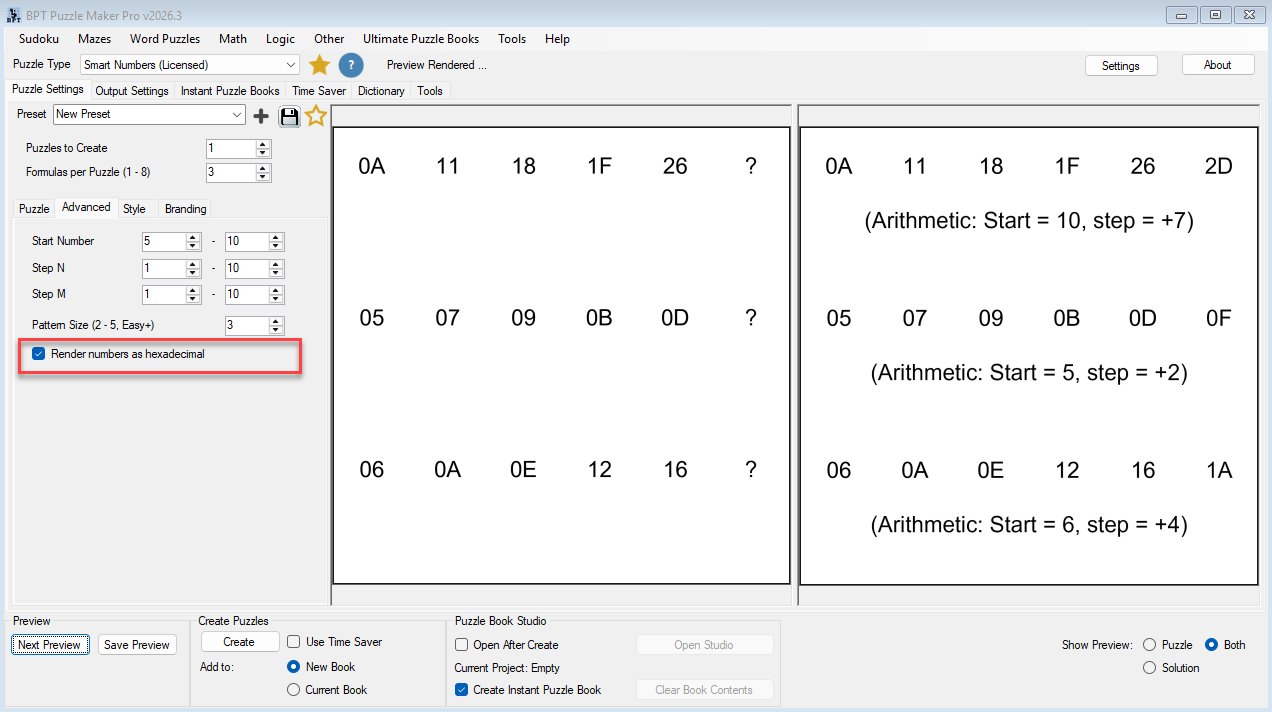
- hexadecimal rendering
- answer indicators
- style and branding settings
This gives you control over both the puzzle logic and the finished presentation.
Why Smart Numbers Feels Different
Formula Families Create Real Variation
Smart Numbers uses formula families to create visibly different solving experiences.
Depending on the selected difficulty, puzzles can use:
- arithmetic sequences
- geometric progression
- repeating structures
- recursive logic
- alternating operators
- digit-based rules
- block transformations
- advanced structural behavior
Some puzzles feel direct and approachable.
Others feel layered, analytical, or highly pattern-oriented.
This helps your puzzle books avoid the repetitive feel common in many number-sequence collections.
Difficulty Is More Than a Label
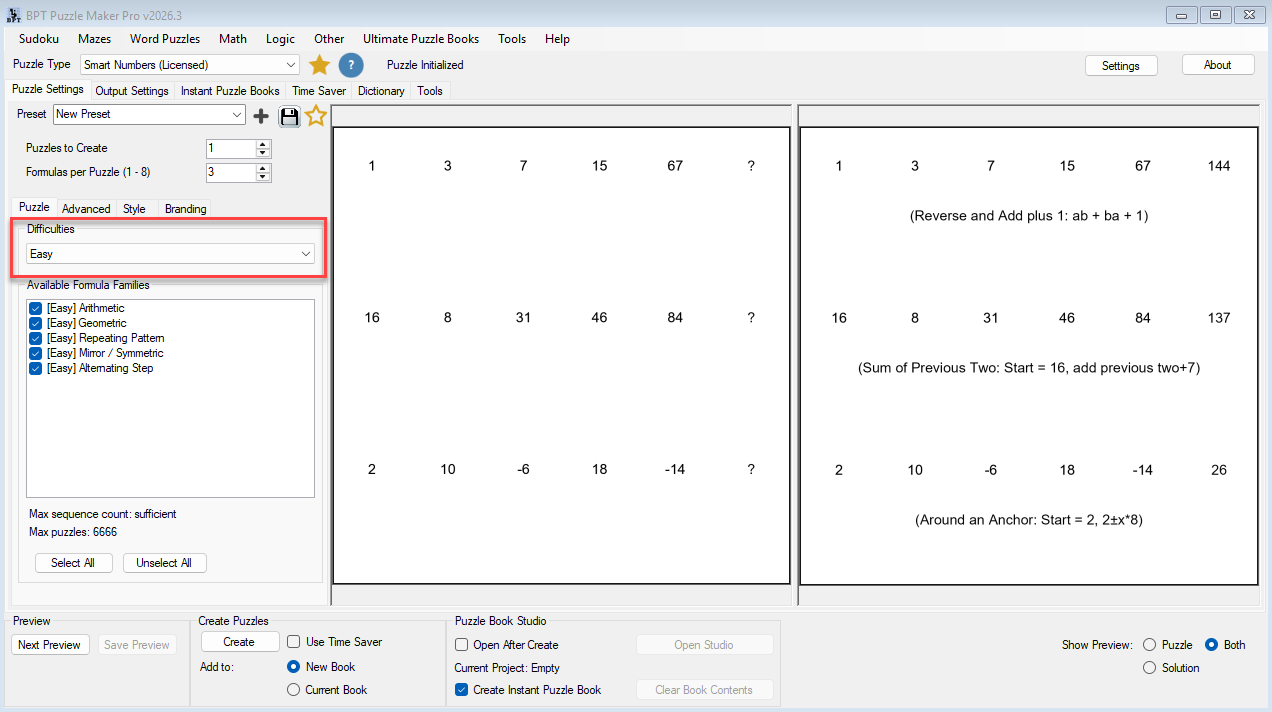
Smart Numbers includes Easy, Medium, Hard, and Expert difficulty levels.
But difficulty is not controlled by the label alone. A simple formula with very large numbers can still feel challenging, while a more advanced formula with small values may be easier to approach.
Smart Numbers lets you shape difficulty through:
- formula selection
- start number ranges
- Step N and Step M ranges
- Pattern Size
- formulas per puzzle
This helps you build smoother progression for different audiences.
Capacity Indicators Help You Plan Larger Sets
When creating larger puzzle sets, variation matters.
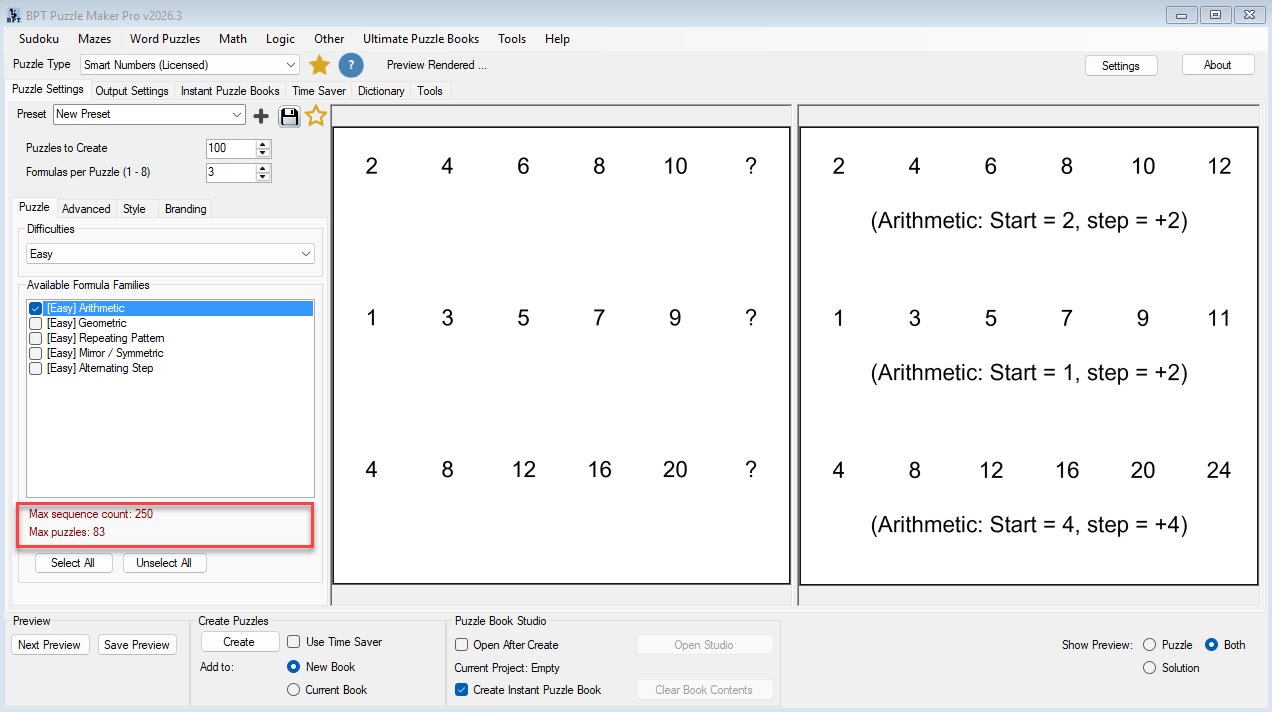
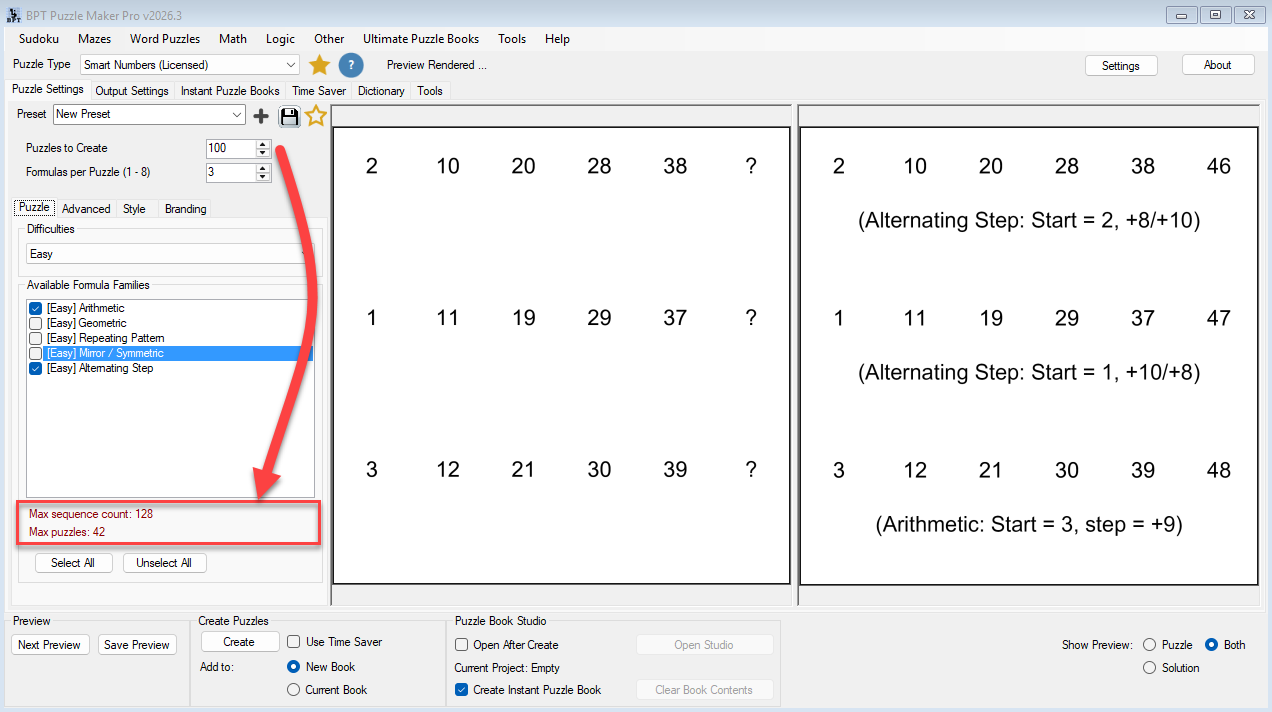
Smart Numbers includes capacity indicators that estimate whether your current settings can provide enough sequence variety for the number of puzzles you want to create.
These indicators help you adjust formulas, ranges, and quantities before generating a large set.
That is especially useful when creating puzzle books or batch workflows where repetition would reduce quality.
What You Can Create
Puzzle Books for Amazon KDP and Print-on-Demand
Create number sequence puzzle books with beginner, intermediate, or advanced logic challenges.
Use Smart Numbers to build:
- beginner number pattern books
- mixed-difficulty logic books
- advanced brain-training collections
- structured progression books
For example:
Create a 120-page puzzle book that starts with simple arithmetic patterns and gradually evolves into advanced recursive logic challenges.
Educational Worksheets and Classroom Activities
Smart Numbers can be used for math enrichment, logic practice, and pattern recognition activities.
Educators can create puzzles that support:
- sequential thinking
- arithmetic reasoning
- multiplication practice
- logic development
- differentiated difficulty levels
Brain-Training and Cognitive Challenge Products
Number sequence puzzles are a natural fit for brain-training style content.
They encourage solvers to practice:
- pattern recognition
- working memory
- reasoning
- attention to detail
- flexible thinking
Mixed-Difficulty Puzzle Collections
Use Easy, Medium, Hard, and Expert puzzle settings to create books that gradually increase in challenge.
This helps readers feel a sense of progression instead of facing a random collection of unrelated puzzles.
Built for Real Puzzle Production Workflows
Smart Numbers fits into the broader Puzzle Maker Pro workflow.
You can create puzzle sets, preview results, adjust settings, apply styling, generate output, and organize puzzles for book creation.
This supports a more professional workflow than creating isolated puzzle pages one by one.
You can use Smart Numbers for:
- single puzzle runs
- reusable presets
- puzzle book projects
- structured puzzle sets
- classroom materials
- publishing workflows
Productivity Edition — Batch Workflows and Advanced Outputs
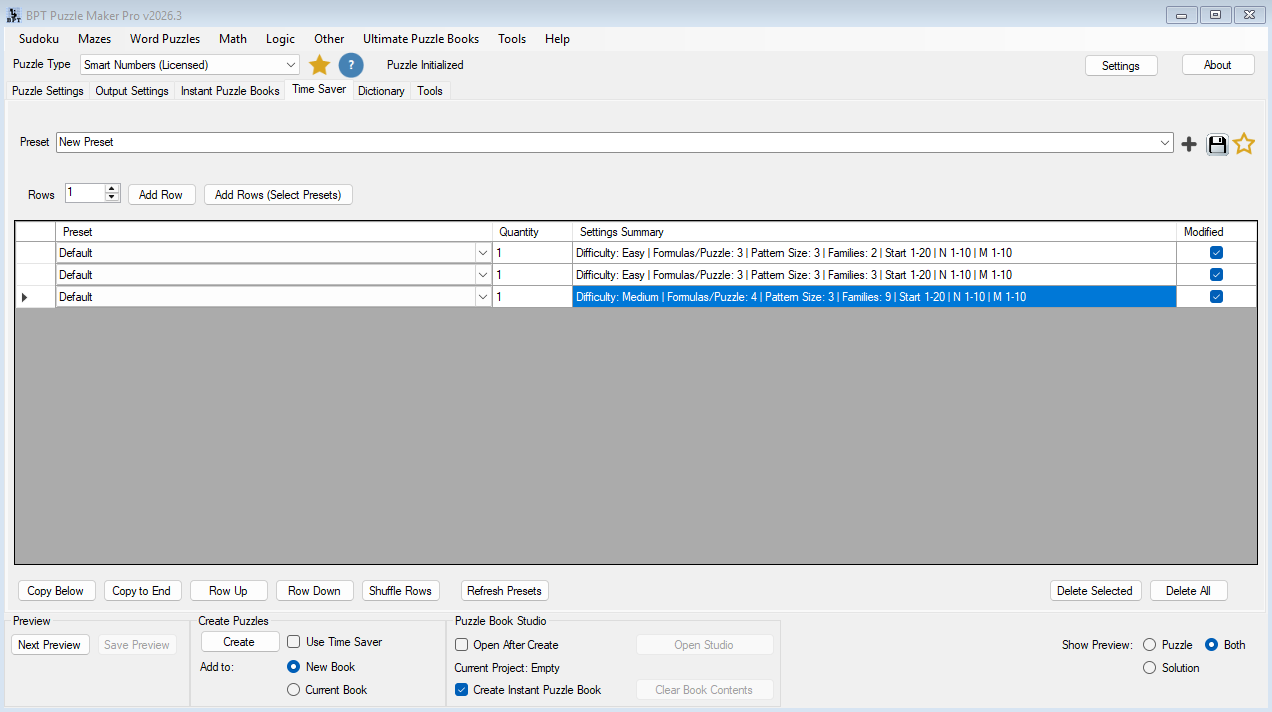
The Productivity Edition adds the new Time Saver workflow for Smart Numbers.
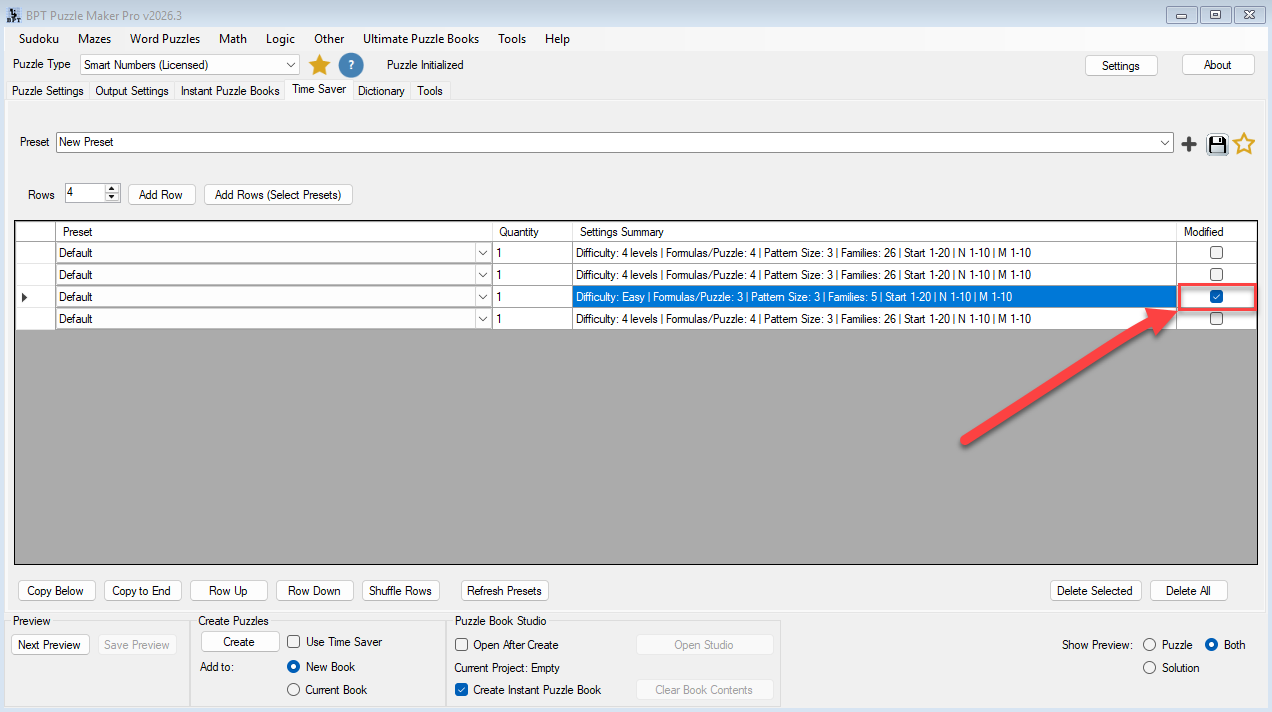
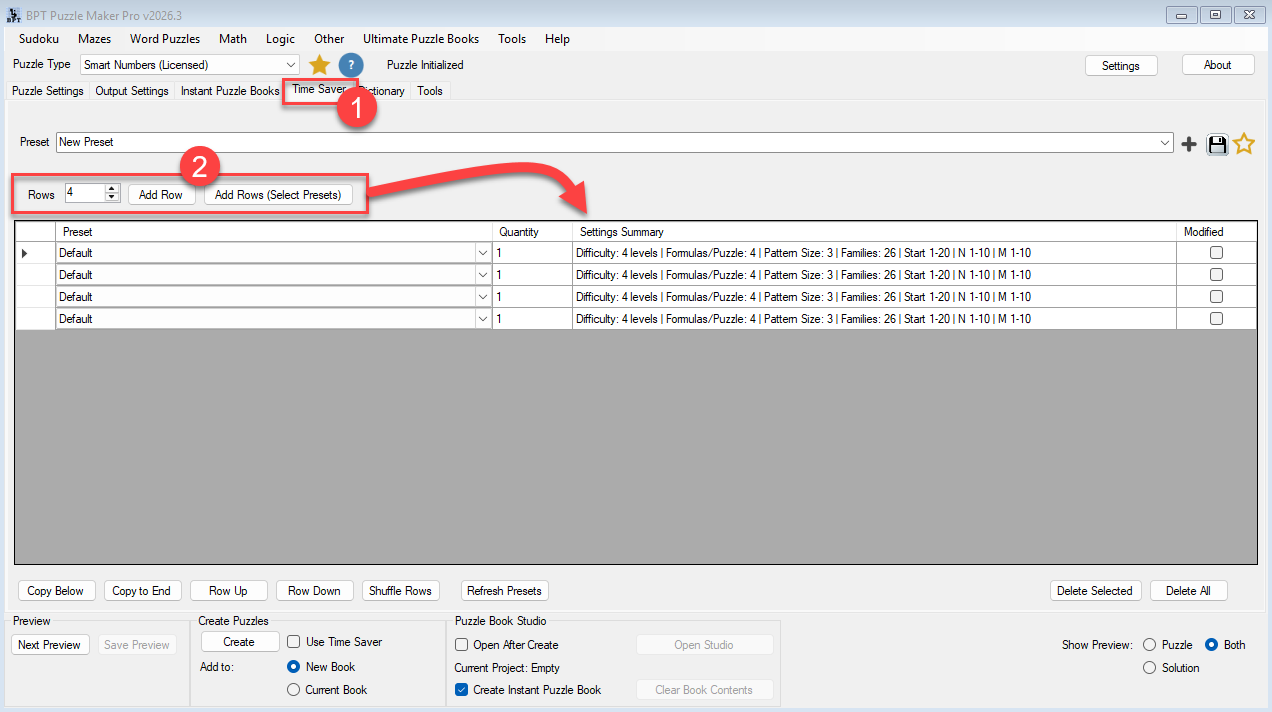
Time Saver lets you queue multiple Smart Numbers rows, where each row represents a complete puzzle setup. Each row can have its own quantity, preset, settings summary, and modified row-specific configuration.
This allows you to generate multiple puzzle sets in one run.
For example:
- Row 1: Easy arithmetic puzzles
- Row 2: Medium digit-rule puzzles
- Row 3: Hard alternating-operator puzzles
- Row 4: Expert structural logic puzzles
Each row can become its own puzzle set, making it easier to organize puzzle books and mixed-difficulty collections.

The Productivity Edition also includes advanced output options for workflows that go beyond standard puzzle pages:
- Interactive PDF
- JSON
- Puzzle Slides
This makes the Productivity Edition the stronger choice if you want batch production, structured puzzle-set workflows, or more flexible output options.
Example Workflow
- Create Easy puzzle rows for beginner readers
- Add Medium recursive logic rows
- Add Hard and Expert challenge sets
- Generate all puzzle sets in one Time Saver workflow
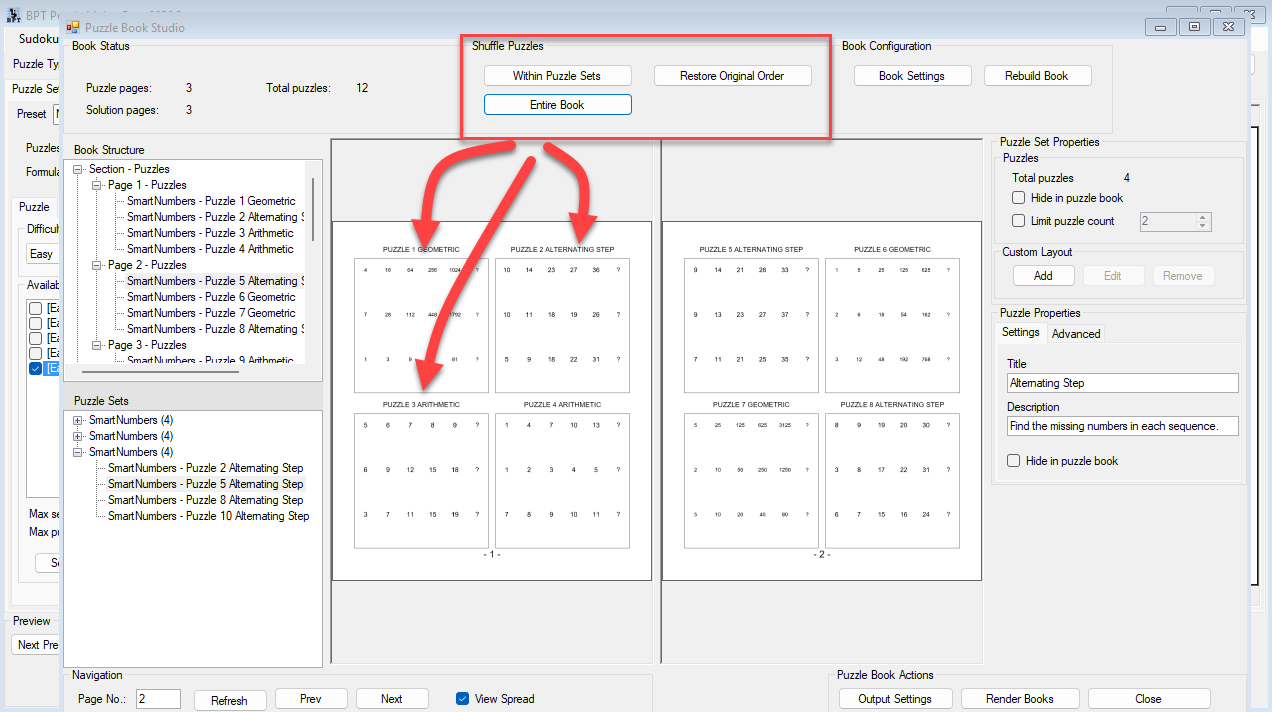
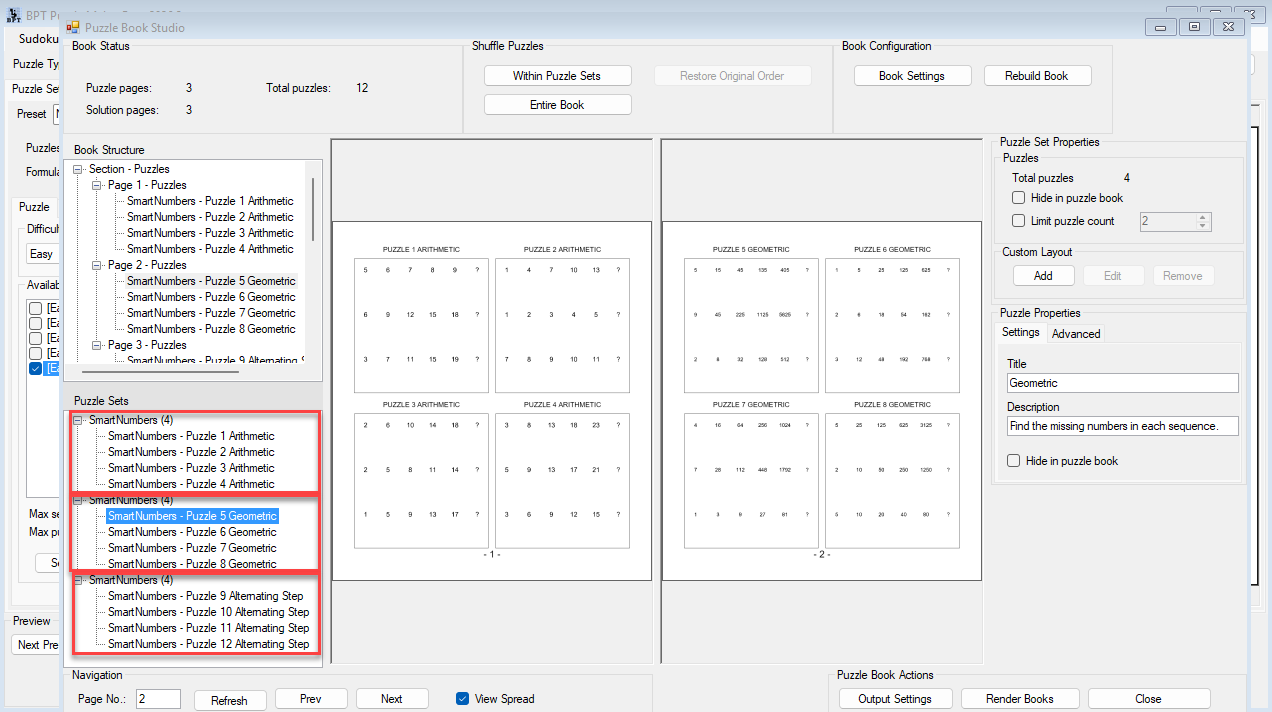
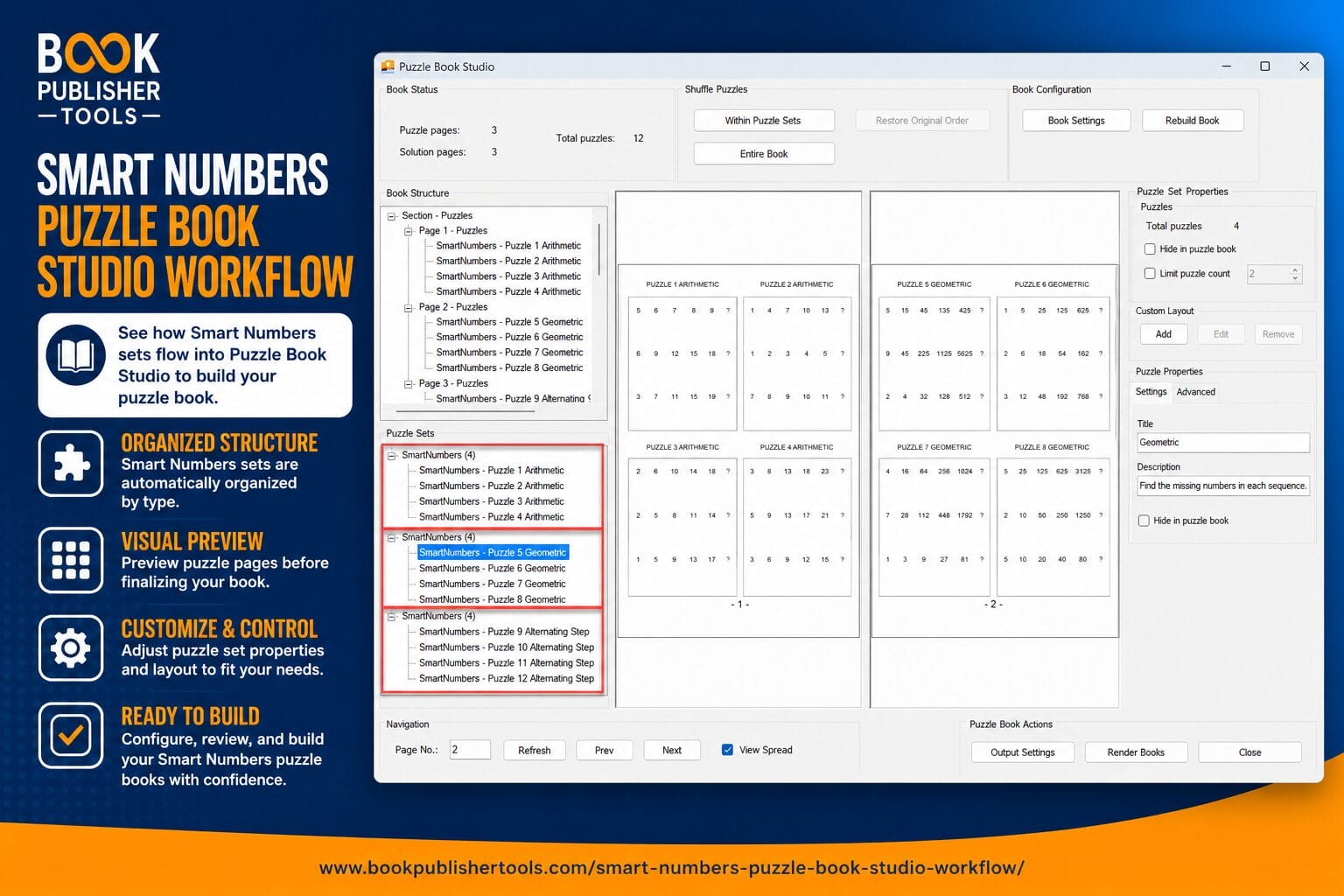
- Organize the sets inside Puzzle Book Studio
- Export structured puzzle-book content faster
Instead of manually rebuilding settings for every puzzle run, you create reusable workflows that scale much more efficiently.
Which Edition Is Right for You?
| Feature | Smart Numbers | Smart Numbers Productivity Edition |
|---|---|---|
| Smart Numbers puzzle generator | ✓ | ✓ |
| Formula-family system | ✓ | ✓ |
| Easy, Medium, Hard, and Expert difficulty levels | ✓ | ✓ |
| Start Number, Step N, and Step M controls | ✓ | ✓ |
| Pattern Size controls | ✓ | ✓ |
| Hexadecimal rendering | ✓ | ✓ |
| Answer indicator options | ✓ | ✓ |
| Style and branding controls | ✓ | ✓ |
| Puzzle preview and standard generation | ✓ | ✓ |
| Puzzle book workflows | ✓ | ✓ |
| Time Saver row-based batch workflow | ✗ | ✓ |
| Multiple puzzle-set generation in one run | ✗ | ✓ |
| Row-specific settings and Settings Summary | ✗ | ✓ |
| Advanced output options: Interactive PDF, JSON, Puzzle Slides | ✗ | ✓ |
Choose Smart Numbers If…
Choose the regular Smart Numbers edition if you want to create number sequence puzzles, preview results, adjust difficulty, control formulas, and generate professional puzzle content without needing the Time Saver batch workflow.
This edition is a good fit for:
- single puzzle sets
- classroom worksheets
- smaller puzzle books
- creators who prefer manual setup per run
- users who do not need advanced output options
Choose Smart Numbers Productivity Edition If…
Choose the Productivity Edition if you want to create larger or more structured puzzle collections.
This edition is a better fit if you want to:
- generate multiple puzzle sets in one run
- combine presets and row-specific settings
- create mixed-difficulty puzzle books faster
- organize output by puzzle set
- use advanced output options such as Interactive PDF, JSON, and Puzzle Slides
For high-volume publishers, educators building multiple levels, or creators who want a more scalable workflow, the Productivity Edition gives you more production control.
Perfect For
KDP Publishers and Puzzle Book Creators
Create puzzle books with stronger variation, clearer progression, and more professional structure.
Smart Numbers helps you move from puzzle idea to publish-ready content faster, without manually inventing every sequence.
Educators and Educational Content Creators
Build number pattern activities for different skill levels.
Use easier patterns for introductory logic practice, then increase complexity with recursive, digit-based, and structural formula families.
Brain-Training and Senior Activity Publishers
Create logic puzzle collections that support attention, reasoning, and pattern recognition.
Difficulty settings and number ranges help you shape puzzles for different ability levels.
High-Volume Puzzle Producers
Use the Productivity Edition to batch multiple Smart Numbers configurations and create structured puzzle collections more efficiently.
This is especially useful when producing multiple books, themed collections, or mixed-difficulty outputs.
Explore the Smart Numbers Workflow
Want to see:
- how formula families work
- how difficulty is controlled
- how Time Saver batch workflows operate
- how puzzle books are organized
- how advanced sequence settings behave
Explore the complete Smart Numbers tutorial collection.
View the Smart Numbers Tutorials Complete Guide
Start Creating Smart Number Puzzles Today
Smart Numbers gives you a practical way to create number sequence puzzles with real variation, scalable difficulty, and professional output.
Use it to create:
- puzzle books
- classroom worksheets
- brain-training collections
- mixed-difficulty logic books
- structured puzzle sets
Choose Smart Numbers if you want the core puzzle generator.
Choose Smart Numbers Productivity Edition if you want Time Saver batch workflows and advanced output options.
Start building your next number puzzle collection with a workflow designed for real puzzle production.


