


Puzzle Maker Pro – Geometry Math 3D
Create 3D Geometry Challenges for Worksheets, Workbooks, and Mixed Puzzle Books
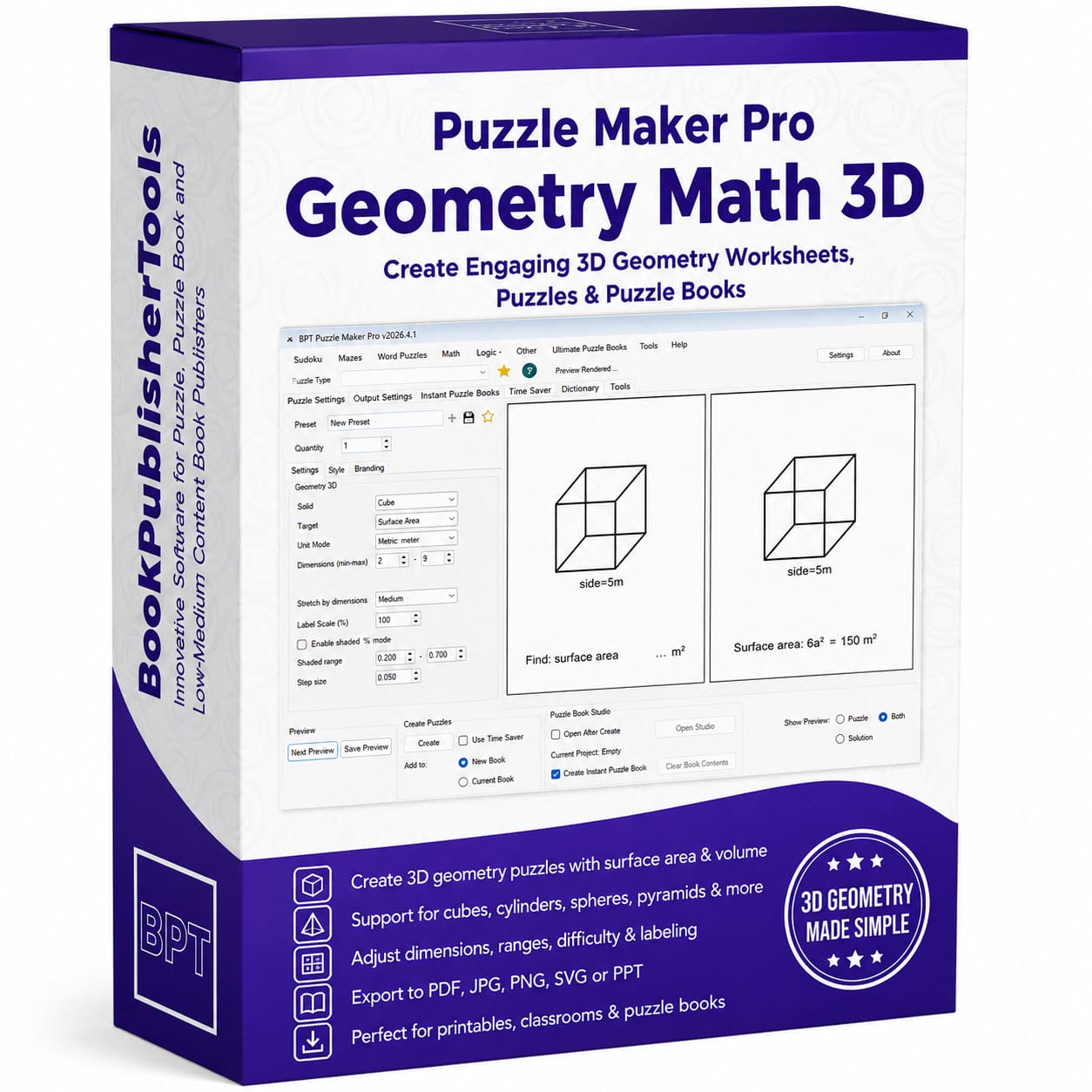
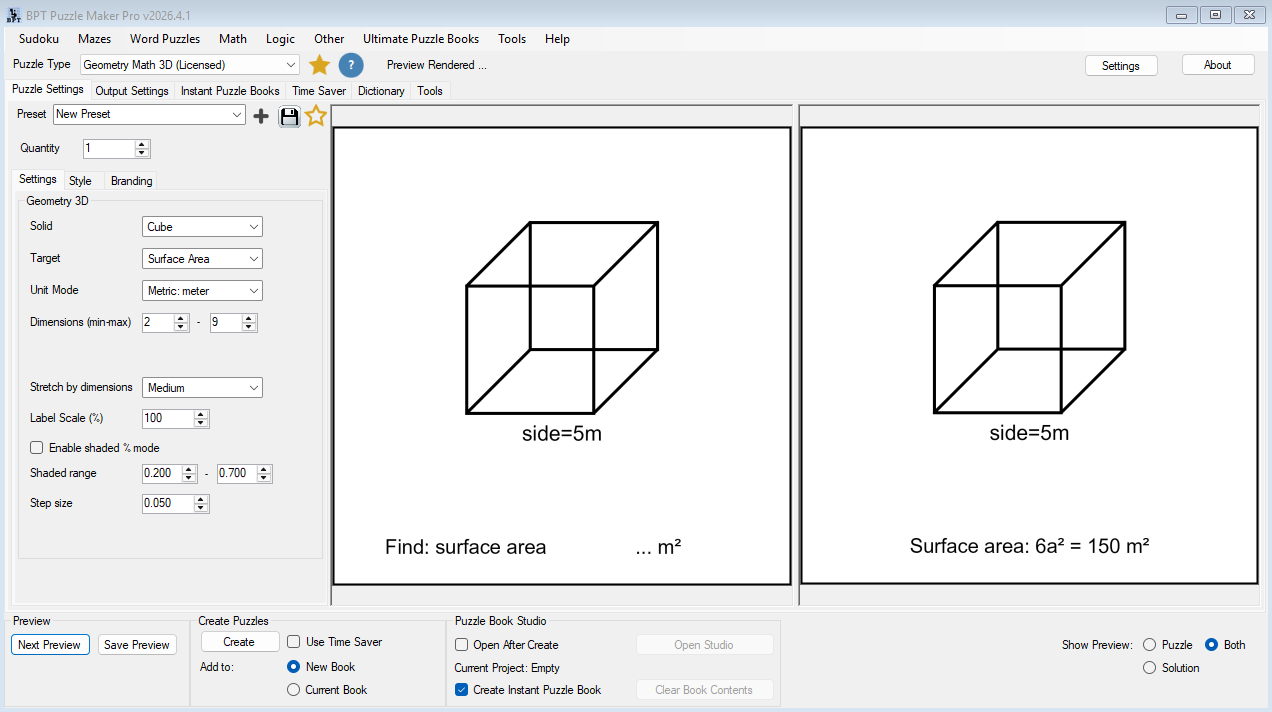
Geometry Math 3D helps you generate printable 3D geometry puzzles where solvers calculate surface area, volume, or both from labeled solid diagrams.
Use it when you want math content that feels more substantial than another plain arithmetic page — but you do not want to draw every cube, cone, cylinder, or sphere by hand.
Create a single worksheet. Build a full 3D geometry practice pack. Add STEM-style challenges to a number puzzle book. Or combine Geometry Math 3D with other puzzle types in a larger mixed activity book.
The module creates both puzzle images and matching solution images, so every generated page comes with its answer-key counterpart.

Build More Than Geometry Worksheets
3D geometry has a useful place in many publishing projects.
For teachers and educational sellers, it creates structured practice for surface area and volume. For puzzle publishers, it adds a different kind of number challenge to books that might otherwise rely only on Sudoku, number sequences, arithmetic puzzles, and logic grids.
That makes Geometry Math 3D useful in several product types:
- Classroom worksheets
- Homeschool math packs
- TPT geometry resources
- STEM workbooks
- Math challenge books
- Number puzzle books
- Brain-training collections
- Mixed puzzle and activity books
The key advantage is repeatability. Once you choose the shape, target, unit mode, and dimension range, you can generate consistent puzzle pages and solutions without rebuilding the same layout again and again.

Cover the Core 3D Shapes
Geometry Math 3D supports eight common solid types:
- Cube
- Cuboid
- Cylinder
- Triangular prism
- Square pyramid
- Cone
- Sphere
- Hemisphere
This gives you a natural difficulty path.
Start with cubes and cuboids for simpler practice. Move into cylinders and triangular prisms for more variety. Add cones, pyramids, spheres, and hemispheres when you want a stronger challenge or a more complete 3D geometry section.
For educational resources, this helps you build lessons in a sensible sequence. For puzzle books, it gives the reader visual and mathematical variety without requiring you to design a new page format each time.
Practice Surface Area, Volume, or Both
Every puzzle can focus on the skill you want to reinforce.
Choose Surface Area when the goal is measurement of the outside of the solid. Choose Volume when the goal is capacity or space inside the shape. Choose Both when you want a stronger review challenge on the same diagram.
That creates practical publishing flexibility.
You might build a workbook section like this:
| Section | Focus | Use case |
|---|---|---|
| 1 | Surface area | Introduce formulas and shape recognition |
| 2 | Volume | Practice capacity and 3D measurement |
| 3 | Both | Create review pages or challenge pages |
| 4 | Mixed solids | Build variety for workbook or puzzle-book use |
This is especially useful when you want the same module to support both classroom practice and general puzzle publishing.
Control Difficulty with Dimensions
The dimension range lets you shape the difficulty of the generated puzzles.
Smaller values create lighter practice. Larger values increase the calculation challenge. Because the module generates dimensions inside your chosen range, you can reuse the same solid type across different levels.
For example:
- Easy cube and cuboid pages with smaller dimensions
- Intermediate cylinder and prism pages with wider ranges
- Advanced cone, pyramid, sphere, and hemisphere pages
- Review pages that combine larger dimensions with both surface area and volume
This matters for real product creation. A workbook needs progression. A classroom pack needs differentiated practice. A mixed puzzle book needs enough variation to avoid feeling repetitive.
Make Each Shape Easy to Read
Geometry Math 3D renders a labeled 3D diagram for each puzzle.
Dimension annotations help the solver understand which values belong to the solid. You can show or hide annotations, and you can adjust label scale when the final page needs larger or smaller dimension text.
That gives you practical layout control without turning the module into a design project.
Use larger labels for classroom worksheets, tutoring materials, or young learners. Use tighter labels when you are placing puzzles into compact book layouts. The goal is simple: keep each generated page readable, usable, and ready for the next step in your publishing workflow.
Create for Different Markets
Geometry Math 3D includes metric and imperial unit modes.
You can create pages using meters, kilometers, centimeters, millimeters, inches, miles, or yards. That makes it easier to adapt the same puzzle concept for different audiences, regions, or publishing markets.
A teacher can match the unit system used in class. A publisher can create separate metric and imperial versions of a workbook. A printable seller can prepare variants for different customer groups without rewriting the resource from scratch.
This is a small control with a practical publishing benefit: one workflow can support more than one market.
Grow One Setup into a Collection
The strongest use of Geometry Math 3D is not one isolated puzzle page.
It is the ability to turn one setup into many related outputs.
Start with a cube worksheet. Create a few versions. Change the target from surface area to volume. Increase the dimension range. Switch from cube to cuboid, cylinder, or cone. Add solution pages. Then assemble the results into a practice pack, workbook section, or mixed puzzle book collection.
That is where the module fits the broader Puzzle Maker Pro workflow: the generator creates the content, and the publishing system helps you turn that content into finished products.
Scale Production with Time Saver
With the Productivity Edition, Geometry Math 3D supports Time Saver batch generation.
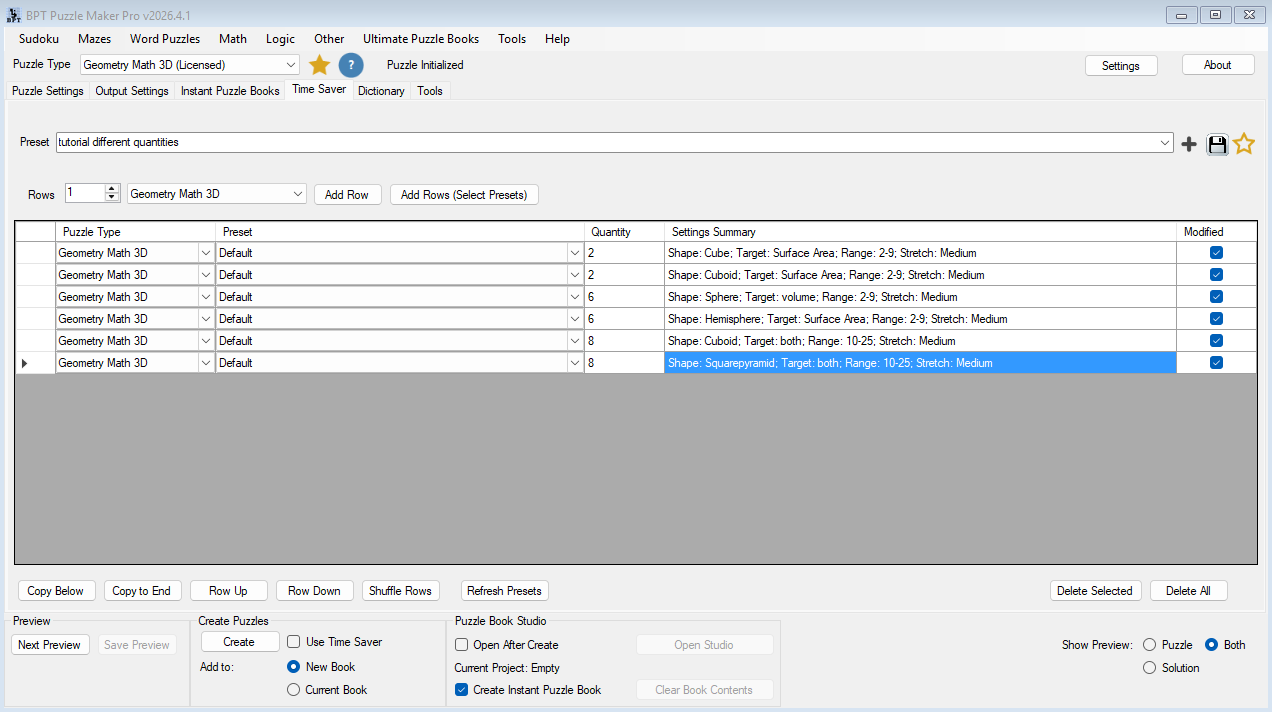
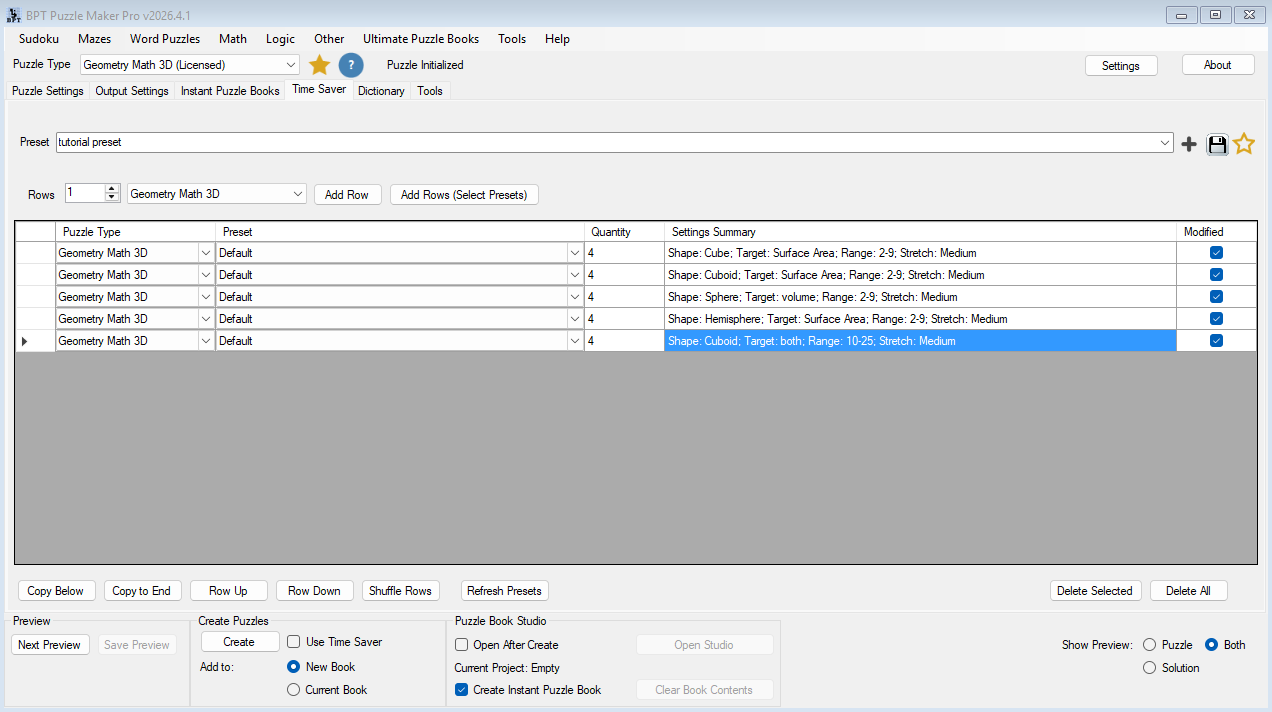
Time Saver lets you define multiple generation rows and run them together. Each row can have its own quantity and settings, including solid type, dimension range, target mode, unit mode, annotations, label scale, and dimension stretch mode.
That means you can prepare a complete 3D geometry set in one structured run:
| Row | Solid | Target | Difficulty idea | Quantity |
|---|---|---|---|---|
| 1 | Cube | Surface Area | Beginner | 10 |
| 2 | Cuboid | Volume | Beginner–Intermediate | 10 |
| 3 | Cylinder | Both | Intermediate | 10 |
| 4 | Cone | Volume | Intermediate–Advanced | 10 |
| 5 | Sphere | Both | Review | 10 |
This is the difference between making pages one at a time and building a repeatable production system.
For educational sellers, Time Saver helps create worksheet bundles and leveled packs faster. For puzzle publishers, it helps produce enough varied geometry content to support a full section inside a larger book.
Assemble Finished Books in Studio
Puzzle Book Studio is included as part of Puzzle Maker Pro.
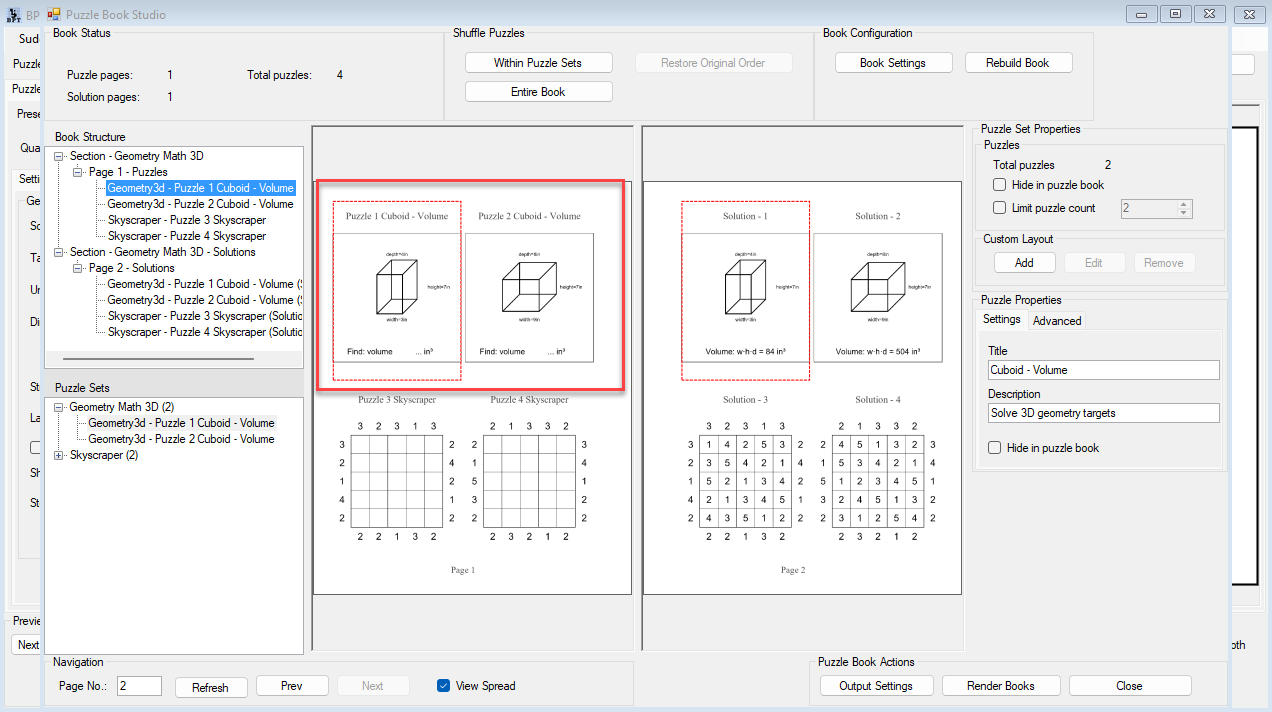
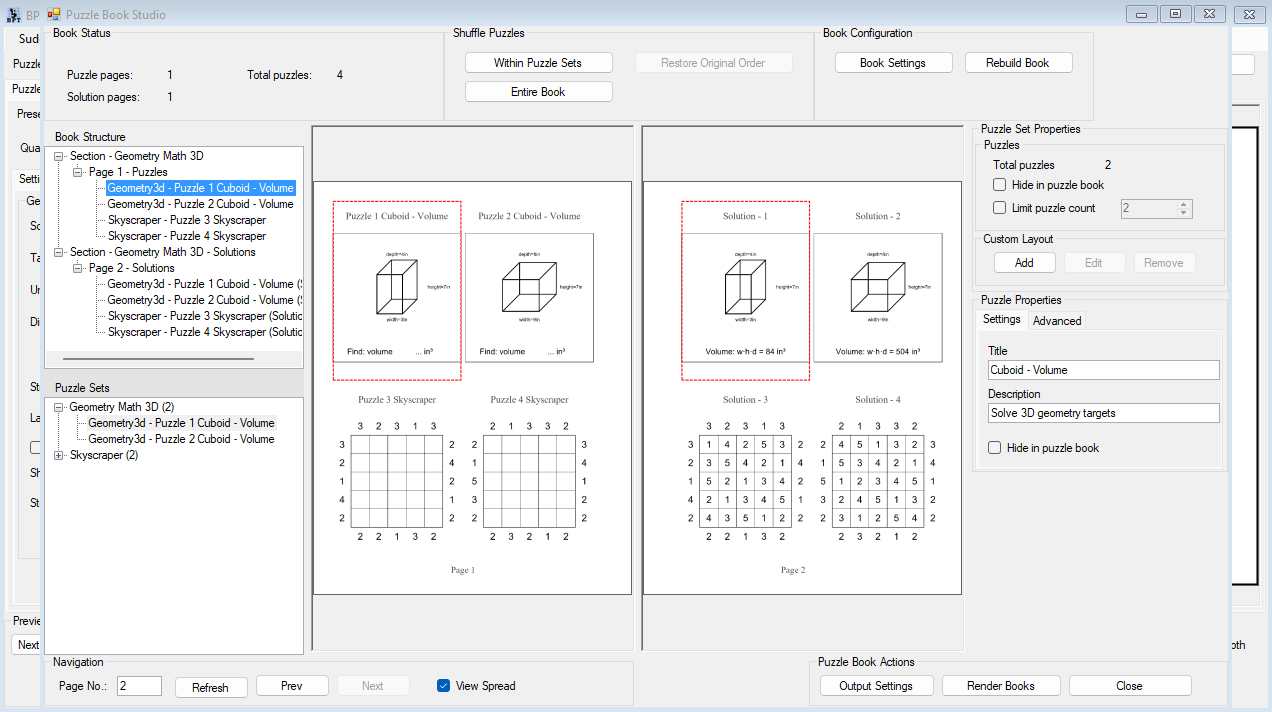
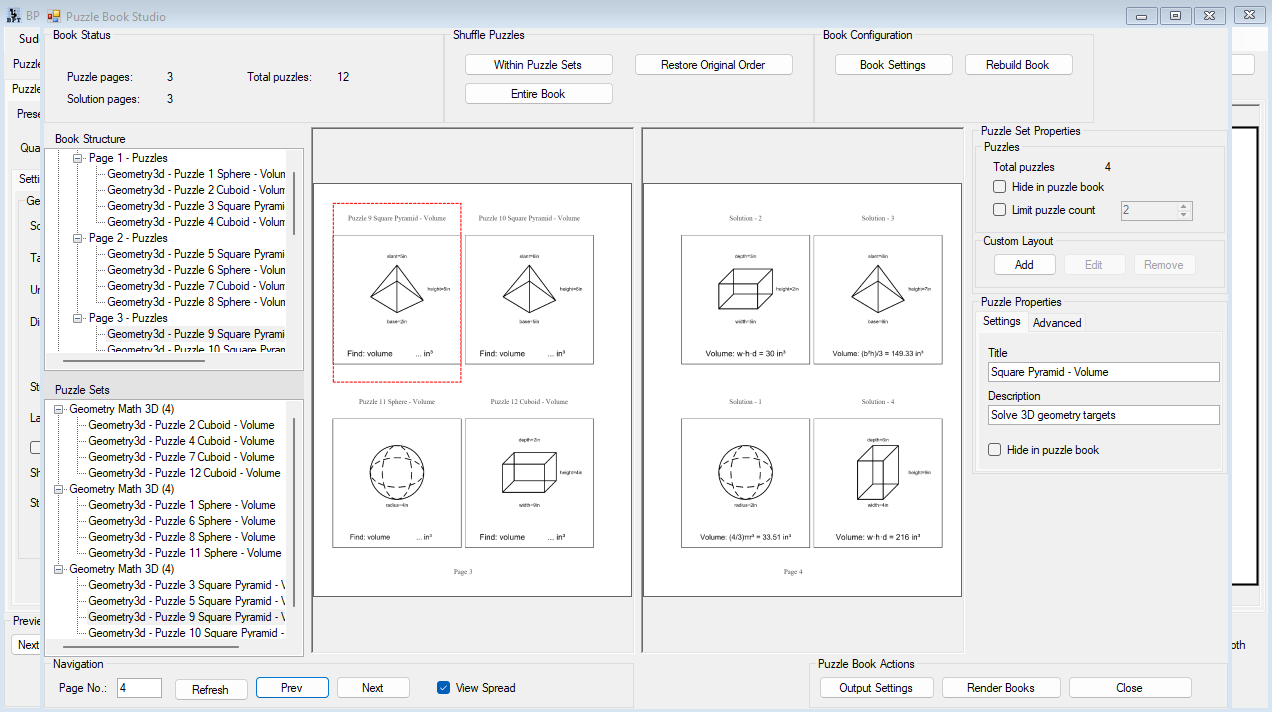
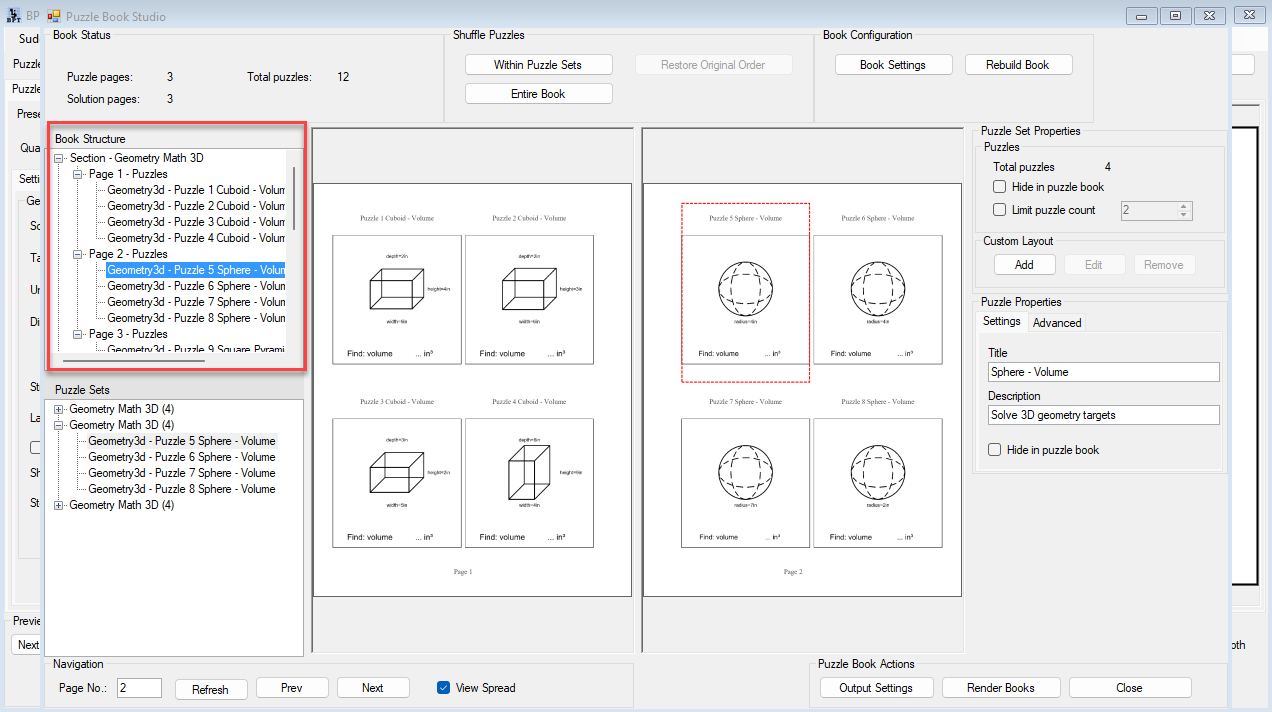
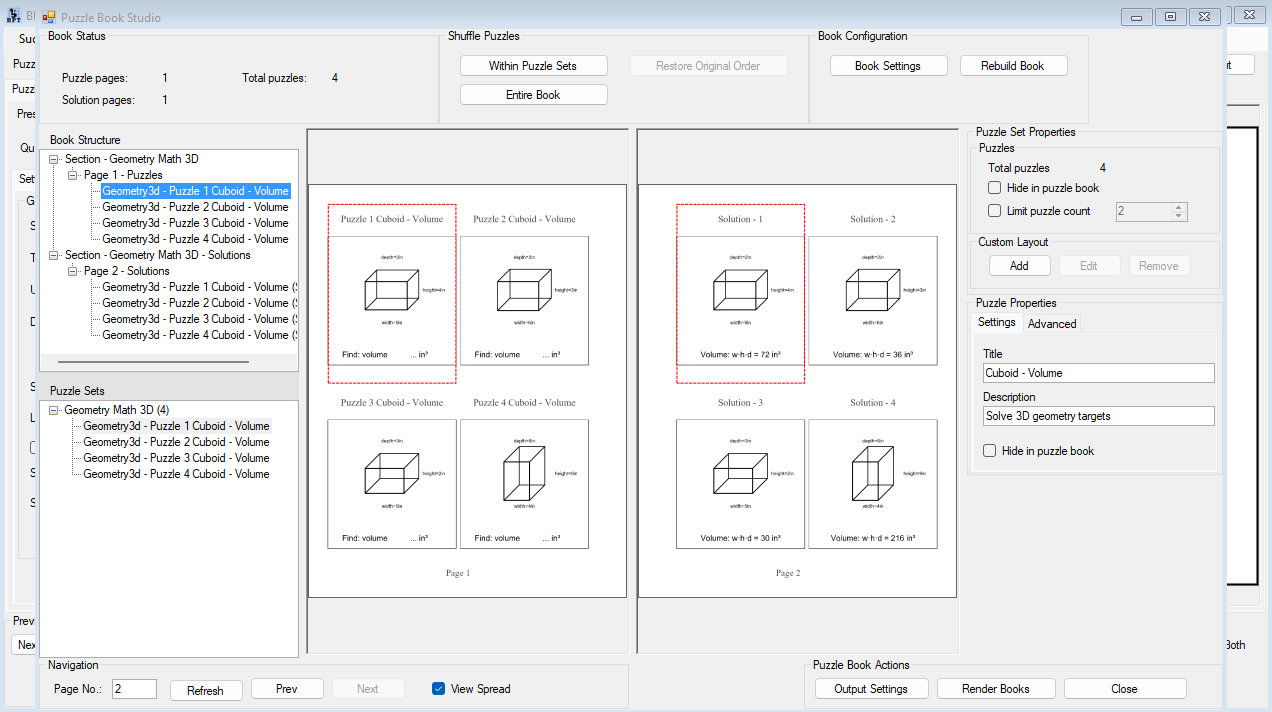
After generating puzzle content, you can review pages, inspect puzzle and solution images, edit titles and descriptions, hide selected puzzles, limit puzzle counts, shuffle content, rebuild the book, and render final output.
For Geometry Math 3D, Studio is useful in two important ways.
First, it helps you assemble dedicated math products: worksheet packs, geometry workbooks, review sections, and answer-key structures.
Second, with Productivity Edition multi-set book workflows, it helps you combine Geometry Math 3D with other puzzle collections. That means a book can include geometry challenges alongside Sudoku, number sequences, logic puzzles, mazes, word puzzles, or other activity types.
This is where Geometry Math 3D becomes more than a standalone worksheet generator. It becomes one source of reusable content inside a larger publishing workflow.
What You Can Create
Classroom Geometry Practice
Create focused worksheets for surface area, volume, or both.
Use simple solids and smaller dimensions for introductory lessons. Use larger ranges and mixed targets for review or challenge pages. Generate matching solutions so answer keys are ready when the worksheet is ready.
STEM Workbook Sections
Build a complete 3D geometry section with different solids, difficulty levels, and target modes.
A workbook can move from cubes and cuboids into cylinders, prisms, cones, pyramids, spheres, and hemispheres. That gives the resource structure instead of a random pile of math pages.
Mixed Puzzle Book Variety
Add Geometry Math 3D pages to books that already include number puzzles, logic puzzles, mazes, or other activities.
These pages add a STEM-style challenge and visual variety, especially in puzzle books designed for adults, teens, homeschool families, or brain-training readers.
Market-Specific Editions
Create variations for different audiences.
Use metric units for one version, imperial units for another, easier dimensions for younger solvers, and harder dimensions for advanced practice or challenge books.
Ready for Educational Resources
For teachers, homeschoolers, tutors, and educational sellers, Geometry Math 3D solves a familiar preparation problem.
You need clear practice pages. You need diagrams that make sense. You need answer keys that match. And you often need more than one version for different lessons, groups, or skill levels.
With Geometry Math 3D, you can create:
- Lesson practice pages
- Homework worksheets
- Review activities
- Homeschool math packs
- Tutoring resources
- TPT geometry products
- Printable STEM activities
The practical benefit is speed with consistency. You can create usable math resources faster, then reuse the workflow whenever you need a new level, solid mix, unit mode, or workbook section.
Add Variety to Puzzle Books
For puzzle publishers and activity book creators, Geometry Math 3D adds a useful non-standard puzzle type to your publishing toolkit.
It works especially well when you want a book to feel more varied, more educational, or more brain-training oriented without building custom math diagrams manually.
Use it in:
- Number puzzle books
- Brain-training books
- STEM puzzle books
- Mixed activity books
- Math challenge books
- Skill-building puzzle books
- Educational puzzle collections
The commercial value is variety. A book with only one puzzle type can feel repetitive. A mixed book with geometry challenges, number puzzles, and logic activities gives solvers more reasons to keep turning pages.
Choose Your Publishing Workflow
Geometry Math 3D is available in Creative and Productivity editions.
Creative Edition is for creating your own finished puzzle products, worksheets, printables, books, and classroom resources.
Productivity Edition is for larger production workflows. It adds Time Saver for Geometry Math 3D, supports multi-set books in Puzzle Book Studio, and includes rights for finished puzzle products created for clients, wholesale buyers, or other resellers.
| Capability | Creative Edition | Productivity Edition |
|---|---|---|
| Generate Geometry Math 3D puzzles | ✓ | ✓ |
| Create puzzle and solution images | ✓ | ✓ |
| Use surface area, volume, or both | ✓ | ✓ |
| Choose from the supported 3D solids | ✓ | ✓ |
| Use dimension ranges and unit modes | ✓ | ✓ |
| Use Puzzle Book Studio | ✓ | ✓ |
| Create your own finished products | ✓ | ✓ |
| Time Saver batch generation | — | ✓ |
| Multi-set books with different puzzle collections | — | ✓ |
| Create finished puzzle products for clients or other resellers | — | ✓ |
Use Your Finished Products
Creative Edition is enough when you create your own finished puzzle products and sell them directly to end users.
That includes your own puzzle books, classroom worksheets, homeschool resources, printable puzzle packs, TPT products, Etsy printables, and KDP books.
Productivity Edition is the right choice when you need Time Saver, multi-set book workflows, or reseller rights for finished puzzle products.
Choose Productivity Edition if you create puzzle products for clients, publishers, agencies, wholesale buyers, or other businesses that will resell the finished products.
Reseller rights apply to finished puzzle products only. The Puzzle Maker Pro software itself may not be resold, redistributed, shared, repackaged, or transferred.
See How It Fits Your Workflow
A Surface Area Worksheet Pack
- Choose a solid such as cube, cuboid, or cylinder.
- Select Surface Area as the target.
- Set a beginner-friendly dimension range.
- Generate puzzle and solution images.
- Assemble the pages into a worksheet pack or classroom handout.
Result: a focused practice resource for one geometry skill.
A Complete Geometry Workbook Section
- Create Time Saver rows for several solids.
- Use different targets and dimension ranges per row.
- Generate all puzzle and solution pages together.
- Review the project in Puzzle Book Studio.
- Reorder, hide, limit, shuffle, rebuild, and render the final book.
Result: a structured workbook section with varied 3D geometry practice.
A Mixed Number Puzzle Book
- Generate Geometry Math 3D pages.
- Generate other puzzle collections, such as Sudoku, number sequences, mazes, or logic puzzles.
- Use Productivity Edition multi-set book support to combine collections.
- Review the full book in Puzzle Book Studio.
- Render the finished book output.
Result: a broader puzzle book with math challenges alongside familiar puzzle formats.
Stop Rebuilding Every Page by Hand
Manual 3D geometry content is slow to produce.
You have to draw the shape, place the dimensions, decide what the student or solver should calculate, compute the answer, check the solution, and then repeat the same process for the next page.
That is manageable once. It becomes frustrating when you need 25, 50, or 100 pages.
Geometry Math 3D turns that repeated work into a reusable setup. You choose the structure once, generate variations, and use the resulting puzzle and solution images in the product you are building.
That is the practical promise: less manual reconstruction, more publish-ready geometry content.
Details Before You Buy
| Detail | Information |
|---|---|
| Platform | Windows desktop software |
| Internet | Works offline after installation and activation, except for downloads, updates, account access, and online resources |
| Demo | Free demo available |
| Demo limitation | Unlicensed modules create watermarked outputs |
| Delivery | Digital download from the member area after purchase |
| Updates | Lifetime updates included |
| Refunds | No refunds; use the free demo before purchasing |
| Main outputs | Puzzle image and solution image |
| Supported book workflow | Puzzle Book Studio included with Puzzle Maker Pro |
| Productivity workflow | Time Saver and multi-set books require Productivity Edition |
Questions Before You Decide
What does Geometry Math 3D create?
It creates printable 3D geometry puzzle pages and matching solution pages. Solvers calculate surface area, volume, or both from labeled 3D solid diagrams.
Which solids are supported?
Geometry Math 3D supports cube, cuboid, cylinder, triangular prism, square pyramid, cone, sphere, and hemisphere.
Can I use it for classroom worksheets?
Yes. Geometry Math 3D is well suited for classroom practice, homework sheets, homeschool resources, tutoring materials, and educational printables.
Can I use it in regular puzzle books?
Yes. Geometry Math 3D can be used as a math challenge section inside number puzzle books, STEM puzzle books, brain-training books, and mixed puzzle collections.
Does it create answer keys?
Yes. The module generates a solution image that matches the puzzle image and shows the calculated answer.
Can I mix Geometry Math 3D with other puzzle types in one book?
Yes, with the Productivity Edition. Puzzle Book Studio is included with Puzzle Maker Pro, and Productivity Edition supports multi-set books that combine different puzzle collections.
Do I need Productivity Edition for Time Saver?
Yes. Time Saver batch generation for Geometry Math 3D is part of the Productivity Edition workflow.
Do I need Productivity Edition to sell my own books?
Not if you are selling your own products directly to end users. Creative Edition is enough for your own puzzle books, worksheets, printables, and educational resources.
When should I choose Productivity Edition?
Choose Productivity Edition if you need Time Saver, multi-set book workflows, client work, wholesale puzzle products, or reseller rights for finished puzzle products.
Can I try it before buying?
Yes. The free demo lets you test Puzzle Maker Pro modules before purchasing. Unlicensed modules create watermarked outputs, so you can evaluate the workflow first.
Does the software work online or offline?
Puzzle Maker Pro is Windows desktop software. It works offline after installation and activation, except where downloads, updates, account access, or online resources are involved.
Turn Geometry Practice into Products
Geometry Math 3D gives you a practical way to create surface area and volume challenges without hand-building every diagram, worksheet, and answer key.
Use it for focused educational resources. Add it to STEM workbooks. Mix it into number puzzle books and broader activity collections. Then use Puzzle Maker Pro’s workflow tools to review, assemble, and publish the results.
From one worksheet to a full puzzle book section, Geometry Math 3D helps turn 3D geometry practice into reusable, publish-ready content.
[Screenshot placeholder: Closing image showing finished workbook or mixed puzzle book mockup with Geometry Math 3D pages]


