

A sub day packet has one job: someone who did not plan the lesson picks it up and runs it. An early-finisher packet has nearly the same job: a student who is done picks it up and starts without asking. Both packets need a cover sheet that explains itself, several short pages that stand on their own, and answer keys the adult can find but the students do not get.
Whether you make it for your own sub folder or sell it on TPT, it is one PDF built from several puzzle types, printed the night before and left on the desk.
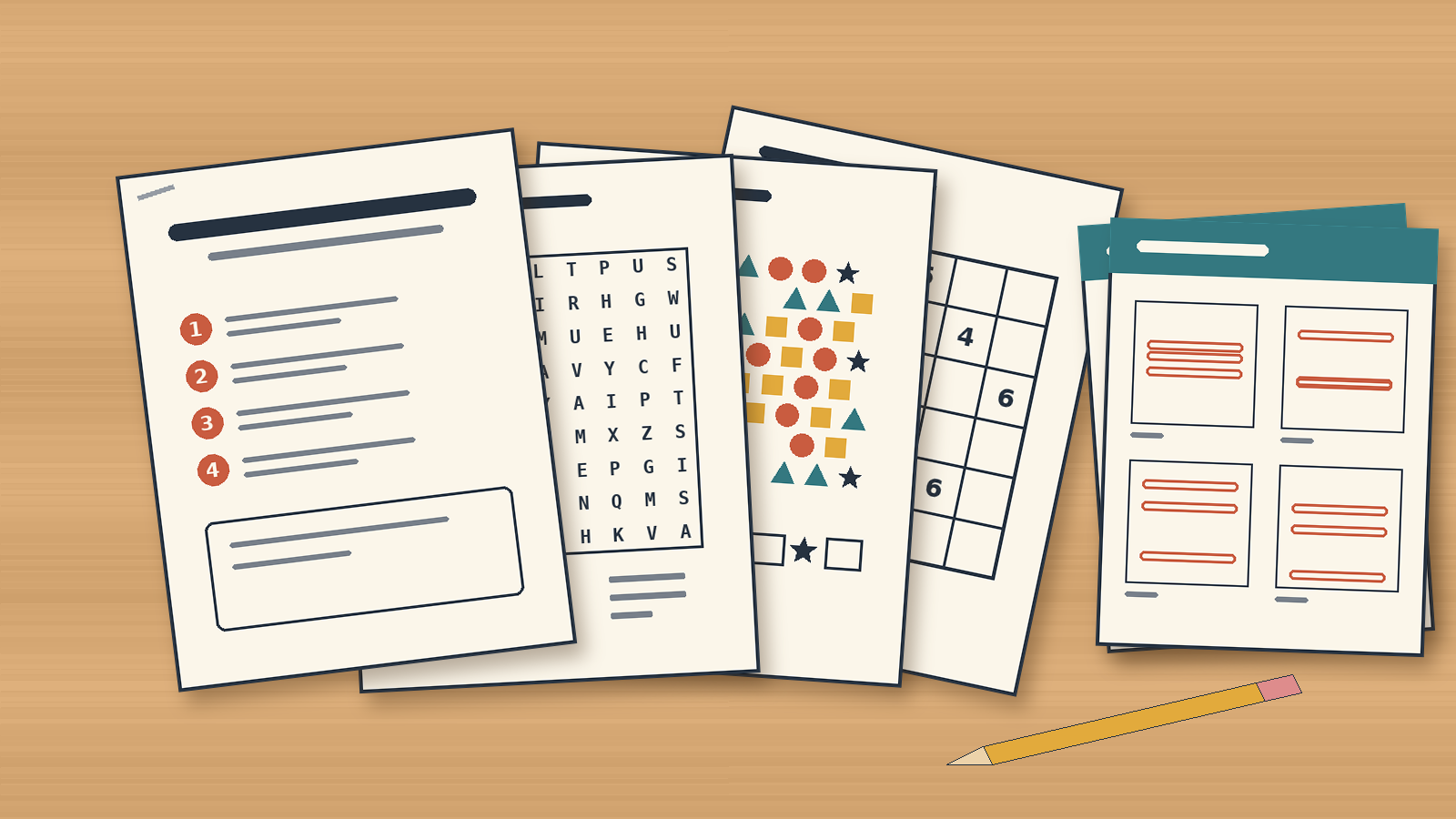
What a sub needs from a packet
One TPT review of a puzzle activity pack used for an emergency sub plan names what made it work: the instructions were thorough enough that the sub had no issues. Build your sub plans packet for that reader first.
- A cover sheet that runs the packet. Short numbered steps, not a paragraph. Three lines are often enough:
1. Copy pages 3 to 16 for each student. Keep the rest.
2. Read each how-to-play page aloud with the class before they start that type.
3. Answer keys start on page 17. - Pages that need no lesson before them. Each page carries its own title and a one-line instruction. Nobody should need last week’s vocabulary list or a demonstration on the board.
- Paper only. No login, no QR code to a video, no device. Style the pages in black and white so they survive the school copier.
- More pages than you think. If the packet runs out before the period ends, the sub has nothing left to hand out. Mix quick pages with longer ones, put the longer ones last, and add a cover line for students who finish everything, such as “Done? Go back to any page you skipped.” Quick and longer pages use different settings, so they count as separate puzzle sets; see the edition rule below.
The early-finisher version adds one thing: a fresh packet every month. Teachers swap their early-finisher folders monthly, so sell the year, not one packet.
Mixing short pages from several puzzle types
Variety is the point of this packet. A student who does not like one puzzle type should hit a different one on the next page. Two types are enough for a varied packet; a third or fourth adds range:
- Standard Word Search runs on any word list you supply, so the packet can follow a season, a school event or a general topic without tying it to the current unit. Smaller grids and fewer words make quick pages; larger grids with diagonals and backwards words make longer ones. In a book layout, the word list prints with its grid.
- Seek and Find scatters letters, numbers, color shapes or pictures across the page and prints a legend of target symbols. The solver counts each target and writes the number in the legend. A few targets with few decoys is a quick page; more target types, more decoys and a bigger grid is a longer one. It looks nothing like a word search, which is exactly what a mixed packet needs.
- A third type widens the range. The TPT visual puzzle worksheets guide compares Seek and Find with color-in and cut-out picture squares, and the same series of TPT guides covers mazes, sudoku and secret codes.
A packet that mixes puzzle types, or mixes quick and longer settings, needs Productivity (or an older Time Saver purchase) on each module in it. If you start on a lower edition, build a single-module packet first: twenty word search pages at one grid size from one list still make a full sub day, and it works on any paid edition. Move up to any higher edition anytime after you buy once the packets sell.
Group the pages by type, with a short how-to-play page before each group. Puzzle Book Studio, the book editor in Puzzle Maker Pro, has a how-to-play page for exactly this: one per puzzle type, printed once, before the first puzzles of that type. The sub can read the rules aloud from that page instead of improvising them. If you want to see how several types sit together in one interior, the mixed puzzle book article walks through the same idea for a full book.
Keys at the back, not next to the puzzle
Put every answer key in one section at the end of the PDF. The sub copies the puzzle pages for the class and keeps the back of the file. Keys printed straight after each puzzle make the packet impossible to copy as one run without handing out answers.

Both of Puzzle Maker Pro’s book builders handle this. The default prints each solution right after its puzzle. In Instant Puzzle Books, open Project Settings, then Book Settings, and choose Puzzles First, Then Solutions; every key lands at the back in puzzle order. Switch on Show page cross-references and each key says which page its puzzle is on, so the sub can check page 7 without counting. In Puzzle Book Studio, you can also open the key section with its own page, such as “Answer key: teacher copy”, so nobody mistakes it for student pages. Set the book’s trim size to 8.5 x 11 inches for a US Letter PDF.
The cover sheet is Studio work. Turn on the title page and type the packet name, add a text page with your numbered run steps, and turn on the table of contents so the page list builds itself and stays right when pages move.
Making twelve monthly packets
A seller rarely needs one packet. A monthly early-finisher product means twelve, and a sub day bundle might come in three themes. There are two routes: Time Saver makes a year of loose puzzle files in one sitting, and the main window builds one packet book per month.
Time Saver is the batch mode that comes with a module’s Productivity edition (or an older Time Saver purchase). Add a row per packet, for example one word search row for each month’s word list, run it, and every row’s puzzles and solutions are written to the same output folder. Standard Word Search’s Time Saver runs on its own, so run it first; Seek and Find’s Time Saver can take rows from other modules too, so its rows can follow in a second run or share one batch.
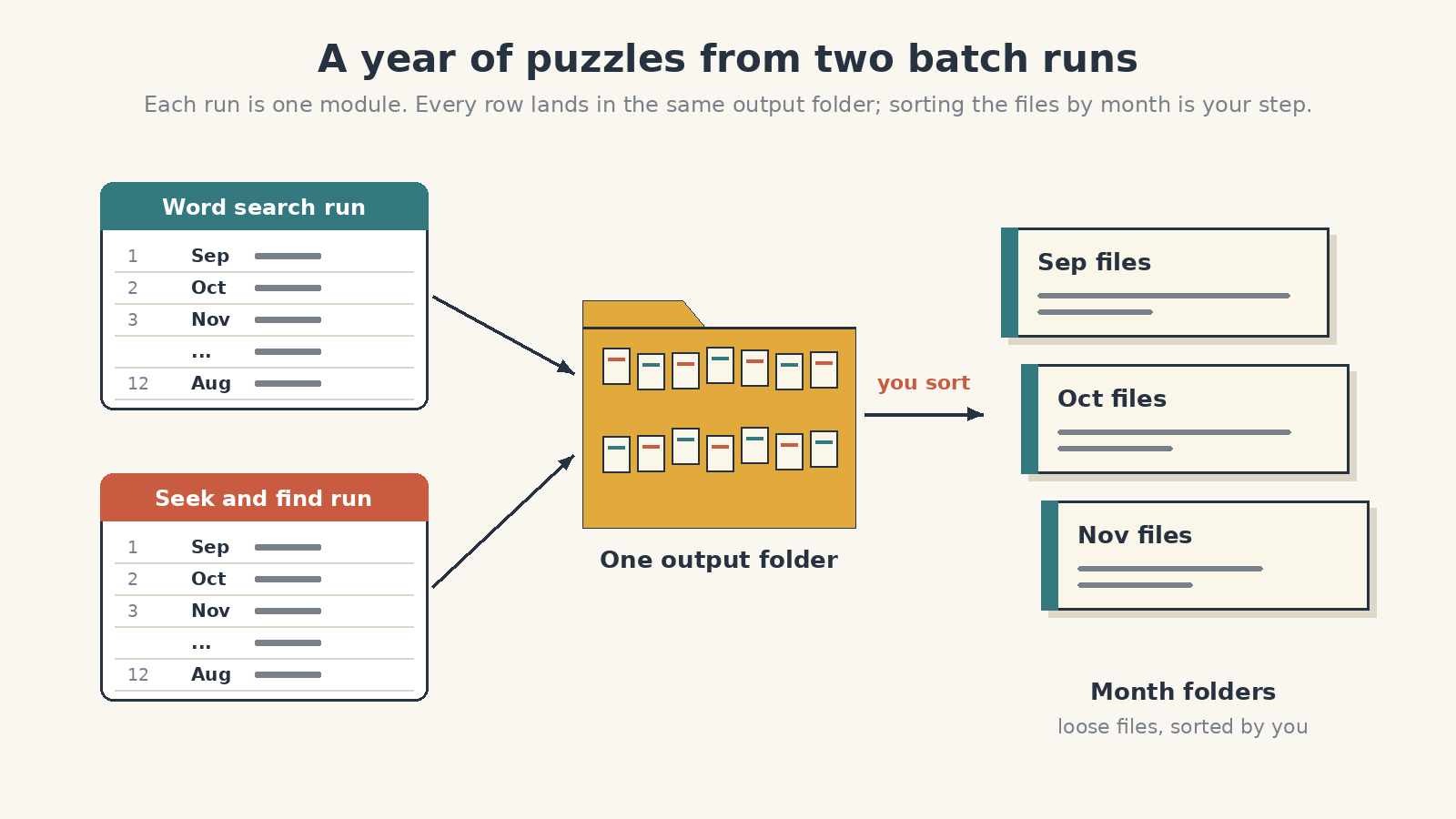
That gives you a year of loose puzzle and solution files, which is the bulk route: handy for printables you sell page by page, and sorting them into month folders is your step. For the monthly packet books, build each month in the main window instead. Make that month’s word searches from its word list and click Create with New Book selected, switch to Seek and Find and click Create with Current Book selected so its puzzles join the same book, then click Open Studio, check the pages and render. Save the book settings as a preset once, so each month’s book starts with the cover sheet already in place.
A book with more than one puzzle set, even two sets from the same module, needs Productivity, or an older Time Saver purchase, on every module whose puzzles go into it. A book from one puzzle set, such as word searches all made with the same settings, works on every paid edition.
Save each month’s book as a Studio project, so you can reopen it later, fix a page and render it again.
Listing it on TPT as a ready-to-run product
The listing sells the same promise as the cover sheet: open, copy, run.
- Title the occasion and the contents. “Sub Day Puzzle Packet: 14 mixed pages, word search and seek and find, answer key included” tells the buyer what they are getting before they click.
- Preview the cover sheet and one page of each type. Keep the keys out of the preview images; the table of contents (with List solution sections on) already tells buyers where the keys are.
- State the page count and where the keys are. “Keys at the back” is a promise a teacher can check in the preview.
- Sell sub day and early finishers as separate listings. Each gets its own title and thumbnail; a bundle of both is optional.
A standard TPT purchase covers one teacher and their own classroom, so promise classroom use, not school-wide use. Selling your finished packets on TPT is covered by every paid edition (editions and rights).
Get the free Puzzle Maker Pro demo now
Other puzzles you might like
- Classroom warm-up vs homework packet: one page plus a key, or a sequenced packet for a homework week.
- TPT warm-up and exit-ticket puzzles: which puzzle types fit the start and the end of a lesson.
- Differentiated puzzle worksheets on TPT: one puzzle type sold as easy, mid and challenge listings.
- TPT visual puzzle worksheets: Seek and Find and picture-square pages as classroom worksheets.
- Mixed puzzle books with multiple types: how several puzzle types become one interior.
- Printable puzzle packets for senior activity coordinators: the large-print weekly packet for a different room.