

A vocabulary word search on Teachers Pay Teachers usually shows every answer in the margin. That fits an introduction: the student recognizes spelling while scanning the grid. A review week needs a harder step in between. The student should read a definition or question, work out the word from memory, then find that spelling in the grid.
That is a different listing promise. The work is pairing clear clues with a grid the title still matches, then shipping a key a teacher can trust on a Friday afternoon.
When the word bank is the wrong preview
On a word-bank page the thumbnail tells the buyer the student will see PHOTOSYNTHESIS before they hunt the letters. For a first exposure sheet, that is fine. For unit review before a test, it turns recall into recognition.
Clue-led pages flip the order. The only text beside the grid is a definition, a question, or a trivia line. The student must produce the word, then locate it. Some teachers still want a bank on Monday and clues on Thursday from the same unit list. Those are two products, or two pages inside one packet with the title saying so. For the version with a visible bank, see TPT vocabulary word search worksheets. This guide covers the clue version.
Square grids, copier margins, and answer placement for TPT still follow the same channel rules. TPT word search worksheets covers grade bands, grid sizes, and keys on a standard square page. Use it for packaging; use the sections below for clue writing and review-week positioning.
How to set up clues in Standard Word Search
Puzzle Maker Pro Standard Word Search builds the grid from your word list as usual: unlimited or capped words, direction rules, overlap choices, filters, sorting, and optional vowel hiding. Clues come from the list file itself.
- Write each entry as
word : clue, one per line, for exampleXYLEM : Tubes that carry water from roots upward. - Turn on Use Word Hints (Word List Options on the Creator’s Style tab).
- Generate. The grid hides the words; the word list prints each clue in place of its word.
The clue list comes out with the word list: in the word-list text file that ships beside each puzzle, and in the word list Instant Puzzle Books prints with the puzzle when you assemble pages. The puzzle image itself is the grid, so build the worksheet page in Instant Puzzle Books (or your own layout) to put the clues beside it. The student sees clues, not the answers spelled out.
Clues that point to one answer
A bad clue sounds clever in the author doc and fails in class. “Green stuff in plants” might mean chlorophyll, chloroplast, or leaf to a fifth grader. A good clue leaves one fair spelling that matches the list you generated against.
Write from the list you will export, not from memory. If PHOTOSYNTHESIS is in the file, the clue should not describe respiration. If you cap words per page, split definitions across pages so each clue still has exactly one target on that sheet.
Keep length photocopier-safe. Two short sentences beat a paragraph squeezed beside a 15×15 grid. Match reading level to the title: a middle-school science pack can use textbook phrasing; an intro sheet should not hide behind crossword tricks.
Question-style clues work when the question points at the term, not at a substance beside it: “Which leaf openings let gases move in and out?” pairs with STOMATA if that word is in the grid. Definition-style clues work when the unit is glossaries: “Tubes that carry water from roots upward” pairs with XYLEM.
Avoid orphan clues. If a word is longer than the grid allows, Standard Word Search skips it. Check the Stats tab before you export so the clue list and the grid still agree.
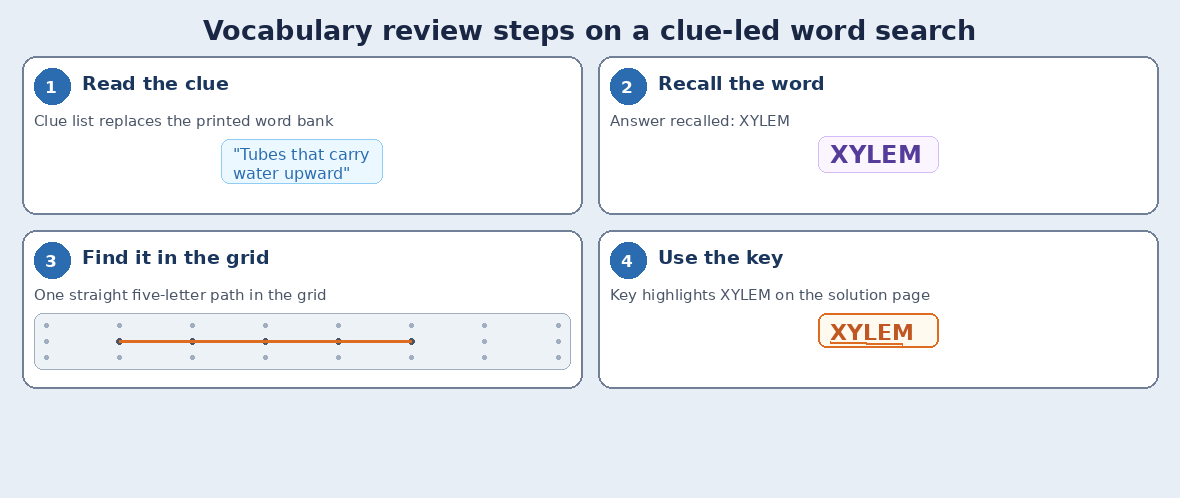
The key page is part of the product
Teachers buy the key, not just the grid. On TPT that usually means a clean last page or a separate PDF marked as answers, with the same clue order as the puzzle file. A clue-led page makes the key even more important: the teacher is grading both recall and search.
Export the solution image the module generates. Do not redraw highlights by hand unless you enjoy refund notes. If you sell easy and hard versions, duplicate exports with different direction settings, not different clue wording tied to the same thumbnail.
Commercial use of finished worksheets is stated on the homepage: you may sell the books, worksheets, and packs you make to your own readers and customers. You remain responsible for the words and clues in your list and for Teachers Pay Teachers content rules.
Same words, different worksheet jobs
One weekly vocabulary file can feed several listings if each title tells the truth. A recognition sheet with a bank. A clue-led review sheet. A scramble that forces spelling reconstruction. Vocabulary worksheet maker shows how to mix those jobs from one list.
Clue-led word search sits in the middle of that ladder: harder than find-the-word-you-already-see, lighter than unscrambling every letter from a blank row. Price and page count should say “review,” not “introductory word bank.”
Where it lands
Standard Word Search is the module: your list, your grid rules, clues in place of the word bank with Use Word Hints, matching solution export, and the same square worksheet path you already use for bank-led TPT files.
Try it on this week’s list first: get the free Puzzle Maker Pro demo now.
Other puzzles you might like
For unscramble practice from the same vocabulary list, see word scramble worksheets.
For a weekly spelling pack from one list, see spelling worksheet maker.