
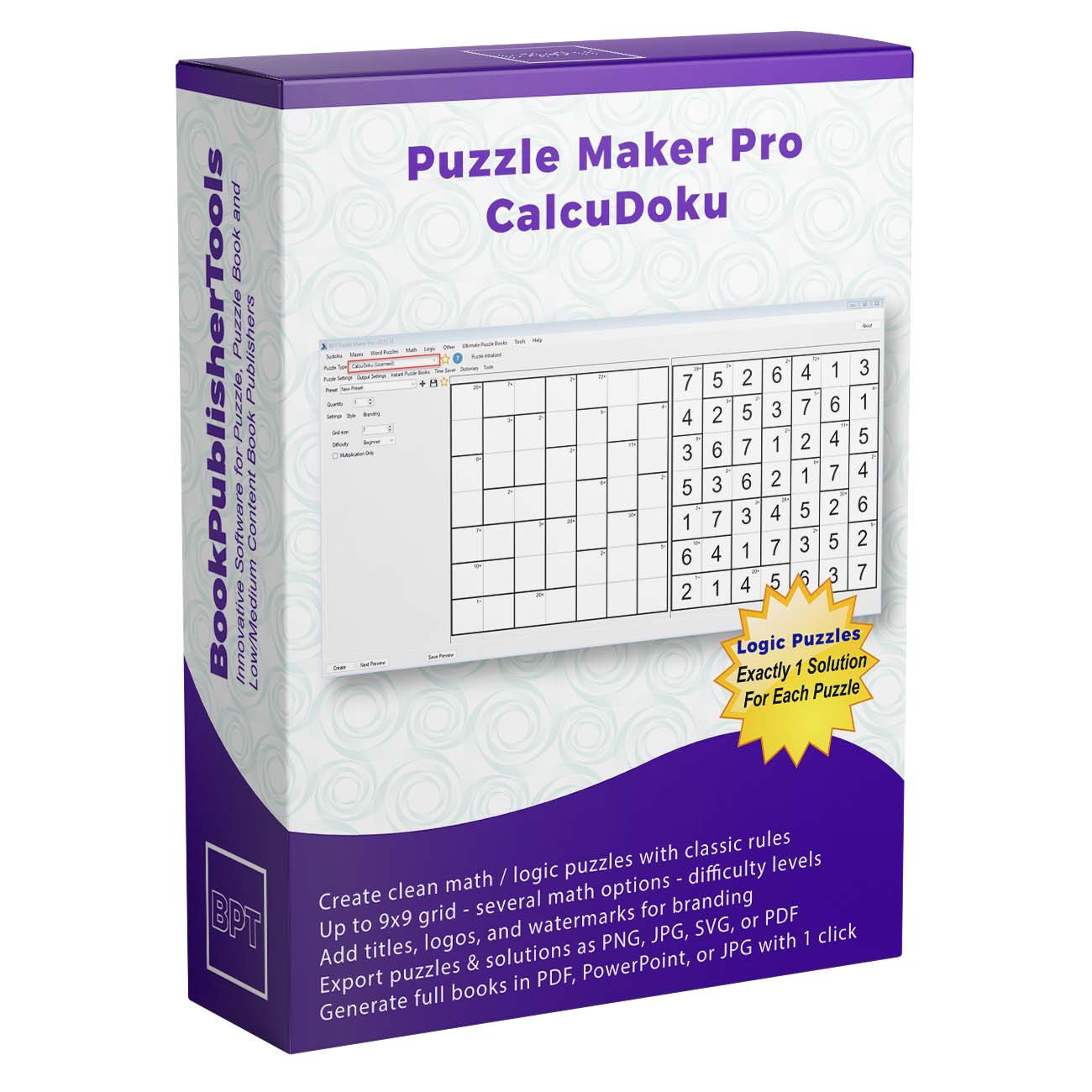




Cages With Operators. Blank Cells. The Arithmetic Is the Clue.
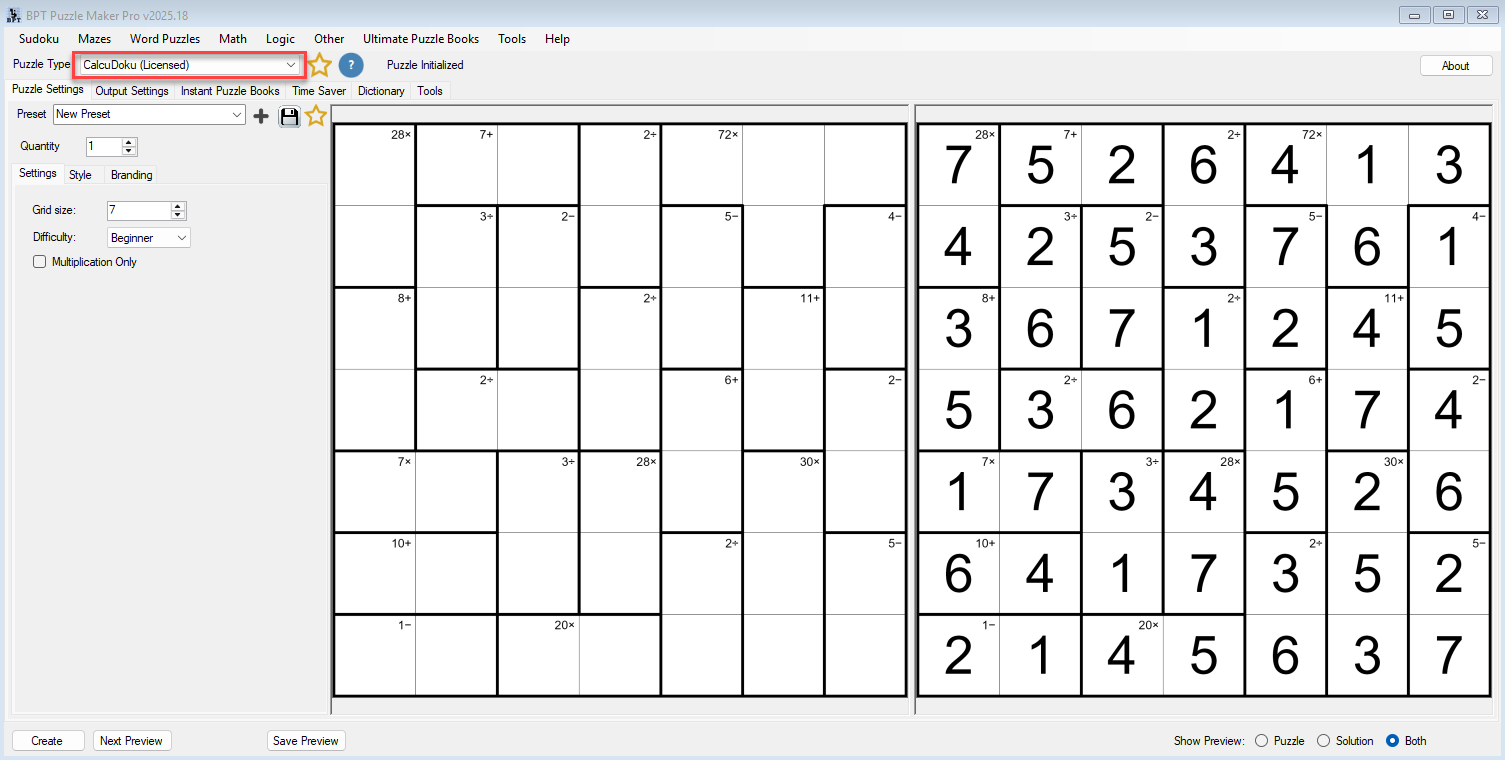
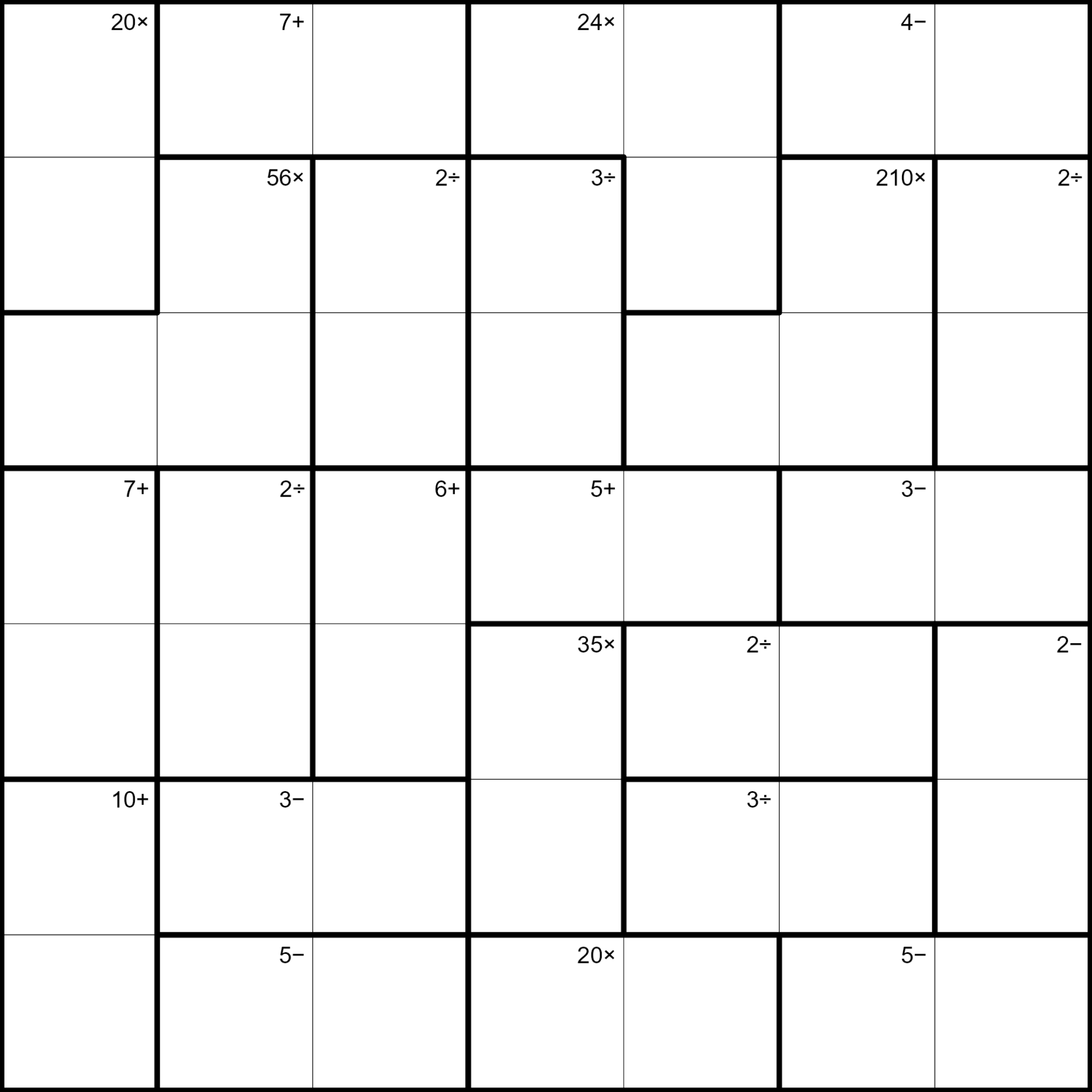
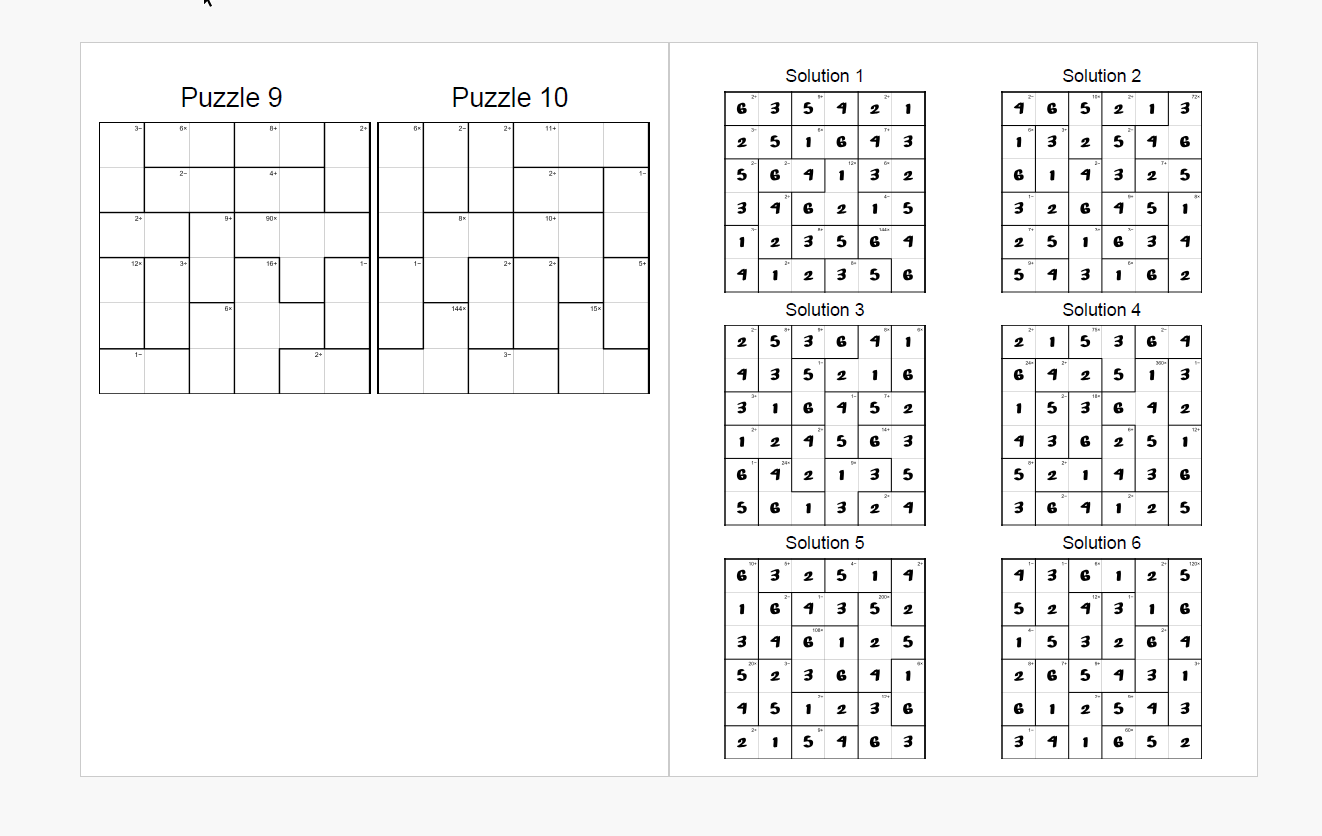
Look Inside prints an operator, not a given digit. Bold cage lines carve an irregular map. Each cage prints a target and a sign. The cells are blank. The solver fills 1 through the grid size so every row and every column uses each digit once, and the numbers in each cage combine with that cage’s operator to hit the target.
That is CalcuDoku. Killer Sudoku keeps the sudoku boxes and prints sums. This page drops the boxes, keeps the Latin square, and puts addition, subtraction, multiplication, and division on the cages. Every board has one solution. The filled key waits in the back.
Try the free demo and open a 7×7 Beginner first.

Why CalcuDoku Earns a Place in Your Catalog
Math-logic books either look like worksheets or they look like sudoku wearing a costume. CalcuDoku is the page that looks like a puzzle a serious solver will sit with, and still does real arithmetic on every cage.
A STEM cover should still look like cages and targets on the grid. A classroom sheet should still be a Latin square, not a row of isolated sums. That is the listing advantage: the shopper sees operators, not another empty 9×9, and a teacher sees practice that does not feel like a drill.
I wanted the arithmetic-cage book without reconstructing the key after I had already drawn the cages. CalcuDoku is the module I open when the math still has to look like a puzzle.
What You Can Create
The same cage engine writes a 3×3 Beginner pack, a Multiplication Only series, and a 9×9 Hard:
- Standalone CalcuDoku books for KDP and other print-on-demand platforms, unsolved cages in the front, filled keys in the back
- Graded collections that open on 3×3 Beginner and close on 9×9 Hard
- A Multiplication Only series when you want a times-tables title from the same engine
- Full-mix titles that include addition, subtraction, multiplication, and division cages
- Cage worksheets for Etsy, Teachers Pay Teachers, or a store you run
- Differentiated class sets: 3×3 Beginner for younger students, 9×9 Hard for early finishers
- Mixed logic books that sit CalcuDoku beside your other Puzzle Maker Pro types
- A live lesson from the same unsolved board, when you turn on Puzzle Slides. Number tiles run 1 through the grid size.
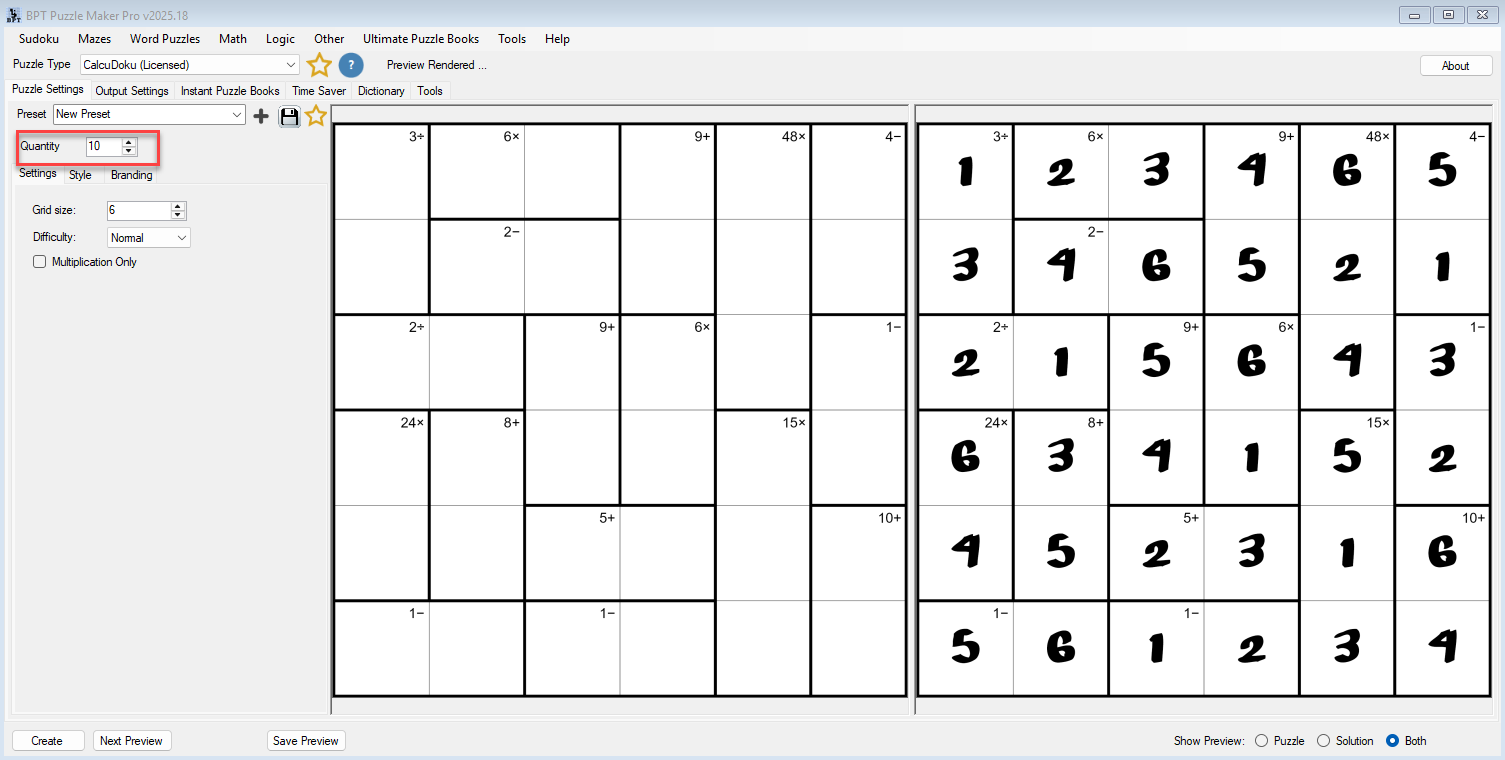
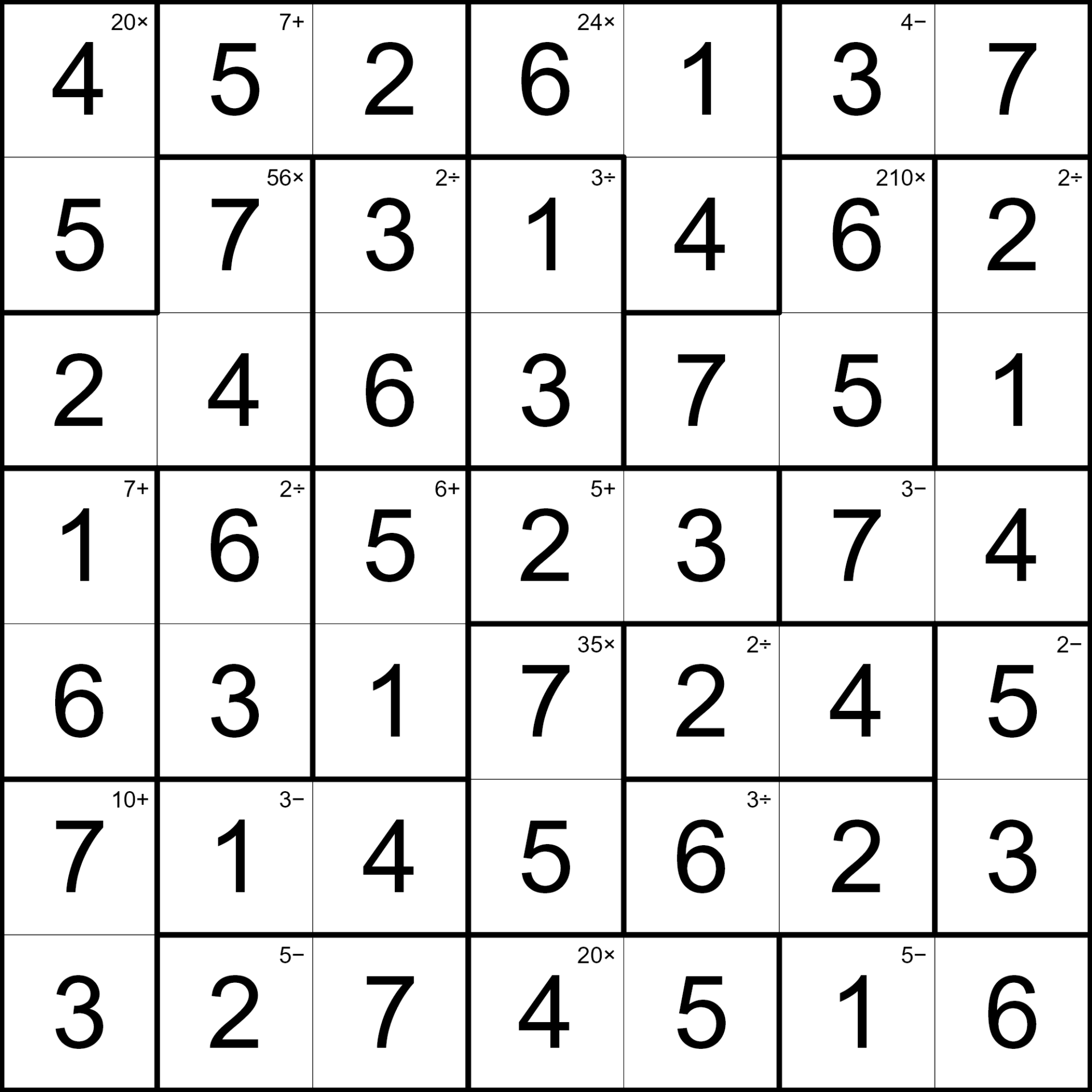
Create writes two images: cages and targets on blank cells, digits filled on the key.
Why Create It with Puzzle Maker Pro?
Proving every cage hits its target used to stop the listing, on a Latin square with no given digits to lean on.
Every cage board has one solution. Cages and targets on the puzzle image. Digits on the solution image. Quantity runs from 1 to 50, each file with its matching filled key, from the size, difficulty, and look you chose. Fresh Create opens on Beginner, so the first page you make is the one a newer solver can finish.
Key Creation Workflows
Set the size, then the sit A 3×3 is the short page. The default 7×7 is the everyday page. A 9×9 is the large board. Square grids from 3×3 to 9×9. Beginner, Easy, Normal, or Hard is a separate choice from the size, so a small Hard and a large Beginner are two different products.
Print the full mix, or lock the page to multiplication Leave Multiplication Only off and cages use addition, subtraction, multiplication, and division. Turn it on when you want a times-tables page. Same Latin-square rule. Same filled key. Multiplication Only is the times-tables page.
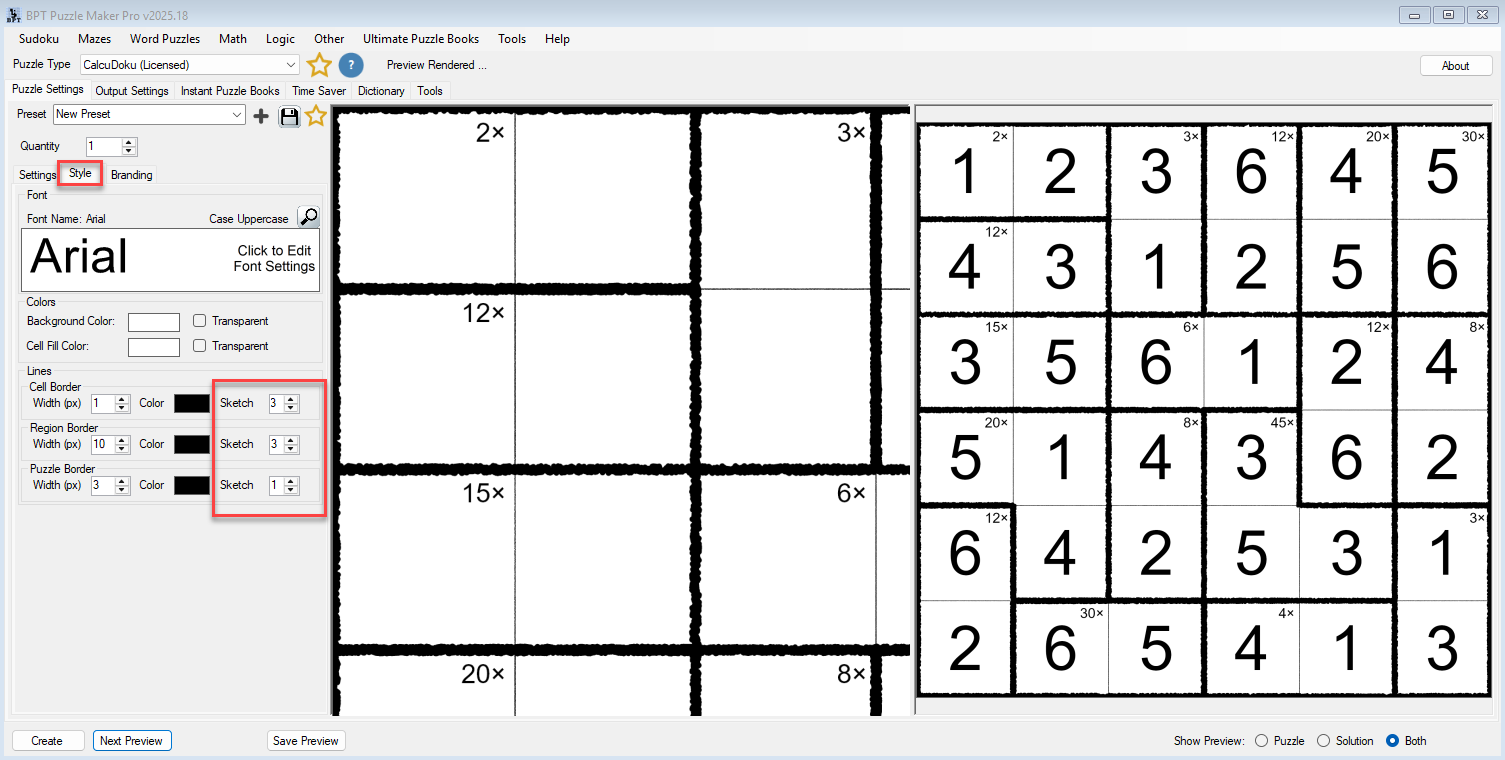
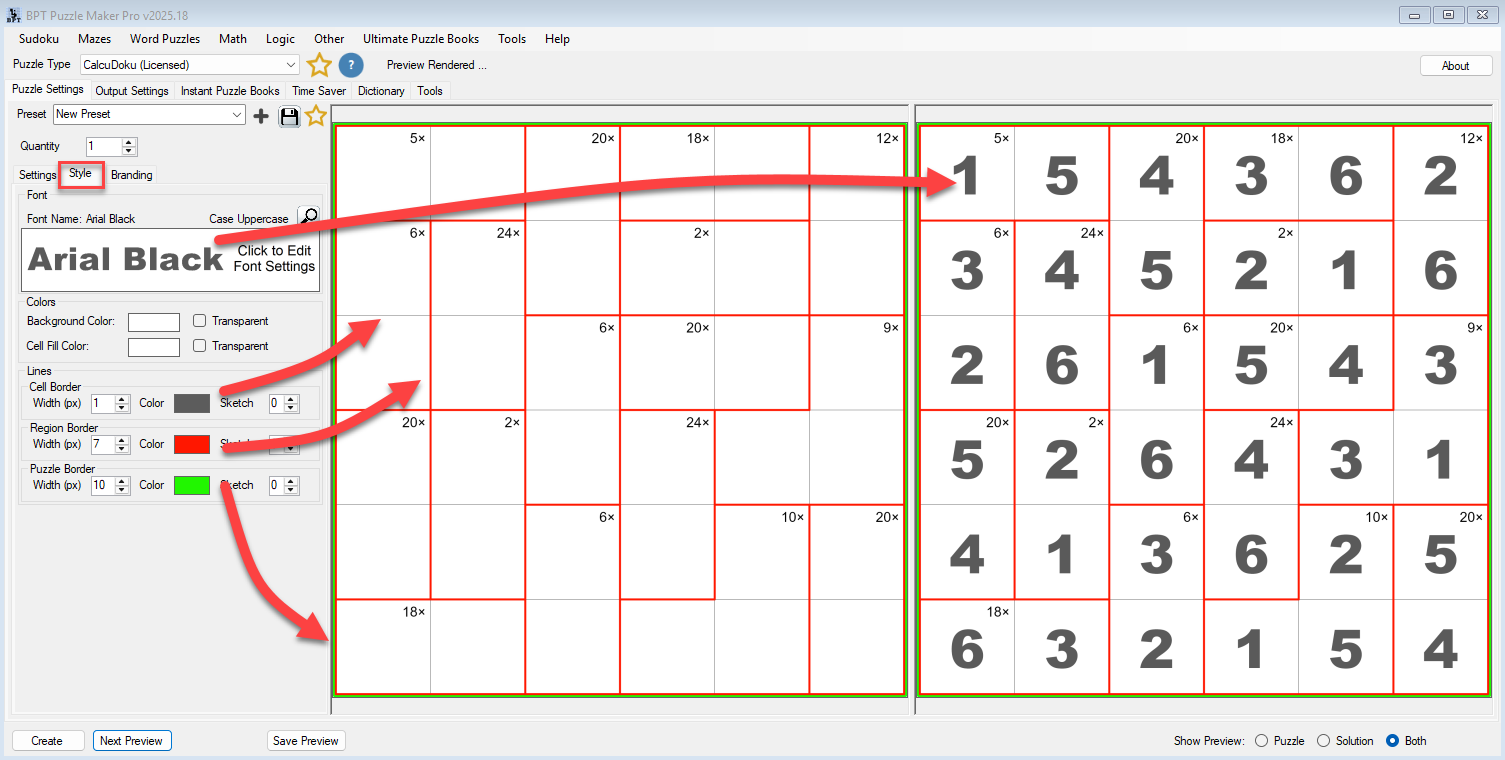
Keep the digits. Change the cage ink The digit and the cage target stay. Set cell fill, cage border, canvas, and fonts so the page matches the series. Turn on Sketch when the page should look drawn. Cage outlines pick up a pencil jitter.
Title the page from the puzzle Titles can say CalcuDoku, fill in the grid size, or use your own line. Save the cage look as a preset and the next CalcuDoku book opens on that look.


From One Puzzle to a Full Book
A 7×7 Beginner is a cover. A cage book needs 3×3 at the front, 9×9 Hard at the back, and a filled key for every page.
Instant Puzzle Books builds the cage pages, then the filled keys, with a title page, contents, and a footer that names the answer. An interactive PDF book from Instant Puzzle Books or Puzzle Book Studio is the same interior with those cage-to-key links live.
Puzzle Book Studio edits the collection. On CalcuDoku it is this one collection, full book design. On CalcuDoku Productivity it combines several collections into one title.
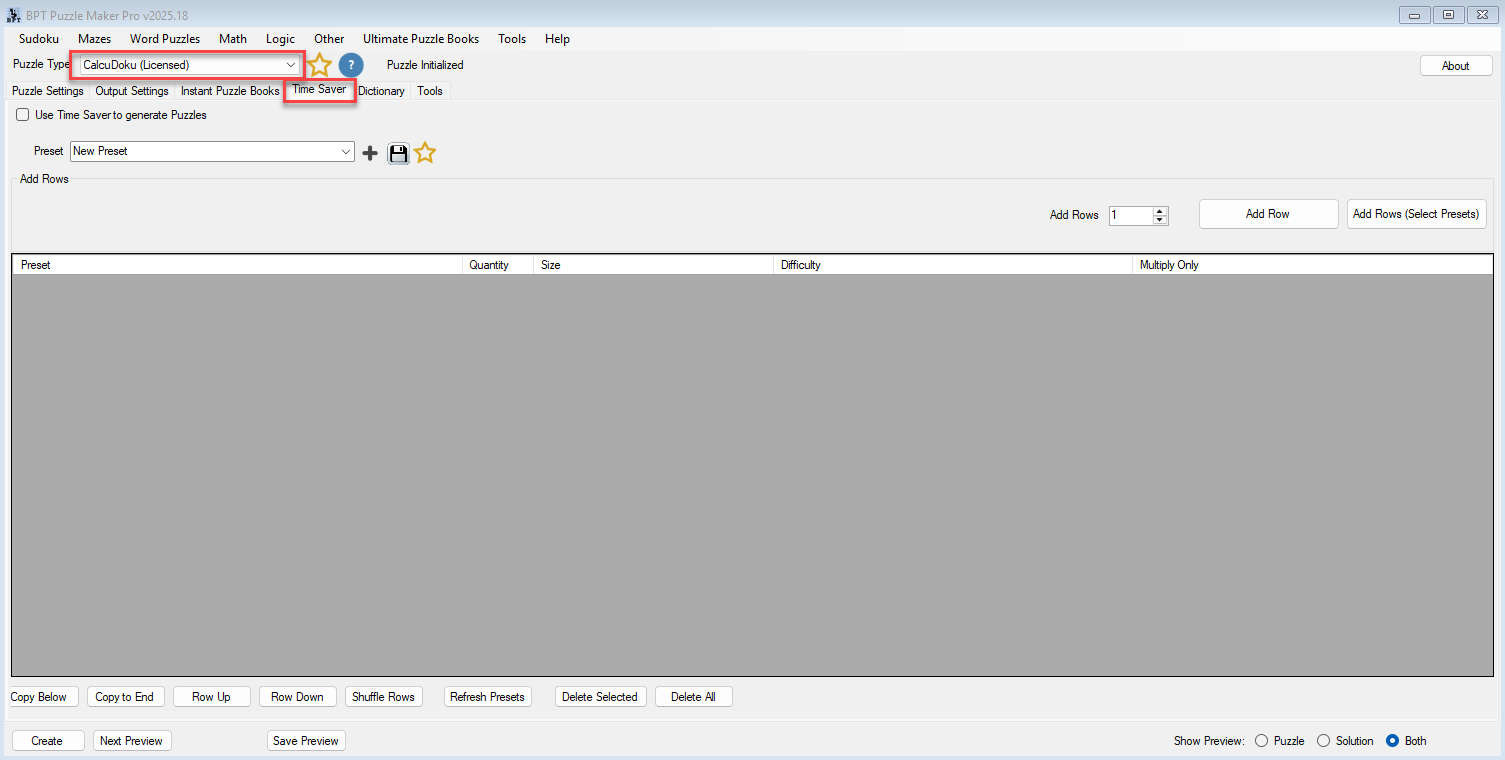
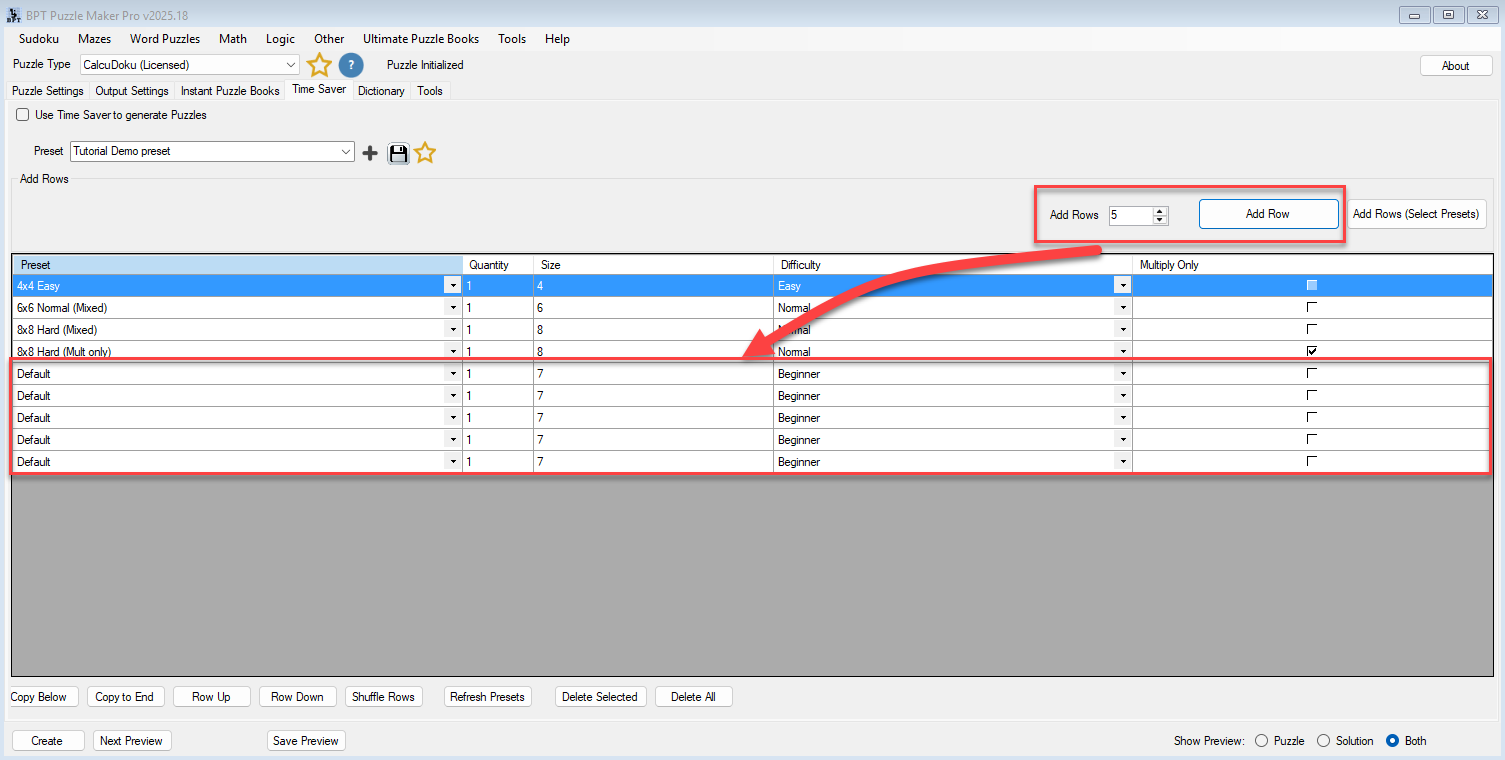
Time Saver, on CalcuDoku Productivity, queues a row per size, difficulty, and operator setting, then drops those collections into one title.
Output Formats and Publishing Options
Those cages have to print as a book page or a class sheet without a redraw. CalcuDoku writes JPG, PNG, transparent PNG, and SVG for the blank cage page and the filled key.
CalcuDoku is the full generator: square grids from 3 to 9, Beginner through Hard, full-mix or Multiplication Only, Sketch and styling, Instant Puzzle Books, Puzzle Book Studio for this one collection, and Puzzle Slides with number tiles 1 through the grid size.
CalcuDoku Productivity adds Time Saver batch runs, Puzzle Book Studio for several collections in one book, and JSON of the cages and digits. Time Saver is the cage-row batch. JSON is the cage-and-digit file.
Teach It Live with Puzzle Slides
A two-cell 6x that can only be 2 and 3 is a sentence a class can say out loud. A row that already holds 1 through 6, with one cage left to finish the Latin square, is the next sentence.
Puzzle Slides writes an interactive PowerPoint with number tiles 1 through the grid size. The unsolved cages go on the projector. The room fills the digits. Any standard PowerPoint viewer runs it.
The cage page on the desk and the cage page on the projector are the same run.
Which Edition Should You Choose?
Pick the edition that matches the cages you need this month: one setup, or a graded run.
CalcuDoku when one cage setup, class sheets, and the occasional live lesson is enough. You get the whole module, the look, all four export formats, Instant Puzzle Books, Puzzle Book Studio for this one collection, and Puzzle Slides.
CalcuDoku Productivity when a 3×3 Beginner and a 9×9 Hard have to share one book. Everything in CalcuDoku, plus Time Saver, Puzzle Book Studio for several collections, and JSON.
| CalcuDoku | CalcuDoku Productivity | |
|---|---|---|
| Arithmetic-cage boards at every size and difficulty | Yes | Yes |
| Full mix, or Multiplication Only | Yes | Yes |
| JPG, PNG, transparent PNG, SVG, puzzle and filled key | Yes | Yes |
| Instant Puzzle Books, with title page, contents, and solution cross-references | Yes | Yes |
| Interactive PDF books from Instant Puzzle Books or Puzzle Book Studio | Yes | Yes |
| Puzzle Slides, number tiles 1 through the grid size | Yes | Yes |
| Puzzle Book Studio | This one collection | Several collections in one book |
| Time Saver batch runs | Yes | |
| JSON of the cages and digits | Yes | |
| Licence to sell finished books, worksheets, and packs to your own readers | Yes | Yes |
| Licence to sell or supply generated puzzles to other publishers | Yes |
Take the edition that matches this cage run. You can move up to CalcuDoku Productivity after you buy.
Try the free demo, then pick CalcuDoku or CalcuDoku Productivity at the top of this page.
Who This Is For
Math-logic publishers. Look Inside is cages and operators, and every board is one solution with the filled key generated in the same pass.
Existing Puzzle Maker Pro users. CalcuDoku uses the same book settings you already run. Save a cage look as a preset and the next CalcuDoku collection opens on that look.
STEM teachers. A 3×3 Beginner for younger students. A 9×9 Hard for early finishers. Multiplication Only when you want a times-tables page. Puzzle Slides puts the same unsolved cages on the projector.
Proving every cage hits its target, on a Latin square with no given digits, is why arithmetic-cage books stay rare.
Try It Before You Buy
Open a 7×7 Beginner in the free demo. The free Puzzle Maker Pro demo includes CalcuDoku among every current puzzle module. Demo cages are watermarked. Paid cages are not.
Licensing and Commercial Use
CalcuDoku is a one-time commercial-use licence for the cage books and class sheets you sell to your own readers. KDP, Etsy, Teachers Pay Teachers, and your own store are all in. Paid files have no watermark.
CalcuDoku Productivity includes that, plus you may sell or supply the generated puzzles to other publishers and sellers.
Both editions sell the CalcuDoku book. Productivity adds the cage-row batch and the cage-and-digit JSON.
Product Details
| Product | Puzzle Maker Pro – CalcuDoku |
| Editions | CalcuDoku; CalcuDoku Productivity |
| Platform | Windows desktop |
| Internet required | No |
| Puzzle rule | Fill a square N x N grid with digits 1 through the grid size so every row and every column uses each digit once, and the numbers in each cage combine with that cage’s operator to equal the target. Digits are not pre-printed. One solution per board |
| Grid size | Square, 3 to 9 (default 7×7) |
| Difficulty | Beginner, Easy, Normal, Hard. Fresh Create opens on Beginner |
| Operators | Full mix of addition, subtraction, multiplication, and division. Multiplication Only when you want a times-tables page |
| Presentation | Cell fill, cage border, canvas, fonts. Sketch. Titles with grid size or your own line. Digits and cage targets stay |
| Quantity | 1 to 50 puzzle files, each with a puzzle image and a matching solution image, from this size, difficulty, and look |
| Output formats | JPG, PNG, transparent PNG, SVG |
| Solution pages | Yes, a solution image generated with every puzzle |
| Puzzle books | Instant Puzzle Books on both editions; Puzzle Book Studio on CalcuDoku (this one collection) and on Productivity (several collections); title page, table of contents, solution cross-references; interactive PDF books from Instant Puzzle Books or Puzzle Book Studio |
| Puzzle Slides | Yes, on both editions. Number tiles 1 through the grid size |
| Time Saver | On Productivity. Several CalcuDoku rows in one batch, then several collections in one book |
| JSON | On Productivity |
| Upgrades | You can move up to CalcuDoku Productivity after you buy |
| Commercial license | Sell the finished books, worksheets, and packs you make to your own readers and customers. Productivity adds selling or supplying the puzzles you generate to other publishers and sellers |
| Free demo | Yes |
| Delivery | Immediate, in your member area |
Questions Before You Buy
Is there a free demo?
Yes. The free Puzzle Maker Pro demo includes CalcuDoku among every current puzzle module and generates real cage boards, so you can open a 7×7 Beginner before deciding. Demo cages are watermarked. Paid cages are not.
Can I upgrade later?
Yes. You can move up to CalcuDoku Productivity after you buy. Start with CalcuDoku when one cage setup is enough. That edition already includes Instant Puzzle Books, Puzzle Book Studio for this one collection, and Puzzle Slides. Productivity is Time Saver: several CalcuDoku rows in one batch, then several collections in one book, plus JSON.
How do I make a CalcuDoku puzzle?
Set Grid size (3 to 9), pick Beginner, Easy, Normal, or Hard, leave Multiplication Only off for the full mix or turn it on for a times-tables page, and Create. The puzzle image shows cages and targets. The solver fills digits 1 through the grid size so every row and every column uses each digit once and each cage hits its target. The solution image prints the digits.
Is this the same as Killer Sudoku?
No. Killer Sudoku keeps the sudoku boxes and prints cage sums. CalcuDoku is a Latin square with no boxes, and each cage carries an operator as well as a target. They are separate products.
What does Productivity add?
Time Saver: several CalcuDoku rows, each with its own size, difficulty, and quantity, run in one batch, then several collections in one book. That edition also writes JSON of the cages and digits. You may also sell or supply the puzzles you generate to other publishers and sellers.
What files do I get?
A puzzle image and a matching solution image per puzzle, as JPG, PNG, transparent PNG, or SVG. Instant Puzzle Books stacks those pairs into a CalcuDoku book interior. Puzzle Slides puts number tiles on the board.
Where do I learn the controls?
The CalcuDoku tutorials, including how to create your first CalcuDoku puzzle and how CalcuDoku works.
Can I sell the finished books and worksheets I create?
Yes. CalcuDoku lets you sell the cage books and class sheets you make to your own readers. CalcuDoku Productivity includes that, plus you may sell or supply the puzzles you generate to other publishers and sellers.
Do I need the internet to create?
No. CalcuDoku runs on your Windows PC with no internet.
List the Page That Still Reads as a Puzzle
Number-grid titles sell the same thumbnail. A CalcuDoku title sells the operators.
Open the demo and run a 7×7 Beginner. Those cages are the cages that go in the listing. Then list a 3×3 pack, a Multiplication Only series, and a 9×9 Hard, with filled keys you never completed by hand.
Then choose CalcuDoku or CalcuDoku Productivity at the top of this page.

Cages with a target and an operator, blank cells, and a Latin square underneath. Full mix of addition, subtraction, multiplication, and division, or Multiplication Only for a times-tables page. Filled key in the back. Pick CalcuDoku or CalcuDoku Productivity below, or make one first with the free demo.


