










Look Inside Shows Black Walls. The Lamps Are Theirs to Place.
Look Inside is architecture: black walls, a few numbers, and a lot of white. The lamps are not printed. Your reader places them. Every white cell has to light. Light runs along a row or column until a wall stops it. Two lamps never shine on each other. A numbered wall needs exactly that many lamps in the four cells next to it.
That page is Akari, the Light Up puzzle Nikoli readers already know. Akari or Light Up on the cover is the same file. Every board has one solution, and the matching key prints the lamps you never have to place by hand.
Try the free demo and place lamps on a 7×7 first.

Why Akari Earns a Place in Your Catalog
Most logic interiors sell the same promise: fill the empty cells with the right symbol. Akari sells a different promise. The page is walls and light. The solver is not completing a Latin square. They are lighting a room without two bulbs seeing each other.
That is why the thumbnail works. Black walls read at postage-stamp size. A numbered 4 on a wall is a clue a shopper can feel without opening the listing. And because the lamps live only on the solution, the student page stays clean: walls, numbers, white space.
I wanted that Nikoli page in a book I could actually produce, with a lamp key I did not have to reconstruct after the fact. Akari is the module I open for a board that looks like architecture, not arithmetic.
What You Can Create
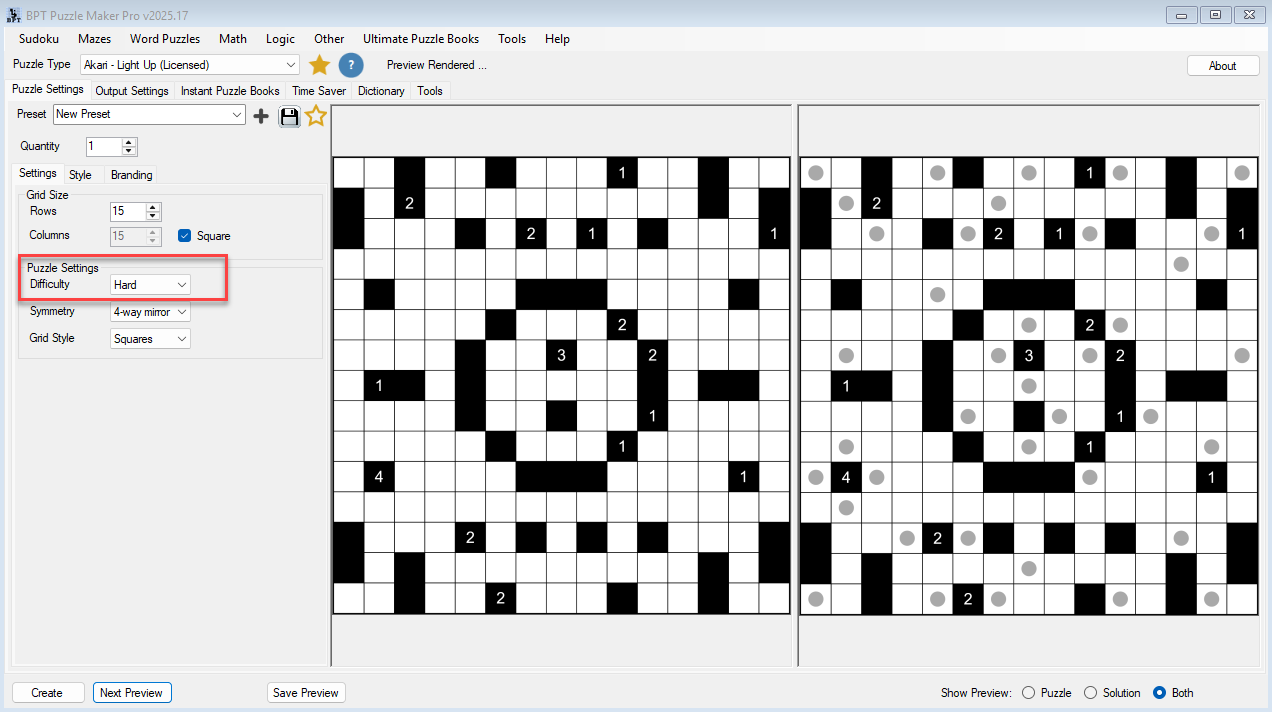
The same Light Up engine writes a 5×5 class pack, a 4-way-mirror series, and a 15×15 Hard:
- Standalone Akari books for KDP and other print-on-demand platforms, unsolved walls in the front, lamp keys in the back
- Graded collections that open on 5×5 Easy and close on 15×15 Hard
- Rectangular interiors when a square grid fights your trim
- A 4-way mirror series that looks designed, or a no-symmetry series that looks wild
- Hand-drawn or isometric editions from the same engine
- Light Up worksheet packs for Etsy, Teachers Pay Teachers, or a store you run
- Mixed logic books that sit Light Up beside your other Puzzle Maker Pro types
- A live lesson from the same unsolved board, when you turn on Puzzle Slides
Create writes two images: walls and numbers on the puzzle, lamps on the matching key.
Why Create It with Puzzle Maker Pro?
Placing every lamp on the key after the walls were already drawn used to stop the listing.
Every Light Up board has one solution. Walls and numbers on the puzzle image. Lamps on the solution image. Quantity 1 to 1000 writes that many puzzle files, each with its matching lamp key, from the size, difficulty, and look you chose.
Key Creation Workflows
Set the length of the sit, then the hardness A 5×5 Easy is the short sheet. The default 7×7 is the everyday page. A 15×15 Hard is the large board. Easy, Normal, and Hard are a separate choice from the size, so a small Hard and a large Easy are two different products. Keep the board square, or run a rectangle when the trim is wide.
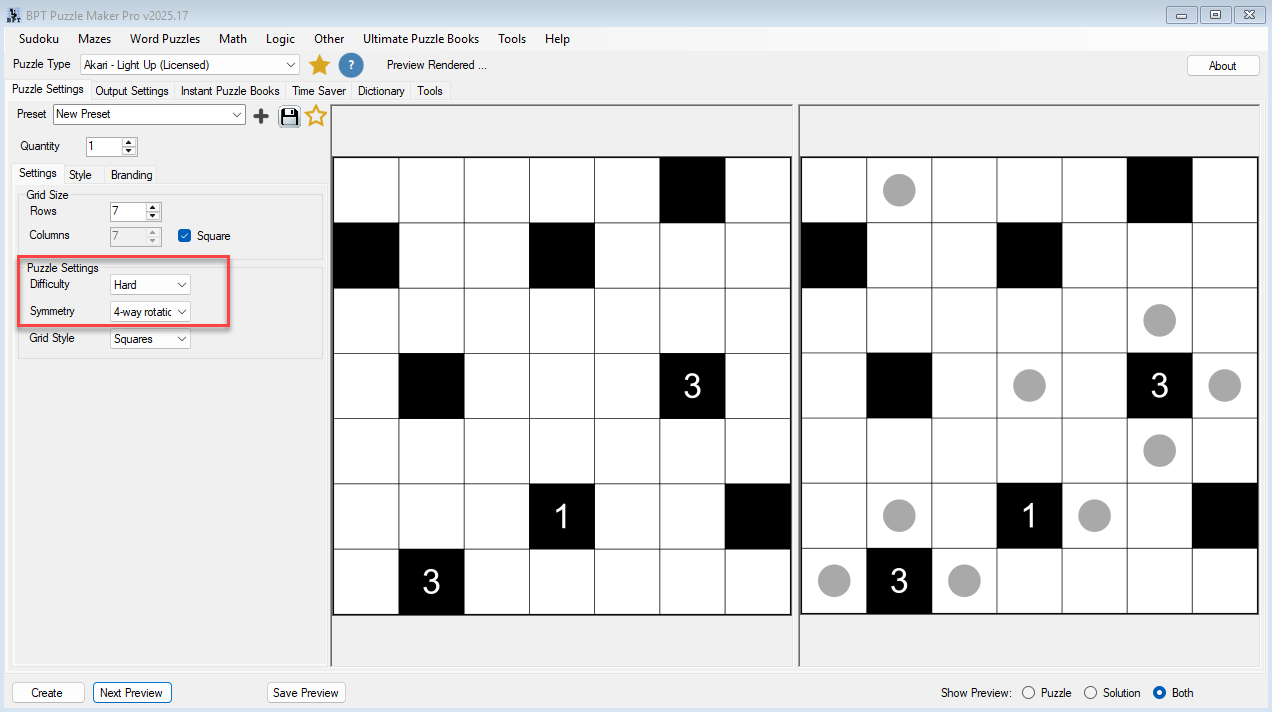
Decide how designed the walls look Set Symmetry to none when you want an irregular city. Set 2-way mirror or 2-way rotational when the page should feel composed. Set 4-way mirror or 4-way rotational when the wall pattern should look like a printed-book figure. The lamps still follow the same rule. The walls are what the shopper sees first.
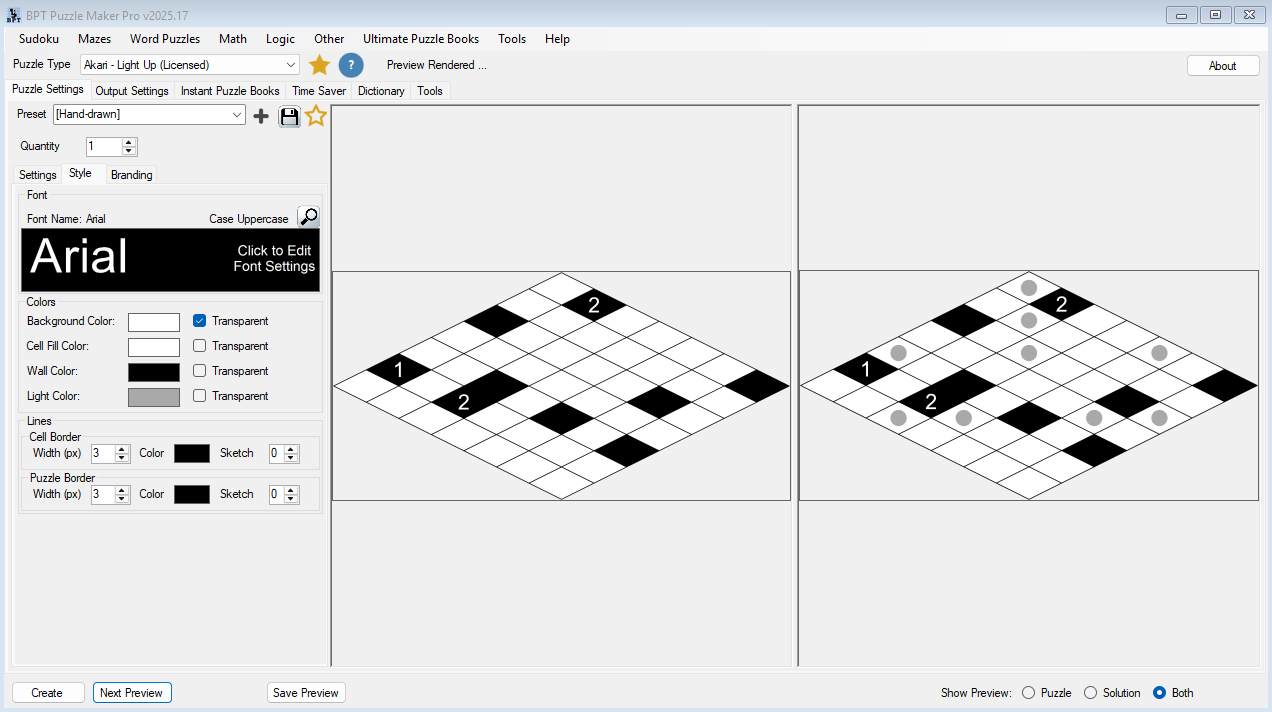
Paint the walls, or leave them black Wall color, cell fill, canvas, and the lamp color on the solution are yours. Turn on Sketch borders, or load the Hand-drawn preset, when the page should look drawn. Keep Squares when the series is already square-grid logic. Switch to isometric when you want the same lamps on a tilted grid.
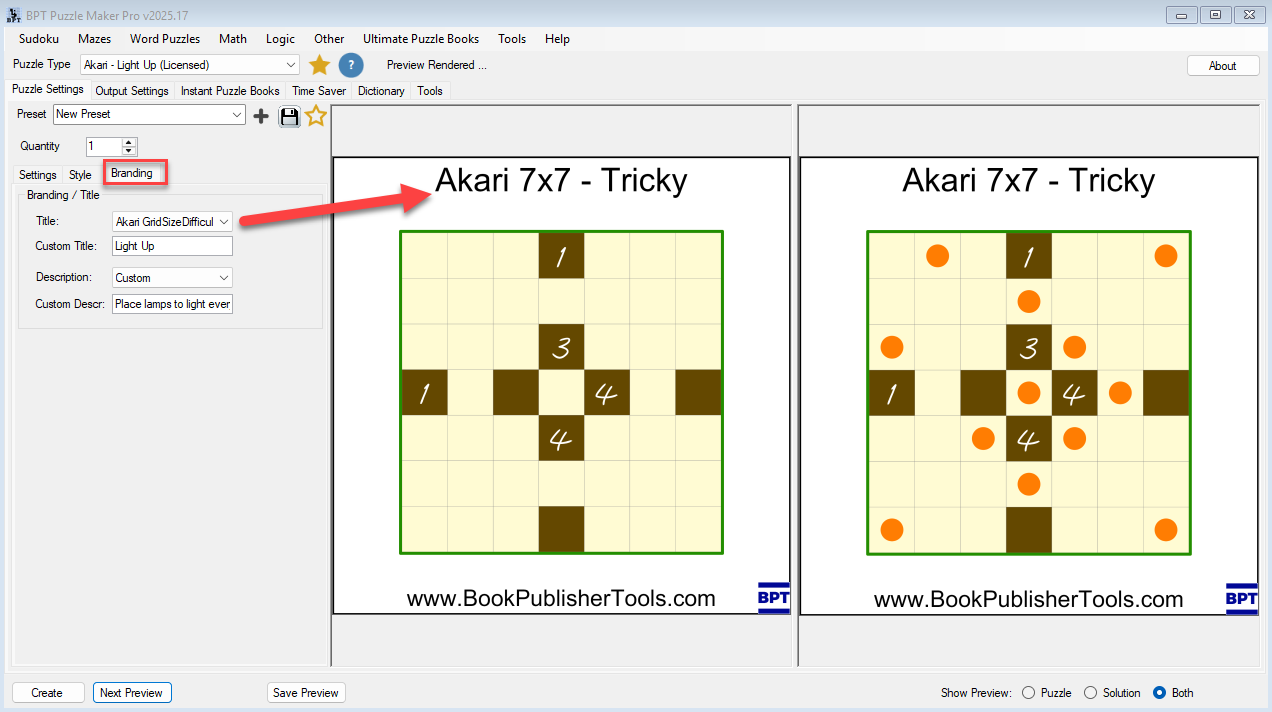
Title the page Light Up or Akari Titles can say Light Up or Akari, with the grid size filled in, or your own line. Save the wall look as a preset and the next Akari book opens on that look.


From One Puzzle to a Full Book
One 7×7 is a listing image. A Light Up book needs short walls first, a 15×15 last, and a lamp key for every page.
Instant Puzzle Books stacks the unsolved walls, then the lamp keys, with a title page, contents, and a footer that names the lamp page. Export that interior as an interactive PDF book from Instant Puzzle Books or Puzzle Book Studio and the walls page opens its lamp key.
Puzzle Book Studio edits the collection. On Akari Light Up it is this one collection, full book design. On Akari Light Up Productivity it combines several collections into one title.
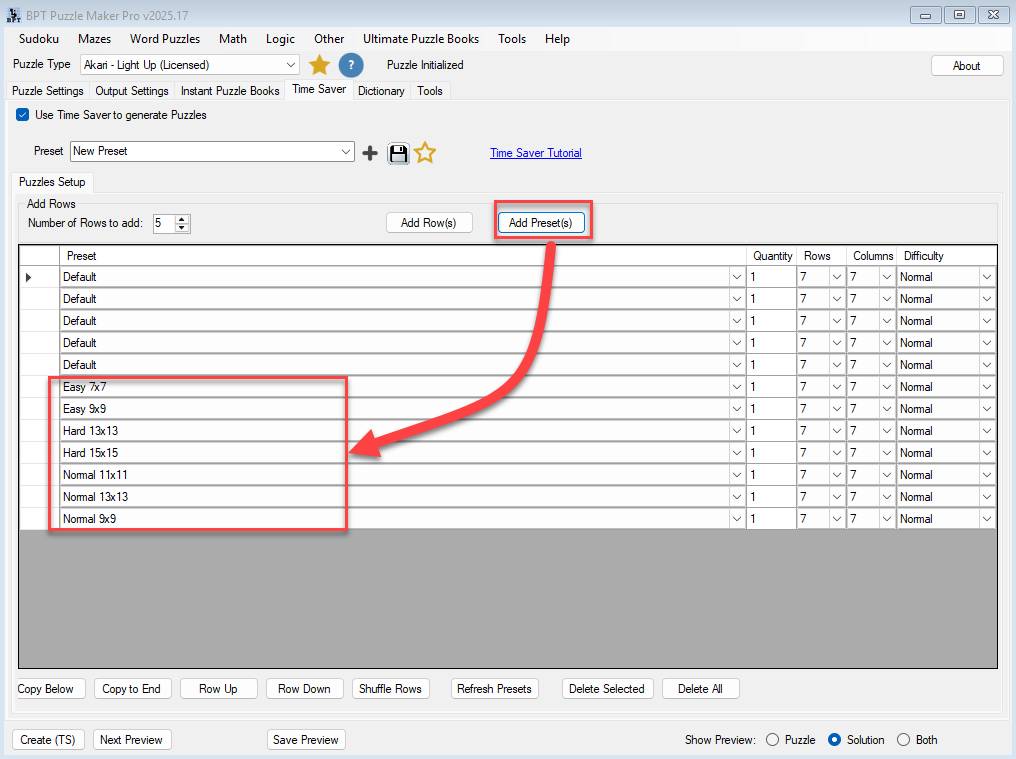
Time Saver, on Akari Light Up Productivity, queues Light Up rows and then drops those collections into one title.
Output Formats and Publishing Options
Those walls have to land in a print interior or a worksheet without a second draw. Akari writes JPG, PNG, transparent PNG, and SVG for the unsolved page and the lamp key.
Akari Light Up is the full generator: every size from 5 to 15, Easy / Normal / Hard, five symmetry choices, Squares or isometric, Sketch and Hand-drawn, Instant Puzzle Books, Puzzle Book Studio for this one collection, and Puzzle Slides for the same unsolved board on a projector.
Akari Light Up Productivity adds Time Saver batch runs, Puzzle Book Studio for several collections in one book, and JSON of the walls and lamps. Time Saver queues the Light Up rows. JSON is the wall-and-lamp file you export.
Teach It Live with Puzzle Slides
A 4-wall that is already finished is a sentence a class can say out loud. Two lamps that would shine on each other down a corridor is the next sentence. The board opens in front of the room.
Puzzle Slides writes an interactive PowerPoint of the unsolved walls. The room places the lamps. Any standard PowerPoint viewer runs it: classroom, tutoring call, or stream.
Print the walls. Project the same unsolved board.
Which Edition Should You Choose?
Pick the edition that matches the walls you need this month.
Akari Light Up when you need walls, lamp keys, one Light Up collection, and the occasional projector lesson. You get the whole module, the look, all four export formats, Instant Puzzle Books, Puzzle Book Studio for this one collection, and Puzzle Slides.
Akari Light Up Productivity when several Light Up setups have to land in one title. Everything in Akari Light Up, plus Time Saver, Puzzle Book Studio for several collections, and JSON.
| Akari Light Up | Akari Light Up Productivity | |
|---|---|---|
| Light Up boards at every size and difficulty | Yes | Yes |
| JPG, PNG, transparent PNG, SVG, puzzle and lamp key | Yes | Yes |
| Instant Puzzle Books, with title page, contents, and solution cross-references | Yes | Yes |
| Interactive PDF books from Instant Puzzle Books or Puzzle Book Studio | Yes | Yes |
| Full look: wall and lamp colors, Sketch, isometric, symmetry | Yes | Yes |
| Puzzle Slides | Yes | Yes |
| Puzzle Book Studio | This one collection | Several collections in one book |
| Time Saver batch runs | Yes | |
| JSON of the walls and lamps | Yes | |
| Licence to sell finished books, worksheets, and packs to your own readers | Yes | Yes |
| Licence to sell or supply generated puzzles to other publishers | Yes |
Start on the edition that matches the Light Up title you are listing now. You can move up to Akari Light Up Productivity after you buy.
Try the free demo, then pick Akari Light Up or Akari Light Up Productivity at the top of this page.
Who This Is For
Publishers who want architecture on Look Inside. The shopper opens walls and a few numbers, and every board is one solution with the lamp key generated in the same pass.
Existing Puzzle Maker Pro catalogs. Drop Light Up into the book workflow you already use. Save a wall look as a preset and the next Akari collection opens on that look.
Teachers who want the class to place the lamps. A 7×7 on the desk. The lamp key stays on yours. Puzzle Slides puts the same unsolved board on the projector.
Placing every lamp on the key by hand after the walls were already drawn is why Akari books stay rare.
Try It Before You Buy
Run a Light Up board in the free demo first. The free Puzzle Maker Pro demo includes Akari Light Up among every current puzzle module. Demo walls carry a watermark. Paid files do not.
Licensing and Commercial Use
Akari Light Up is a one-time commercial-use licence for the Light Up books and class sheets you sell to your own readers, whether that is KDP, Etsy, Teachers Pay Teachers, or your own shop. Paid files have no watermark.
Akari Light Up Productivity includes that, plus you may sell or supply the generated puzzles to other publishers and sellers.
Both editions sell the Akari book. Productivity adds the Light Up batch and the wall-and-lamp JSON.
Product Details
| Product | Puzzle Maker Pro – Akari Light Up |
| Editions | Akari Light Up; Akari Light Up Productivity |
| Platform | Windows desktop |
| Internet required | No |
| Puzzle rule | Place lamps so every white cell is lit. Light stops at walls. Lamps never shine on each other. A numbered wall has exactly that many lamps in the four cells next to it (up, down, left, right) |
| Also called | Light Up, Akari. Same puzzle. Same files |
| Grid size | Rows and columns 5 to 15 (default 7×7). Square keeps them equal |
| Difficulty | Easy, Normal, Hard |
| Symmetry | None, 2-way mirror, 2-way rotational, 4-way mirror, 4-way rotational |
| Grid style | Squares or isometric |
| Presentation | Wall, lamp, cell, and canvas colors. Sketch / Hand-drawn jittered borders. Light Up or Akari titles |
| Quantity | 1 to 1000 puzzle files, each with a puzzle image and a matching solution image, from this size, difficulty, and look |
| Output formats | JPG, PNG, transparent PNG, SVG |
| Solution pages | Yes, a solution image generated with every puzzle |
| Puzzle books | Instant Puzzle Books on both editions; Puzzle Book Studio on Akari Light Up (this one collection) and on Productivity (several collections); title page, table of contents, solution cross-references; interactive PDF books from Instant Puzzle Books or Puzzle Book Studio |
| Puzzle Slides | Yes, on both editions |
| Time Saver | On Productivity. Several Light Up rows in one batch, then several collections in one book |
| JSON | On Productivity |
| Upgrades | You can move up to Akari Light Up Productivity after you buy |
| Commercial license | Sell the finished books, worksheets, and packs you make to your own readers and customers. Productivity adds selling or supplying the puzzles you generate to other publishers and sellers |
| Free demo | Yes |
| Delivery | Immediate, in your member area |
Questions Before You Buy
Is there a free demo?
Yes. The free Puzzle Maker Pro demo includes Akari Light Up among every current puzzle module and generates real Light Up boards, so you can place lamps before deciding. Demo walls carry a watermark. Paid files do not.
Can I upgrade later?
Yes. You can move up to Akari Light Up Productivity after you buy. Start with Akari Light Up when this month is walls, lamp keys, and one collection. That edition already includes Instant Puzzle Books, Puzzle Book Studio for this one collection, and Puzzle Slides. Productivity is Time Saver: several Light Up rows in one batch, then several collections in one book, plus JSON.
How do I make an Akari Light Up puzzle?
Set Rows and Columns, pick Easy, Normal, or Hard, and Create. The puzzle image shows walls and numbers. The solver places lamps so every white cell is lit, lamps never shine on each other, and each numbered wall has exactly that many lamps next to it. The solution image prints the lamps.
Is Akari the same as Light Up?
Yes. Call it Akari or Light Up on the cover. Same puzzle. Same files. Titles can say Light Up or Akari.
What does a numbered wall mean?
A numbered wall needs exactly that many lamps in the four cells next to it: up, down, left, and right. A blank wall is still a wall. Light stops there. It does not ask for a lamp count.
Do lamps shine through walls?
No. Light travels along a row or a column until a wall stops it. Lamps never shine on each other.
What does Productivity add?
Time Saver: several Light Up rows, each with its own size, difficulty, and quantity, run in one batch, then several collections in one book. That edition also writes JSON of the walls and lamps. You may also sell or supply the puzzles you generate to other publishers and sellers.
What files do I get?
A puzzle image and a matching solution image per puzzle, as JPG, PNG, transparent PNG, or SVG. Instant Puzzle Books stacks those pairs into a Light Up book interior. Puzzle Slides puts the same unsolved board on the projector.
Where do I learn the controls?
The Akari tutorials, including how to create your first Light Up puzzle.
Can I sell the finished books and worksheets I create?
Yes. Akari Light Up lets you sell the Light Up books and class sheets you make to your own readers. Akari Light Up Productivity includes that, plus you may sell or supply the puzzles you generate to other publishers and sellers.
Do I need the internet to create?
No. Akari Light Up runs on your Windows PC with no internet.
List the Board That Looks Like Architecture
Empty-grid titles compete on type. An Akari title competes on walls a shopper can read at stamp size.
Open the demo and run a 7×7. Those walls are the walls that go in the listing. Then list a 5×5 class pack, a 4-way-mirror series, and a 15×15 Hard, with lamp keys you never placed by hand.
Then choose Akari Light Up or Akari Light Up Productivity at the top of this page.

Black walls, a few numbered cells, and empty white squares. You print the walls. They place the lamps so every white cell lights and no two lamps shine on each other. Matching lamp key in the back. Pick Akari Light Up or Akari Light Up Productivity below, or make one first with the free demo.


