
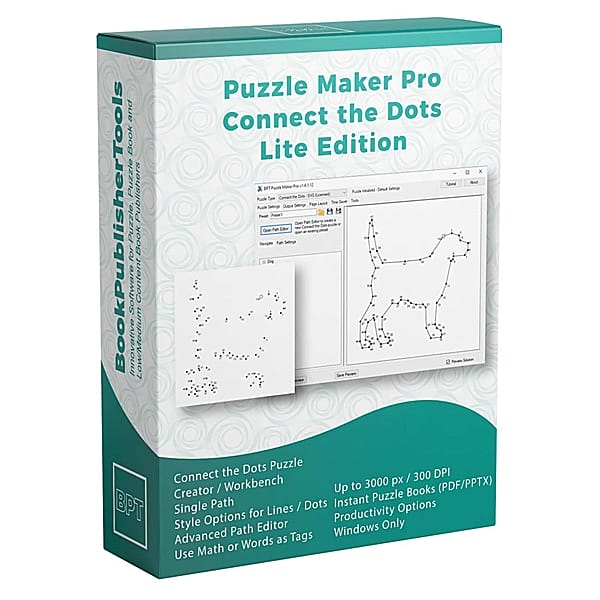


You Already Have the Photo. One Trail Around the Ears Is the Whole Page.
A shopper looking for a connect-the-dots book has seen the same clip-art dog in three Look Insides this week. They stop when the outline is your picture: the family pet, the classroom mascot, the one object you meant.
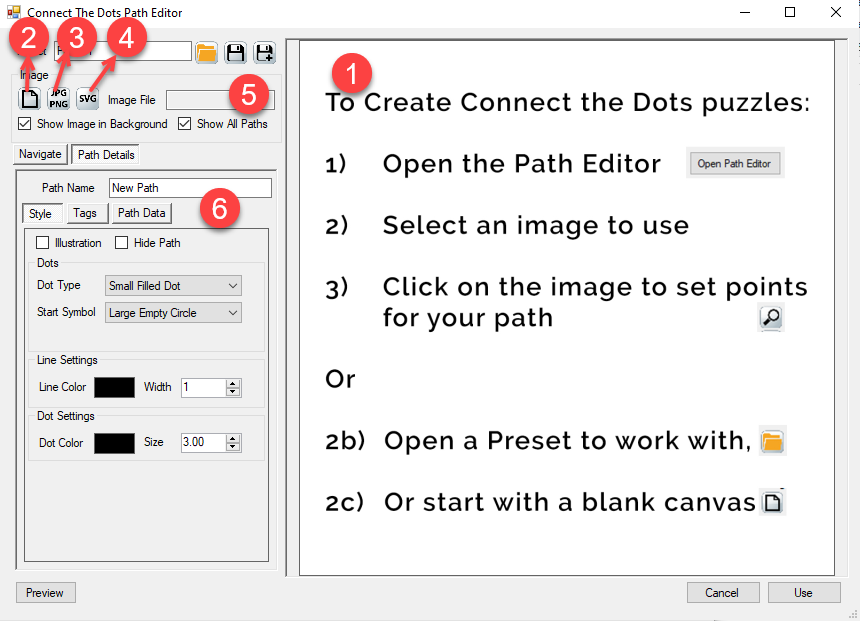
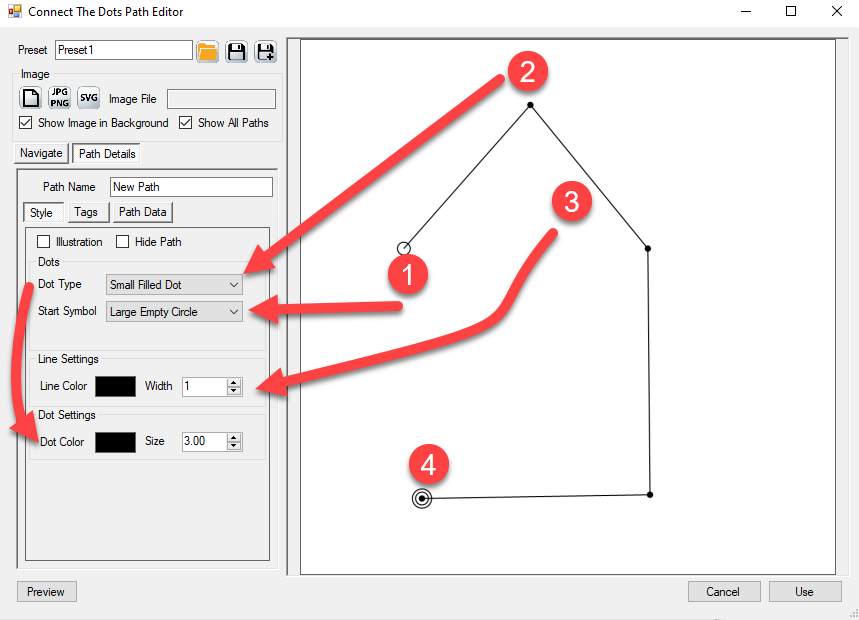
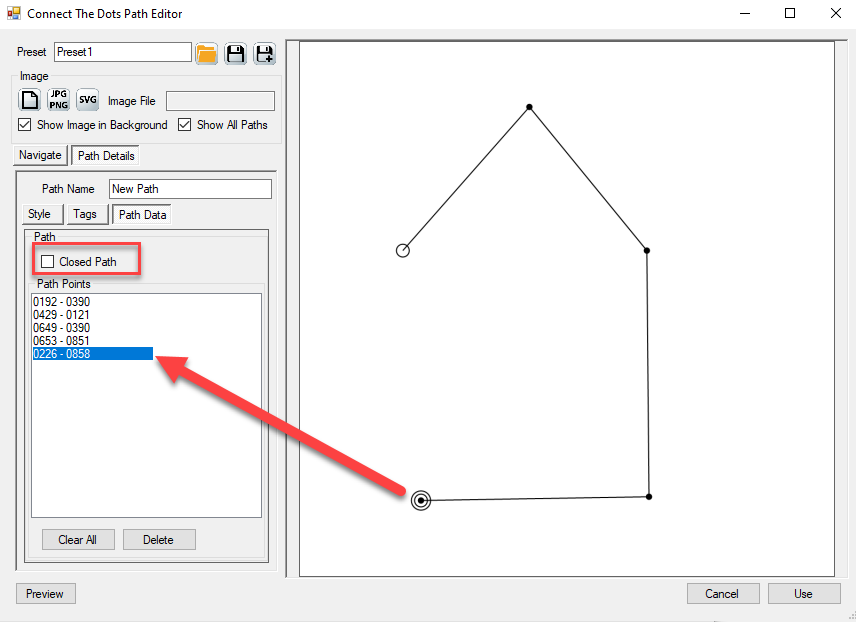
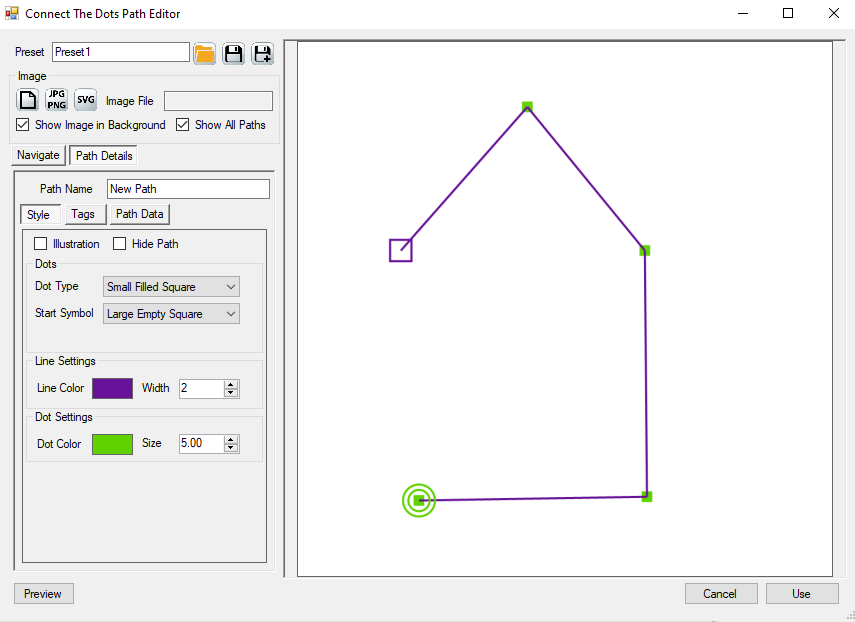
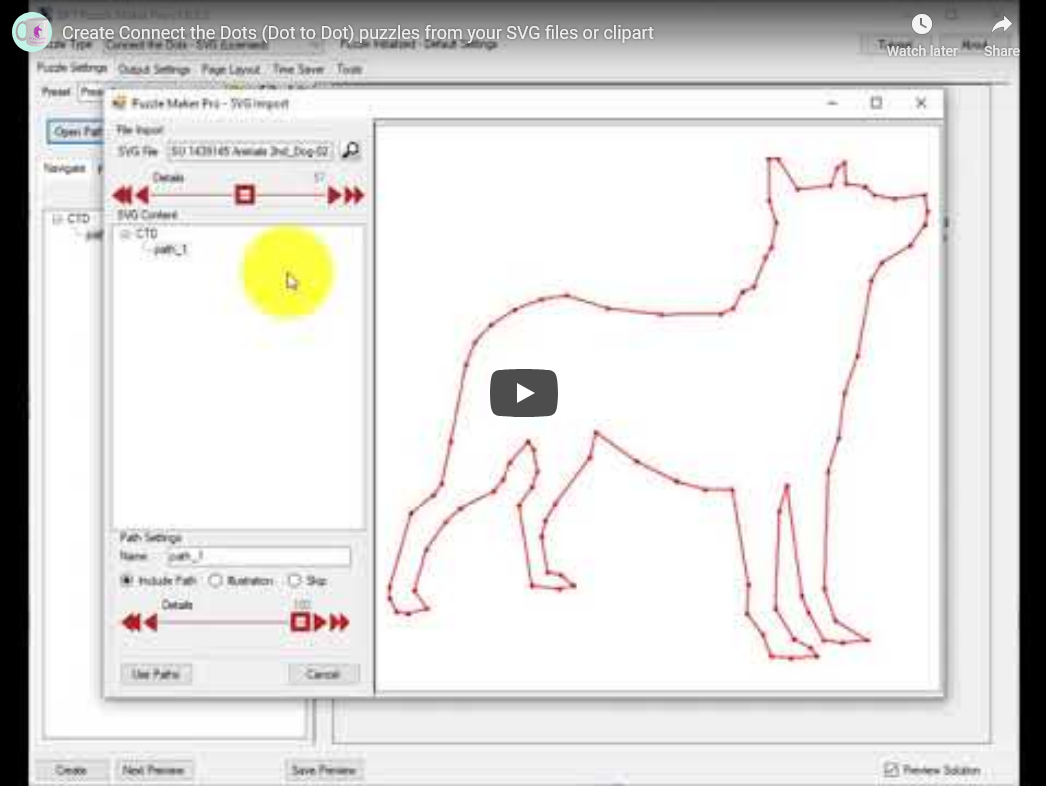
This product is that page. You upload a JPG or PNG as a trace guide. You click one continuous trail of dots along the outline. The printed page shows only the dots, the numbers (or letters, or a phrase), and the line style you set. The photo you traced does not print. The child follows that one path around the ears and back to the start.
Difficulty is how many points you place. A short trail is a warm-up sheet. A long trail around a busy outline is the last page in the book.
Try the free demo and click a trail on your own picture.

Why One Custom Outline Beats Another Stock Dog
Connect-the-dots catalogs stall on the same three clip-art animals. A parent who has already bought that book will skip the next one unless Look Inside is a picture they have not seen.
Here the picture is the product. Every puzzle starts from a JPG or PNG you supply. One continuous path per page: one animal, one object, one shape.
Clicking fifty points, then drawing the lined answer by hand so the key still follows the same outline, is the job that used to kill the afternoon. This Creator writes the numbered page and the lined solution together.
I have sat with a photo of a real dog and a printed page that still looked like everybody else’s beagle. So this page starts from your file, and it stays on one trail so the solve is one picture.
What You Can Create
From one trail you can list:
- A themed activity book from photos you already took (one object per page)
- A classroom sheet: a short trail for the group still working, a denser trail on the same outline for early finishers
- A letter-tag page (alphabet, letter-plus-number) for an early-reader aisle
- A phrase page, where the tags spell a word as they connect
- A numbers-formula page when the tags have to follow a pattern you set
- Worksheet packs and printables for Etsy, Teachers Pay Teachers, or a store you run
- A book of those pages through Instant Puzzle Books, keys in the back
The dotted puzzle and the lined solution come out of the same design.
See the Output
The dotted page is the listing. The lined page is the key.


Why Create It with Puzzle Maker Pro?
A free online generator gives you one look and someone else’s outline. This Creator starts from your JPG or PNG, lets you place every point, and prints a lined key that follows the trail you clicked.
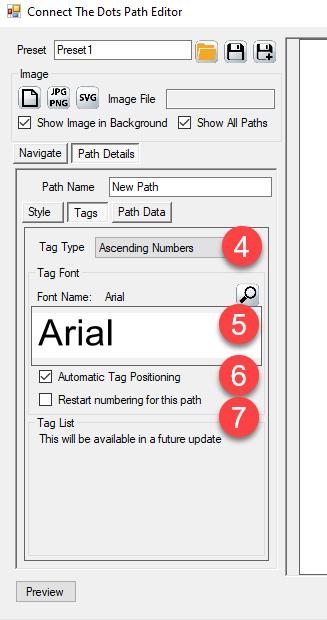
Tags are not only 1, 2, 3. Ascending numbers, single or double letters, letter-plus-number, a words list, a numbers formula, or the characters of a phrase. All seven sit on this product. Font and tag placement are yours. Restart numbering on this path when the next page needs a fresh count.
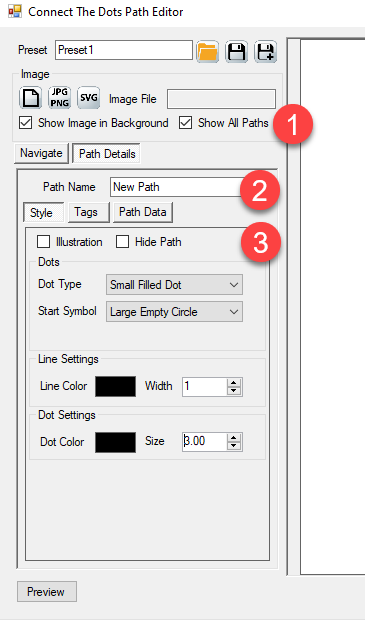
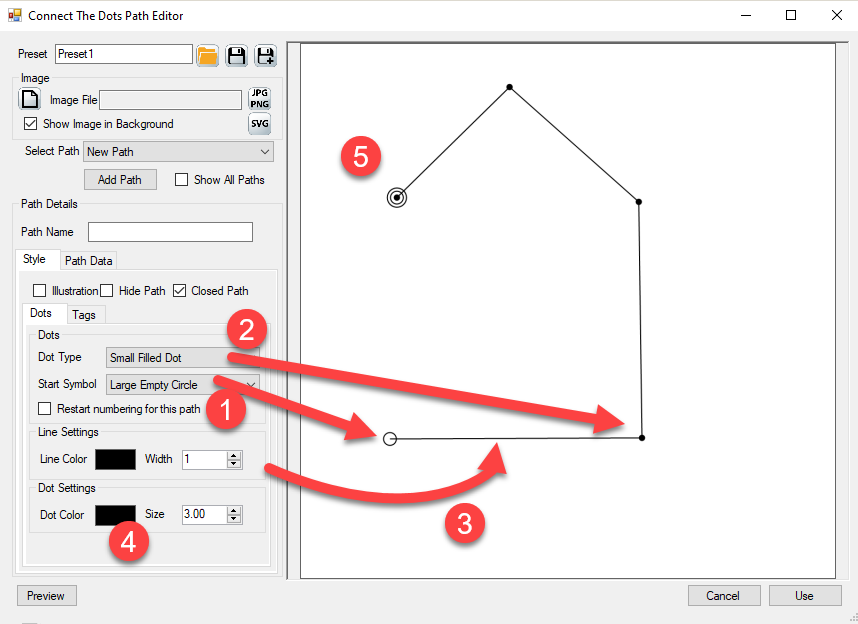
Style the dots and the line so the page matches the series already on your spine. The trace image stays off the finished puzzle. Only the dots, the tags, and the lines print.
Key Creation Workflows
Trace one object, not a whole scene Plan the photo around a single continuous picture: one animal, one vehicle, one simple shape. Click along that outline. A scene that needs the tree and the bird is a different listing.
Set how long they stay by how many points you place Twenty points is a short sheet. Eighty points around a busy outline is the last chapter. Two designs on the same photo, two densities, two pages.
Number the trail the way the listing promised Digits for a classic connect-the-dots book. Letters for an alphabet title. A phrase when Look Inside should spell a word as they go. One tag type per path. The lined key follows that same order.
Style the dots so the page looks like yours Filled dot, square, or triangle. Nine start symbols. An end-symbol toggle. Line color and width. Save the preset and open the next photo on that look.
Compile the dotted pages into a book Instant Puzzle Books builds the interior from the page settings you already have: margins, trim, titles, page numbers, a title page, a table of contents, and a footer that points each puzzle at its lined solution.
From One Puzzle to a Full Book
One trail is a listing image. A connect-the-dots book needs a stack of them, lined keys in the back, and a footer that names the solution page.
Instant Puzzle Books builds a ready-to-print book from your current settings: title page, table of contents, dotted pages, the lined answer section, and a cross-reference footer on every puzzle and every solution (“Solution 12 on page 87” on the puzzle, “Puzzle 12 on page 5” on the key). Export that book as an interactive PDF book from Instant Puzzle Books and the contents and those footers become clickable links. The dotted page opens its lined key.
You can add other Puzzle Maker Pro products later. Connect the Dots Manual Edition is the listing for several trails on one sheet. Connect the Dots SVG Edition is the listing that imports a vector file and places the dots for you. “SVG” in that name means import. The finished puzzle always leaves as a JPG or PNG.
Output Formats and Publishing Options
This Creator writes JPG, PNG, and transparent PNG for the dotted page and the lined solution. Instant Puzzle Books compiles those pairs into a print-ready book, including an interactive PDF book from that builder.
What Ships With Connect the Dots
This page is one product: Connect the Dots. One continuous path per puzzle. Instant Puzzle Books for the interior.
If today’s sheet needs the cat and the bird, open Connect the Dots Manual Edition. If you already have vector line-art and want the dots placed from the file, open Connect the Dots SVG Edition.
You can add those products later. Pick this page if one trail on your photo is the book you are making today.
Who This Is For
Publishers listing a photo activity book. Look Inside is your outline, not the clip-art dog in the last three titles. Watermark-free files you can sell on KDP, Etsy, or Teachers Pay Teachers.
Teachers and Teachers Pay Teachers sellers. One classroom mascot, two densities: a short trail and a long trail from the same photo. The lined solution is the teacher key.
Publishers already using Puzzle Maker Pro. Drop the dotted pages into the Instant Puzzle Books compile you already run.
If you have been clicking dots in a drawing program, then tracing the answer by hand so the key still matches, this is what changes: you click the trail once, and both images come out of the same design.
Try It Before You Buy
Click a trail on your own picture before you spend anything. The free demo covers every current Puzzle Maker Pro module and shows you the dotted page and the lined key. Demo output is watermarked. Paid files are watermark-free.
Licensing and Commercial Use
Connect the Dots lets you sell the finished books, worksheets, and packs you make to your own readers and customers, on KDP, Etsy, Teachers Pay Teachers, or your own store. One-time commercial-use license. Watermark-free.
Product Details
| Product | Puzzle Maker Pro – Connect the Dots |
| Editions | Connect the Dots (one continuous path per puzzle) |
| Platform | Windows desktop |
| Internet required | No |
| The puzzle | Upload a JPG or PNG trace; click one ordered trail; solver connects the dots in sequence |
| Tag types | Ascending numbers, alphabet (single or double), letter-plus-number, words list, numbers formula, phrase |
| Paths per puzzle | One |
| Output formats | JPG, PNG, transparent PNG |
| Solution pages | Yes, a lined solution image with every design |
| Puzzle books | Instant Puzzle Books; title page, table of contents, and solution cross-references; interactive PDF books from Instant Puzzle Books |
| Upgrades | You can add other Puzzle Maker Pro products later |
| Commercial license | Sell finished books, worksheets, and packs to your own readers and customers |
| Free demo | Yes |
| Delivery | Immediate, in your member area |
Questions Before You Buy
Is there a free demo?
Yes. One download covers every current Puzzle Maker Pro module. Open Connect the Dots, upload a picture, and click a trail. Demo output is watermarked. Paid files are watermark-free.
Can I upgrade later?
Yes. You can add other Puzzle Maker Pro products after you buy. Start here if one trail on your photo is the book you are making today.
Do I supply the picture?
Yes. Upload your own JPG or PNG as a trace guide. The trace does not print on the finished puzzle.
How hard are the puzzles?
You decide, by how many points you place. A short trail is a warm-up. A long trail is the last page.
What files do I get?
A dotted puzzle image and a lined solution image as JPG, PNG, or transparent PNG. Instant Puzzle Books compiles those pairs into a print-ready book, including an interactive PDF book with clickable contents and puzzle-to-solution links.
Can I put two pictures on one sheet?
This page is one trail. Connect the Dots Manual Edition is the listing for several trails on one sheet.
Can I import a vector file?
Connect the Dots SVG Edition imports the file and places the dots. “SVG” in that name means import. Every Connect the Dots page still leaves as a JPG or PNG.
Can I sell the finished books and worksheets I create?
Yes. Connect the Dots lets you sell the finished books, worksheets, and printables you make to your own readers and customers.
Do I need the internet to create?
No. You design and export on your own Windows PC.
Six Months On, Look Inside Is Still Your Dog, Not Theirs
Another clip-art outline competes on cover art. This listing competes on a trail you clicked around a picture you already had, and a lined key that follows that same trail.
Try the free demo. Then buy Connect the Dots at the top of this page.
Upload your photo. Click one continuous trail. The page prints the dots and a lined key, not the clip-art dog in the last three titles. Try the free demo, then buy Connect the Dots at the top of this page.


