


Slitherlink Puzzle Generator
Create Distinctive Slitherlink Puzzle Books with 18 Unique Grid Topologies
Add a fresh logic puzzle type to your publishing catalog.
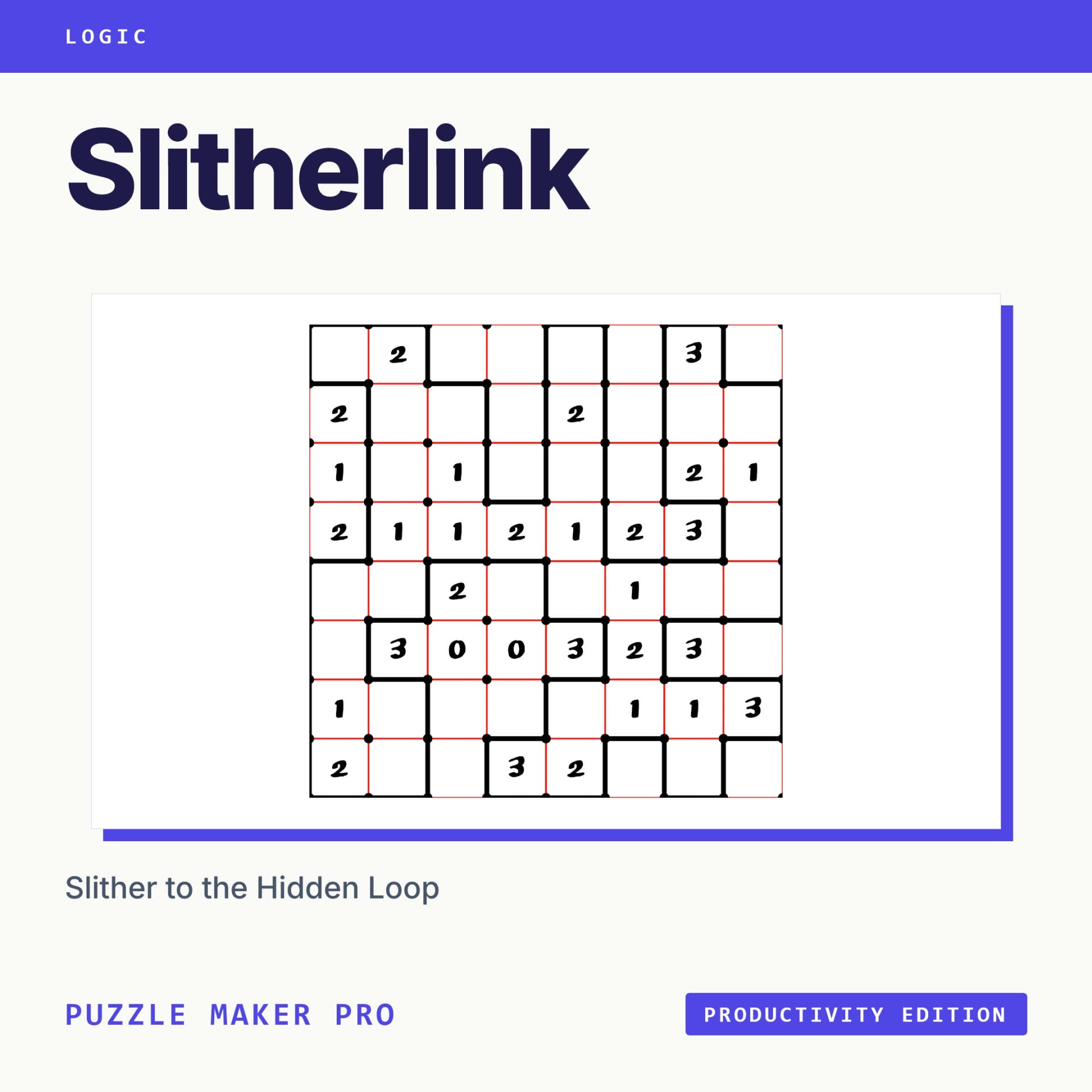
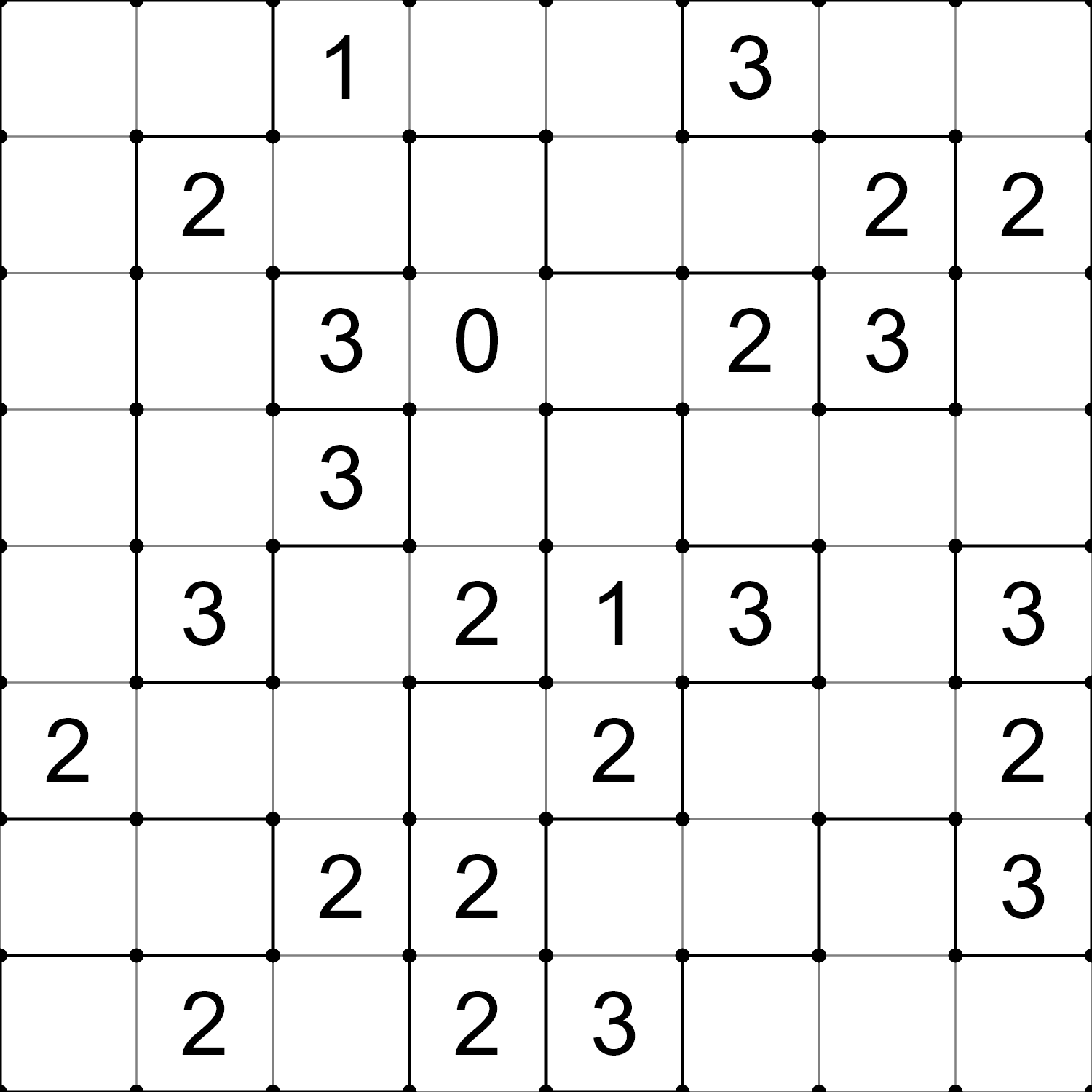
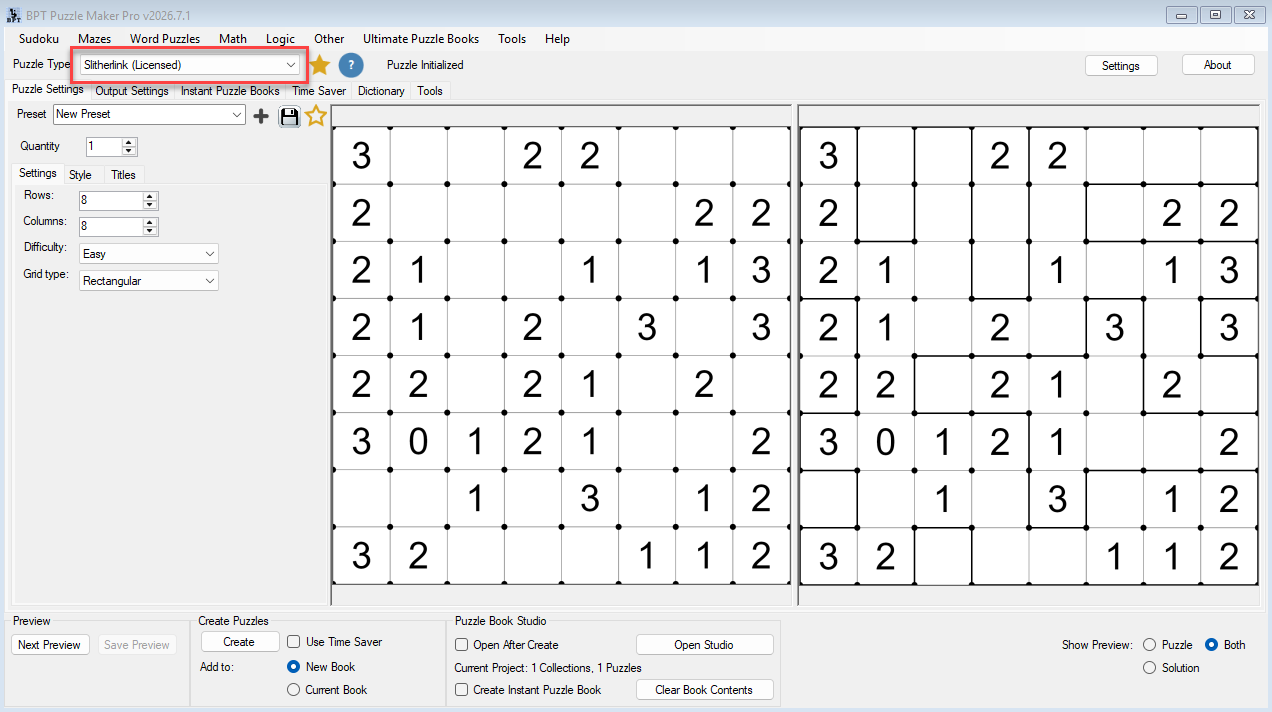
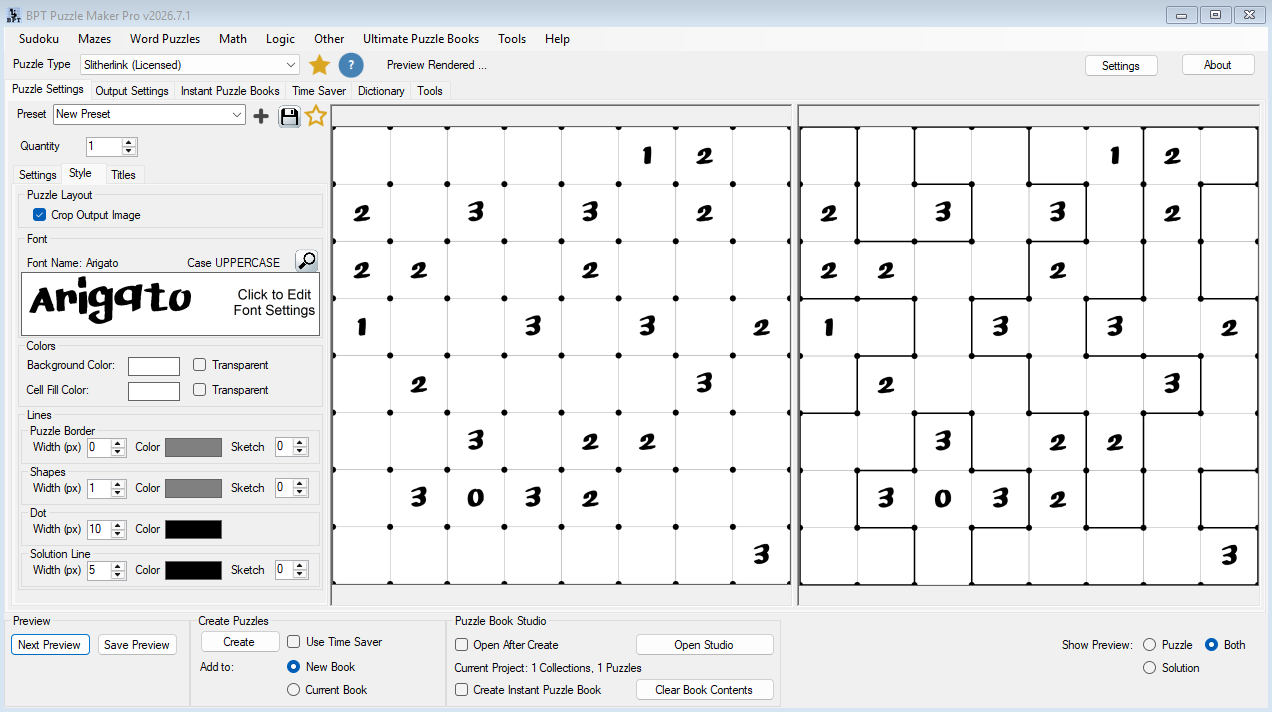
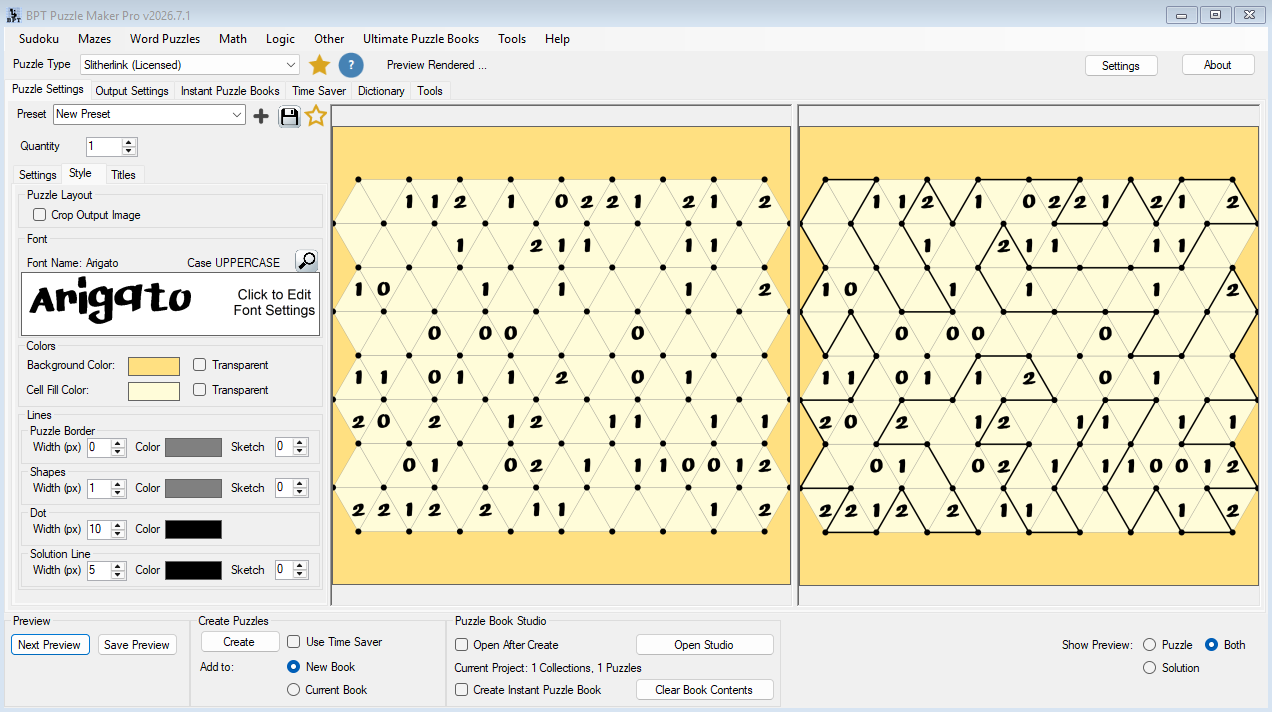
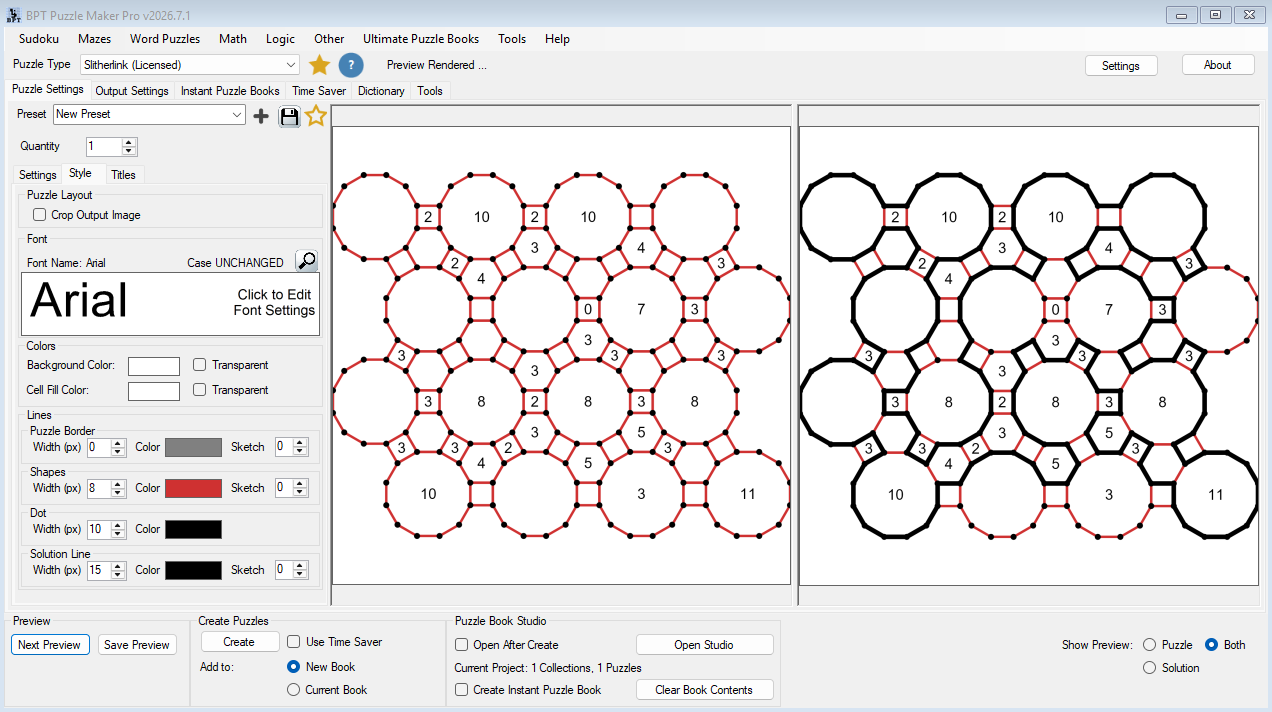
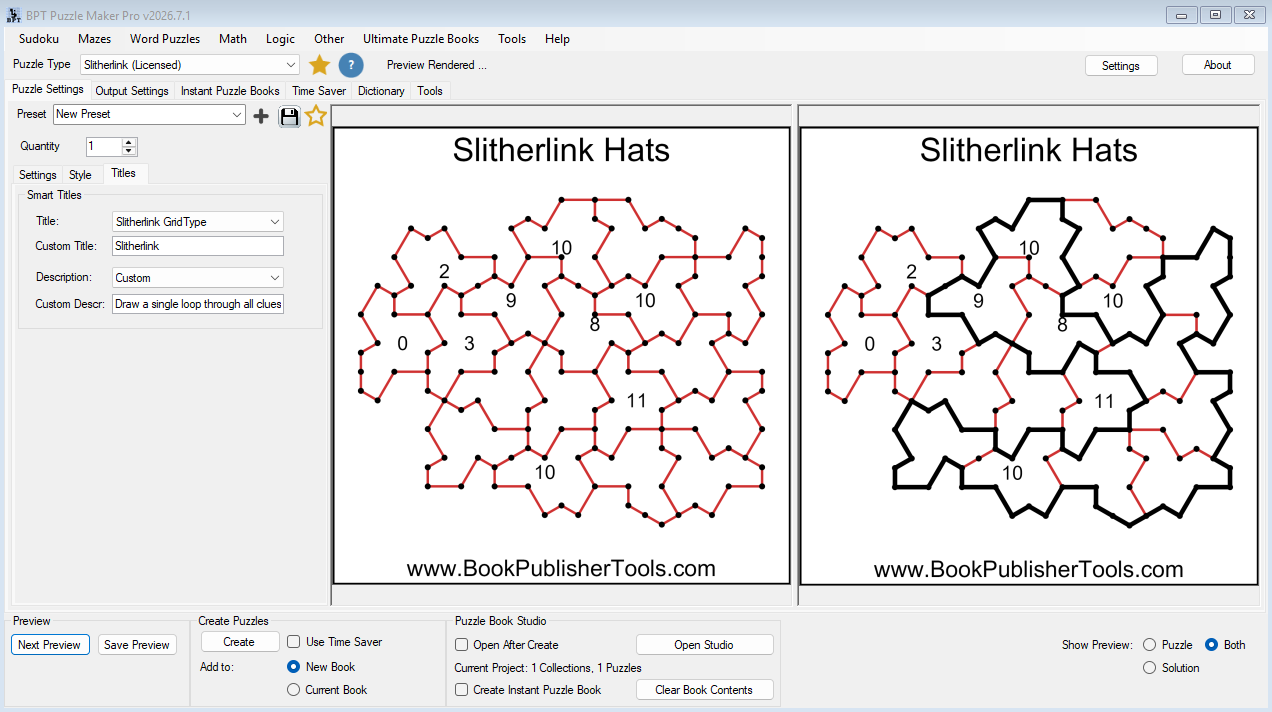
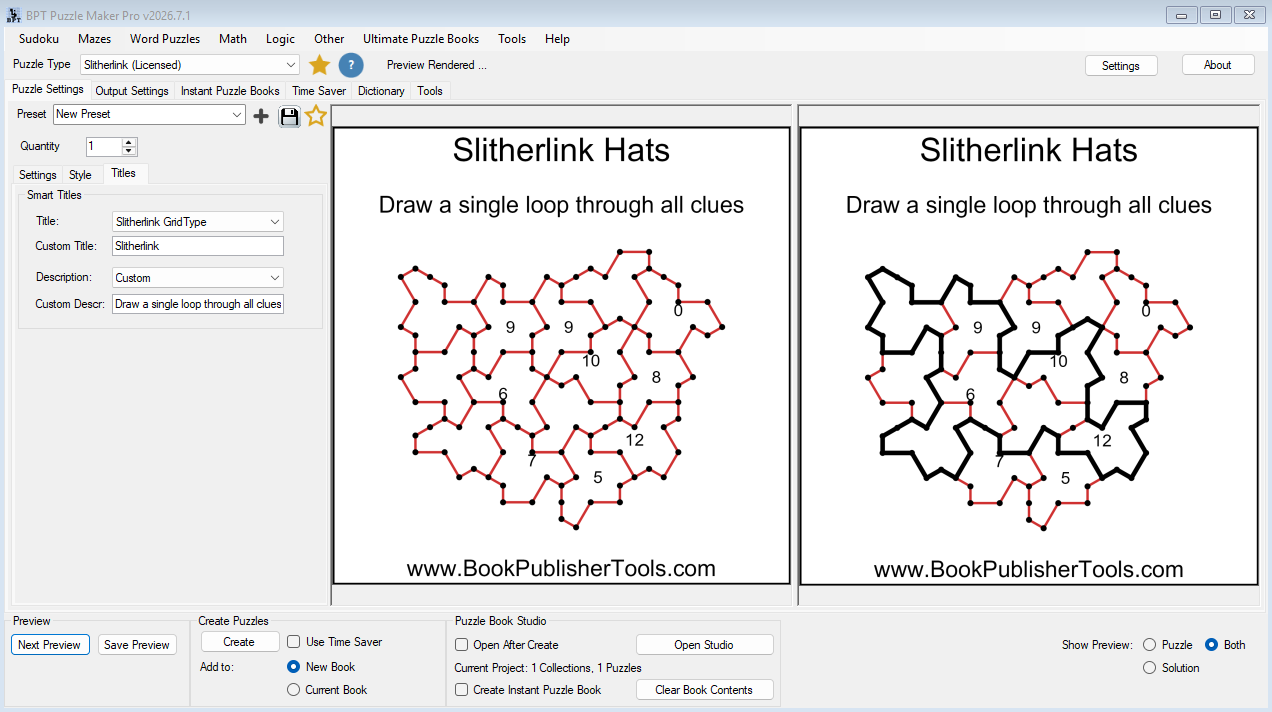
Puzzle Maker Pro – Slitherlink lets you create classic rectangular Slitherlink puzzles or unlock distinctive layouts like Hexagonal, Cairo, Kagome, Penrose, Hats, and Spectres.
Create individual puzzles, build themed collections, or turn your Slitherlink puzzles into finished puzzle books with the Puzzle Maker Pro publishing workflow.
A Different Kind of Logic Puzzle
Sudoku is familiar.
Word Search is familiar.
Crosswords are familiar.
That’s not a problem. Those puzzle types remain popular for a reason.
But when every publisher is creating similar content, standing out becomes harder.
Slitherlink introduces a different challenge.
Instead of filling cells with numbers or letters, solvers draw a single continuous loop around the grid using numbered clues.
The rules are easy to learn.
The deductions are satisfying.
And the finished puzzles immediately look different from many traditional puzzle formats.
For puzzle publishers, that visual distinction can be just as valuable as the puzzle itself.
One Puzzle Type. Eighteen Different Visual Experiences.
Most Slitherlink software focuses almost entirely on traditional square grids.
Puzzle Maker Pro gives you far more creative freedom.
Create puzzles using:
- Rectangular grids
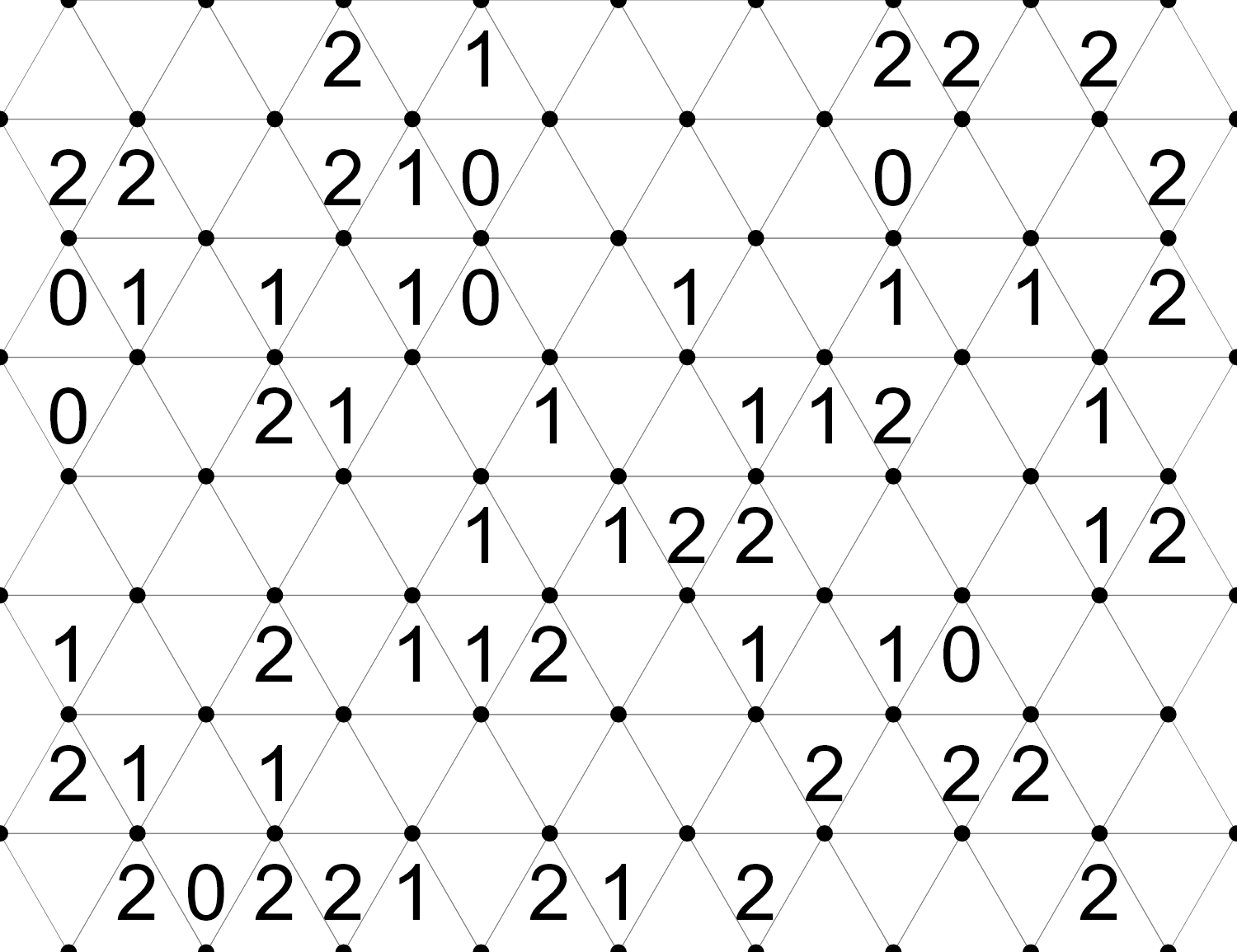
- Triangular grids
- Hexagonal grids
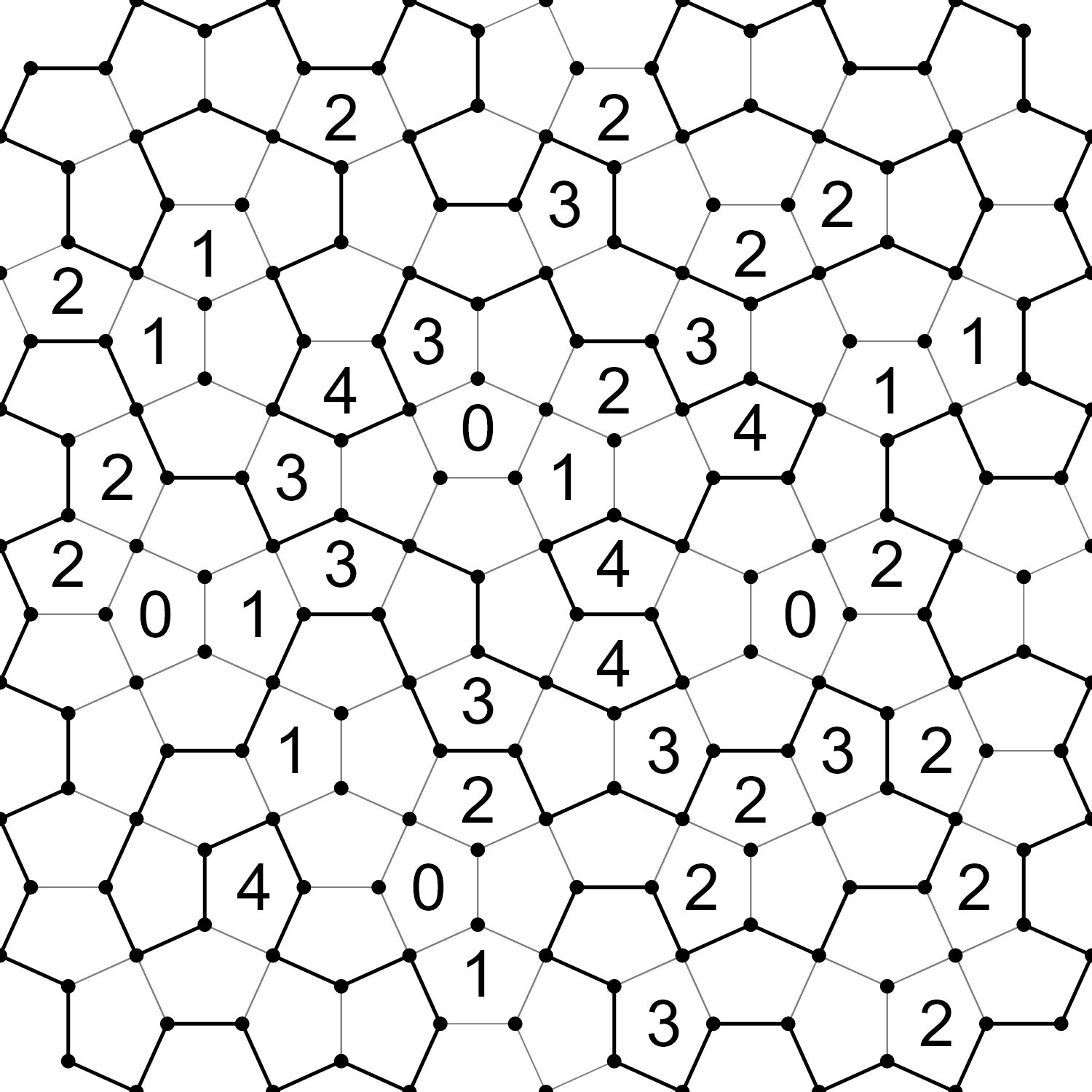
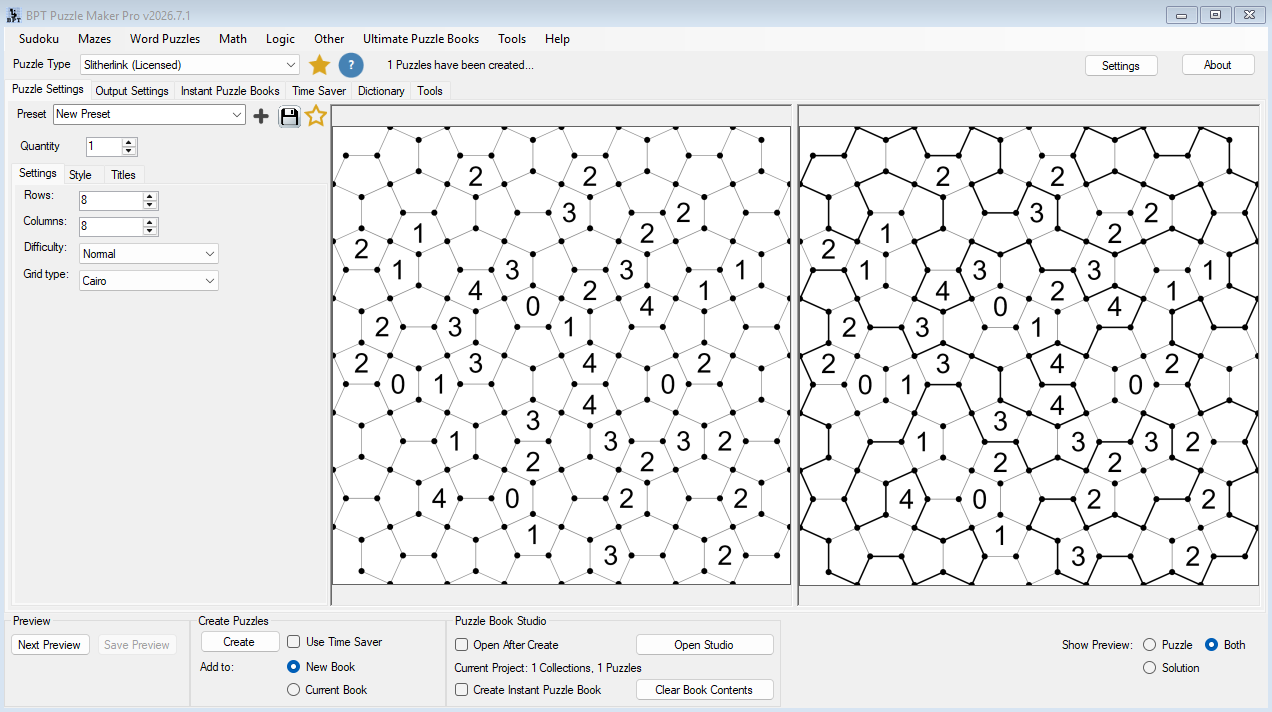
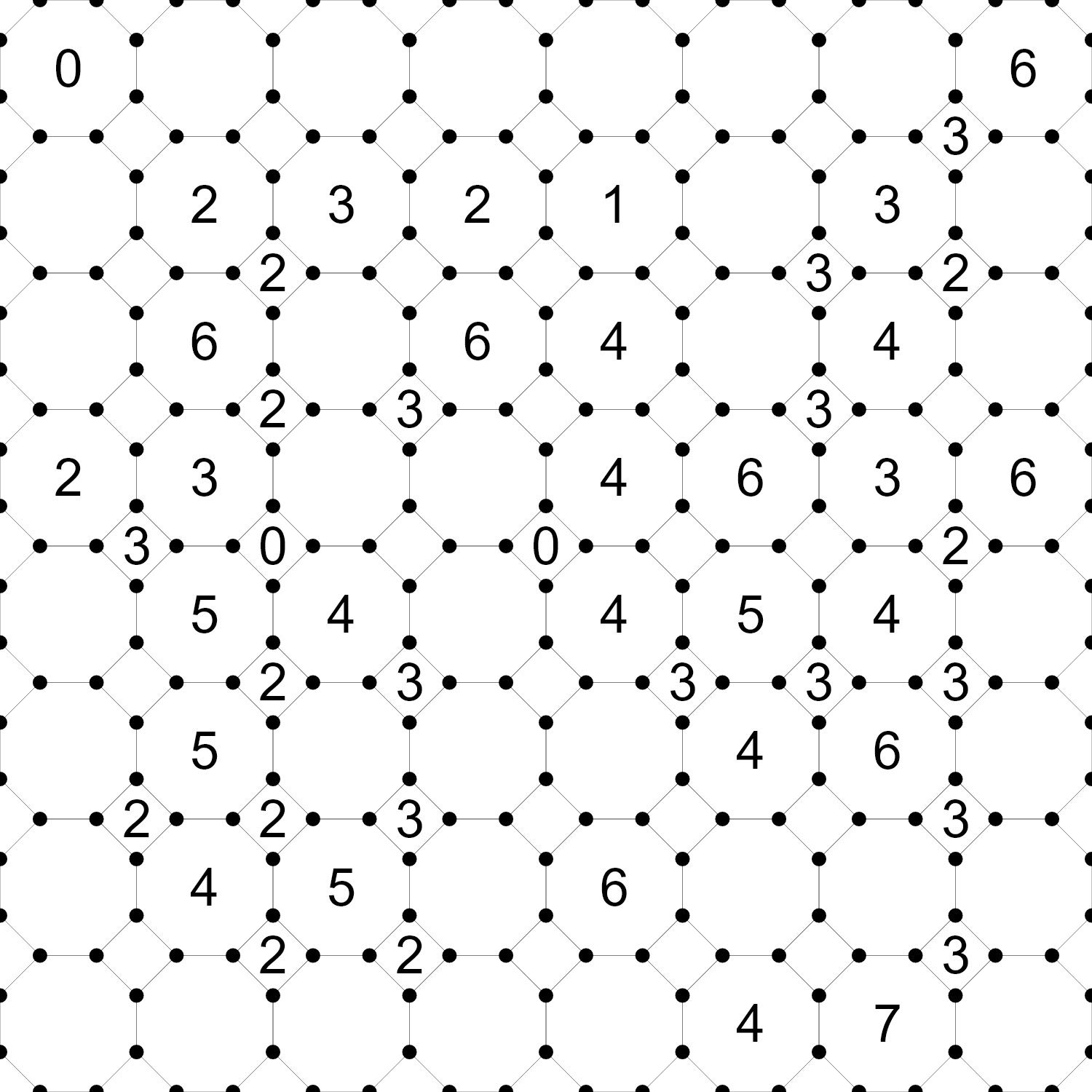
- Cairo tilings
- Kagome layouts
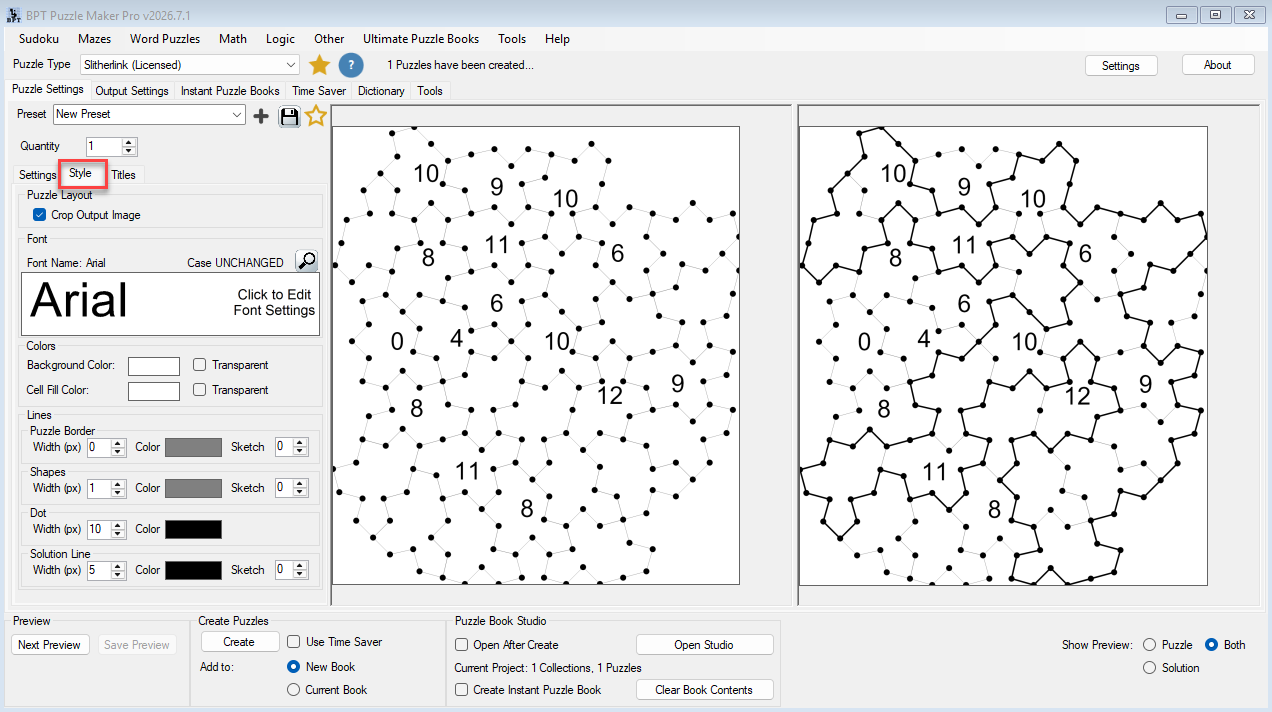
- Penrose tilings
- Hats
- Spectres
- And many more
Each topology preserves the core Slitherlink rules while creating a dramatically different visual presentation.

A Hexagonal puzzle collection feels different from a Cairo collection.
A Penrose book creates a different experience than a Hats collection.
A publisher can build multiple puzzle products from the same puzzle type while maintaining a fresh look and feel for readers.
This is one of the reasons Slitherlink can become such a valuable addition to a growing puzzle catalog.
If you want Slitherlink because it looks different, Creative Edition is where the module comes alive.
One Module. Multiple Book Ideas.
Many puzzle modules create one obvious type of book.
Slitherlink can create several.
A traditional rectangular collection appeals to solvers looking for the classic experience.
A Hexagonal collection introduces a different visual style while keeping the same core puzzle rules.
Penrose layouts create striking non-repeating patterns.
Hats and Spectres produce puzzle pages that many solvers have never encountered before.
That means a single module can support multiple publishing concepts, including:
- Classic Slitherlink Puzzle Books
- Hexagonal Slitherlink Collections
- Penrose Logic Puzzle Books
- Hats and Spectres Challenge Books
- Mixed Topology Puzzle Collections
For publishers building a catalog, this flexibility creates opportunities to expand beyond a single title while maintaining a consistent puzzle type.

Create Puzzle Books That Feel Different
Many creators focus entirely on generating more puzzles.
Often the bigger opportunity is creating more variety.
Slitherlink helps solve that problem.
Instead of relying on a single presentation style, you can build collections around different grid topologies and visual themes.
The result is a puzzle type that supports:
- More visual variety
- More collection ideas
- More publishing opportunities
- More ways to differentiate your catalog
For creators competing in crowded puzzle categories, those advantages can matter just as much as puzzle quantity.
Customize Every Puzzle to Match Your Publishing Style
Generating puzzles is only part of the process.
Presentation matters too.
A puzzle that looks clean, professional, and consistent with the rest of your catalog creates a better experience for readers and reinforces your brand.
Slitherlink includes a range of customization options that allow you to control how puzzles appear on the page.
Adjust:
- Fonts
- Colors
- Puzzle borders
- Shape outlines
- Vertex dots
- Solution lines
- Titles and descriptions
Whether you’re creating clean black-and-white interiors for Amazon KDP or more visually distinctive educational resources, Slitherlink adapts to the style of product you’re building.
The goal isn’t simply creating puzzles.
It’s creating puzzles that belong in the books you want to publish.

Designed for Puzzle Publishers
Many puzzle tools focus entirely on generating content.
Publishing requires more than content.
You need enough variety to justify a book.
You need consistency across pages.
You need workflows that help you organize collections rather than manually managing hundreds of individual files.
Slitherlink was built to fit into a larger publishing process.
Create individual puzzles when you need them.
Create collections when you’re building a book.
Expand into multiple puzzle products as your catalog grows.
The same module can support:
- Single printable worksheets
- Small puzzle collections
- Full puzzle books
- Multi-book series built around different grid styles
That flexibility makes Slitherlink useful not only for a single project, but for long-term publishing plans.
Build Collections Faster with Time Saver
Creating one puzzle is simple.
Creating fifty puzzles is where workflow becomes important.
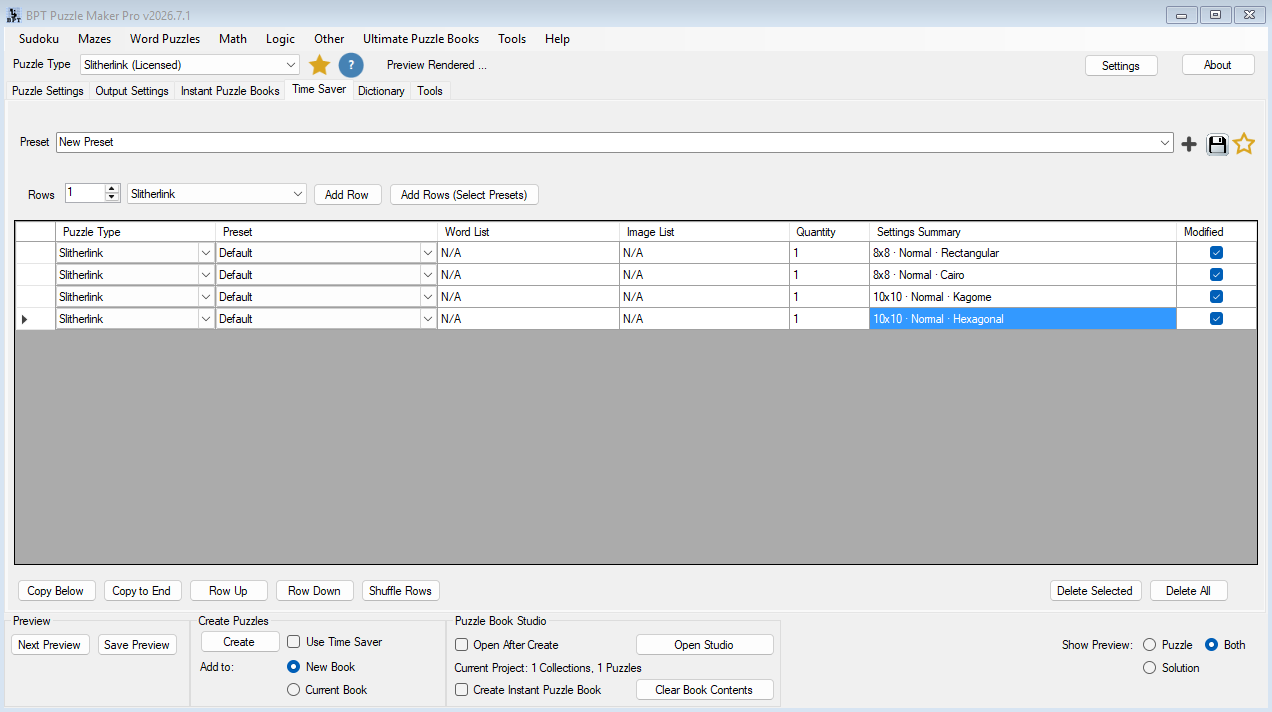
Productivity Edition includes Time Saver, allowing you to create multiple Slitherlink configurations and generate them together.
Instead of changing settings and generating puzzles one batch at a time, you can build a queue of puzzle profiles and process them in a single workflow.
For example:
- 10 Rectangular puzzles
- 10 Cairo puzzles
- 10 Kagome puzzles
- 10 Hexagonal puzzles
- 10 Penrose puzzles
All generated from a single setup.
This makes it much easier to create larger collections while maintaining variety throughout the book.
As your catalog grows, Time Saver becomes one of the most valuable productivity tools in Puzzle Maker Pro.
Turn Collections Into Finished Puzzle Books
Generating puzzles is only one step.
Publishing is where everything comes together.
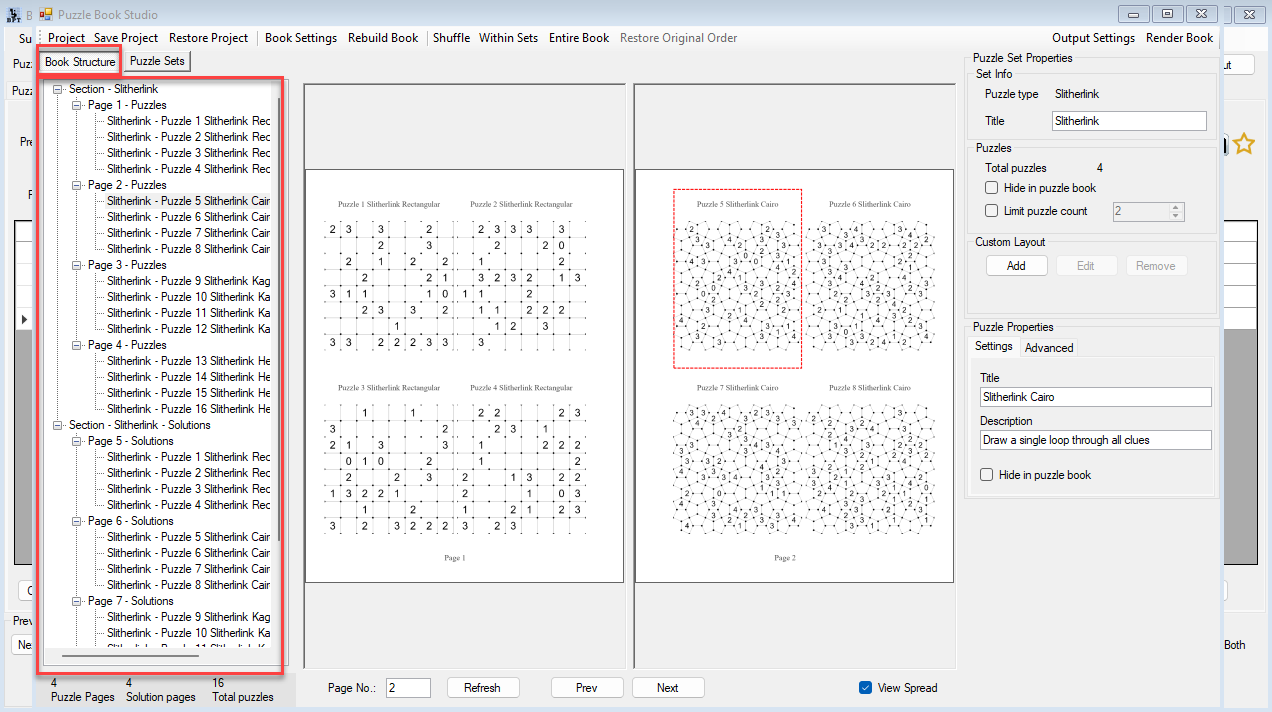
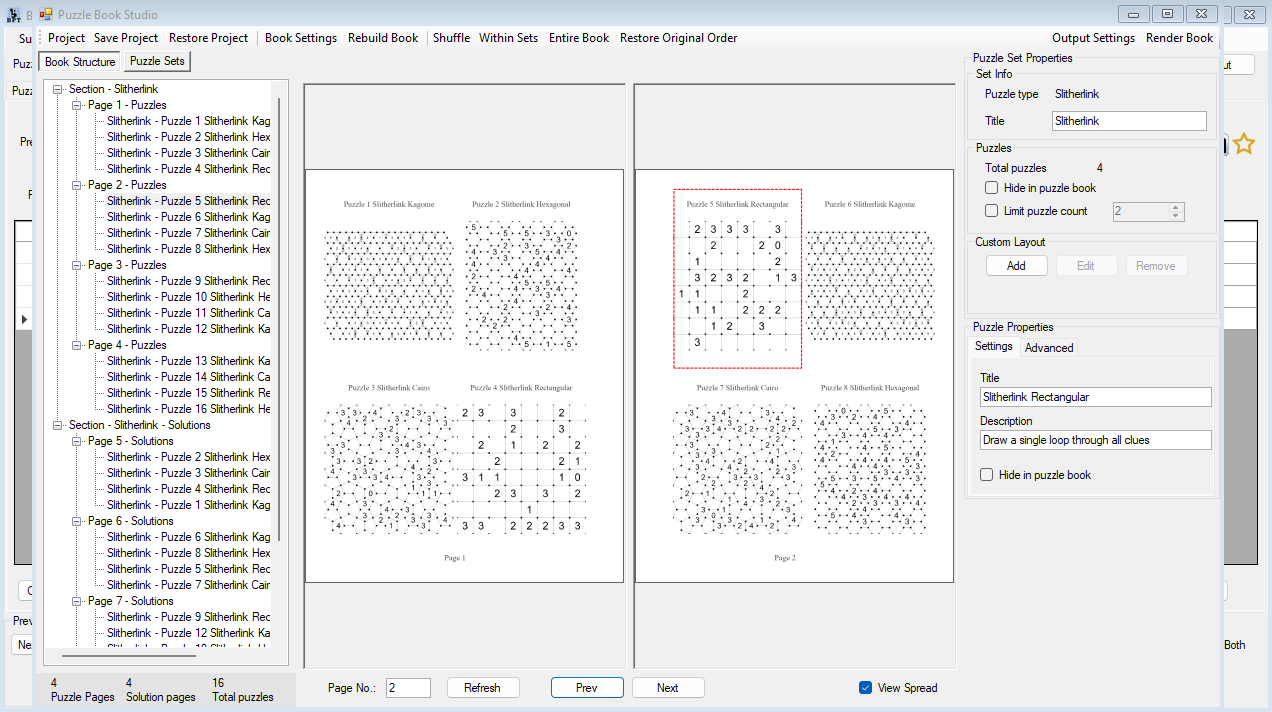
Puzzle Book Studio allows you to turn generated puzzle collections into finished books.
Review pages before publishing.
Organize puzzle sets.
Edit titles and descriptions.
Adjust collection settings.
Rebuild and refine layouts.
Render final outputs.
Instead of working with hundreds of disconnected puzzle files, Puzzle Book Studio provides a dedicated environment for assembling and reviewing complete puzzle products.
This is where Slitherlink evolves from a puzzle generator into a publishing workflow.
Create Mixed Logic Puzzle Books
Slitherlink doesn’t have to stand alone.
If you own additional Puzzle Maker Pro modules, Puzzle Book Studio allows you to combine multiple puzzle types within the same book.
For example:
- Sudoku and Slitherlink
- Bridges and Slitherlink
- Galaxies and Slitherlink
- Mixed logic puzzle collections
Many publishers use Slitherlink as a visual centerpiece inside larger logic puzzle books because its unusual layouts immediately create variety between sections.
This means Slitherlink can provide value not only as a standalone product, but also as a way to make broader puzzle collections more distinctive.
From Individual Puzzles to Publishing Workflows
Most creators begin with a single puzzle.
Then a collection.
Then a book.
Eventually many creators discover that the real challenge isn’t generating puzzles.
It’s managing everything around them.
Slitherlink fits naturally into that progression.
Create puzzles.
Create variations.
Create collections.
Create books.
Expand into mixed puzzle products.
Scale production when you’re ready.
The puzzle type creates the opportunity.
The workflow helps you build on it.
Which Edition Is Right For You?
Whether you’re experimenting with Slitherlink for the first time or building larger publishing workflows, there’s an edition designed for your stage.
If you want to…
- Create classic rectangular Slitherlink puzzles:
Choose Lite - Create visually distinctive books with all grid shapes:
Choose Creative - Build larger books with multiple collections:
Choose Productivity - Batch-generate many puzzle variations:
Choose Productivity - Create finished puzzle products for clients or resale partners:
Choose Productivity
| Feature | Lite | Creative | Productivity |
|---|---|---|---|
| Slitherlink Puzzle Generator | ✓ | ✓ | ✓ |
| Rectangular Grid Type | ✓ | ✓ | ✓ |
| Additional Grid Types | — | ✓ | ✓ |
| Penrose, Hats & Spectres | — | ✓ | ✓ |
| Styling Controls | ✓ | ✓ | ✓ |
| Titles & Descriptions | ✓ | ✓ | ✓ |
| Simple Puzzle Books | ✓ | ✓ | ✓ |
| Puzzle Book Studio | — | Single Collection | Full |
| Multiple Collections per Book | — | — | ✓ |
| Time Saver Batch Generation | — | — | ✓ |
| Customer JSON Output | — | — | ✓ |
| Reseller Rights | — | — | ✓ |
Lite Edition
Perfect for creators who want to explore Slitherlink and create traditional puzzle collections.
Lite includes the complete Slitherlink generator, styling options, and rectangular grids.
If you’re creating individual puzzles, worksheets, or classic Slitherlink collections, Lite provides everything you need to get started.
Creative Edition
Creative Edition unlocks what makes Slitherlink truly unique.
Gain access to all 18 grid topologies, including:
- Hexagonal
- Cairo
- Kagome
- Penrose
- Hats
- Spectres
and many more.
This is the edition for creators who want to build visually distinctive puzzle books and take full advantage of Slitherlink’s creative potential.
Puzzle Book Studio is also included for single-collection book workflows.
For many publishers, Creative Edition will be the sweet spot.
Productivity Edition
Productivity Edition is designed for larger publishing workflows.
Everything from Creative Edition is included, plus:
- Time Saver batch generation
- Full Puzzle Book Studio workflows
- Multiple collections per book
- Customer JSON output
- Reseller rights for finished puzzle products
If you’re creating larger catalogs, producing content regularly, or creating puzzle products for clients and commercial projects, Productivity Edition provides the tools to scale efficiently.
Licensing
Creative Edition
Creative Edition allows you to create and sell your own finished puzzle products.
Examples include:
- Amazon KDP books
- Etsy printables
- Teachers Pay Teachers resources
- Educational worksheets
- Printable puzzle collections
If you’re publishing under your own brand, Creative Edition is usually all you need.
Productivity Edition
Productivity Edition includes everything in Creative Edition plus reseller rights for finished puzzle products.
This allows you to:
- Create puzzle products for clients
- Create content for other publishers
- Create wholesale puzzle products
- Produce puzzle content another business can resell
Productivity reseller rights apply to finished puzzle products only.
The software itself may not be resold or redistributed.
Technical Information
| Detail | Information |
|---|---|
| Platform | Windows Software |
| Internet Required | No, works offline after installation |
| Demo Version | Free demo available |
| Delivery | Digital download |
| Updates | Lifetime updates included |
| Outputs | JPG, PNG, SVG, PDF |
| Advanced Output | Customer JSON (Productivity) |
| Puzzle Books | Supported |
| Time Saver | Productivity Edition |
Frequently Asked Questions
What is Slitherlink?
Slitherlink is a loop-based logic puzzle where solvers draw a single continuous loop using numbered clues.
Do I need Creative Edition for the special grid types?
Yes.
Creative Edition unlocks all advanced grid topologies including Hexagonal, Cairo, Penrose, Hats, Spectres, Kagome, and others.
Can I publish Slitherlink books on Amazon KDP?
Yes.
Creative Edition is sufficient if you are publishing under your own brand.
Do I need Productivity Edition for KDP?
No.
Creative Edition is enough for publishing your own puzzle books.
Productivity Edition becomes useful when you need Time Saver, advanced book workflows, or reseller rights.
Can I create mixed puzzle books?
Yes.
Puzzle Book Studio allows Slitherlink to be combined with other Puzzle Maker Pro puzzle types when those modules are available.
Is there a free demo?
Yes.
The free demo includes the module and allows you to explore the workflow before purchasing.
Unlicensed modules create watermarked output.
Add a Distinctive Logic Puzzle Type to Your Catalog
Many puzzle creators eventually reach a point where they need more than another variation of the same puzzle.
Slitherlink offers a different challenge.
The 18 grid topologies create even more opportunities for variation.
Whether you’re publishing your first logic puzzle collection or expanding an established catalog, Slitherlink gives you a puzzle type that can support multiple book concepts, multiple visual styles, and long-term publishing opportunities.
Choose your edition above and aAdd a distinctive logic puzzle category to your publishing catalog


