


Your Word Already Sits on a Highlighted Row
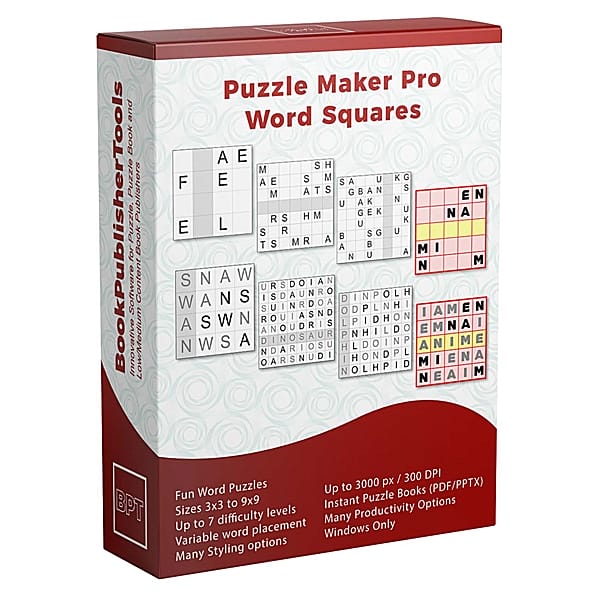
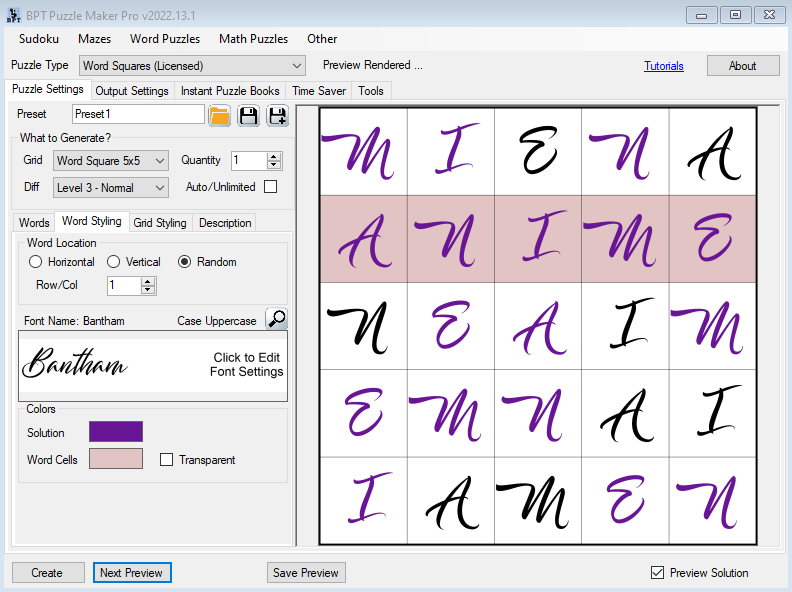
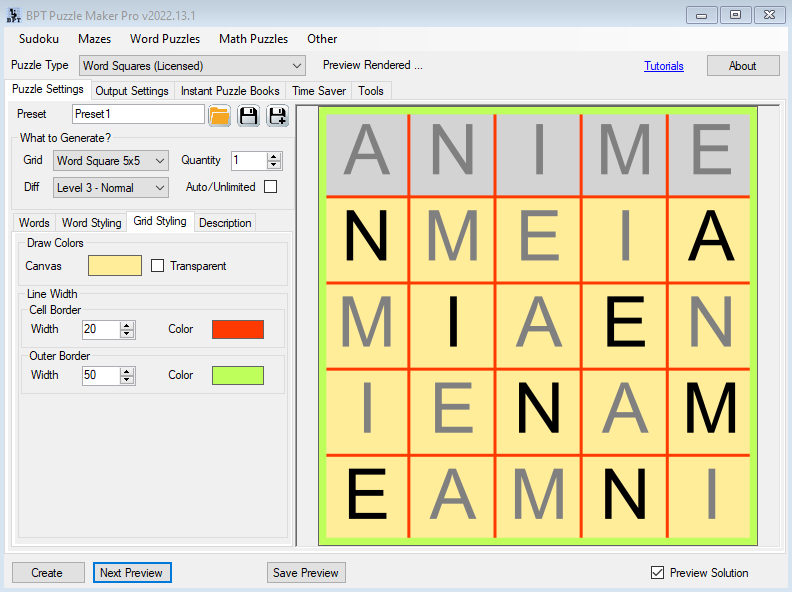
Look Inside shows HEART on a tinted row of this week’s letter grid. Every letter of HEART is already somewhere on the board as a given. They finish the grid so they can read the word they were staring at.
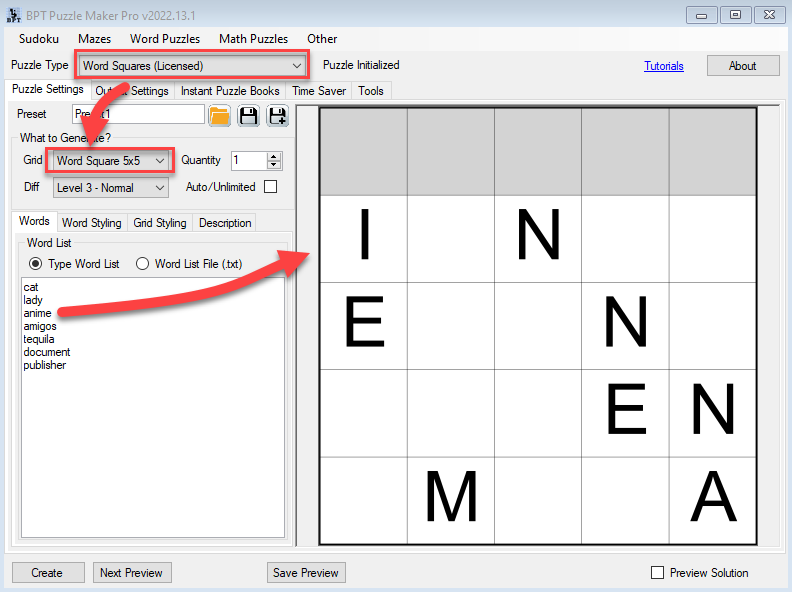
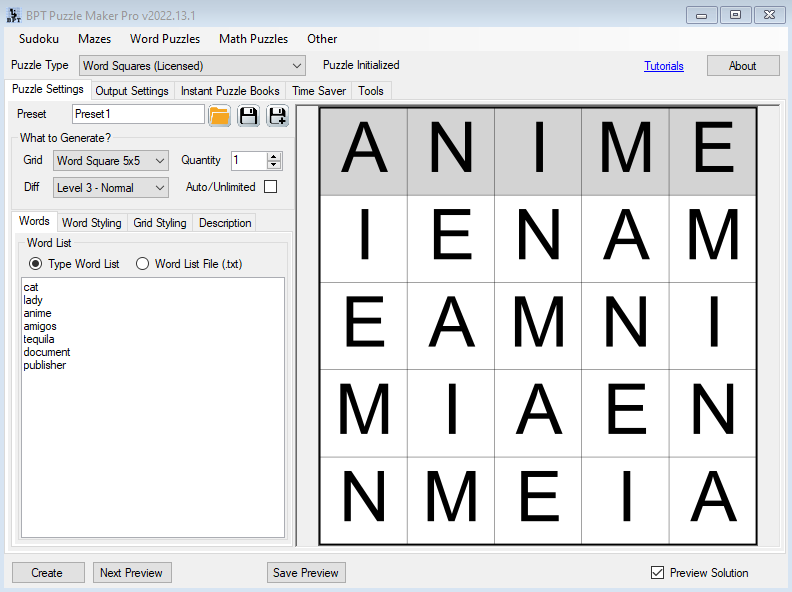
Paste the list, pick 5×5, and print the puzzle page. Flip to the solutions section in the back of the book: the matching key is the filled grid.

Try the free demo. Demo output is watermarked. Paid files are watermark-free.
HEART on 5×5. That Row Is the Listing.
CAT on 3×3. HEART on 5×5. If the word fits the grid and repeats no letter, it becomes a puzzle. One puzzle per valid word, up to your quantity. Turn on Auto/Unlimited to use every valid word.
After the test, print the 5-letter words as 5×5 sheets. The 7-letter words on that paste are a second 7×7 run when you want a harder tray.
A 3×3 After the Test. A 9×9 Word-Square Page.
A 3×3 is the sheet they finish before recess. HEART on 5×5 is the listing page. A 9×9 is the hard tray: same rule, longer word, more empty cells.


Who This Is For
Publishers listing a word title. Look Inside is HEART on a tinted row, not another search grid.
Teachers and tutors. A 3×3 after the test. A 5×5 for the period. The filled-grid key goes in the back.
Publishers already in Puzzle Maker Pro. If your word Look Inside is still a search grid, this one opens on HEART already sitting on a tinted row.
One Size Today. A 5×5 Tray and a 7×7 Tray Tomorrow.
Today’s listing is one 5×5. Productivity is the day you want a 5×5 tray and a 7×7 tray in one batch.
Choose Word Squares if today’s title is one size and one list. One collection. Instant Puzzle Books stacks the tinted-row pages, then the filled-grid keys.
Choose Word Squares Productivity when several sizes or lists need one pass. Productivity is Time Saver: several Word Squares rows, each with its own size, list, and quantity, then several collections in one book.
Instant Puzzle Books keeps the trim you set and writes the title page, contents, and a footer from each tinted-row page to its filled grid. Export that book as an interactive PDF book and those links click. Puzzle Book Studio edits one collection on Word Squares, or several collections on Productivity.
Instant Puzzle Books and Puzzle Book Studio both produce interactive PDF books.
You can move up to Word Squares Productivity after you buy.
Try the free demo, then pick Word Squares or Word Squares Productivity at the top of this page.
| Word Squares | Word Squares Productivity | |
|---|---|---|
| Setups per run | One size, one list, one level | Several Word Squares rows, each with its own size, list, and quantity |
| Instant Puzzle Books | Yes | Yes |
| Puzzle Book Studio | This one collection | Several collections in one book |
| Interactive PDF books | Yes, from Instant Puzzle Books or Puzzle Book Studio | Yes, from Instant Puzzle Books or Puzzle Book Studio |
| Time Saver | One size and one list per run | Several sizes or lists in one batch |
| Licence to sell finished books, worksheets, and packs to your own readers | Yes | Yes |
| Licence to sell or supply generated puzzles to other publishers | Sell to your own readers | That, plus sell or supply generated puzzles to other publishers |
Licensing and Commercial Use
Word Squares lets you sell the finished books, worksheets, and printable packs you make to your own readers and customers, on KDP, Etsy, Teachers Pay Teachers, or your own store. One-time commercial-use license. Watermark-free files.
Word Squares Productivity includes that, plus you may sell or supply the puzzles you generate to other publishers and sellers.
The licence covers the finished books, worksheets, and packs you make. If you add your own word lists, they need to be yours, or licensed for the store you sell on.
Product Details
| Product | Puzzle Maker Pro – Word Squares |
| Editions | Word Squares; Word Squares Productivity |
| Platform | Windows desktop |
| Internet required | No |
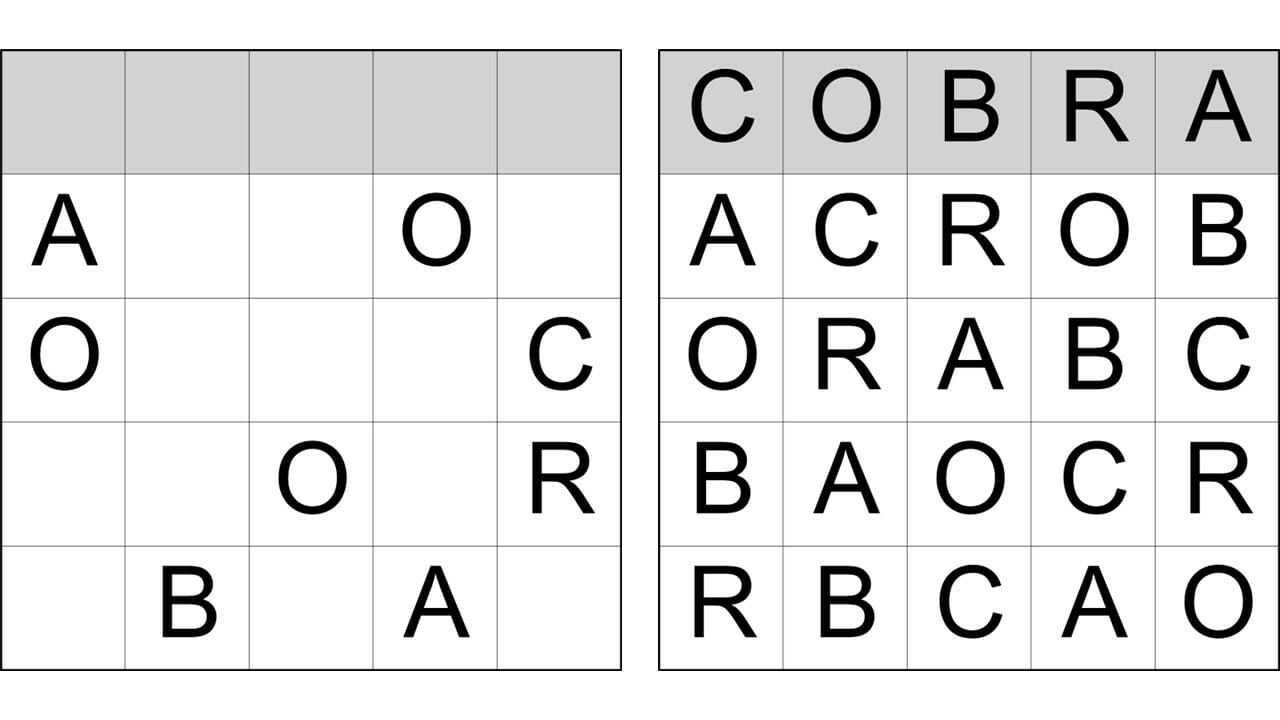
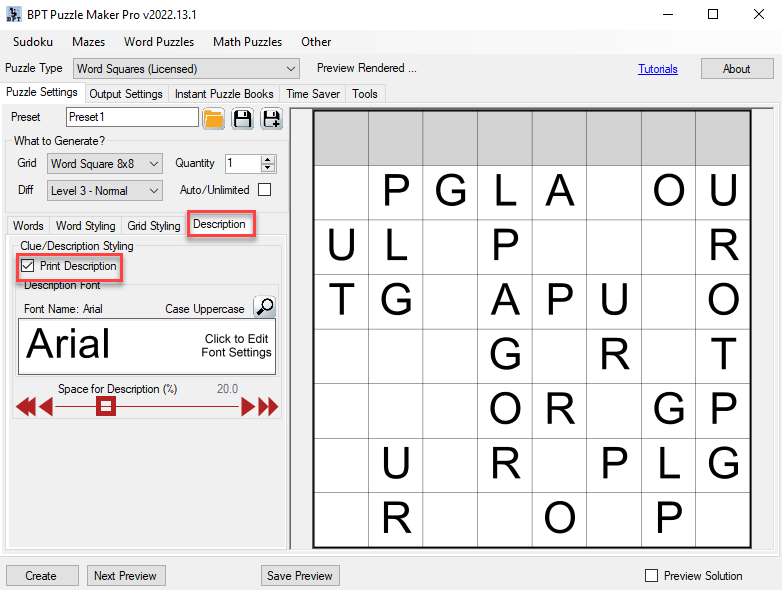
| Rule | Each letter once per row and once per column. One unique-letter word sits on a highlighted row or column. Every letter of that word is already somewhere on the board as a given |
| Grid sizes | 3×3, 4×4, 5×5, 6×6, 7×7, 8×8, 9×9 (default 5×5) |
| Difficulty | Size-dependent levels. 3×3 shows Very Easy only. Larger sizes add higher levels. 9×9 can go to Extreme |
| Word list | Typed lines or a .txt file. Length must match the grid. No repeated letters |
| Word location | Horizontal, Vertical, or Random, plus Row/Col 1 to 9 |
| Quantity | 1 to 5000 maximum. Auto/Unlimited uses every valid word. One puzzle per valid word |
| Output per run | One puzzle image and one matching solution image per puzzle |
| Output formats | JPG, PNG, transparent PNG |
| Solution images | Filled grid, for the solutions section in the back of the book or the teacher page |
| Puzzle books | Instant Puzzle Books on both editions; Puzzle Book Studio on Word Squares (this one collection) and on Productivity (several collections); title page, table of contents, solution cross-references; interactive PDF books from Instant Puzzle Books or Puzzle Book Studio |
| Time Saver | On Productivity. Several Word Squares rows in one batch, then several collections in one book |
| Upgrades | You can move up to Word Squares Productivity after you buy |
| Commercial license | Sell the finished books, worksheets, and packs you make to your own readers and customers. Productivity adds selling or supplying the puzzles you generate to other publishers and sellers |
| Free demo | Yes |
| Delivery | Immediate, in your member area |
Questions Before You Buy
Is there a free demo?
Yes. Puzzle Maker Pro has a free demo. Demo output is watermarked. Paid files are watermark-free.
Can I upgrade later?
Yes. You can move up to Word Squares Productivity after you buy. Start with Word Squares if that fits the book or pack you are making today. Productivity is Time Saver: several sizes or lists in one batch, then several collections in one book.
How does this word squares puzzle work?
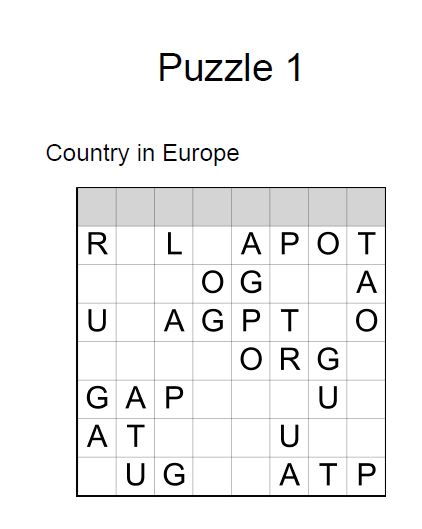
You paste a unique-letter list. One puzzle per valid word, up to your quantity. Turn on Auto/Unlimited to use every valid word. Every letter of that word is already somewhere on the board as a given. Solvers fill the empty cells, then they read the word on the highlighted row or column. Each letter appears once in every row and once in every column.
Where are the tutorials?
The Word Squares tutorials show the clicks, including getting started.
Can I use my own word list?
Yes. Type the lines or load a .txt. The word must match the grid size and it must have no repeated letters. One valid word becomes one puzzle.
Can I set how hard the page feels?
Yes. A 3×3 is Very Easy only. 4×4 can go to Easy. 5×5 to Normal. 6×6 and 7×7 to Hard. 8×8 and 9×9 to Extreme.
What files do I get?
A puzzle image and a matching solution image per puzzle, as JPG, PNG, or transparent PNG. Quantity is a maximum (1 to 5000), one puzzle per valid word. Auto/Unlimited uses every valid word. Instant Puzzle Books stacks those pairs into a word squares book interior. Puzzle Book Studio opens that one collection when a page needs an edit.
What does Productivity add?
Time Saver: several Word Squares rows run in one batch, each with its own size, list, and quantity, then several collections in one book. You may also sell or supply the puzzles you generate to other publishers and sellers.
Can I sell the finished books and worksheets I create?
Yes. Word Squares lets you sell the finished books, worksheets, and printables you make to your own readers and customers. Word Squares Productivity includes that, plus you may sell or supply the puzzles you generate to other publishers and sellers.
Do I need the internet to create?
No. You create on your Windows PC.
Is this Word Search?
Word Squares puts your word on a highlighted row. Word Search hides words in a letter grid. They are separate products.
Try the free demo. Then pick Word Squares or Word Squares Productivity at the top of this page.
HEART on a tinted 5×5 row. They fill the rest. The matching key is the filled grid. Instant Puzzle Books. Try the free demo, then pick Word Squares or Word Squares Productivity at the top of this page.


