2025 update

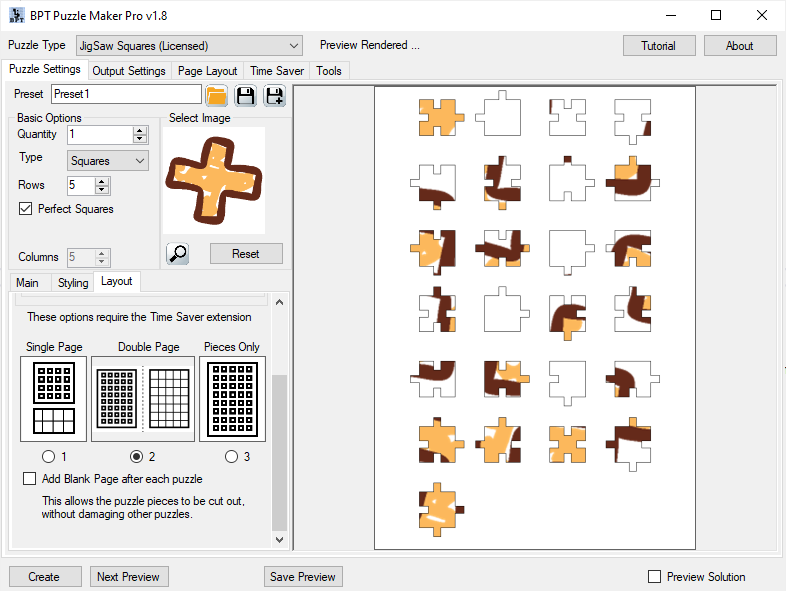
How Can I Change the Page Layout for Puzzle Maker Pro – Jigsaw?

This brief tutorial will explain the different layout options Puzzle Maker Pro – JigSaw. Please be aware that the layout for this module is set up differently than for most other modules in Puzzle Maker Pro. That is because the optimized positioning of the puzzle pieces is dependent on the page size. Use Default Page

How Can I Change the Page Layout for Puzzle Maker Pro – Jigsaw? Read More »
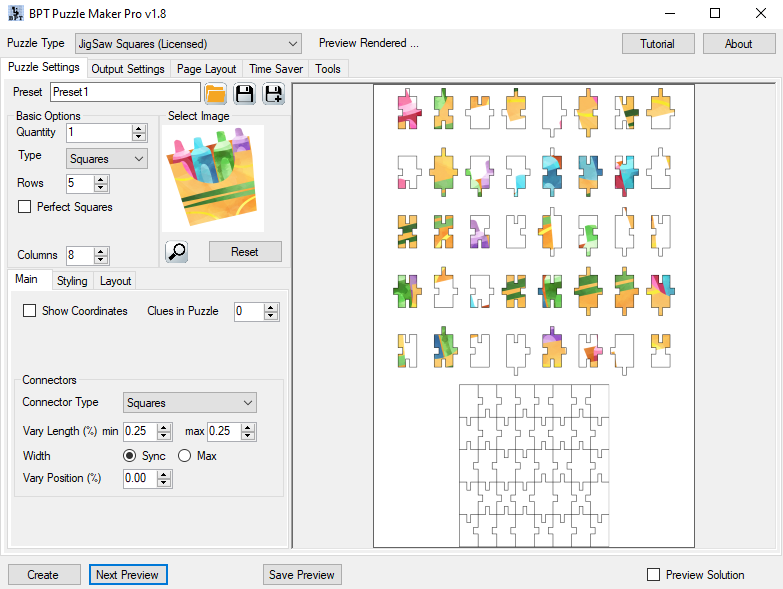
How Can I Change the Number of Puzzle Pieces in Puzzle Maker Pro – Jigsaw?

When you start Puzzle Maker Pro – JigSaw, and create your first preview, it will use the default settings “Perfect Squares” (or another shape type) and 5 Rows. Perfect Squares / Triangles Depending on your taste or your customer’s preferences, you may want to create puzzles with squares (where each side has the same length)

How Can I Change the Number of Puzzle Pieces in Puzzle Maker Pro – Jigsaw? Read More »
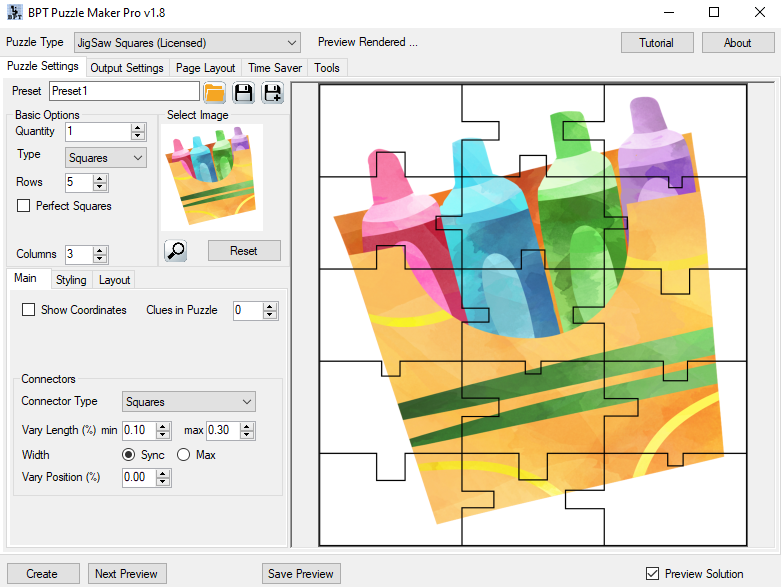
How Can I Change the Connectors for Puzzle Maker Pro – Jigsaw puzzles?

In this tutorial we’ll show you how to change the connectors in Puzzle Maker Pro – Jigsaw. The techniques in this tutorial apply for every version of Jigsaw. We use the word “Connectors” for the little pieces / hooks that connect the jigsaw puzzle pieces. In Puzzle Maker Pro, you can choose between several Connector

How Can I Change the Connectors for Puzzle Maker Pro – Jigsaw puzzles? Read More »

Shopping Cart