

The Cat and the Bird Share One Sheet. Two Trails. Two Number Sequences.
A one-object connect-the-dots page is a warm-up. A classroom sheet that asks for more puts two pictures on the same paper: the cat is 1 through 24, the bird is 1 through 18, and the tree behind them is drawn, not numbered.
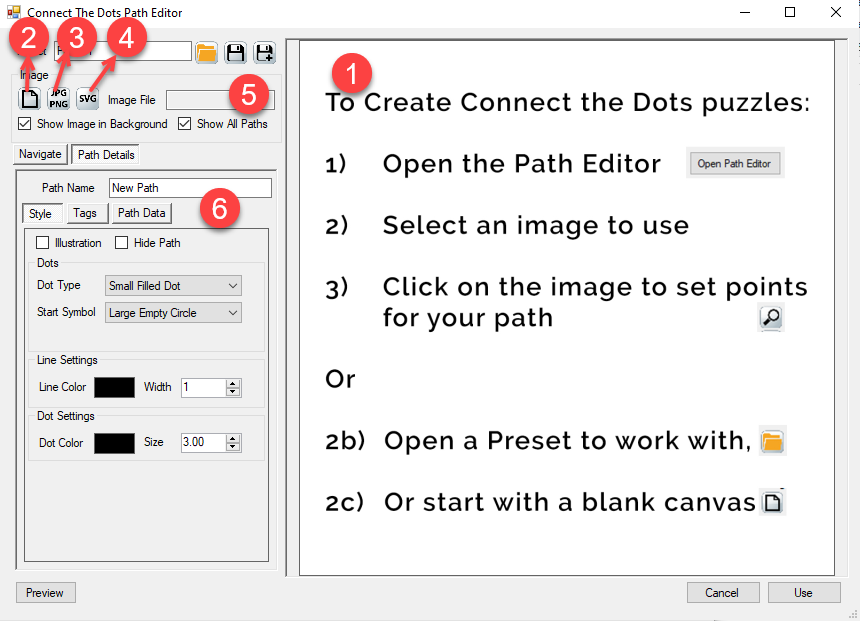
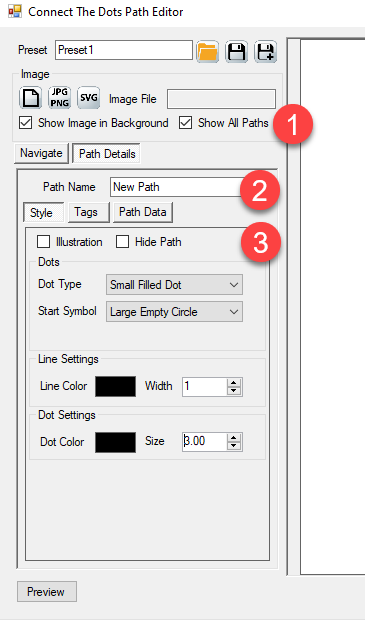
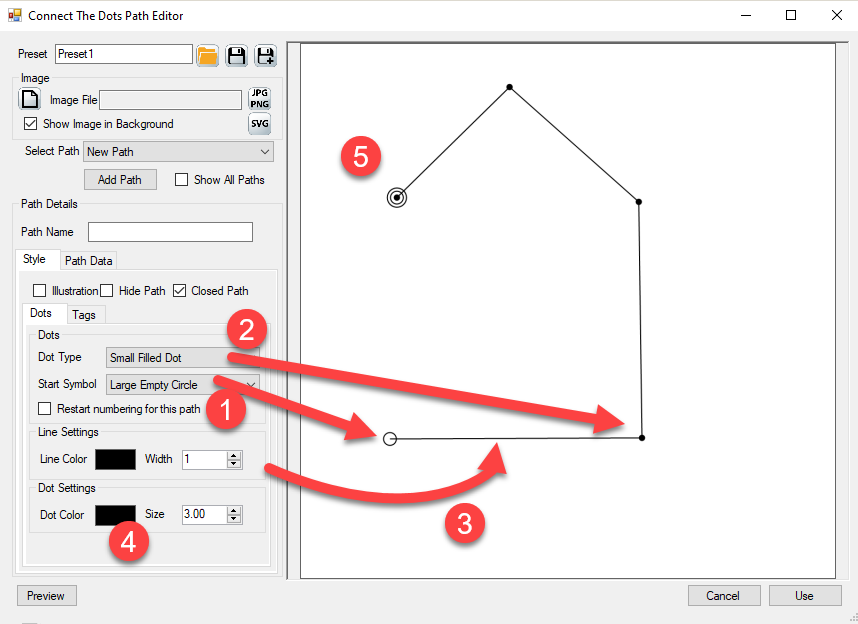
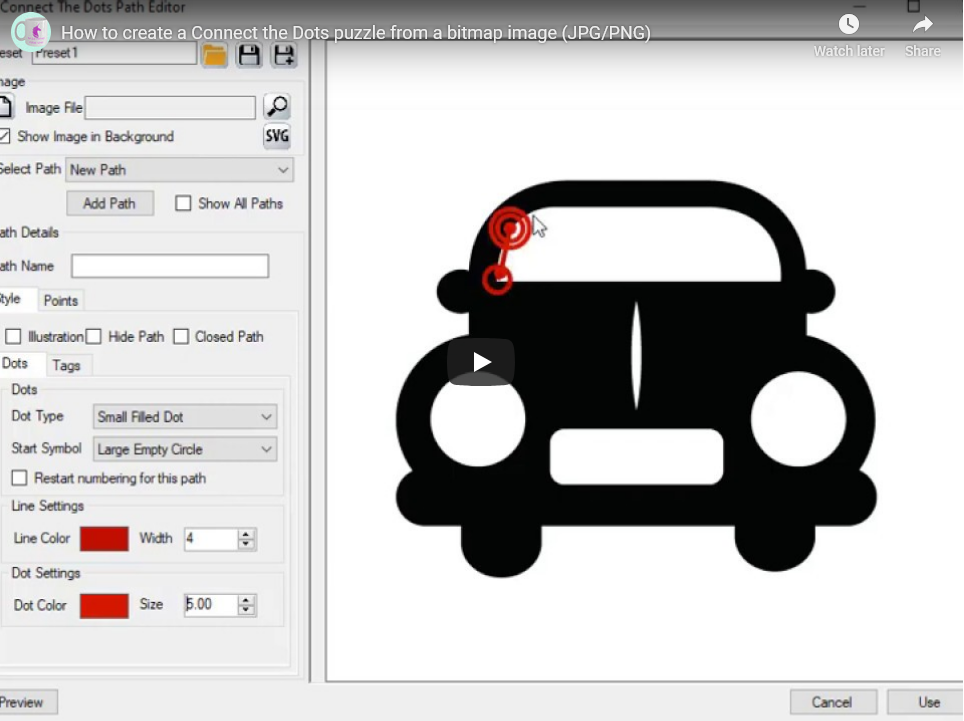
That page is this product. You upload a JPG or PNG as a trace. You click as many trails as the scene needs. You nest trails in a group and push one style down through Cascade. You mark a path Illustration when it should sit on the page as a finished line, with no tags, so the numbered solve has something to sit against.
The photo you traced does not print. The printed puzzle is the dots, the tags, and any Illustration strokes you set. The lined solution follows every numbered trail.
Try the free demo and put two trails on one picture.

Why Several Trails Earn a Different Listing
A shopper who already owns a one-object book will skip the next one-object book. They stop when Look Inside is a scene: two animals, a row of holiday icons, a border that is drawn and a figure that is numbered.
Here the picture is still yours. Every puzzle starts from a JPG or PNG you supply. What this listing adds is the right-click menu: add a path, add a group, move, delete, and style each trail on its own.
Keeping three number sequences honest on one sheet, then drawing three lined answers by hand so the key still matches, is the job that used to kill the afternoon. This Creator writes the dotted page and the lined solution together, for every numbered trail you clicked.
I have tried to fake a scene by running three one-path pages and hoping a child tapes them into one worksheet. That is not a scene. This is one sheet.
What You Can Create
From several trails you can list:
- A scene page: two or three objects on one sheet, each with its own number sequence
- A holiday spread: four small icons in one group, one Cascade style on all four
- A page where the border or the tree is Illustration (drawn, not numbered) and the animal is the solve
- A letter-tag scene for an early-reader aisle, or a phrase trail beside a number trail
- A classroom pair: a two-trail sheet for the middle of the room, a four-trail sheet for early finishers, both from the same photo
- Worksheet packs and printables for Etsy, Teachers Pay Teachers, or a store you run
- A book of those pages through Instant Puzzle Books and Puzzle Book Studio, keys in the back
The dotted page and the lined solution come out of the same design.
See the Output
The scene is the listing. The lined page is the key.


Why Create It with Puzzle Maker Pro?
A one-path page cannot carry a scene. A drawing program can, and then you still owe the lined key.
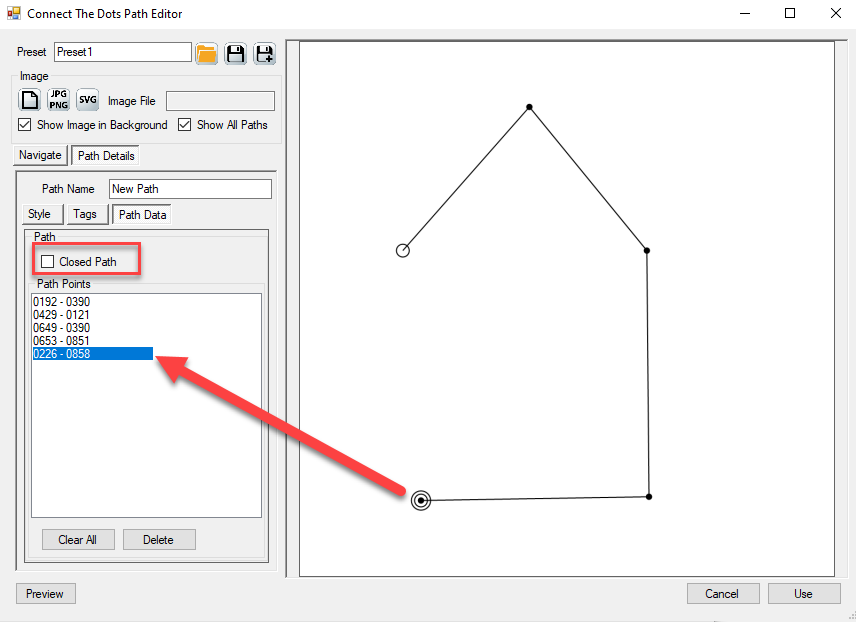
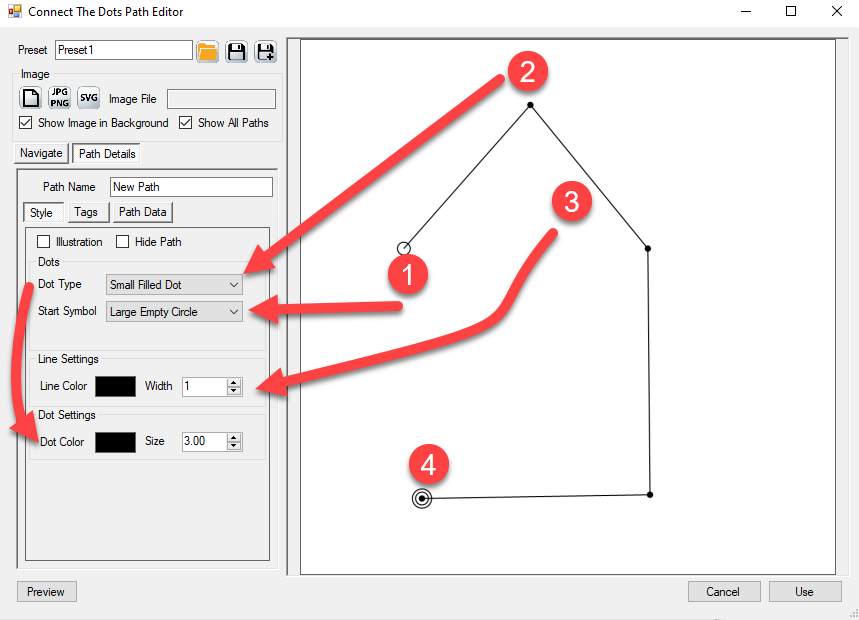
This Creator lets you add paths and nested groups from the editor. Cascade pushes a group’s style down to everything inside it. Illustration draws completed lines without tags, so a decorative path can sit beside a numbered solve.
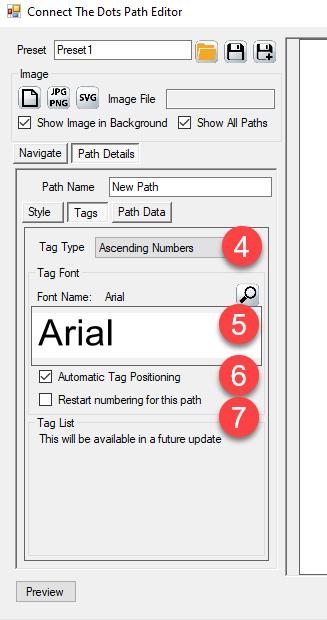
Tags are the same seven types on every trail: ascending numbers, single or double letters, letter-plus-number, a words list, a numbers formula, or a phrase. Restart numbering per path so the bird can start at 1 again. Font and tag placement are yours.
Key Creation Workflows
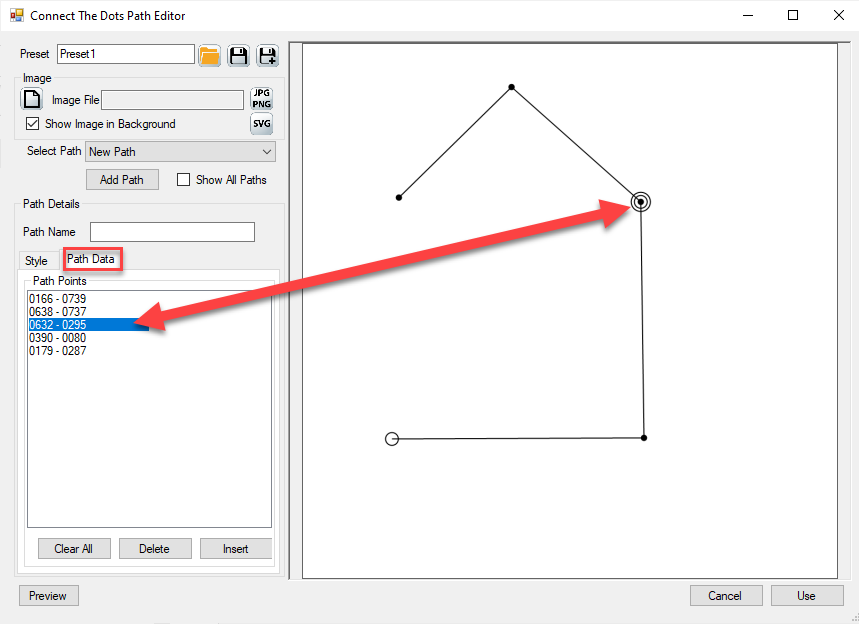
Build a scene, not a single outline Upload the photo. Click the first trail. Right-click to add the next. Two objects, two sequences, one sheet. That is the listing a one-path book cannot show.
Group the holiday icons and Cascade one style Put related trails in a group. Cascade pushes dot symbol, line color, and tag look down to every child. One action, a consistent spread.
Draw the tree. Number the bird. Illustration mode draws the completed line with no tags. Use it for a border, a background shape, or the part of the scene that is decoration. The numbered trail stays the solve. The lined key follows the numbered trails.
Restart the count on each object A cat that ends at 24 and a bird that starts at 1 is a fair classroom page. Restart numbering on that path. Or keep one long count across the sheet when the listing promises one sequence.
Compile the scene pages into a book Instant Puzzle Books builds the interior from the page settings you already have. Puzzle Book Studio edits this collection: title page, contents, fonts, trim, and the same interactive PDF book.
From One Puzzle to a Full Book
One scene is a listing image. A connect-the-dots book needs a stack of them, lined keys in the back, and a footer that names the solution page.
Instant Puzzle Books builds a ready-to-print book from your current settings: title page, table of contents, puzzle pages, the lined answer section, and a cross-reference footer on every puzzle and every solution (“Solution 12 on page 87” on the puzzle, “Puzzle 12 on page 5” on the key). Export that book as an interactive PDF book from Instant Puzzle Books and the contents and those footers become clickable links. The scene page opens its lined key.
Puzzle Book Studio edits this collection with the same title page, contents, and cross-reference footers, and writes the same interactive PDF book. Full book design on this one collection.
You can add other Puzzle Maker Pro products later. The one-path Connect the Dots listing is a separate purchase. Connect the Dots SVG Edition imports a vector file and places the dots. “SVG” in that name means import. The finished puzzle always leaves as a JPG or PNG.
Output Formats and Publishing Options
This Creator writes JPG, PNG, and transparent PNG for the puzzle page and the lined solution. Instant Puzzle Books and Puzzle Book Studio compile those pairs into a print-ready book, including an interactive PDF book from either builder.
What Ships With Connect the Dots Manual Edition
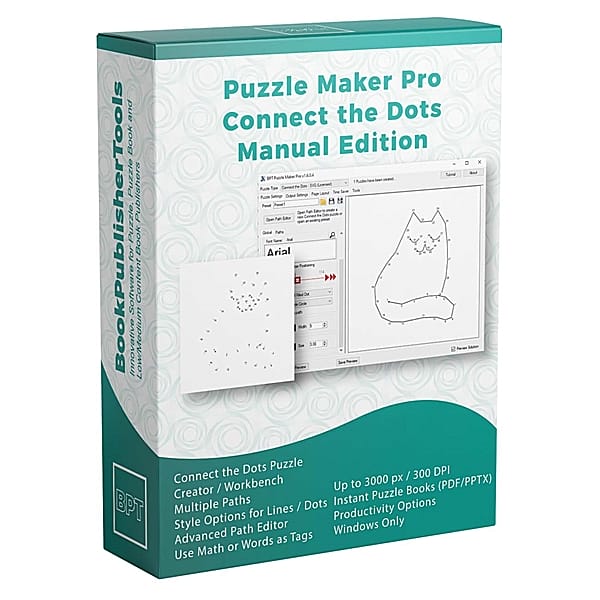
This page is one product: Connect the Dots Manual Edition. Unlimited paths and groups on one sheet. Instant Puzzle Books and Puzzle Book Studio for the interior.
If today’s book is one object per page, the one-path Connect the Dots listing is the other shop page. If you already have vector line-art and want the dots placed from the file, open Connect the Dots SVG Edition.
You can add those products later. Pick this page if several trails on one sheet is the book you are making today.
Who This Is For
Publishers listing a scene book. Look Inside is two objects on one page, not one clip-art animal. Watermark-free files you can sell on KDP, Etsy, or Teachers Pay Teachers.
Teachers and Teachers Pay Teachers sellers. A two-trail sheet for the group still working. A four-icon sheet for the ones already done. Same photo. The lined solution is the teacher key.
Publishers already using Puzzle Maker Pro. Drop the scene pages into Instant Puzzle Books, then edit the collection in Puzzle Book Studio.
If you have been running three one-path pages and hoping they read as one worksheet, this is what changes: one sheet, several trails, one lined key.
Try It Before You Buy
Put two trails on your own picture before you spend anything. The free demo covers every current Puzzle Maker Pro module and shows you the scene page and the lined key. Demo output is watermarked. Paid files are watermark-free.
Licensing and Commercial Use
Connect the Dots Manual Edition lets you sell the finished books, worksheets, and packs you make to your own readers and customers, on KDP, Etsy, Teachers Pay Teachers, or your own store. One-time commercial-use license. Watermark-free.
Product Details
| Product | Puzzle Maker Pro – Connect the Dots Manual Edition |
| Editions | Connect the Dots Manual Edition |
| Platform | Windows desktop |
| Internet required | No |
| The puzzle | Upload a JPG or PNG trace; click as many ordered trails as the scene needs; solver connects each trail in sequence |
| Tag types | Ascending numbers, alphabet (single or double), letter-plus-number, words list, numbers formula, phrase |
| Paths per puzzle | Unlimited, with nested groups, Cascade, and Illustration |
| Output formats | JPG, PNG, transparent PNG |
| Solution pages | Yes, a lined solution image with every design |
| Puzzle books | Instant Puzzle Books and Puzzle Book Studio (one collection); title page, table of contents, and solution cross-references; interactive PDF books from either builder |
| Upgrades | You can add other Puzzle Maker Pro products later |
| Commercial license | Sell finished books, worksheets, and packs to your own readers and customers |
| Free demo | Yes |
| Delivery | Immediate, in your member area |
Questions Before You Buy
Is there a free demo?
Yes. One download covers every current Puzzle Maker Pro module. Open Connect the Dots Manual Edition, upload a picture, and add a second trail. Demo output is watermarked. Paid files are watermark-free.
Can I upgrade later?
Yes. You can add other Puzzle Maker Pro products after you buy. Start here if several trails on one sheet is the book you are making today.
What does Manual add that the one-path listing does not?
Unlimited paths and nested groups, Cascade, Illustration trails, and the Navigate tree. Instant Puzzle Books stays. Puzzle Book Studio edits this collection.
Do I supply the picture?
Yes. Upload your own JPG or PNG as a trace guide. The trace does not print on the finished puzzle.
What is Illustration?
A path that draws the completed line with no tags. Use it for a border or a background shape beside a numbered trail.
Can I import a vector file?
Connect the Dots SVG Edition imports the file and places the dots. “SVG” in that name means import. Every Connect the Dots page still leaves as a JPG or PNG.
What files do I get?
A puzzle image and a lined solution image as JPG, PNG, or transparent PNG. Instant Puzzle Books and Puzzle Book Studio compile those pairs into a print-ready book, including an interactive PDF book with clickable contents and puzzle-to-solution links.
Can I sell the finished books and worksheets I create?
Yes. Connect the Dots Manual Edition lets you sell the finished books, worksheets, and printables you make to your own readers and customers.
Do I need the internet to create?
No. You design and export on your own Windows PC.
Six Months On, Look Inside Is a Scene, Not One Clip-Art Animal
A one-object book competes on cover art. A two-trail sheet competes on a page a shopper can point at: the cat, the bird, and a lined key that follows both.
Try the free demo. Then buy Connect the Dots Manual Edition at the top of this page.
The cat and the bird share one sheet. Several trails, Cascade groups, and Illustration lines beside a numbered solve, plus a lined key. Try the free demo, then buy Connect the Dots Manual Edition at the top of this page.