
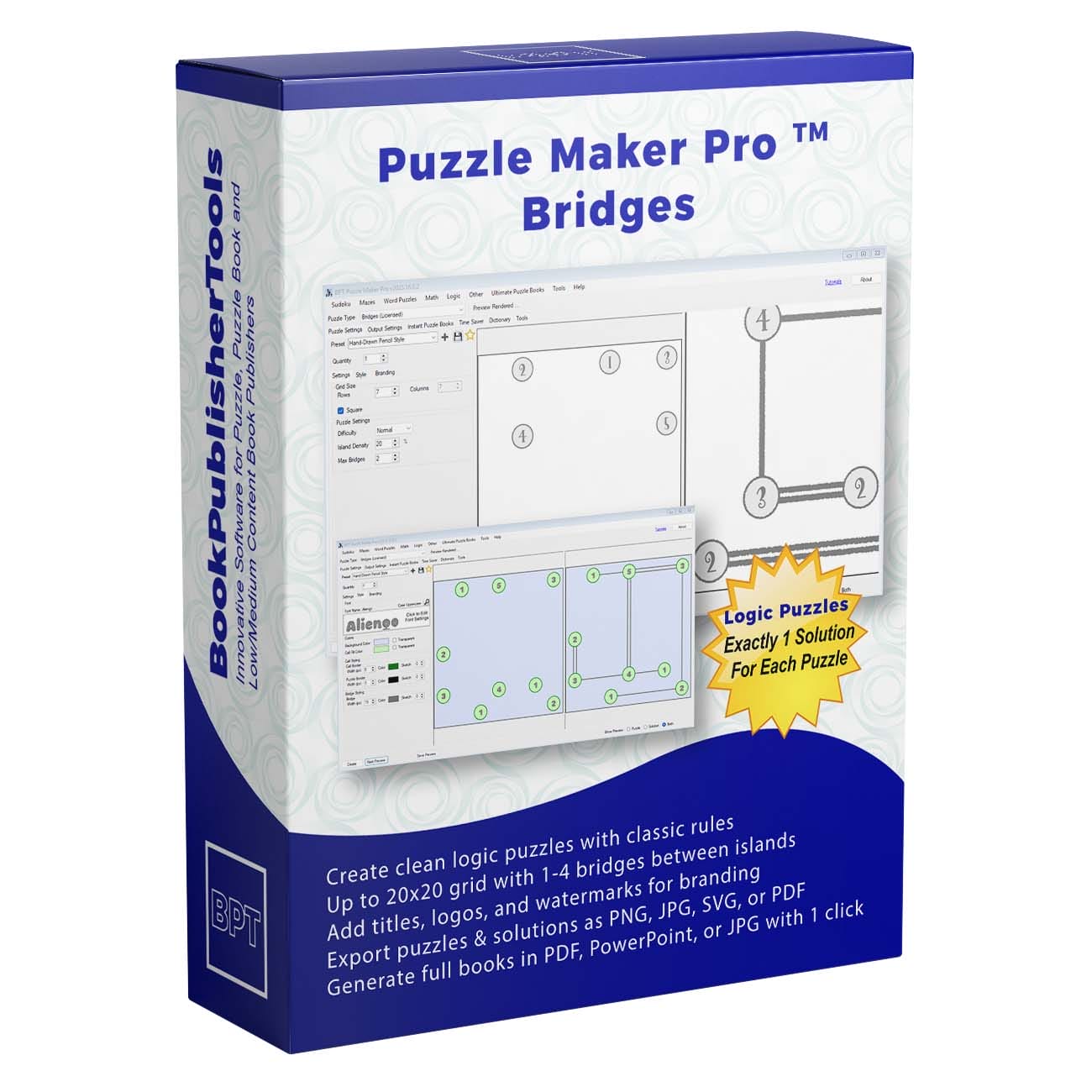







Numbered Islands on Water. Everyone Else Is Selling Another Grid.
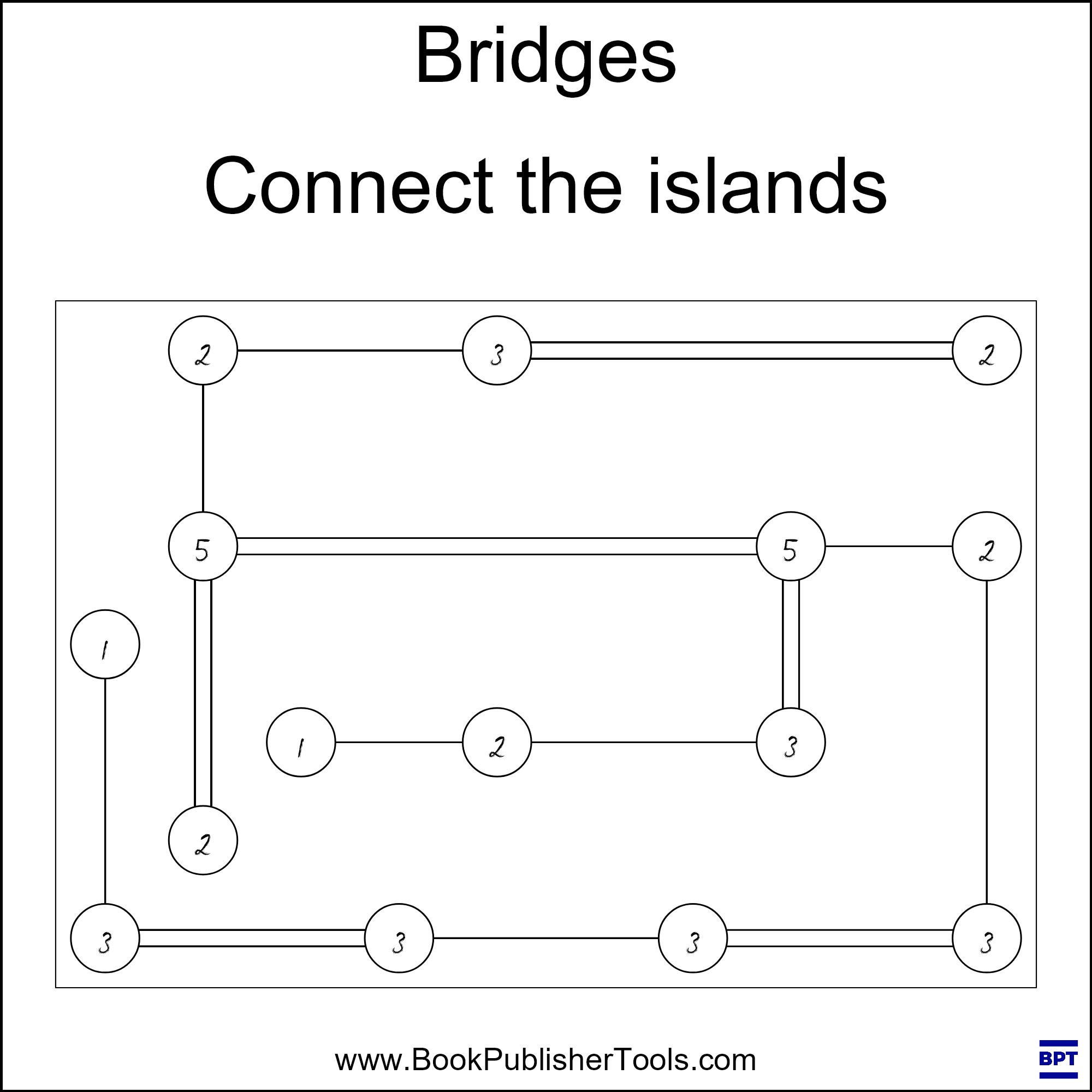
Look Inside is water. Not a grid. Islands with a number on each one. There is not a filled cell in sight, because the puzzle is not the fill. The puzzle is the lines they draw from island to island until every number is spent, no two bridges cross, and the whole map is one connected network.
That page is Hashiwokakero, the newspaper Bridges puzzle readers already know how to start. Hashi on the cover is the same page. Every board has one solution, and the matching key prints the bridge lines you never have to draw by hand.
Try the free demo and run a 7×7 Hashi page first.

Why Bridges Earns a Place in Your Catalog
Logic books are a wall of the same grid. Sudoku, another sudoku, a third sudoku in a new cover. A shopper who already owns three of those will not click the fourth unless the interior looks like a different afternoon.
Bridges is that different afternoon. The rule set fits in a breath: the number on each island is how many bridge ends must touch it, lines run across or down, they never cross, at most the Max Bridges you set join any pair, and you can travel from any island to any other island when the page is done. A 5×5 teaches that rule. A 15×15 is the large map.
I built this because I wanted the Hashi page in my own books and I was tired of drawing the key after I had already drawn the islands. I open Bridges when I want water instead of another empty box.
What You Can Create
A 5×5 class pack, a graded 7×7, and a 15×15 Hard all come off the same Hashi engine:
- Standalone Bridges books for KDP and other print-on-demand platforms, with the unsolved islands in the front and the bridged keys in the back
- Graded collections that open on 5×5 Easy and close on 15×15 Hard
- Rectangular interiors when a square grid fights your trim
- Printable Hashi packs for Etsy, Teachers Pay Teachers, or a store you run
- Classroom sheets where a 7×7 is the everyday page and the teacher keeps the bridged page
- Mixed logic books that sit Bridges beside your other Puzzle Maker Pro types
- A Hand-drawn or isometric series from the same engine, so the next title is a look, not a rewrite
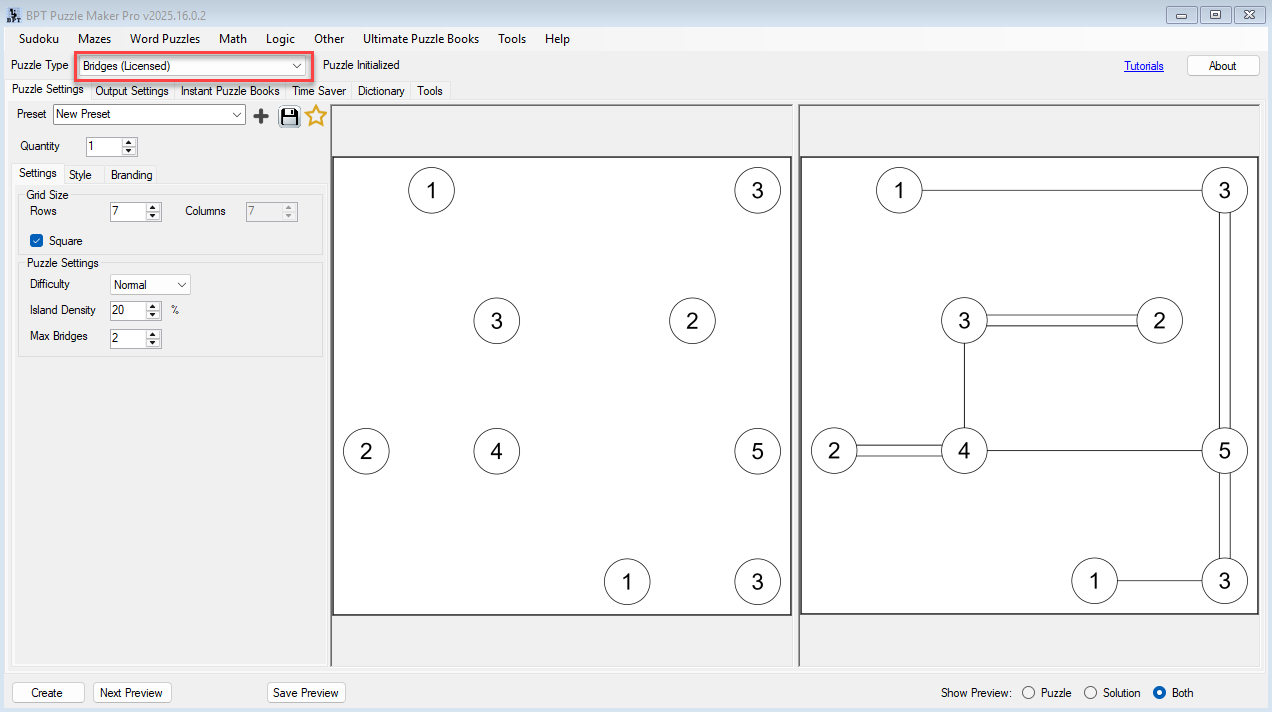
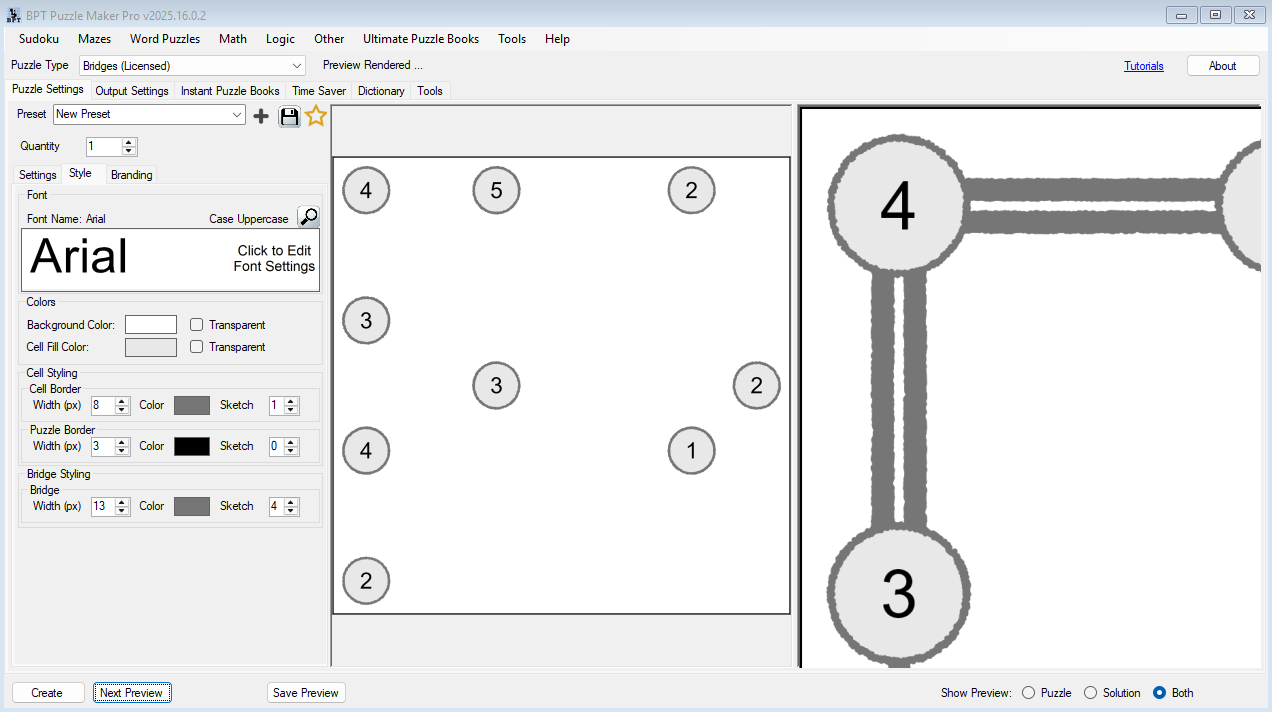
Create writes two images: numbered islands on empty water, and the same map with the bridge lines drawn.
Why Create It with Puzzle Maker Pro?
The work that used to take a day is inking the key after you already drew the islands.
Every board has one solution. The puzzle image shows islands and numbers. The solution image adds the strokes, doubles as parallel lines, so the key you print is the key the engine already proved. Set Quantity from 1 to 1000 and you get that many puzzle files, each with its matching solution image, from the size, difficulty, and look you chose.
Key Creation Workflows
Set the length of the sit, not just the size of the grid A 5×5 Easy is the short sheet, the after-test page, the first chapter. The default 7×7 is the everyday page. A 15×5 rectangle or a 15×15 Hard is the long page at the back of the book. Keep the page square, or run a rectangle when the trim is wide. Easy, Normal, and Hard are a separate choice from the size, so a small Hard and a large Easy are two different products, not one slider.
Change Max Bridges and change the tangle Leave Max Bridges at 2 and you match the magazine page most readers already know. Push it to 3 or 4 when two islands can take more than a double, and the same grid size grows a thicker network. Drop it to 1 when you want a sparse, careful page. The number on the island is still the count. The pair rule is the one you set.
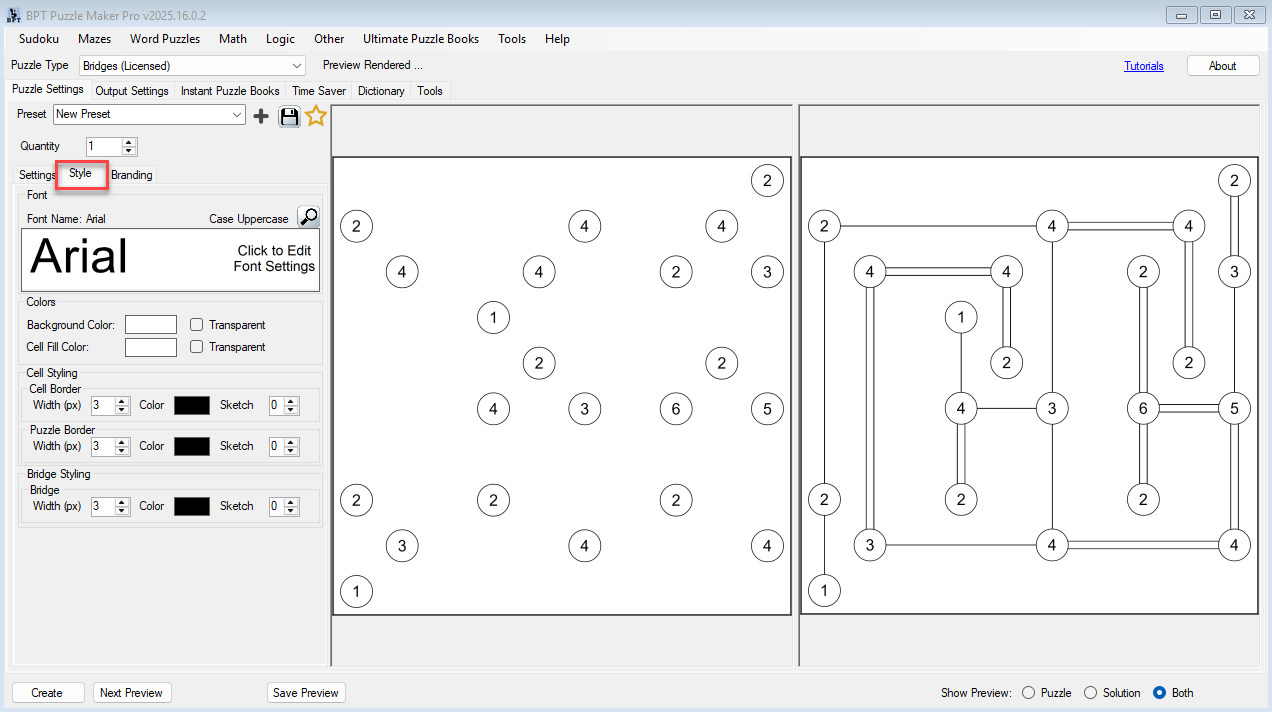
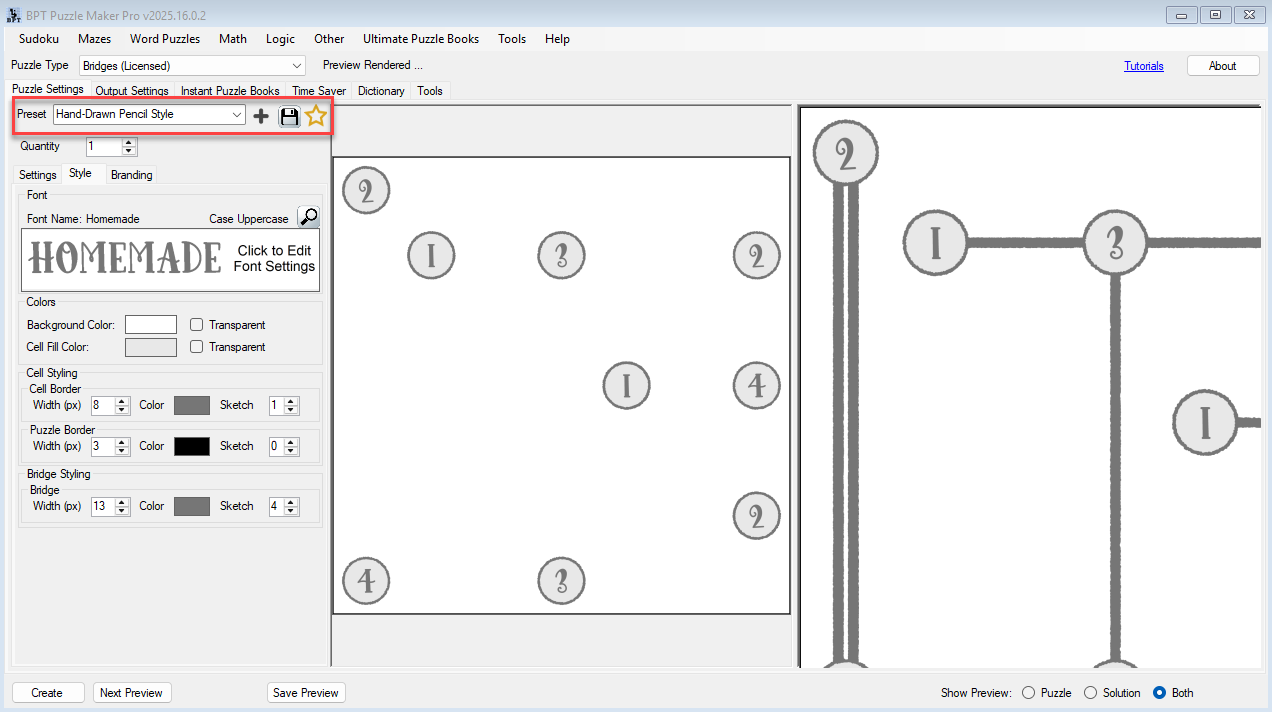
Put a picture under the count, or leave the water flat Load island tiles and sea tiles when you want a picture under the count. The number stays on the island. Set island fill, island border, bridge line, and canvas so the page matches the series. Turn on Sketch, or start from the Hand-drawn look, when the page should look drawn. Leave Squares on for a flat logic book. Switch to Isometric and the same numbers sit on a tilted map.
Title the page from the puzzle, not from a typed list Titles can say Bridges, fill in the grid size, or use your own line. Save the island look as a preset and the next Hashi book opens on that look.


From One Puzzle to a Full Book
A single 7×7 is a cover thumbnail. A Hashi book needs short islands up front, a 15×15 at the back, and a bridged key for every page.
Instant Puzzle Books stacks the unsolved islands, then the bridged keys, at the trim you already keep: title page, table of contents, and a footer that names the solution page. Export as an interactive PDF book from Instant Puzzle Books or Puzzle Book Studio and the island page opens its bridged key.
Puzzle Book Studio edits the collection. On Bridges it is this one collection, full book design. On Bridges Productivity it combines several collections into one title, so a 5×5 chapter and a 15×15 chapter live in the same book.
Time Saver, on Bridges Productivity, queues a row per size, difficulty, and look, then drops those collections into one Hashi book.
Output Formats and Publishing Options
The same islands have to drop into a KDP interior, a worksheet PDF, or a vector file without being redrawn. Bridges writes JPG, PNG, transparent PNG, and SVG for both the puzzle face and the solution face.
Bridges is the full generator: every size from 5 to 15, Easy / Normal / Hard, Max Bridges 1 to 4, island and sea tiles, Sketch and Hand-drawn, Squares or Isometric, Instant Puzzle Books, and Puzzle Book Studio for this one collection.
Bridges Productivity adds Time Saver batch runs, Puzzle Book Studio for several collections in one book, and JSON of the islands and bridges. Time Saver is the batch of Bridges rows. JSON is the island-and-bridge file another tool can read.
Which Edition Should You Choose?
Start with the book you are making this month, not the edition that lists the most rows.
Bridges if this month is Hashi pages, class sheets, and one Bridges collection. You get the whole module, the look, all four export formats, Instant Puzzle Books, and Puzzle Book Studio for this one collection.
Bridges Productivity when the next title mixes more than one Bridges setup. Everything in Bridges, plus Time Saver, Puzzle Book Studio for several collections, and JSON.
| Bridges | Bridges Productivity | |
|---|---|---|
| Numbered-island Bridges at every size and difficulty | Yes | Yes |
| JPG, PNG, transparent PNG, SVG, puzzle and key | Yes | Yes |
| Instant Puzzle Books, with title page, contents, and solution cross-references | Yes | Yes |
| Interactive PDF books from Instant Puzzle Books or Puzzle Book Studio | Yes | Yes |
| Full look: tiles, colors, Sketch, Isometric | Yes | Yes |
| Puzzle Book Studio | This one collection | Several collections in one book |
| Time Saver batch runs | Yes | |
| JSON of the islands and bridges | Yes | |
| Licence to sell finished books, worksheets, and packs to your own readers | Yes | Yes |
| Licence to sell or supply generated puzzles to other publishers | Yes |
Buy the edition that matches this month’s Hashi book. You can move up to Bridges Productivity after you buy.
Try the free demo, then pick Bridges or Bridges Productivity at the top of this page.
Who This Is For
Self-publishers listing a Hashi title. Look Inside is numbered islands on water, and every board is one solution with the bridged key generated in the same pass.
People already running Puzzle Maker Pro. Bridges uses the trim and book settings you already keep. Save an island look as a preset, and Puzzle Book Studio drops the pages into mixed logic collections.
Classroom Hashi. A 5×5 teaches the rule. A 7×7 is the sheet they finish inside a lesson. Keep the bridged page as the one teacher key.
Drawing the key by hand after you already drew the islands is why Hashi books stay rare. The product is islands and numbers out, matching bridge lines with them.
Try It Before You Buy
Generate a Bridges page in the free demo before you buy. The free Puzzle Maker Pro demo includes Bridges among every current puzzle module. The islands that come out are real Hashi, with a watermark on the demo file. Paid exports drop the watermark.
Licensing and Commercial Use
Bridges is a one-time commercial-use licence. Sell the Hashi book and the class sheets to your own readers on KDP, Etsy, Teachers Pay Teachers, or a store you run. Files ship without a watermark.
Bridges Productivity includes that, plus you may sell or supply the generated puzzles to other publishers and sellers.
Both editions sell the Hashi book. Productivity adds the batch and the island-and-bridge JSON. If you load your own island or sea tiles, they need to be yours, or licensed for the store you sell on.
Product Details
| Product | Puzzle Maker Pro – Bridges |
| Editions | Bridges; Bridges Productivity |
| Platform | Windows desktop |
| Internet required | No |
| Puzzle rule | Connect numbered islands with horizontal or vertical bridges. The number on each island is how many bridges must touch that island. Lines never cross. At most Max Bridges join one pair. You can travel from any island to any other island along the bridges. One solution per board |
| Also called | Hashi, Hashiwokakero. Same puzzle. Same files |
| Grid size | Rows and columns 5 to 15 (default 7×7). Square or rectangle |
| Grid style | Squares or Isometric |
| Difficulty | Easy, Normal, Hard |
| Max Bridges | 1 to 4 (default 2) |
| Presentation | Island and sea tiles (number stays on the island). Island fill, island border, bridge line, canvas, fonts. Sketch / Hand-drawn. Titles with grid size or your own line |
| Quantity | 1 to 1000 puzzle files, each with a puzzle image and a matching solution image, from this size, difficulty, and look |
| Output formats | JPG, PNG, transparent PNG, SVG |
| Solution pages | Yes, a solution image generated with every puzzle |
| Puzzle books | Instant Puzzle Books on both editions; Puzzle Book Studio on Bridges (this one collection) and on Productivity (several collections); title page, table of contents, solution cross-references; interactive PDF books from Instant Puzzle Books or Puzzle Book Studio |
| Time Saver | On Productivity. Several Bridges rows in one batch, then several collections in one book |
| JSON | On Productivity |
| Upgrades | You can move up to Bridges Productivity after you buy |
| Commercial license | Sell the finished books, worksheets, and packs you make to your own readers and customers. Productivity adds selling or supplying the puzzles you generate to other publishers and sellers |
| Free demo | Yes |
| Delivery | Immediate, in your member area |
Questions Before You Buy
Is there a free demo?
Yes. The free Puzzle Maker Pro demo includes Bridges among every current puzzle module and generates real Hashi, so you can run a page before deciding. Demo files carry a watermark. Paid files do not.
Can I upgrade later?
Yes. You can move up to Bridges Productivity after you buy. Start with Bridges when this month is Hashi pages and one collection. That edition already includes Instant Puzzle Books and Puzzle Book Studio for this one collection. Productivity is Time Saver: several Bridges rows in one batch, then several collections in one book, plus JSON.
How do I make a Bridges puzzle?
Set Rows and Columns (5 to 15), pick Easy, Normal, or Hard, set Max Bridges (1 to 4), and Create. The puzzle image shows islands and numbers. The solver draws the bridges so each island’s number equals how many bridge ends meet it, lines never cross, and you can travel from any island to any other island. The solution image prints the bridge lines.
Is Hashiwokakero the same as Bridges?
Yes. Call it Bridges, Hashi, or Hashiwokakero on the cover. Same puzzle. Same files. Titles can say Bridges.
Can I change how the islands look?
Yes. Load island tiles and sea tiles. The number stays on the island. Set island and bridge colors, or turn on Sketch for a pencil stroke. Squares or Isometric.
What does Productivity add?
Time Saver: several Bridges rows, each with its own size, difficulty, and quantity, run in one batch, then several collections in one book. That edition also writes JSON of the islands and bridges. You may also sell or supply the puzzles you generate to other publishers and sellers.
What files do I get?
A puzzle image and a matching solution image per puzzle, as JPG, PNG, transparent PNG, or SVG. Instant Puzzle Books stacks those pairs into a Bridges book interior, with a title page, contents, and clickable puzzle-to-solution links when you export an interactive PDF book from Instant Puzzle Books or Puzzle Book Studio.
Where do I learn the controls?
The Bridges tutorials, including how to create your first Bridges puzzle and how to play Bridges.
Can I sell the finished books and worksheets I create?
Yes. Bridges lets you sell the Hashi books and class sheets you make to your own readers. Bridges Productivity includes that, plus you may sell or supply the puzzles you generate to other publishers and sellers.
Do I need the internet to create?
No. Bridges runs on your Windows PC with no internet.
Put Water on the Logic Shelf
Another empty 9×9 fights on cover art. A Bridges title fights on water and islands.
Open the demo and run a 7×7. Those islands are the islands that go in the listing. Then list a 5×5 class pack, a graded 7×7, and a 15×15 Hard, with bridged keys you never inked by hand.
Then choose Bridges or Bridges Productivity at the top of this page.

Numbered islands on water. Each number is how many bridges must touch that island. Bridges generates the map and the matching bridged key, so Look Inside is Hashi, not another empty grid. Pick Bridges or Bridges Productivity below, or make one first with the free demo.


