Puzzle Book Design

How to Customize the Look of Shikaku Puzzles

How to Customize the Look of Shikaku Puzzles Summary:Shikaku puzzle styling allows you to customize fonts, titles, borders, colors, and page appearance to create distinctive puzzle books and printable logic puzzle collections. This tutorial shows how to change the visual design of your Shikaku puzzles while keeping the puzzle rules unchanged. Overview The default Shikaku

How to Customize the Look of Shikaku Puzzles Read More »
Styling and Branding Your Bridges Puzzles

🎨 Styling and Branding Your Bridges Puzzles URL: /bridges-puzzle-styling-and-brandingPrimary Keyword: Bridges puzzle stylingSecondary Keywords: puzzle branding, custom puzzle design, Puzzle Maker Pro Bridges 🔍 Overview Your puzzle’s appearance matters just as much as its logic. In this tutorial, you’ll learn how to customize the look and feel of your Bridges puzzles — including fonts, colors,

Styling and Branding Your Bridges Puzzles Read More »

Create a Boss Level Puzzle Set with Meta Puzzles

🧠 Create a Boss Level Puzzle Set with Meta Puzzles 🧭 Overview Boss Level mode in Meta Puzzles allows you to create a logic-based challenge where multiple puzzles provide clues that lead to a final, tougher puzzle. This tutorial will walk you through generating fully structured boss-level sets—ideal for puzzle books, classroom assessments, and logic-based

Create a Boss Level Puzzle Set with Meta Puzzles Read More »

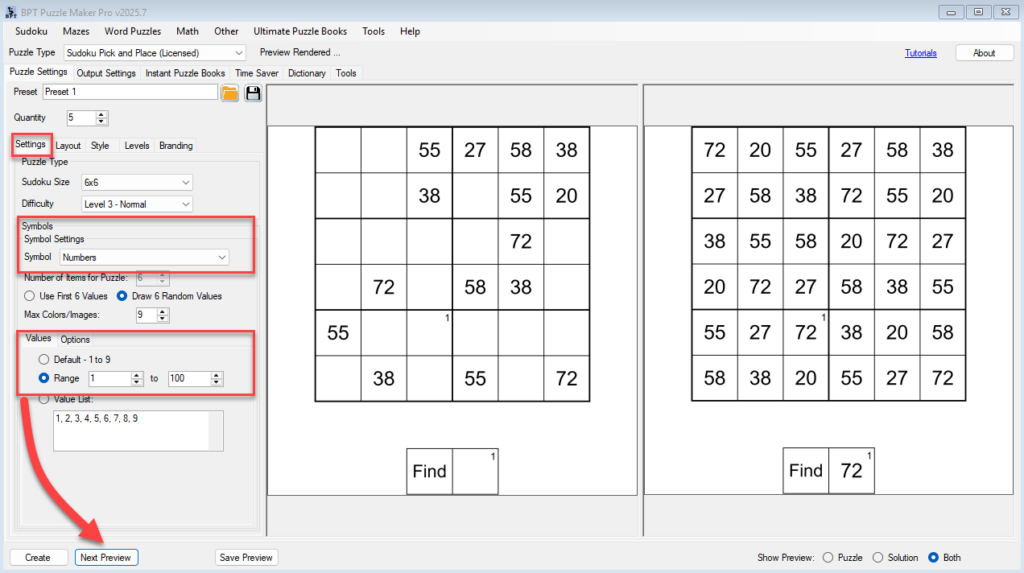
Sudoku Printables & Puzzle Book Publishing Tools for Etsy & Publishing - BPT Puzzle Maker Pro software interface displaying a 6x6 Sudoku puzzle with colored shapes. Options for puzzle types, difficulty, and symbol settings are visible. Ideal for creating custom puzzle books and printables.

Using Colors and Shapes Together in Sudoku Pick and Place

Using Colors and Shapes Together in Sudoku Pick and Place Make your sudoku puzzles more expressive and visually accessible by combining colors and shapes. This is especially helpful for younger audiences, learners with visual needs, and creative puzzle themes. This tutorial shows you how to: 🧩 Required Modules Requires Puzzle Maker Pro version 2025.5 or

Using Colors and Shapes Together in Sudoku Pick and Place Read More »

How to Create Branded or Illustrated Puzzle Pages with Custom Fonts & Images

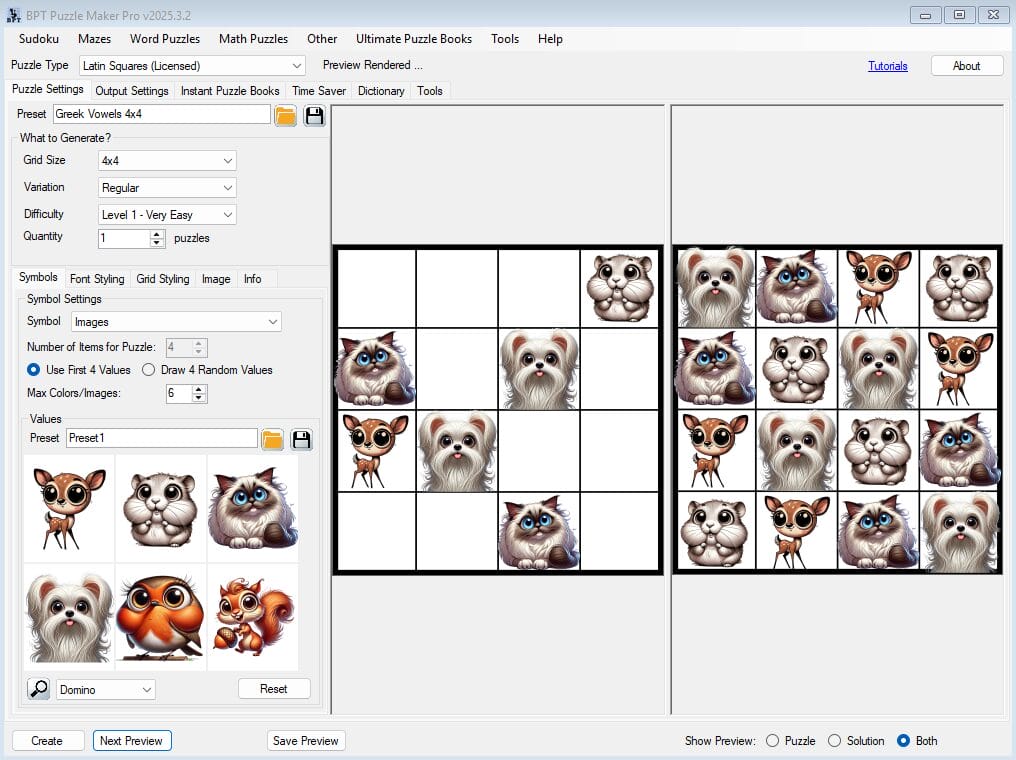
🎨 How to Create Branded or Illustrated Puzzle Pages with Custom Fonts & Images (Using Puzzle Maker Pro – Latin Squares Creative) Overview Want your puzzle pages to match your brand, story, or theme?This tutorial shows you how to use custom fonts and icons to design visually branded Latin Squares puzzles. Whether you’re building an

How to Create Branded or Illustrated Puzzle Pages with Custom Fonts & Images Read More »

Self-Publish Sudoku Books with Ease Using Puzzle Maker Pro

Self-publishing Sudoku books has never been more accessible and straightforward. Whether you’re an independent author, a puzzle enthusiast, or a creative entrepreneur, Puzzle Maker Pro – Sudoku 9×9 Creative provides the tools you need to design, customize, and publish professional-quality Sudoku puzzle books effortlessly. Expand your publishing horizons and reach a global audience with ease

Self-Publish Sudoku Books with Ease Using Puzzle Maker Pro Read More »

Shopping Cart