2025 update

How do I use the Colors options for Puzzle Maker Pro – Geometric Mazes?

This overview explains the different Colors options for Puzzle Maker Pro – Geometric Mazes. There are two different sets of options on the Colors tab: Color Settings Canvas The canvas is the background of the image, on which the maze will be drawn. For square or rectangular mazes this won’t be visible. For other shape

How do I use the Colors options for Puzzle Maker Pro – Geometric Mazes? Read More »

How do I use the different Maze Generator options for Puzzle Maker Pro – Geometric Mazes?

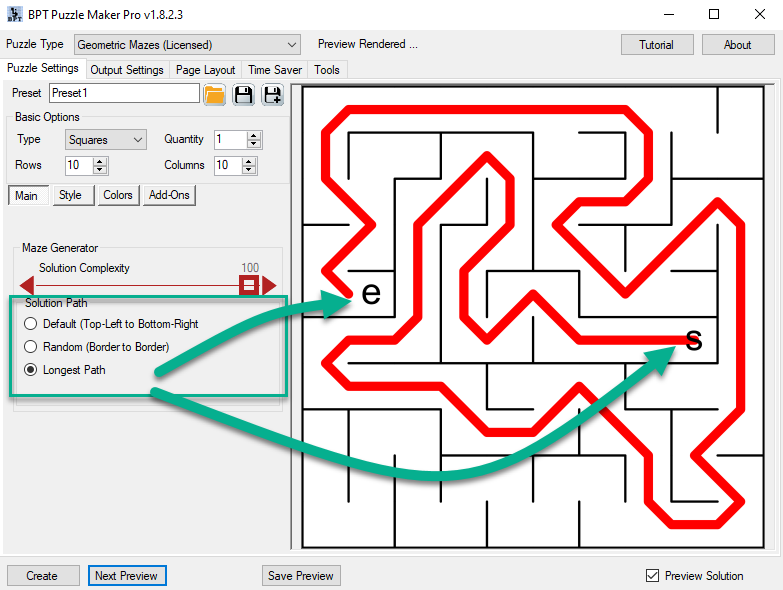
This overview will explain the different Maze Generator options. These options are available in every module of Puzzle Maker Pro – Mazes. Mazes are always constructed completely random. However, there two ways to control the randomness: Controlling the algorithm Puzzle Maker Pro – Geometric Mazes contains a combination of different algorithms (rules) to create the

How do I use the different Maze Generator options for Puzzle Maker Pro – Geometric Mazes? Read More »

How do I use the Style options for Puzzle Maker Pro – Geometric Mazes?

This tutorial shows how to use the How do I use the Style options for Puzzle Maker Pro – Geometric Mazes. There are three major ways to change the style of the maze: These Style settings will work closely together with the Colors settings. Passage Settings By default the passages are fully open. However, you

How do I use the Style options for Puzzle Maker Pro – Geometric Mazes? Read More »

How to create Full Page Word Search puzzles with Puzzle Maker Pro

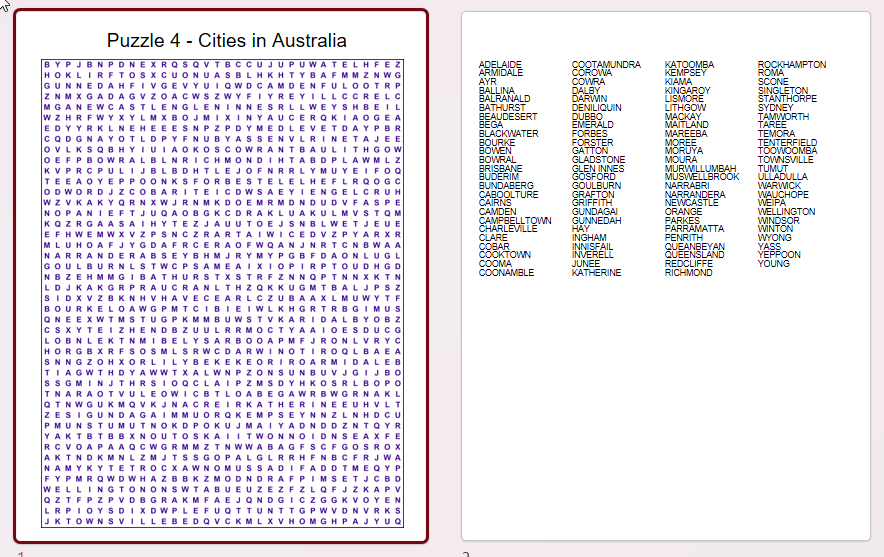
This tutorial will show how to create Full Page Word Search puzzles with Puzzle Maker Pro. The Tutorial applies to: Note: You can create full page word search puzzles with either Word Search module, but if you want to create entire puzzle books with the full page layout, you’ll need the Time Saver Add-On. Introduction

How to create Full Page Word Search puzzles with Puzzle Maker Pro Read More »

How to set up the Page Format in Easy Journals or Easy Puzzle Books

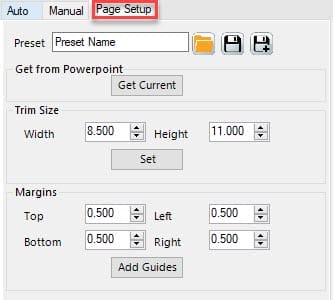
This tutorial explains the Page Setup options for Easy Journals and Easy Puzzle Books (plugins for Powerpoint). Overview Trim Size is the official term for the size of your book. When you create books for Amazon / KDP, you can use a fixed number of trim sizes, when you create printables, it’s best to stick

How to set up the Page Format in Easy Journals or Easy Puzzle Books Read More »

How to Set Up Your Grid for Easy Puzzle Books (plugin for Powerpoint)

This tutorial shows how to set up grids for Easy Puzzle Books. Overview With the Grid Editor you can set the number of columns and rows, in the red square in the screenshot below. Columns sets the number of puzzles next to each other (horizontally). Rows sets the number of puzzles below each other (vertically).

How to Set Up Your Grid for Easy Puzzle Books (plugin for Powerpoint) Read More »

Shopping Cart