
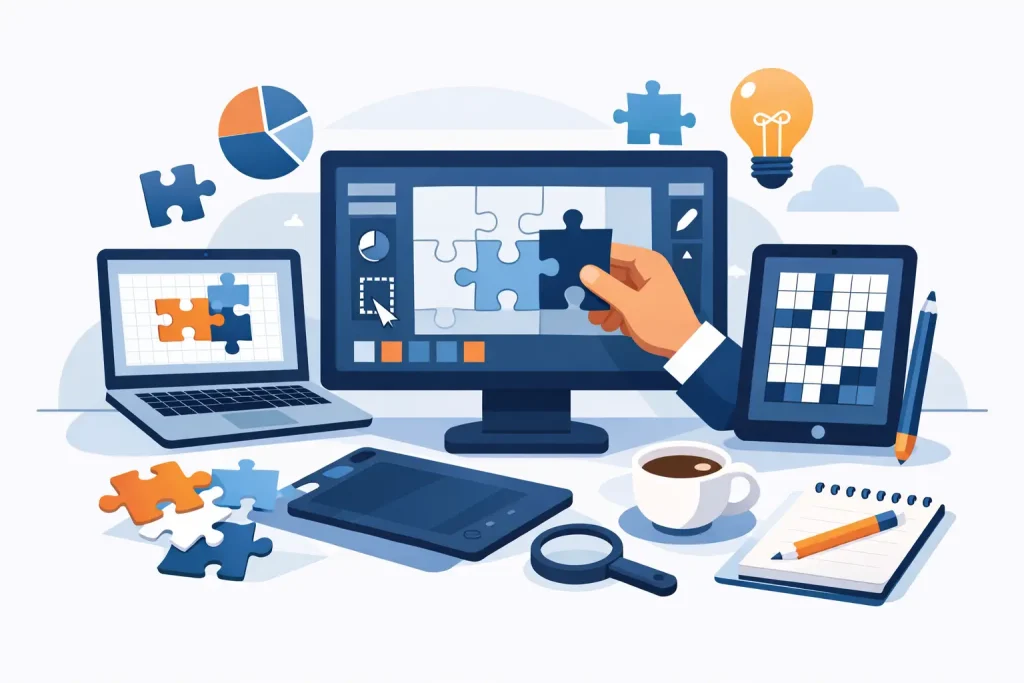
If you are building puzzle products for sale, classroom use, or branded content, puzzle design software is not just a creative tool. It is a production decision. The difference between hobby software and publishing-ready software shows up fast when you need to generate volume, keep layouts consistent, and export the same content into multiple formats without rebuilding everything by hand.
That is where many creators get stuck. A tool may be good at making a single crossword or sudoku, but weak when the real job is producing an entire book series, a set of printables, or a niche content catalog. For publishers and commercial creators, the best software is the one that reduces repetitive work while giving you enough control to ship professional products consistently.
What puzzle design software should actually do
For serious production, puzzle design software has to solve more than puzzle generation. It needs to help you create reusable puzzle assets, manage variation across products, and prepare output for different sales channels. If it only helps you make one finished page at a time, you will hit a ceiling quickly.
A practical workflow usually starts with generating puzzle content in batches or at least with repeatable settings. From there, you need a way to control difficulty, style, branding, and formatting. Finally, you need export options that match how you publish, whether that means PDF for books, image files for printables, or presentation-ready formats for classrooms and digital delivery.
That is why the software question is really a workflow question. A publisher creating low-content books for Amazon KDP has different needs than a teacher selling downloadable worksheets, but both benefit from the same core advantage: create once, repurpose many times.
The biggest difference between hobby tools and publisher-grade puzzle design software
Most entry-level tools are built for occasional use. They can be fine for making a single activity sheet or testing an idea. But once you need scale, they tend to create friction in the same places: limited customization, weak export flexibility, and no clean path from puzzle generation to final product assembly.
Publisher-grade puzzle design software approaches the job differently. It treats puzzles as assets, not one-off files. That matters because a reusable asset can become part of a book interior, a worksheet pack, a holiday printable bundle, a lead magnet, or a branded engagement product. You are not starting over each time.
The trade-off is that more capable systems often ask you to think beyond the single puzzle. You may need to choose modules, define production standards, or build repeatable workflows. For creators with commercial goals, that is usually a good trade. A little structure upfront saves a lot of time later.
Features that matter when you publish at scale
The most valuable feature in puzzle design software is often not the flashiest one. It is repeatability. If your business depends on producing puzzle books or printables regularly, you need output you can trust and a process your team can repeat.
Batch generation is a major advantage because it reduces manual setup and helps you build inventory faster. Reusable settings matter for the same reason. If you publish a line of children’s maze books, themed word searches, or branded logic puzzles, consistency is part of the product.
Layout control is another dividing line. Some software can generate puzzles but leaves you to finish the pages elsewhere. That may be acceptable if your catalog is small or your design needs are minimal. But if you are building books, series, or multi-format products, layout and assembly become part of the value chain, not an afterthought.
Export flexibility also deserves more attention than it usually gets. A file that works for one channel may not work well for another. PDF is common, but many businesses also need image-based outputs, presentation formats, or a way to integrate puzzle content into larger publishing systems. Good software makes that easier instead of forcing workarounds.
Choosing puzzle design software by business model
The right choice depends on how you make money with puzzles.
If you publish books on Amazon KDP, your priority is usually efficient volume paired with clean, printable interiors. You need puzzles generated consistently, answers handled correctly, and a straightforward path into book assembly. Speed matters, but so does control over page flow and final formatting.
If you sell printables or digital downloads, variation and export options become more important. You may want one puzzle set turned into several themed products, seasonal versions, or audience-specific bundles. In that case, software that supports fast reuse has a direct effect on revenue.
If you create educational content, the balance shifts slightly. Difficulty control, clarity, and age-appropriate presentation become central. You may not need thousands of pages, but you do need dependable customization and clean output for classroom use, homeschool products, or curriculum support materials.
Media companies and branded content teams often have another concern: adapting puzzles to different campaigns without rebuilding the whole project. For them, modular puzzle creation and repeatable exports can cut production time significantly.
Why modular puzzle design software often wins
An all-in-one tool can sound appealing, but in practice, not every creator needs every puzzle type on day one. Modular puzzle design software can be a smarter fit because it lets you start with the categories you actually publish and expand as your catalog grows.
That approach is efficient for independent publishers and side-hustle creators who want to control software costs while building product lines gradually. It is also useful for established businesses that need specialized generators for crossword, sudoku, maze, matching, logic, or math products without forcing a one-size-fits-all workflow.
The key is making sure the modules still work as part of a broader publishing system. If each puzzle type becomes its own isolated process, the efficiency gains disappear. The ideal setup combines specialization with a common production path.
Where most production time is really lost
It is rarely lost in puzzle generation alone. Most of the wasted time happens between stages – recreating layouts, reformatting exports, adjusting answer pages, or rebuilding the same content for a new product format.
This is why software built for commercial output tends to outperform general-purpose design tools. A designer can make almost anything manually given enough time. But time is the cost center. If your business depends on repeatable output, manual assembly becomes expensive quickly.
That is also why a connected workflow matters. Tools that generate puzzle assets and then support book assembly, formatting control, and export into multiple channels create a measurable operational advantage. BookPublisherTools is built around this exact production logic, which is why it aligns well with publishers who want to create once and repurpose across books, printables, and other product formats.
What to ask before you commit
Before choosing puzzle design software, ask a few practical questions.
Can it support the puzzle types you actually plan to sell, not just the ones you might experiment with? Can it help you build a repeatable catalog instead of isolated files? Can you export in the formats your business uses today and the formats you may add later? And just as important, can you keep design consistency across a product line without spending hours on cleanup?
You should also think about support and learning curve. Powerful software is only valuable if you can put it to work quickly. Demos, tutorials, and clear workflow design matter, especially if you are building a publishing operation rather than just making occasional content.
There is no single best option for every creator. If your goal is casual puzzle creation, a simpler tool may be enough. If your goal is commercial publishing, scalable content production, or multi-format monetization, you need software designed for that reality.
The best puzzle design software does not simply help you make puzzles. It helps you build products, reduce production drag, and expand what one piece of content can become. That is the decision worth getting right, because every efficient workflow you build now pays you back again the next time you publish.