



Create Number Snake Puzzle Books, Worksheets, and Interactive Activities
Puzzle Maker Pro – Number Snake helps you create connected number-path puzzles where solvers fill in the missing numbers to complete one continuous path through the grid.
A Number Snake puzzle starts with a square grid and a set of given numbers. The solver fills the blank cells so the full sequence from 1 to N connects through every cell. The result is a clean number logic puzzle with a clear goal, visible progress, and a satisfying path-building challenge.
This makes Number Snake a useful addition to number puzzle books, logic collections, printable worksheets, classroom resources, TPT products, mixed puzzle books, and interactive digital activities.
The module includes two related puzzle modes:
- Orthogonal mode for Numbrix-style puzzles, where consecutive numbers connect horizontally or vertically.
- Diagonal mode for Hidato-style puzzles, where consecutive numbers may also connect diagonally.
Use Creative Edition to create and export Number Snake puzzles and solutions. Choose Productivity Edition when you want Time Saver, batch creation, Interactive PDF, Puzzle Slides, JSON, and HTML output.
Why Number Snake Belongs in Your Next Puzzle Collection
Some puzzle books become repetitive because they rely on the same few puzzle types again and again.
Number Snake gives you a different kind of number logic puzzle. It is easy to explain, compact on the page, and flexible enough for simple worksheets, harder logic challenges, and full puzzle collections.
The appeal is straightforward:
- solvers understand the goal quickly
- the puzzle has a visible path-building objective
- every clue number helps reveal part of the route
- the completed grid gives a satisfying answer key
- the format works well in books, worksheets, and digital activities
For publishers, Number Snake adds variety to number puzzle books and mixed logic collections.
For educators and TPT sellers, it creates printable and digital number-logic activities without requiring word lists, images, or manual puzzle construction.
For existing Puzzle Maker Pro customers, it adds another puzzle type to a familiar production workflow, with standard exports in Creative Edition and advanced output options in Productivity Edition.
What You Can Create
With Puzzle Maker Pro – Number Snake, you can create:
- number-path puzzle pages
- printable worksheets
- number puzzle books
- mixed puzzle books
- logic puzzle collections
- brain-training style puzzle pages
- classroom logic activities
- TPT resource packs
- Interactive PDF activities
- Puzzle Slides activities
- HTML puzzle pages for websites or digital examples
You do not need to prepare word lists, image files, clue databases, or source content. Choose the puzzle mode, grid size, difficulty, and visual style, then generate the puzzle and matching solution.
Two Number-Path Puzzle Styles in One Module
Number Snake includes two puzzle modes so you can create different solving experiences from the same module.
Orthogonal Mode
In Orthogonal mode, consecutive numbers must connect horizontally or vertically.
This creates a direct Numbrix-style number path. It is a good choice when you want a clean, structured puzzle for books, worksheets, and printable activity pages.
Diagonal Mode
In Diagonal mode, consecutive numbers may also connect diagonally.
This creates a Hidato-style puzzle with more possible connections. It can make the puzzle feel more open and varied, especially on larger grids or harder difficulty levels.
Use Orthogonal mode when you want a stricter path. Use Diagonal mode when you want more movement possibilities.
See the Puzzle and Solution Clearly
Number Snake works best when buyers and solvers can see the path.
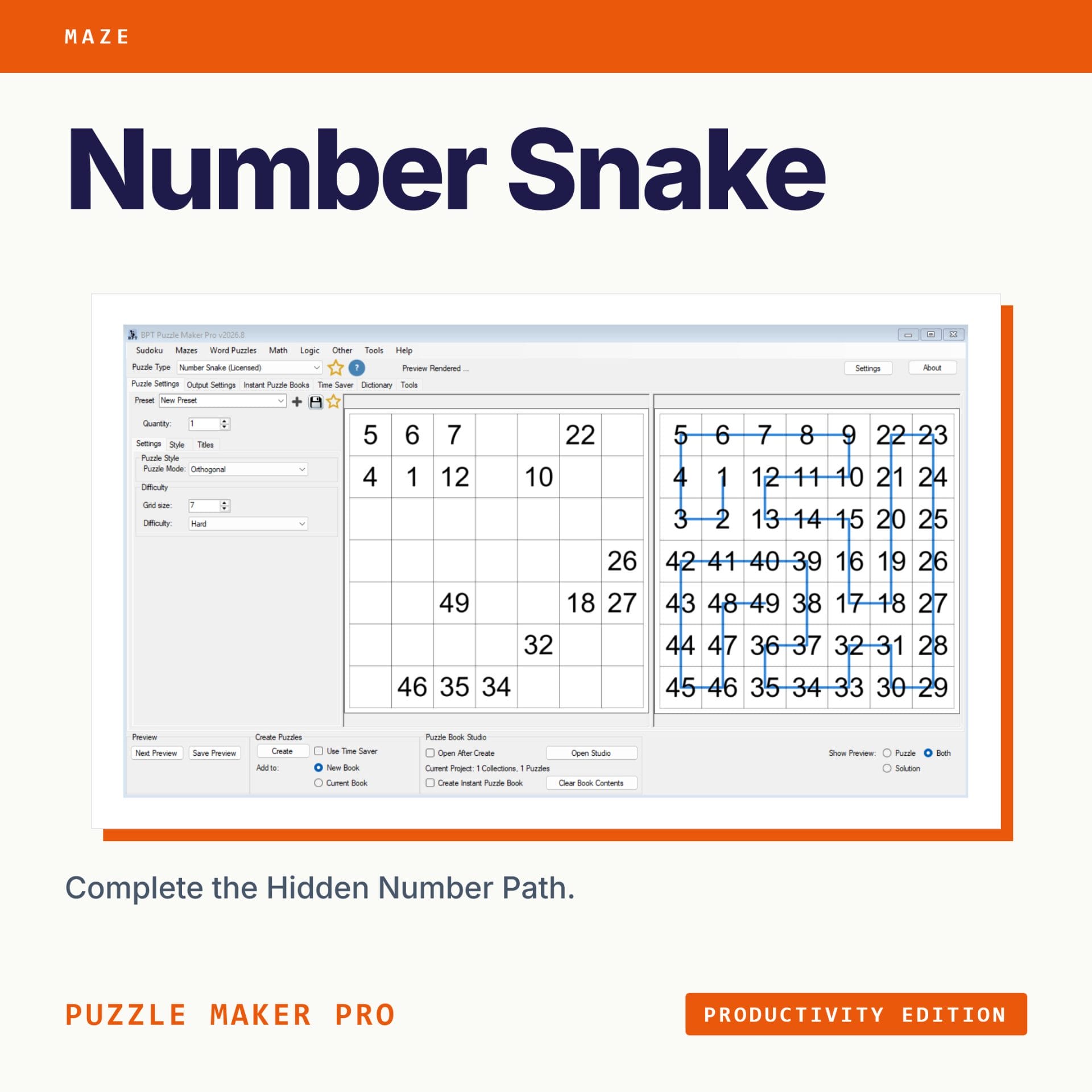
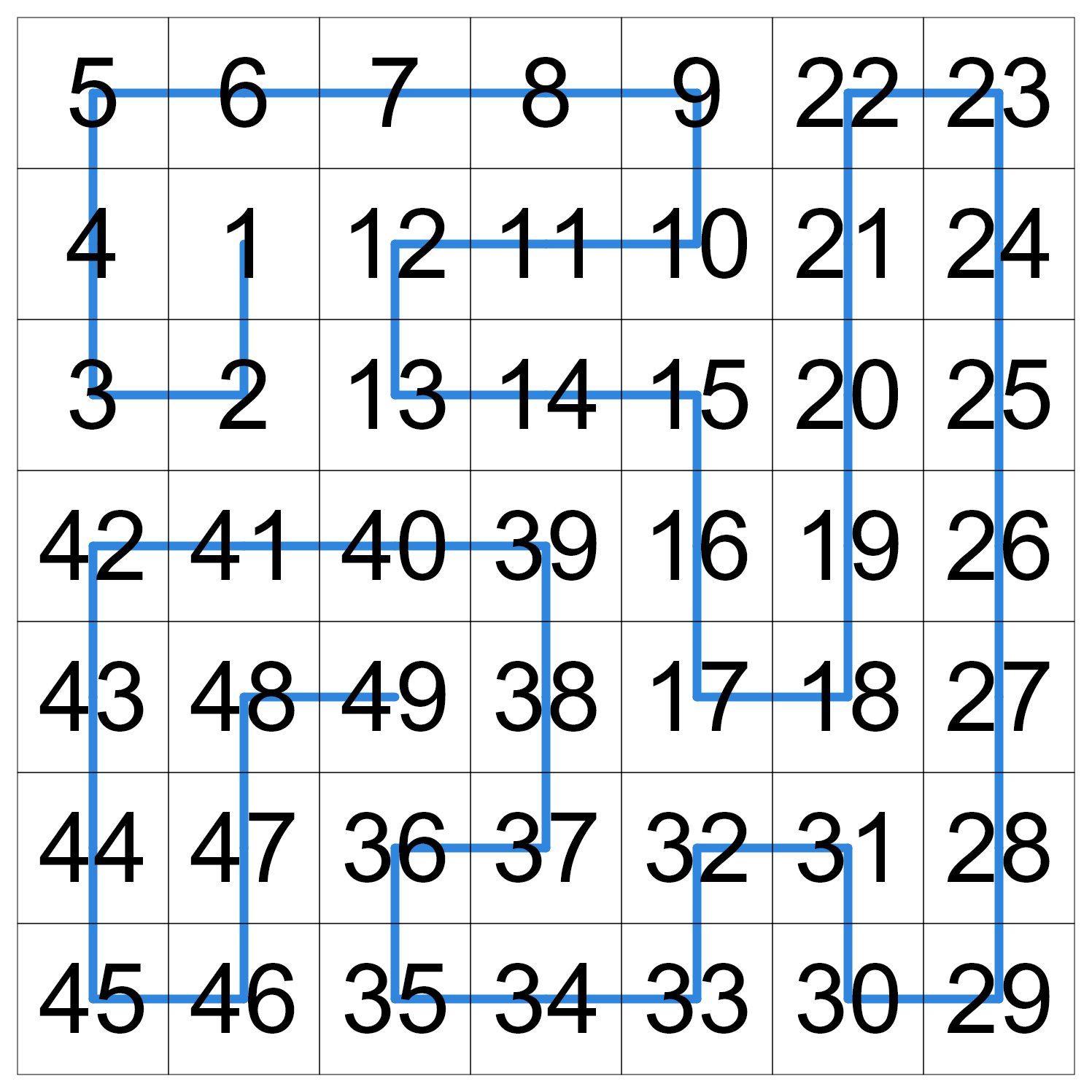
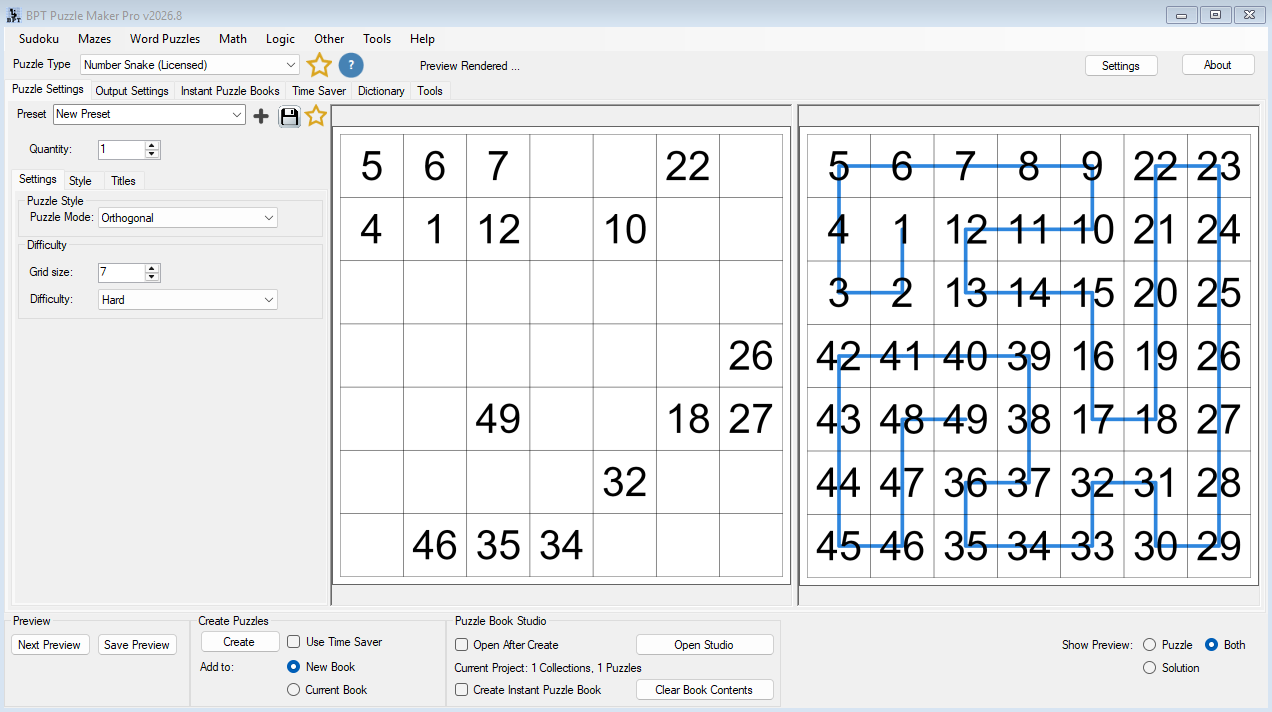
Use the puzzle output to show the unsolved grid. Use the solution output to show the completed number path. The optional solution-path overlay makes the completed snake easier to understand at a glance.
That visual proof matters because it turns a simple number grid into a clear puzzle concept:
- the puzzle shows the given numbers and blanks
- the solution shows the full completed sequence
- the path overlay shows how the snake travels through the grid
This makes Number Snake easier to present in product images, worksheet previews, tutorial screenshots, and digital examples.
Why Create Number Snake Puzzles with Puzzle Maker Pro?
Number Snake is not a blank grid template. The module generates the puzzle and matching solution for you, then lets you customize and export the result for your publishing or teaching workflow.
You can create puzzles for print, prepare answer keys, build consistent puzzle sets, and use Productivity Edition when you want larger batches or interactive output formats.
Instead of designing each number path manually, you can focus on the product you want to create: a puzzle book, worksheet pack, classroom activity, digital resource, or mixed puzzle collection.
Build Puzzle Sets with Different Difficulty Levels
Number Snake supports different grid sizes and difficulty levels, so you can create puzzle sets for different audiences.
Use smaller or easier puzzles for quick worksheets, beginner-friendly activities, or shorter puzzle pages.
Use larger or harder puzzles for more challenging books, advanced logic activities, or variety inside a full collection.
This gives you more room to build a collection with progression instead of repeating the same puzzle feel on every page.
Create Clear Answer Keys
Number Snake automatically creates matching solutions for the puzzles you generate.
You can also enable the optional solution-path overlay on the solution output. This makes the completed path easier to follow, which is useful for answer keys, sample images, preview pages, and product demonstrations.
The puzzle image remains clean. The path overlay appears on the solution output, where it helps explain the completed route.
From Single Puzzles to Larger Production Workflows
Creative Edition is useful when you want to create individual puzzles, worksheets, and standard puzzle output.
Productivity Edition is for larger workflows. It adds Time Saver, batch creation, Interactive PDF, Puzzle Slides, JSON, and HTML output.
That matters when you want to create more than one puzzle at a time, build a full set around several difficulty levels, or reuse the same puzzle style across a larger product.
With Productivity Edition, you can prepare different puzzle profiles, such as easier Orthogonal puzzles, harder Diagonal puzzles, smaller worksheet puzzles, or larger puzzle book pages.
Output Formats and Publishing Options
Creative Edition supports standard puzzle and solution exports for print and publishing use:
- JPG
- PNG
- SVG
Productivity Edition adds advanced output and workflow options:
- Time Saver batch workflows
- Interactive PDF
- Puzzle Slides
- JSON
- HTML output
Interactive PDF lets solvers type answers into blank cells.
Puzzle Slides are useful for classroom or presentation-style activities.
JSON supports custom digital workflows.
HTML output lets you create an interactive online version of the puzzle.
(Note: You’ll need to put the HTML output on your webserver to make it work. It will not work on your computer.)
Choose Your Edition
Creative Edition
Choose Creative Edition if you want to create, customize, preview, and export Number Snake puzzles in standard formats.
Creative Edition is best for:
- individual puzzle pages
- printable worksheets
- smaller puzzle sets
- puzzle book interiors
- standard puzzle and solution files
Creative Edition includes:
- Orthogonal puzzle mode
- Diagonal puzzle mode
- grid size control
- difficulty control
- puzzle preview
- solution preview
- visual customization
- optional solution-path overlay
- JPG export
- PNG export
- SVG export
- PDF export
Creative Edition is the right choice if you mainly want the core Number Snake generator and standard publishing output.
Productivity Edition
Choose Productivity Edition if you want larger sets, batch workflows, interactive outputs, or digital publishing options.
Productivity Edition includes everything in Creative Edition, plus:
- Time Saver
- batch creation
- reusable row settings
- Interactive PDF
- Puzzle Slides
- JSON
- HTML output
Productivity Edition is the stronger choice if you create puzzle books, classroom packs, TPT products, digital resources, or mixed puzzle collections and want a more scalable workflow.
Which Edition Should You Choose?
| Use Case / Feature | Creative Edition | Productivity Edition |
|---|---|---|
| Create Number Snake puzzles | Yes | Yes |
| Orthogonal mode | Yes | Yes |
| Diagonal mode | Yes | Yes |
| Puzzle and solution output | Yes | Yes |
| Customize visual style | Yes | Yes |
| JPG / PNG / SVG / PDF exports | Yes | Yes |
| Optional solution-path overlay | Yes | Yes |
| Larger batch workflows | Manual | Yes |
| Time Saver | No | Yes |
| Interactive PDF | No | Yes |
| Puzzle Slides | No | Yes |
| JSON | No | Yes |
| HTML output | No | Yes |
| Best for individual puzzles and smaller sets | Yes | Yes |
| Best for larger publishing or digital workflows | No | Yes |
Choose Creative Edition if you mainly want to create, customize, and export Number Snake puzzles.
Choose Productivity Edition if you want Time Saver, batch creation, Interactive PDF, Puzzle Slides, JSON, HTML output, or a more scalable production workflow.
Who This Is For
Puzzle Book Publishers
Create number logic pages for puzzle books, printable interiors, and mixed puzzle collections. Number Snake gives you another puzzle format to use alongside sudoku, mazes, word puzzles, and other logic puzzles.
Educators and TPT Sellers
Create number-path worksheets, printable classroom activities, Interactive PDF resources, Puzzle Slides, and HTML puzzle activities. The puzzle is easy to explain and useful for number sequencing and logic practice.
Existing Puzzle Maker Pro Customers
Add a new number logic puzzle type to your current Puzzle Maker Pro workflow. Use familiar styling, export, puzzle and solution output, and Productivity Edition workflows when you want larger sets or digital formats.
Digital-First Creators
Use Productivity Edition when you want HTML, JSON, Interactive PDF, or Puzzle Slides output for online, classroom, or custom digital workflows.
Licensing and Commercial Use
You can use the puzzles you create according to the license included with your edition.
Typical uses may include your own puzzle books, worksheets, classroom materials, printables, and digital resources. Check the license terms for your edition if you plan to use the output for client work, resale, or broader commercial distribution.
Product Details
| Detail | Information |
|---|---|
| Product | Puzzle Maker Pro – Number Snake |
| Puzzle type | Connected number-path puzzle |
| Puzzle modes | Orthogonal and Diagonal |
| Grid size | 4×4 to 12×12 |
| Difficulty levels | Easy, Medium, Hard, Expert |
| Solutions | Yes |
| Optional solution-path overlay | Yes, on the solution output |
| Creative Edition outputs | JPG, PNG, SVG, PDF |
| Productivity Edition outputs | Time Saver, Interactive PDF, Puzzle Slides, JSON, HTML |
| Source content required | No word lists, images, or clue files required |
| Platform | Windows software |
| Mac use | Requires a Windows environment such as virtualization, depending on your setup |
Questions Before You Buy
What is a Number Snake puzzle?
A Number Snake puzzle is a connected number-path puzzle. Some numbers are already placed in the grid, and the solver fills in the missing numbers so the full sequence from 1 to N creates one continuous path through every cell.
What is the difference between Orthogonal and Diagonal mode?
In Orthogonal mode, consecutive numbers connect horizontally or vertically. In Diagonal mode, consecutive numbers may also connect diagonally.
Is Number Snake the same as Number Trail?
No. Number Snake is the fill-every-cell number-path puzzle. Number Trail is a separate module for waypoint-style path puzzles.
Does Number Snake create solutions?
Yes. Number Snake generates matching solutions. You can also show an optional solution-path overlay on the solution image to make the completed path easier to understand.
Do I need word lists, images, or clue files?
No. Number Snake does not require source content. You choose the puzzle mode, grid size, difficulty, and style.
Can I create puzzle books with Number Snake?
Yes. You can use Number Snake to create puzzle book pages and mixed puzzle collections. Productivity Edition is recommended if you want larger batches or a faster production workflow.
Can I use Number Snake for worksheets or TPT resources?
Yes. Number Snake can be used for printable worksheets, classroom logic activities, TPT resources, Interactive PDF activities, Puzzle Slides, and HTML puzzle activities.
Does Productivity Edition include HTML output?
Yes. Productivity Edition includes HTML output. Use the HTML demo link on this page to preview the interactive version.
Which edition should I choose?
Choose Creative Edition if you want the core puzzle generator and standard exports. Choose Productivity Edition if you want Time Saver, batch creation, Interactive PDF, Puzzle Slides, JSON, or HTML output.
Does Puzzle Maker Pro work on Mac?
Puzzle Maker Pro is Windows software. Mac users may need a Windows environment such as virtualization, depending on their setup.
Start Creating Number Snake Puzzles
Number Snake gives you a practical way to create connected number-path puzzles for print and digital use.
Use Creative Edition when you want the core generator and standard exports.
Use Productivity Edition when you want batch creation, Time Saver, Interactive PDF, Puzzle Slides, JSON, and HTML output.
Choose your edition at the top of this page and start creating Number Snake puzzles for your next book, worksheet, printable pack, classroom resource, or digital activity.
FAQ
What is a Number Snake puzzle?
A Number Snake puzzle is a connected number-path puzzle. Some numbers are already placed in the grid, and the solver fills in the missing numbers so the full sequence from 1 to N creates one continuous path through every cell.
What is the difference between Orthogonal and Diagonal mode?
In Orthogonal mode, consecutive numbers connect horizontally or vertically. In Diagonal mode, consecutive numbers may also connect diagonally.
Does Number Snake include solutions?
Yes. Number Snake generates matching solutions, and you can show an optional solution-path overlay on the solution output.
Which edition should I choose?
Choose Creative Edition for the core generator and standard exports. Choose Productivity Edition for Time Saver, batch creation, Interactive PDF, Puzzle Slides, JSON, and HTML output.
Can I use this for puzzle books and worksheets?
Yes. Number Snake can be used for puzzle book pages, printable worksheets, classroom resources, and mixed puzzle collections.
Does Productivity Edition include HTML output?
Yes. Productivity Edition includes HTML output for interactive puzzle play.


