
Wordoku Puzzle Modes Explained
In this tutorial, you’ll learn about the different puzzle modes available in Puzzle Maker Pro – Wordoku. Classic Mode is included in all editions, while the advanced modes are part of the Creator Edition.
✨ What You’ll Need
- Puzzle Maker Pro – Math Sudoku Creator Edition (Puzzle Modes are exclusive to the Creator Edition)
- A few example words and short phrases to test different modes
Note: To test the different Wordoku variations in demo mode, click “Enable Creator Options”. if you bought the Creator Edition, this option will be grayed out.

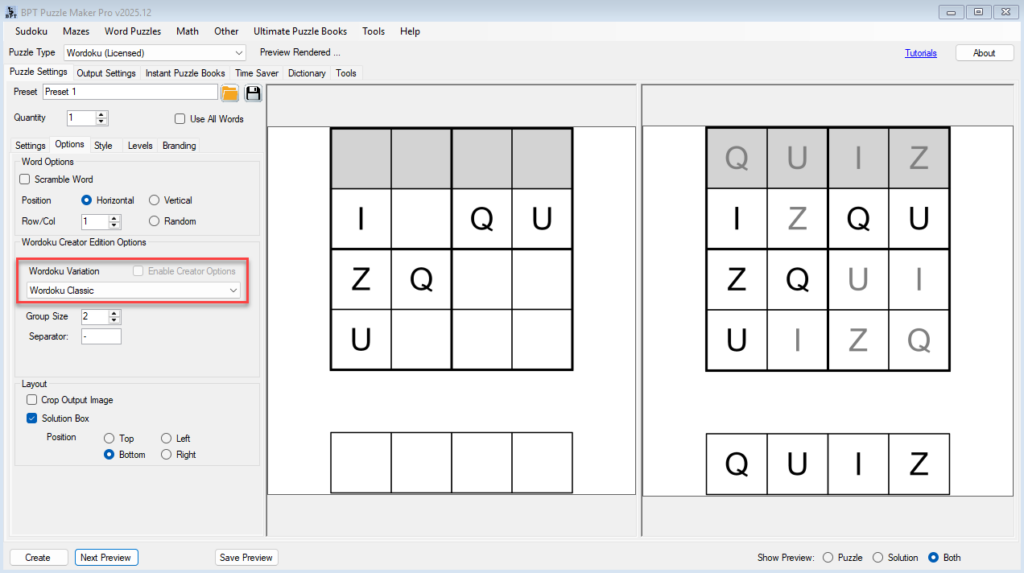
🧩 Classic Mode (Standard & Creator Edition)
- Uses unique letters only.
- Your word must have exactly 4, 6, 8, or 9 unique letters.
- Example:
QUIZ→ fits 4×4.
👉 Perfect for beginners or quick puzzle creation.
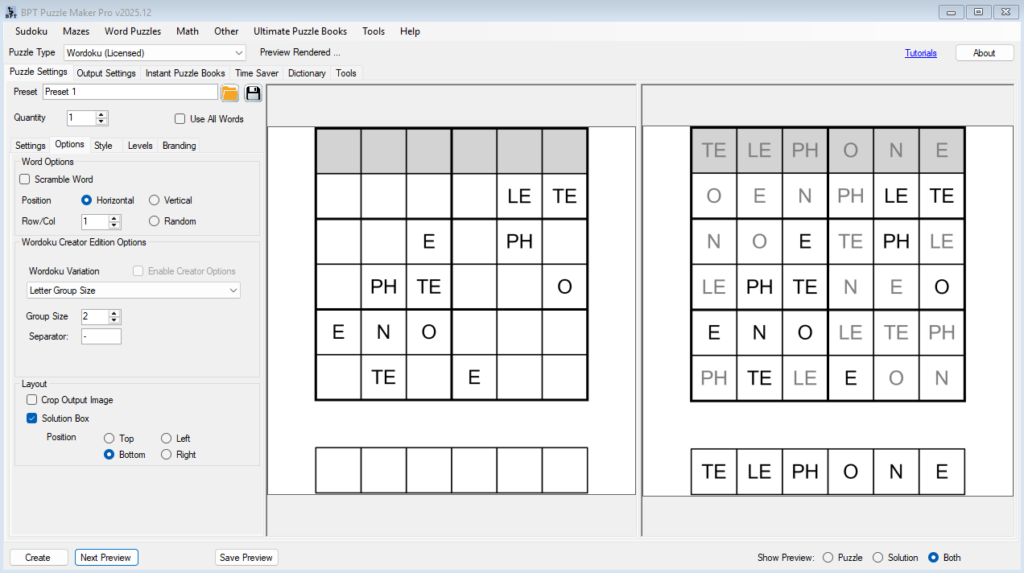
🧩 Fixed Group Size (Creator Edition)
- Splits a word into groups of 2–3 letters (you set the max group size).
- Example:
TELEPHONEwith group size = 2 → groups like TE, LE, P, H, O, NE (the actual split is randomized) - Auto Fit ensures the total group count matches the grid size, priority for the grid sizes is 6×6, 9×9, 4×4, 8×8
👉 Great for longer words and innovative Wordoku fun
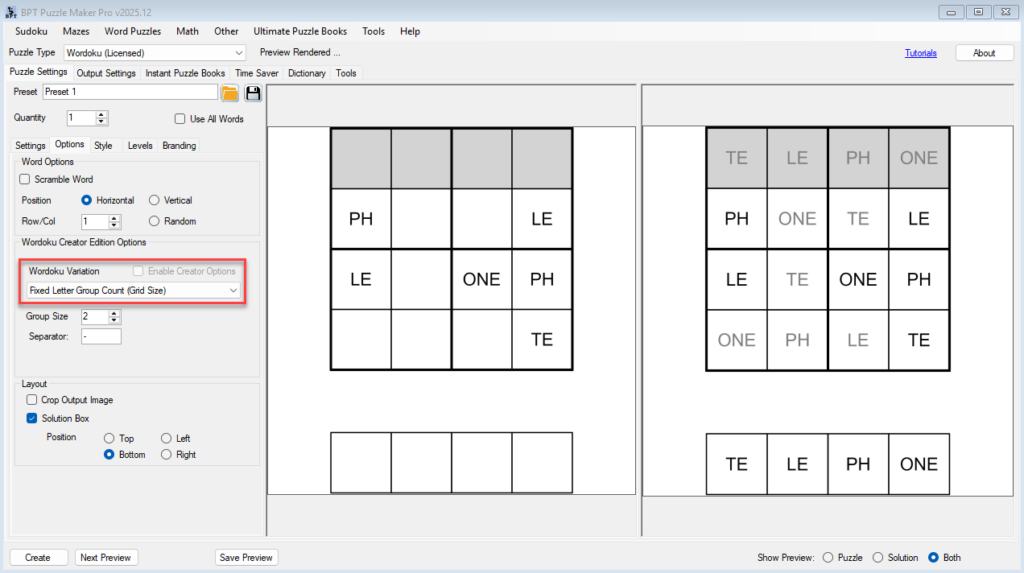
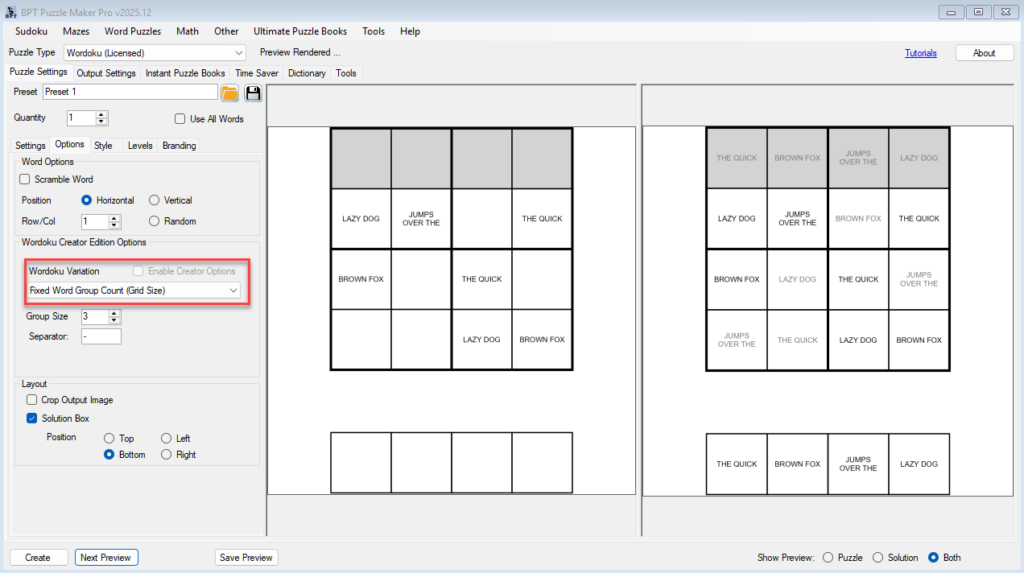
🧩 Fixed Group Count (Creator Edition)
- Splits the word evenly into exactly N groups (N = grid size).
- Example:
PHOTOGRAPHER→ split into 4 groups for a 4×4 wordoku.
👉 Ensures consistent group counts regardless of word length, and create fixed size wordokus
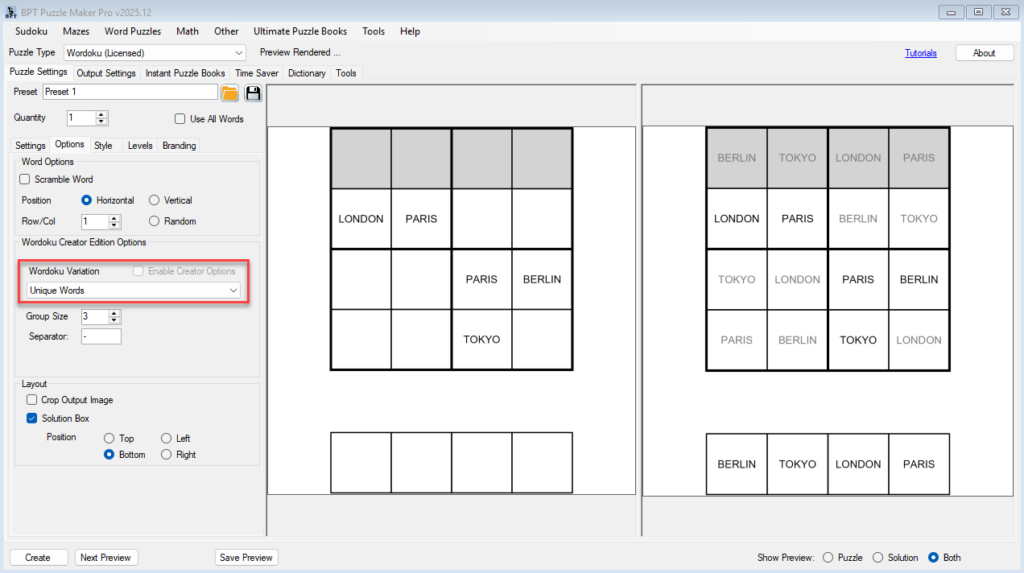
🧩 Unique Words (Creator Edition)
- Uses phrases where each word is unique. The word order will be kept in the solution squares
- Example: The Cat Eats Food
- This puzzle is also great to find the order of puzzles for an adventure game, e.g. in which order are these cities visited (Berlin, Tokyo, London, Paris)
👉 Great for creating vocabulary-based puzzles and for finding quotations and phrases with unique words
🧩 Combine Words to Fit (Creator Edition)
- If your phrase has too many words, the software merges them to fit the grid.
- Example:
THE QUICK BROWN FOX JUMPS(5 words) → merged into 4 groups for a 4×4.
👉 Lets you use longer phrases without editing them manually.
🧩 Manual Split – Letters or Phrase (Creator Edition)
- Add your own separators to split exactly as you want.
- Example:
TE-LE-PHO-NE→TE,LE,PHO, NE. - Works for both single words and phrases.
- For phrases, words can be split into multiple lines, for better visual appearance
👉 Gives you full control over how words are split into groups.

🎉 Outcome
After this tutorial, you’ll understand when to use each mode:
- Classic → short words with unique letters.
- Fixed Group Size / Count → longer words that don’t fit Classic.
- Unique / Combine Words → full phrases and vocabulary sets.
- Manual Split → total control.
👉 Next, learn how to scale up with Batch Puzzle Creation using Time Saver.
🔗 Related Tutorials
- Getting Started with Wordoku (Classic Mode)
- Batch Puzzle Creation with Time Saver
- Branding and Customization Options in Wordoku
- Verifying Word Lists for Better Results