Powerpoint plugin tutorials
Here’s a list of tutorials for the Powerpoint plugins
Powerpoint plugin tutorials Read More »

Unlock the full potential of puzzle creation with our comprehensive guides. Whether you’re a beginner wondering where to start or an experienced creator looking to refine your skills, these tutorials simplify every step. Learn how to use Puzzle Maker Pro to craft professional-quality puzzles that captivate your audience. Each guide is tailored to help you save time, unleash your creativity, and confidently produce puzzles that stand out in any context.
Here’s a list of tutorials for the Powerpoint plugins
Powerpoint plugin tutorials Read More »
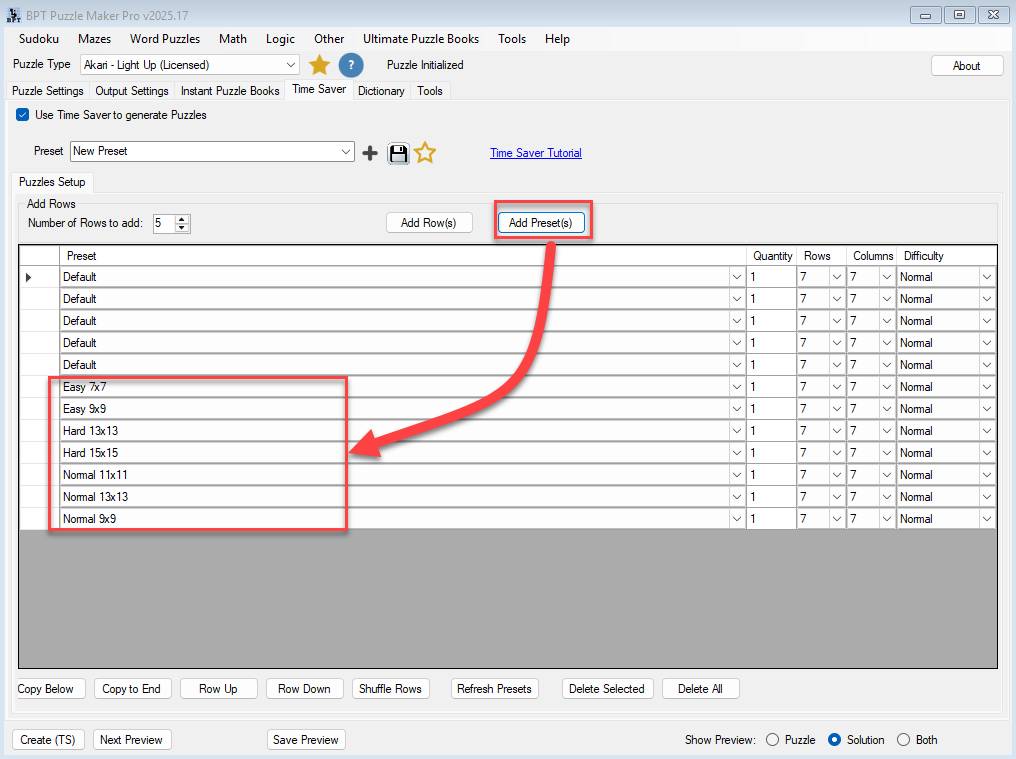
Purpose This tutorial explains how to automate Akari puzzle generation using the Time Saver feature in Puzzle Maker Pro – Creator Edition. Audience Professional creators and publishers who produce large puzzle sets or puzzle books. Step 1 – Open the Time Saver Tab Step 2 – Add Rows Step 3 – Select Presets Step 4
Akari Time Saver and Batch Processing Read More »

Purpose This tutorial explains how to apply creative visual styles to Akari puzzles, including hand-drawn effects and isometric grids. Audience Designers and publishers who want distinctive puzzle visuals for themed books, magazines, or social media. Step 1 – Activate Hand-Drawn Mode Step 2 – Enable Isometric Grid Step 3 – Adjust Colors for 3D Effect
Hand-Drawn and Isometric Styles in Akari Read More »
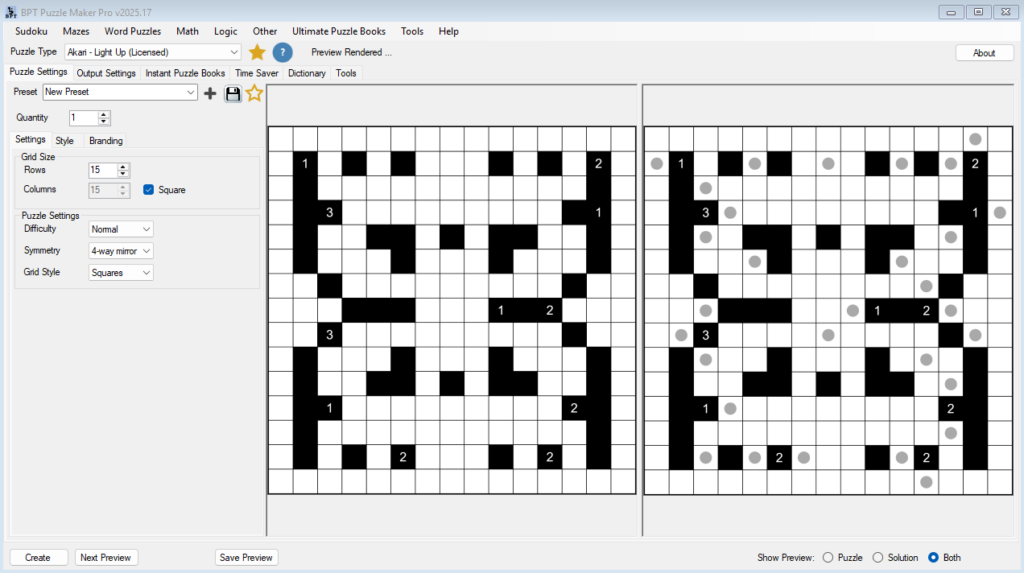
Purpose This tutorial explains how puzzle complexity changes based on grid size, difficulty level, and symmetry options. It helps you control both the solving challenge and the visual layout. Audience Creators who want predictable, balanced puzzle generation results for books or educational materials. Step 1 – Adjust Grid Size Step 2 – Set Difficulty Step
Akari Difficulty, Grid Size, and Symmetry Read More »
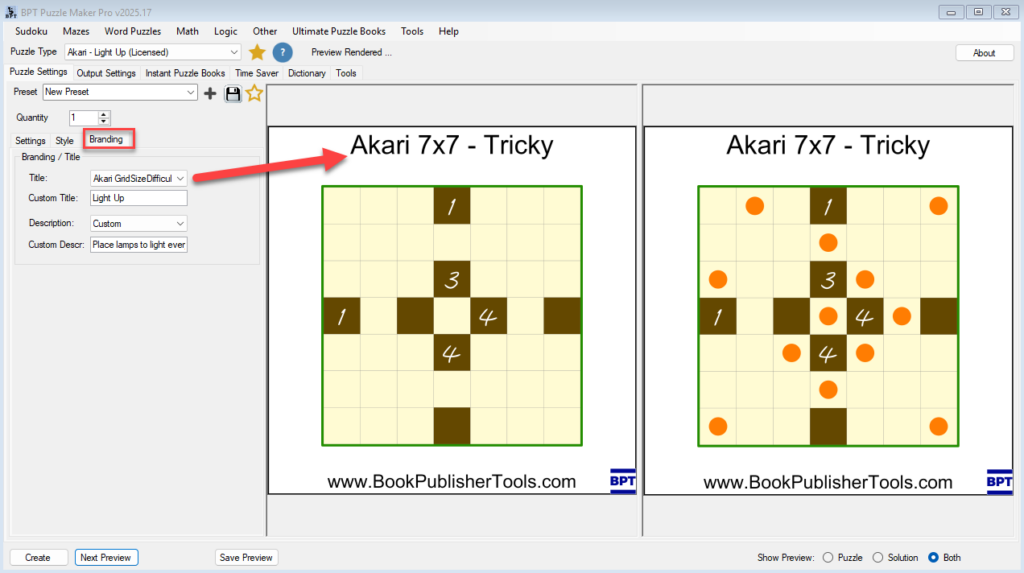
Purpose This tutorial explains how to style Akari puzzles to match your preferred look and publication format using the Style and Branding tabs. Audience Puzzle book creators, designers, and educators who want professional-looking puzzles for print, ebooks, or online use. Step 1 – Open the Style Tab Step 2 – Choose Colors You can control
Styling Your Akari Puzzles Read More »

Purpose This tutorial walks you through the basic process of creating your first Akari puzzle in Puzzle Maker Pro. You’ll learn how to choose grid size, difficulty, and generate a puzzle preview. Audience Beginners who want to generate their first puzzle quickly and understand the essential settings. Step 1 – Open Puzzle Maker Pro Step
Getting Started with Akari Read More »
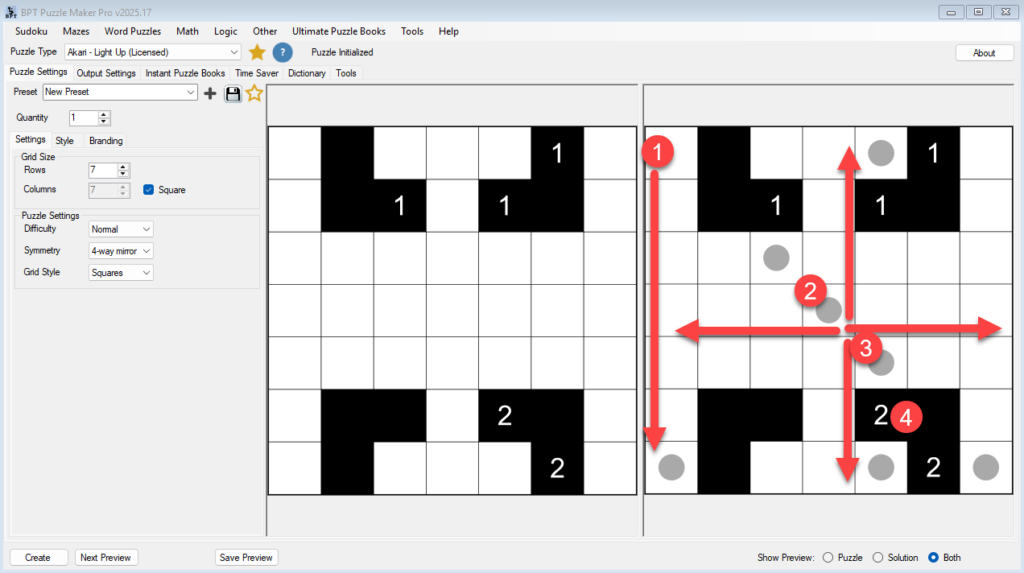
Purpose This tutorial explains how Akari puzzles (also known as Light Up) work and what makes them unique. It helps you understand the logic rules behind the puzzle before you begin creating or customizing them in Puzzle Maker Pro. Audience Puzzle creators, educators, and publishers who want to understand the puzzle logic to adjust difficulty
Understanding Akari Puzzles Read More »

This pages lists the (older) POD Graphics Maker video tutorials.
POD Graphics Maker Tutorials Read More »
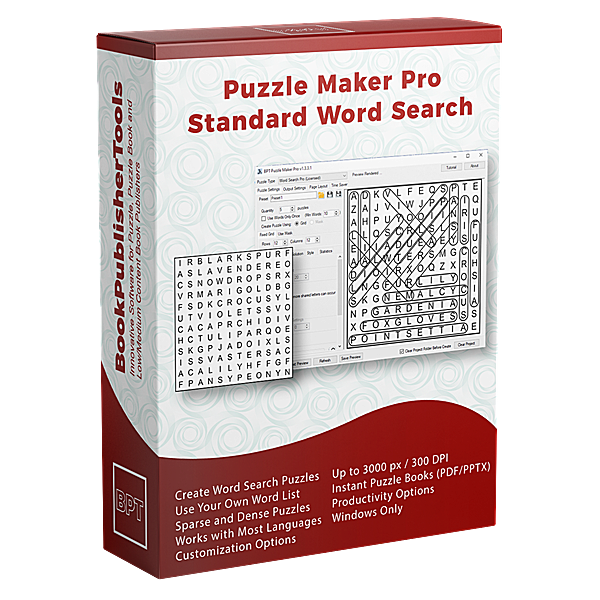
Word Search video tutorials for older Puzzle Maker Pro version
Retired Word Seach Tutorials Read More »
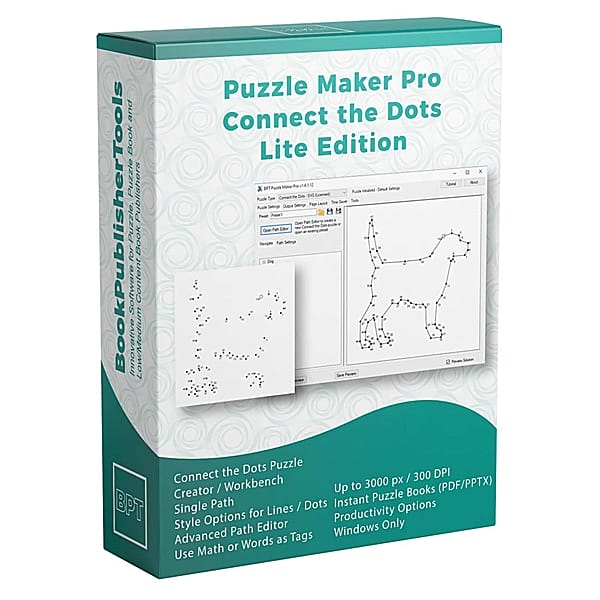
This video tutorial demonstrates the use of different Tag types in Puzzle Maker Pro – Connect the Dots
How to use different Tag types in Connect the Dots Read More »