Puzzle Maker Pro Feature Guides

Unlock the full potential of Puzzle Maker Pro by mastering its core features and shared tools. These tutorials show you how to customize layouts, adjust fonts, and work with advanced settings that apply across multiple puzzle types. Perfect for creators who want to streamline their process and ensure professional results every time.

How to use the Output Settings in Puzzle Maker Pro

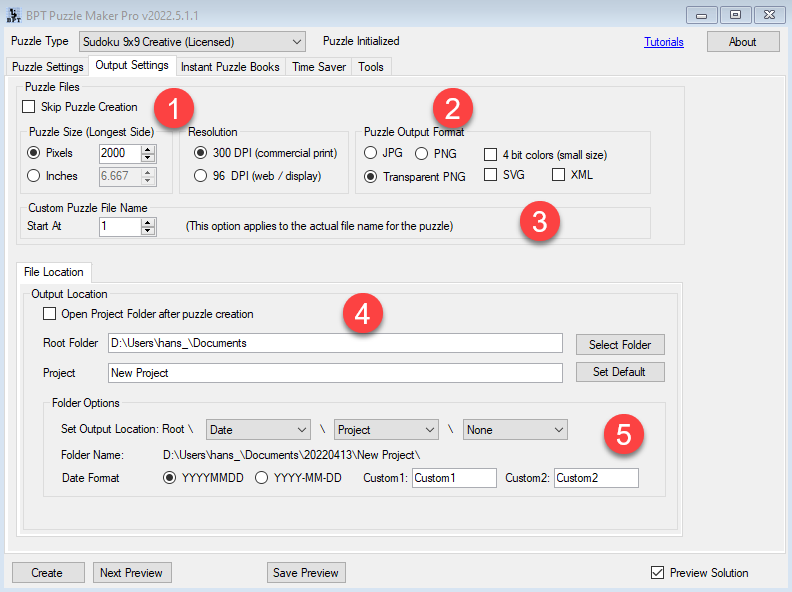
When you first start Puzzle Maker Pro and try to set up the output settings, it can seem overwhelming. You can use the default settings unless you have specific requirements. Most advanced options have been requested by users (so don’t blame us for making it overwhelming) The Output settings are split between the output settings […]

How to use the Output Settings in Puzzle Maker Pro Read More »
How to delete or copy presets for Puzzle Maker Pro

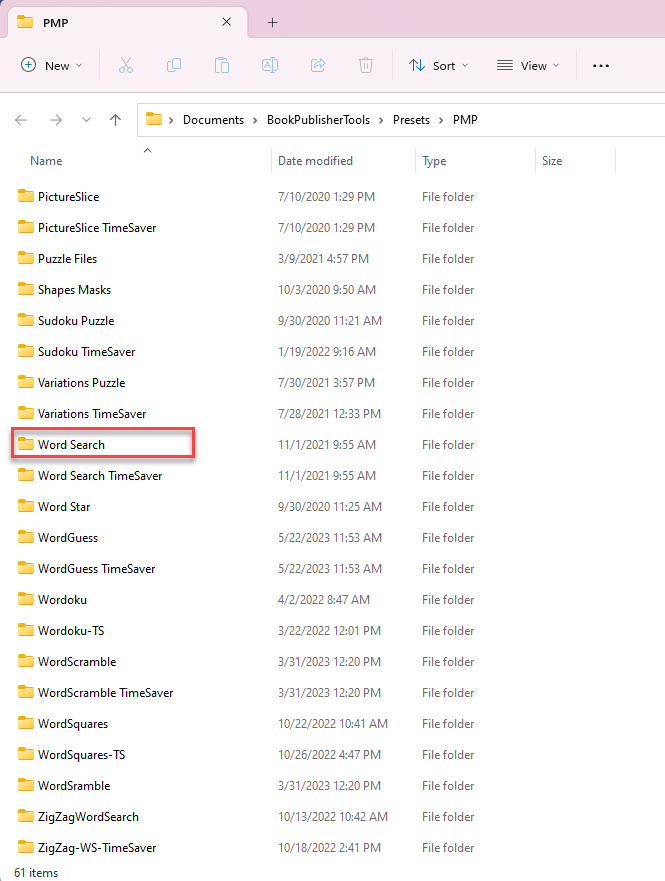
This tutorial shows how to delete or copy presets for Puzzle Maker Pro. Preset Locations All the presets that are saved from within Puzzle Maker Pro are stored on your computer, in subfolders for “DocumentsBookPublisherToolsPresetsPMP”. An easy way to find that folder is to click the “Open Presets Folder” button on the Tools tab in

How to delete or copy presets for Puzzle Maker Pro Read More »

How to add background images to my puzzles in Puzzle Maker Pro?

This tutorial describes how to add background images to your puzzles in Puzzle Maker Pro. This feature is only available when you have the Time Saver Add-on for the puzzle type you’re creating. Choosing Background Images You can find the Background Images setup on the “Output Settings” tab, then look for the “Background Images” tab.

How to add background images to my puzzles in Puzzle Maker Pro? Read More »

How to create Social Media Images with Puzzles using Puzzle Maker Pro

This tutorial describes how to create Social Media Images with Puzzles using Puzzle Maker Pro. For some modules, e.g. Crossword Variations, it’s now possible to create image output with a title and a watermark, in addition to the regular output for puzzle books. Please be aware, this is not yet available for all puzzle modules.

How to create Social Media Images with Puzzles using Puzzle Maker Pro Read More »

Shopping Cart