
Getting Started with Number Mazes
Learn how to build your first number maze using ordered or unordered sequences — perfect for beginners, educators, and puzzle creators starting out.
🧩 Overview
This tutorial shows you how to create simple, clean number mazes using either ordered sequences (like 1, 2, 3…) or randomized number paths within a defined range. You’ll also get a sneak peek at using filters like “Even numbers only.”
🧰 Required Module
🔧 Preparation
Before starting:
- Open Puzzle Maker Pro.
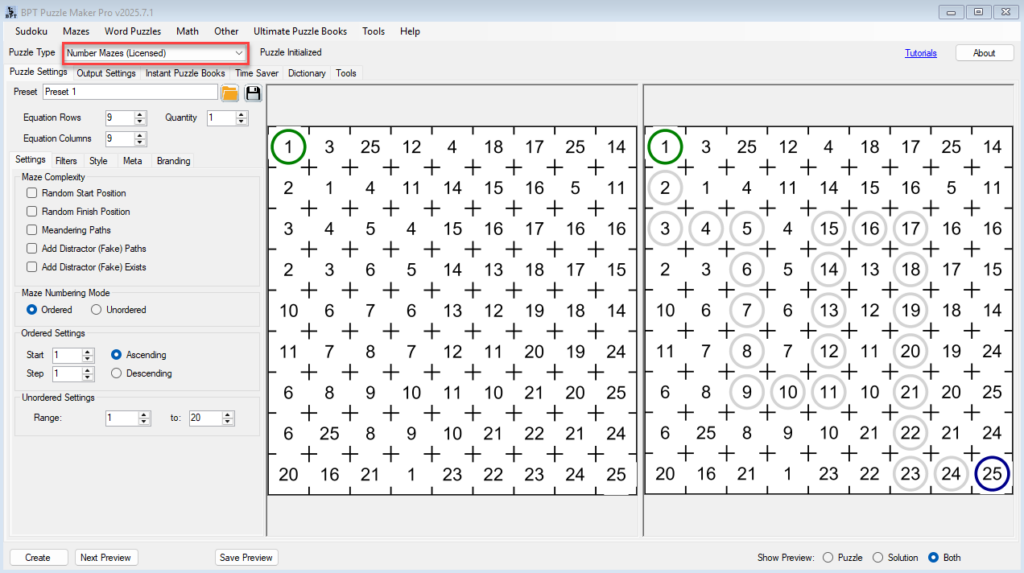
- From the Puzzle Type dropdown, select Number Mazes.
- Make sure you’re on the Puzzle Settings tab (left side).
- Leave Maze Options (like fake paths or meandering) turned off for now.
🪜 Step-by-Step Instructions
1. Create a Simple Ordered Maze
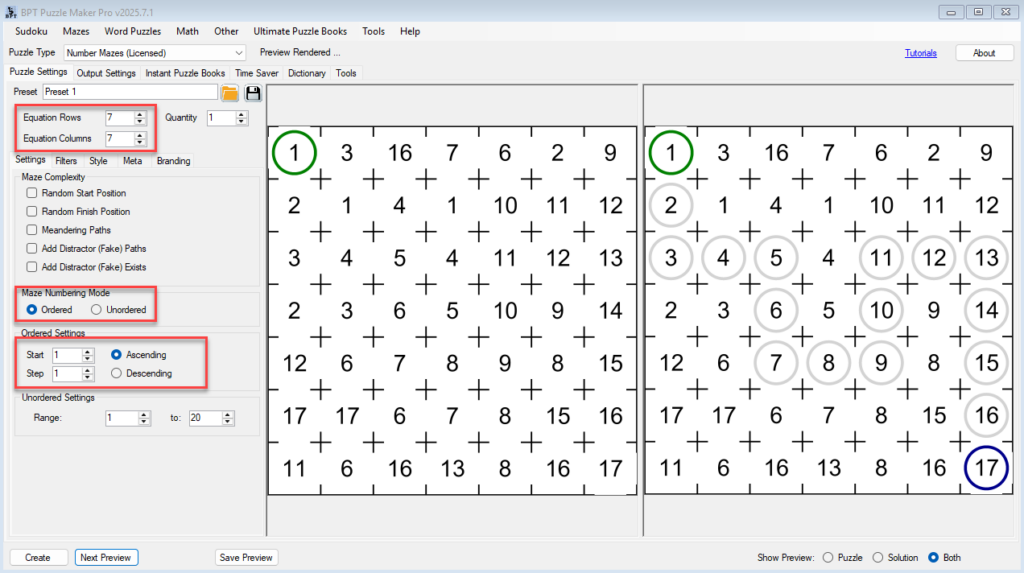
An ordered maze uses a start number and a step value to build a path in ascending or descending order.
- Under Numbering Mode, select
Ordered. - Set:
- Start:
1 - Step:
1
- Choose a grid size:
- Rows:
7 - Columns:
7
💡 Why 7 to 19?
Number Mazes don’t use internal walls — instead, they separate path numbers with “noise numbers.” So a 7×7 grid actually gives you a 4×4 usable maze area.
That’s why:
- Minimum size is 7×7 (anything smaller breaks the structure)
- Maximum size is 19×19 (to keep puzzles solvable and fast to generate)
- Click Next Preview to view the puzzle and its solution.
2. Try an Unordered Maze
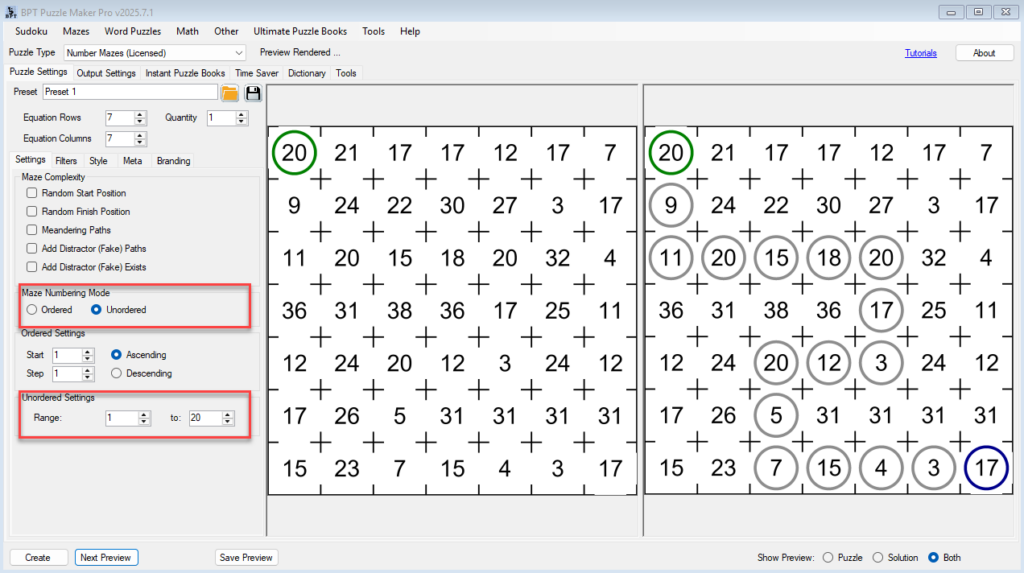
An unordered maze uses numbers randomly selected from a range, while still ensuring they form a valid path.
- Change Numbering Mode to
Unordered. - Set:
- Minimum:
1 - Maximum:
20
- Keep grid size at
7 × 7. - Click Next Preview again.
🎲 The path now uses random numbers within the range — each puzzle looks different, even with the same settings.
3. Add a Simple Filter: Even Numbers Only
Now let’s apply a basic filter that limits the path to even numbers only.
- In the Filter Type dropdown, choose
Only Even. - Leave Maze Options off for clarity.
- Set a wider range:
- Minimum:
2 - Maximum:
40
- Click Next Preview.
✅ You’ll now see a valid number path using only even values, like 2 → 4 → 6 → 8…
This is a great way to reinforce number concepts in educational mazes.

✅ Outcome
By the end of this tutorial, you can:
- Create both ordered and unordered number mazes
- Adjust starting values, steps, and ranges
- Preview how filters affect the number path
- Understand how grid size and spacing affects maze design
You’re now ready to explore more complex maze behavior, like fake paths and meandering paths, in the next tutorial.