
This tutorial shows how to create Criss Cross puzzles with Puzzle Maker Pro – Criss Cross.
The main tutorial for Crossword Variations shows all the steps and information that applies to all the different puzzle types.
Introduction
Criss Cross is a type of crossword puzzle where words are loosely connected to each other, like the example below.

In this tutorial we’ll show you how to create this type of puzzle using your own word list.
Puzzle Maker Pro – Criss Cross
All the options and functionalities for Criss Cross are covered in the main tutorial for Crossword Variations.
There are a few details to pay attention to:
Style 2 tab

As you can see in this screenshot, using full size word numbers influences the puzzle generation, because each word number needs a separate square. In essence this means that there are fewer squares for the words. In general this is not a problem, but it’s good to be aware of the changes in the puzzle.
Grid tab
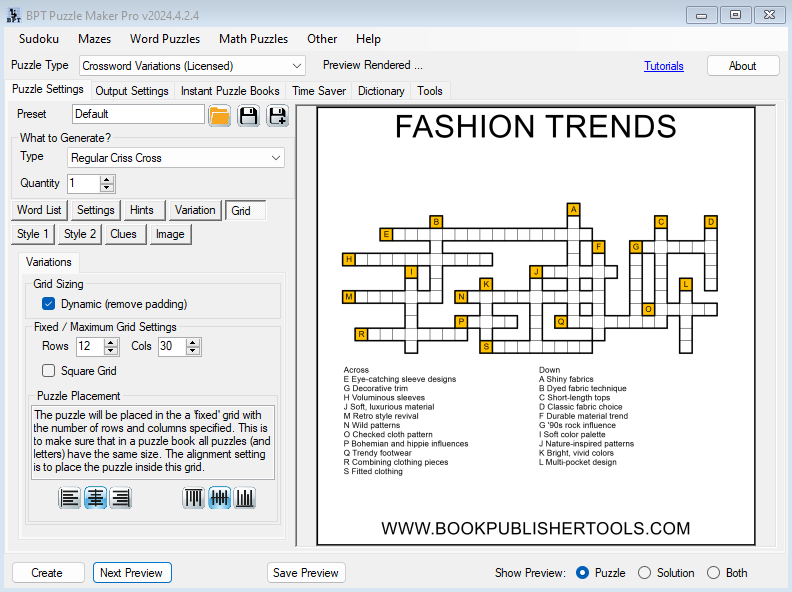
You can adjust the grid size to create puzzles that fit in the available space. For example with these image settings, there’s a rectangular area available for the puzzle, and it makes sense to set a grid size of e.g. 10×25 for a natural look.
Image tab
For Criss Cross puzzles you can use the Set Title, Set Description or a Custom text for the image title and description.
Further Reading
- How to create Crossword Puzzles – a general tutorial of the crossword creation process
- How to use the Word List Editor for Puzzle Maker Pro – Crossword
- How to use the Time Saver for Puzzle Maker Pro – Crossword